 mr-september
Plexus
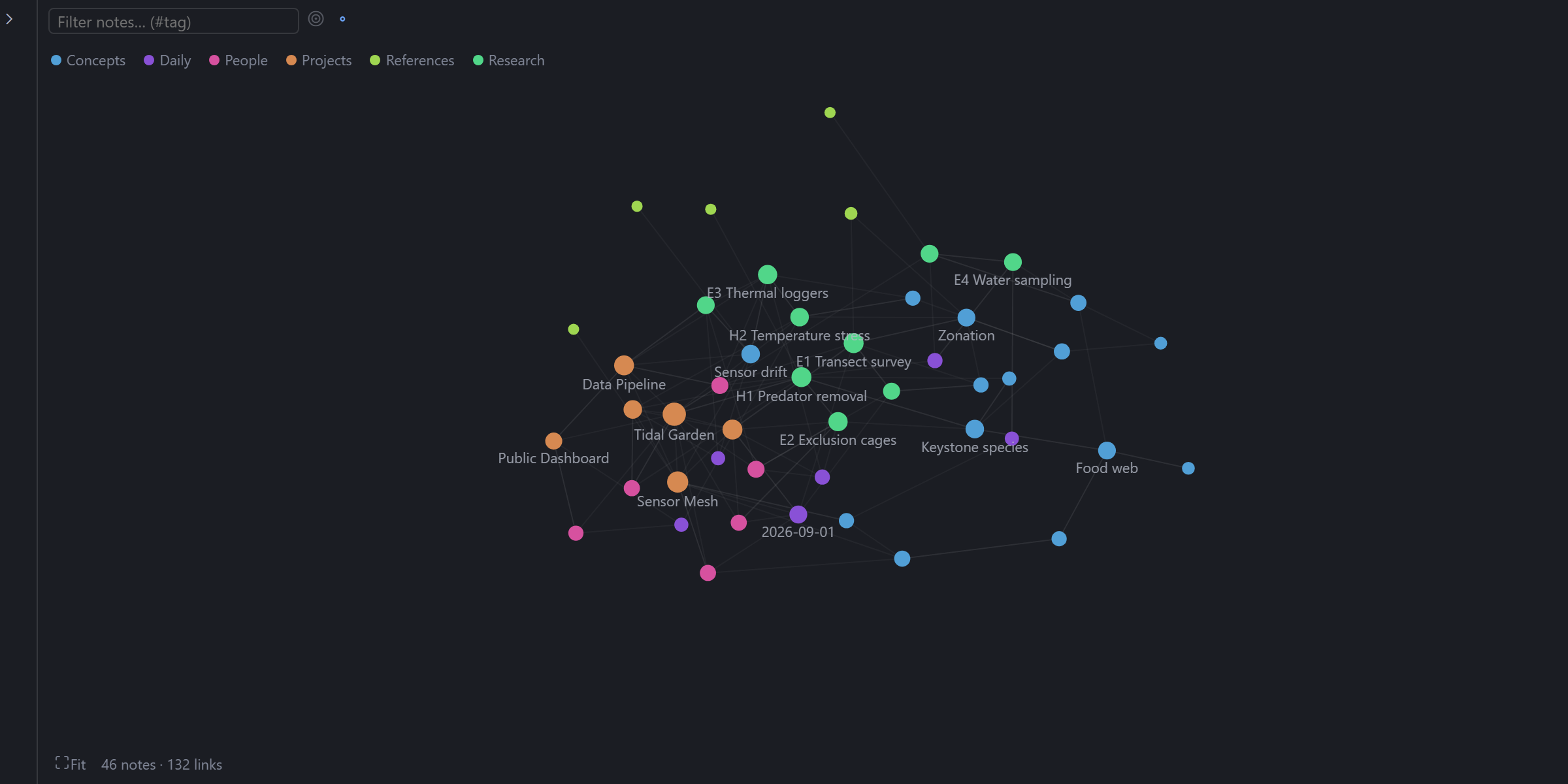
Your markdown vault as a constellation, inside Hermes Desktop. A graph of your notes and their [[wikilinks]], a file tree, and a tabbed editor, together in one tab. Fully local; your notes stay on your machine. Unofficial: not affiliated with Nous Research or Obsidian.


Features
- Graph. Notes are nodes, wikilinks are edges, and each top-level folder gets its own colour. Scroll to zoom, drag to pan or move a note, click to open, Shift+click to pin. The filter box dims what does not match (
#tagworks too), the target button shows only the open note and its neighbours, and the legend hides whole folders. - Nested folders. Switch the layout to Nested and every folder becomes a region inside its parent, with its notes inside it. Click a folder's name to zoom in, press Escape to zoom out, and press H to hide a folder you do not want in the picture.
- File tree. Create, rename, move, and trash notes. Renaming or moving a note updates the links that point to it.
- Editor. Markdown with autosave,
[[completion, Ctrl/⌘-click to follow a link, an Edit/Preview toggle, and a backlinks list. Drag the divider to give the graph or the editor the whole tab. - Wikilinks.
[[Note]],[[Note#Heading]]and[[Note#^block]]jump to the right place; Preview shows images and embedded notes. - Safe saves. If a note changes on disk while you have unsaved edits, Plexus asks whether to reload or overwrite instead of silently choosing.
- Remembers where you were. Open tabs, expanded folders, pinned notes, and the graph layout are kept per vault, and you can switch between vaults.
The screenshots come from fictional demo vaults (a made-up tide-pool research project and generated ones), rendered by a small harness that runs the real plugin outside Hermes. Treat them as representative rather than literal captures.
Install
Install Plexus from Hermes Desktop's plugin marketplace (Settings → Plugins). Then open it from the small Vault button at the bottom-right of the Hermes window (in the status bar, easy to miss), the command palette (Open Vault), or Ctrl/⌘+Shift+G, and choose the folder that holds your notes. Plexus settings are under Settings → Plugins → Plexus.
To look around without your own notes, choose the demo/vault folder from this repository.
Using it with the agent
Link notes from chat. Add a line like this to a skill or SOUL.md and the agent can point at a note; you open it with one click:
When you mention a note from the user's Obsidian vault, link it with
::vault{note="<Folder/Note name>"}(optionally#Heading) on its own line instead of pasting its path.
A note that does not exist is reported, never created.
Add a note to chat. The note pane's Add to chat button puts a reference to the note in the composer.
Privacy
Plexus only reads and writes inside the vault folder you choose, which Hermes lists (and lets you revoke) under its folder-access settings. Deleting moves a note to the system trash. Settings, open tabs, and graph layout are stored by Hermes on your machine. Nothing is sent anywhere; the one opt-in exception is images that a note links from the web, which stay as placeholders until you click Load remote images (that tells the image's host your IP address). Folders starting with a dot (.obsidian, .git) and archive/_archived are skipped by default.
Known limits
- No live file watching: the vault refreshes when the window regains focus, after saves, and with the rescan button.
- A note that is not UTF-8 text or is larger than 4 MiB cannot be opened. Images show in Preview only; other attachments (PDFs, audio) are not handled.
- If another program edits a note in the instant between Plexus checking it and saving it, that edit can be lost.
- The editor's highlighting is simple, and the interface is English only.
Development
npm install
npm run verify                    # typecheck, tests, and a check that the committed bundle matches the sources
npm run deploy                    # build and install into your local Hermes (for trying changes)
node scripts/screenshots.mjs      # re-render docs/screenshots from the demo vaults
node scripts/bench.mjs            # layout cost and boundary crowding
desktop/plugin.js is the built bundle Hermes loads; it is committed and rebuilt by npm run build. Design notes are in docs/.
Support
Free and open source. If it saved you time, you can chip in toward its upkeep.
Stars, bug reports, and ideas for the graph help just as much.
License and credits
The code is MIT licensed. The built bundle includes CodeMirror 6 (MIT) and d3-force and d3-hierarchy (ISC); @vscode/codicons and marked are used only by the screenshot harness. "Obsidian" is a trademark of its owners; this project is not affiliated with or endorsed by them. Every person and result in the demo vault is fictional.
README from the reviewed commit e31af2f; it updates when the author re-pins.


