solmonger
hermes-whoop
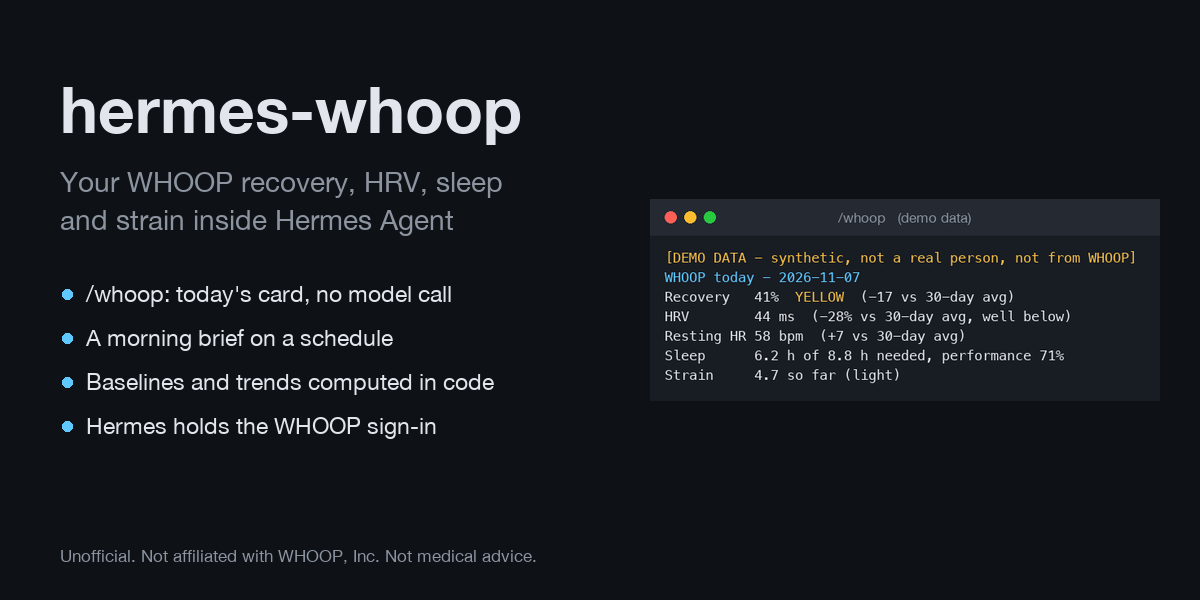
Your WHOOP data inside Hermes Agent: today's recovery, HRV, resting heart rate, SpO2, skin
temperature, sleep and strain, history over any date range, and 7-vs-30-day trends. Built on the
official WHOOP API v2 with your own WHOOP developer app.
Ask "should I go hard today?" and the agent answers from your actual recovery, not a guess. Type
/whoop in Telegram at 7 a.m. and the readiness card comes back in about a second, without a model
call. Or let Hermes send you a morning brief on a schedule.
Unofficial. Not affiliated with, endorsed by or supported by WHOOP, Inc. Wellness information,
not medical advice.
Status, 2026-11-07: demo mode and every code path are tested, including the sign-in, token
refresh and requests through Hermes's real OAuth code with WHOOP faked. The sign-in has not yet
been run against a real WHOOP account. See Not yet verified against WHOOP.
WHOOP today - 2026-11-07
Recovery   41%  YELLOW  (-17 vs 30-day avg)
HRV        44 ms  (-28% vs 30-day avg, well below)
Resting HR 58 bpm  (+7 vs 30-day avg)
SpO2       96.3%    Skin temp 34.2 C
Sleep      6.2 h of 8.8 h needed, performance 71%
           deep 1.4 h, REM 1.5 h, efficiency 92%
Strain     4.7 so far (light)
Today      aim for moderate strain (10-14). Yellow recovery: WHOOP's guidance pairs this with moderate strain.
! Skin temperature is +0.6 C against your recent average. Shifts like this often follow illness, alcohol, heat, travel or a hard session; it is not a diagnosis.
! Slept 6.2 h against a need of 8.8 h (2.6 h short).
Wellness information from your WHOOP data, not medical advice.
(demo data: synthetic, not a real person)
What it adds to Hermes
| Surface | What it does |
|---|---|
| 5 agent tools | whoop_today, whoop_history, whoop_trends, whoop_profile, whoop_status |
| /whoop slash command | Readiness card, week table, trends or status, answered by the plugin with no model call. Works in the CLI, TUI, Desktop and every messaging gateway. |
| hermes whoop CLI | setup, status, today, week, trends, set <key> <value> |
| 2 Automation Blueprints | hermes-whoop:morning-brief (daily) and hermes-whoop:weekly-review (weekly), scheduled with /blueprint or the Desktop Cron page |
| Readiness hook (opt-in) | Adds one line of today's readiness to messages about training, sleep or planning your day |
| whoop-coach skill | How to read the numbers and the guardrails for talking about them |
Why this is a plugin, not a prompt or a skill
- Hermes owns the WHOOP sign-in. The plugin declares its OAuth client in
plugin.yaml. Hermes
runs the browser sign-in, stores the grant and refreshes it, and attaches the bearer token to each
request itself. The plugin code never holds a token. - The numbers are computed in code: personal 30-day baselines with z-scores, 7-vs-30-day trends,
the acute:chronic strain ratio, and flags. The model explains them; it does not invent them. - It acts without being asked: a scheduled morning brief, an opt-in context hook, and a slash
command that answers in a second for zero tokens. - It handles what the API actually returns: pagination, 429 rate limits, records WHOOP has not
scored yet, unscorable records, naps, travel across time zones, and the cycle you are still in.
How it differs from other WHOOP options for Hermes
athletedata reaches WHOOP through a paid hosted aggregator. The whoop-mcp catalog entry
(NousResearch/hermes-agent#149460, merged after 2026-11-07) runs a Node.js MCP server from npm through npx and keeps its
own tokens in ~/.whoop-mcp/. hermes-whoop is a native Python plugin with no dependencies and no
runtime downloads. Its tool code is the reviewed source at the pinned commit. It talks to WHOOP
directly, and Hermes holds the credentials.
Install
hermes plugins install hermes-whoop          # once it is listed in the catalog
# or straight from the repository
hermes plugins install solmonger/hermes-whoop
hermes plugins enable hermes-whoop
Requires Hermes 0.22.3 or newer, the first release with plugin-declared OAuth clients. The
test suite, including the real-Hermes integration tests, passes on 0.22.3 and 0.22.6. No Python
dependencies beyond Hermes itself.
Try it first in demo mode (no WHOOP account)
hermes whoop set mode demo
hermes whoop today
or type /whoop demo in any session. Demo mode serves a seeded, synthetic month of data through a
fake WHOOP API: a steady few weeks, one late night, then a hard training block that pulls HRV down.
It exercises exactly the same client, parsing and analysis code as live mode. Every output says
it is demo data (data_source: "demo", a demo_notice field, a [DEMO DATA ...] banner). Switch
back with hermes whoop set mode live or /whoop live.
Connect your WHOOP account
You use your own WHOOP developer app. It takes about five minutes, once. hermes whoop setup
prints these same steps and checks what is already done.
- Create the app at https://developer-dashboard.whoop.com/apps/create (create a Team first
if asked). Steps: https://developer.whoop.com/docs/developing/getting-started/.- Scopes:
read:recovery,read:cycles,read:workout,read:sleep,read:profile,
read:body_measurement. The plugin also requestsoffline, which WHOOP requires for a
refresh token (https://developer.whoop.com/docs/developing/oauth/). - Redirect URL:
http://127.0.0.1/callback. See Limits for why there is no port. - New apps start on WHOOP's Sandbox tier, which lets up to 10 WHOOP members connect without
approval (https://developer.whoop.com/docs/developing/app-approval/). Using it for your
own account needs no review.
- Scopes:
- Give Hermes the client ID and secret. They are stored in the active profile's
.env, never
inconfig.yaml:- Desktop: Settings > Plugins > hermes-whoop > WHOOP client ID and WHOOP client secret
(masked fields), or - Terminal:
hermes config set WHOOP_CLIENT_ID <id>and
hermes config set WHOOP_CLIENT_SECRET <secret>.
- Desktop: Settings > Plugins > hermes-whoop > WHOOP client ID and WHOOP client secret
- Sign in from your own terminal. It opens a browser:
Hermes runs the authorization-code flow with PKCE and a randomhermes auth add hermes-whoop:whoopstate, and listens for the
callback on127.0.0.1. If WHOOP reports fewer scopes than requested, Hermes saves nothing.
It refuses to run from the gateway, cron or an agent session.hermes auth status hermes-whoop:whoopshows the grant.
hermes auth logout hermes-whoop:whoopremoves it. - Check it:
hermes whoop status, thenhermes whoop today, or/whoopin any chat.
hermes whoop statusalways asks WHOOP afresh, so it shows a revoked sign-in at once.
Use it
Just talk: "how recovered am I?", "how did I sleep this week?", "compare my HRV this week with
last month", "plan my training week around my recovery", "what were my runs in October?".
| Tool | Use |
|---|---|
| whoop_today | Recovery and zone, HRV, resting HR, SpO2, skin temp, last night's sleep against need, strain so far, today's workouts, each against your 30-day baseline. Also a suggested strain range and flags. |
| whoop_history | kind = days (recovery + sleep + strain joined per day), recovery, sleep (includes naps and stages), cycles (strain, calories, steps) or workouts (sport, duration, strain, HR zones, distance). Up to 90 days, with a summary. |
| whoop_trends | Last 7 vs last 30 calendar days (configurable) for every metric, with direction, recovery zone counts, the load ratio, flags, and how many days in each window have data. |
| whoop_profile | Name and body measurements. Email only if include_email is true. |
| whoop_status | Mode, connection, the exact sign-in command, and rate-limit headroom. |
Scheduled briefs. /blueprint hermes-whoop:morning-brief schedules the brief (default 07:30
every day; set it for after you usually wake, since WHOOP scores recovery once you are up and the
band syncs). /blueprint hermes-whoop:weekly-review schedules a Sunday-evening review. Both are
ordinary Hermes cron jobs you can see and delete with hermes cron. If today's recovery is not
scored yet, the brief says so and uses the latest scored day.
Readiness context (opt-in). Run hermes whoop set readiness_context relevant, and messages that mention
training, workouts, sleep, fatigue or planning your day get one line of today's readiness appended
for that turn. The trigger list uses first-person phrases ("I'm tired", "my sleep", "my strain"), so
a coding chat that says "run the tests", time.sleep(), "I'm tired of this flaky test" or "the
training loss" does not set it off. Messages with images are matched on their text. first_turn
adds the line to the first message of every session instead. It stays quiet in cron runs.
The line comes from a 15-minute cache. On a miss the hook gets 4 seconds in total for all its
WHOOP requests, one try each. After any failure (a timeout, a 429, a missing sign-in, a failed token
refresh) it adds nothing for 5 minutes. So a WHOOP outage costs at most one slow turn every
5 minutes. One wait is outside the plugin's control: when Hermes refreshes the sign-in during that
pass, its token request has its own 10-second timeout, so that one turn can wait up to about 10 s.
Settings
Change them with hermes whoop set <key> <value>, the Desktop plugin settings form, or by hand in
config.yaml under plugins > entries > hermes-whoop > settings.
| Key | Values | Default | Meaning |
|---|---|---|---|
| mode | live, demo | live | Your WHOOP account, or synthetic demo data |
| timezone | IANA name | auto | Used for "today" and date ranges. Empty means the offset of your latest WHOOP cycle, so a gateway on a UTC server still uses your day; this computer's zone only when WHOOP has no cycles yet. Each record's own WHOOP offset still decides its local day. |
| units | metric, imperial | metric | Distance, altitude, height and weight. Temperatures stay in Celsius, as WHOOP reports them. |
| readiness_context | off, relevant, first_turn | off | The readiness hook, above |
How the numbers are worked out
- Recovery zones follow WHOOP: green 67-100%, yellow 34-66%, red 0-33%.
Strain bands also follow WHOOP: light 0-9, moderate 10-13, high 14-17, all out 18-21
(https://developer.whoop.com/docs/whoop-101). - Suggested strain maps the zone to WHOOP's own guidance: green is a high-strain day, yellow is
moderate, red is rest or active recovery
(https://www.whoop.com/thelocker/how-does-whoop-recovery-work-101/). It is a range, not an order. - Baselines are your previous 30 scored days. A comparison reports the delta, the percentage
and a z-score. The label is "well below" at z <= -1.5 and "below" at z <= -0.5, mirrored for
"above" and "well above". - Trends compare the mean of the last 7 calendar days with the last 30, both ending today. Days
without data are not filled from older weeks: the result says how many days in each window have
data, and the trend flags need at least 3 days in the short window and 14 in the long one. The
cycle you are in counts for recovery and sleep, which are final once scored, but not for strain,
which is still adding up. - Flags are this plugin's own heuristics, worded neutrally and never as a diagnosis:
- 7-day HRV at least 10% below the 30-day mean
- 7-day resting HR at least 3 bpm above it, and both together read as "accumulated strain"
- acute:chronic strain ratio of 1.3 or more, a common sports-science threshold for a fast ramp
- two or more red recoveries in a row
- skin temperature at least 0.5 C above your recent average
- sleeping respiratory rate at least 1 breath/min above it
- sleep at least 1 h short of WHOOP's computed need
- Day labels. WHOOP records carry their own
timezone_offset. A sleep belongs to the local day
you woke into, and a workout to its local start date. WHOOP does not define a cycle's calendar
day, so this plugin uses the local date of the cycle start plus 12 hours: the waking day it mostly
covers. - States.
PENDING_SCOREbecomesstate: "pending",UNSCORABLEbecomes"unscorable", and
a recovery or sleep that has not synced yet becomes"not_yet". Each comes with null values and a
note, and is left out of averages.
WHOOP 5.0 and what the public API exposes
The WHOOP developer API is device-agnostic: the same endpoints and fields serve WHOOP 4.0,
5.0 and MG. This plugin reads everything the public API v2 offers for a member: cycles (strain,
calories, heart rate, and step_count when WHOOP provides it), recovery, sleep, workouts, profile
and body measurements. WHOOP documents SpO2 and skin temperature as present only on 4.0 or newer.
The 5.0 and MG features WHOOP markets, such as Healthspan / WHOOP Age, the Stress Monitor, Blood
Pressure Insights, ECG / Heart Screener and hormonal insights, are not in the public API. The
official OpenAPI document (https://api.prod.whoop.com/developer/doc/openapi.json, checked
2026-11-07) has no endpoints for them; its only other endpoints are lab-requisition endpoints for
WHOOP's trusted partners. So this plugin does not support those features. It will add them if
WHOOP publishes them.
Privacy and disclosures
- Network: the plugin's requests go only to
https://api.prod.whoop.com/developer/..., and
Hermes makes them. Hermes sends the bearer only to the declared hostapi.prod.whoop.comand
never follows redirects. Sign-in and token refresh go to WHOOP's OAuth endpoints on the same
host, also sent by Hermes. - Credentials: your WHOOP client ID and secret live in the active Hermes profile's
.env. The
OAuth grant lives in that profile's Hermes auth store. Hermes reads, refreshes and attaches them.
The plugin never reads.env,auth.jsonor any other credential store, and never sees a token.
A test checks this on every run (tests/test_manifest_register.py), and another proves the token
never appears in tool or command output (tests/test_hermes_integration.py). - Your health data goes to your model provider. Tool results (recovery, HRV, sleep, workouts)
enter the conversation and are sent to whichever model the session uses. Use a local model or a
provider you trust with health data. The email address is left out unless you ask for it. The
readiness hook is off by default. - Storage: the plugin creates no files of its own. Settings you change with
/whoop demo,
/whoop live,hermes whoop setor the Desktop form are written to the profile'sconfig.yaml
by Hermes. WHOOP responses sit in memory for 5 minutes, at most 128 of them per Hermes profile,
kept separately for each profile so a gateway serving several people never mixes their data. The
cache vanishes when Hermes exits. - Group chats:
/whoopanswers in the chat it was typed in. In a group or shared chat, everyone
there sees your recovery, sleep and strain, and anyone allowed to use the bot there can switch the
mode with/whoop demoor/whoop live. Use it in a private chat with your bot. - No background processes, no shell commands, no telemetry, no self-updates. Scheduled briefs are
ordinary Hermes cron jobs that only exist if you create them. - Sign out:
hermes auth logout hermes-whoop:whoop. To cut off every grant your WHOOP app ever
issued, delete the app in the WHOOP developer dashboard. - Not medical advice. The bundled skill tells the agent never to diagnose.
Limits
- Redirect URL and port. Hermes listens for the sign-in callback on
127.0.0.1with a port the
OS picks for each sign-in. The plugin manifest has no way to pin a port. WHOOP's docs say the
redirect must match the one registered. WHOOP's OAuth server identifies itself as Ory Hydra (its
error redirects use Hydra's/oauth2/fallbacks/errorpath; observed via the API, not documented
by WHOOP). Hydra follows RFC 8252 section 7.3 and accepts any port for a127.0.0.1redirect
whose host and path match. Registerhttp://127.0.0.1/callback. If WHOOP still reports a
redirect mismatch, Hermes would need aredirect_portoption on pluginoauth:entries; please
open an issue. - No webhooks. WHOOP webhooks need a public HTTPS endpoint, which a local agent does not have.
The plugin reads on demand and caches for 5 minutes instead. - Rate limits. WHOOP allows 100 requests a minute and 10,000 a day by default
(https://developer.whoop.com/docs/developing/rate-limiting/).whoop_todaycosts about 7
requests on a miss (a month of cycles, recoveries and sleeps at 25 per page, plus today's
workouts). Calls within 5 minutes reuse them: windows that end now leave outend(WHOOP then
uses now) and starts are rounded down to the hour, so the same question asks for the same URLs.
whoop_trendsright afterwhoop_todaycosts nothing. On a 429 the plugin waits for
X-RateLimit-Reset(at most 60 s per wait, 20 s in total for one tool call), then reports the
error with the real reset time, for example "the daily limit resets in about 11 h". - History requests cover at most 90 days at a time.
- Day boundaries for cycles are a heuristic (see above). WHOOP's app can place a cycle that started
in the afternoon on a different day. - With
timezoneempty, the zone is a fixed UTC offset taken from your latest cycle, so a date range
that crosses a daylight-saving change can be an hour off at its far end. Settimezoneto your
IANA zone to avoid that.
Not yet verified against WHOOP
The sign-in, refresh and requests run on Hermes's real OAuth code in the integration tests, with
WHOOP faked. Three things need one real WHOOP account to confirm:
- The redirect port. Hermes signs in with
http://127.0.0.1:<random port>/callback. WHOOP's
getting-started page (https://developer.whoop.com/docs/developing/getting-started/) says "The
redirect URI on your OAuth authorization request must match the value in the Developer
Dashboard." Accepting any port on a registeredhttp://127.0.0.1/callbackrelies on WHOOP's
OAuth server behaving like Ory Hydra with RFC 8252 loopback matching, which was observed, not
documented. - Scopes in the token response. Hermes saves the sign-in only if the scopes WHOOP grants
include every requested scope (when the response lists them). WHOOP's OAuth page shows a token
response with"scope": "offline other-scopes-requested", so this should pass. - Refresh-token rotation. WHOOP rotates refresh tokens ("the refresh token from the refresh
response is now the valid refresh token", https://developer.whoop.com/docs/developing/oauth/),
and its refresh example sendsscope: offline. Hermes's refresh does not send a scope; RFC 6749
section 6 says an omitted scope means the originally granted scope. If WHOOP returned no new
refresh token anyway, Hermes would keep the old, already-used one and the sign-in would end at
the next expiry (WHOOP's sampleexpires_inis 3600 s). The plugin would then report
not_connectedwith the sign-in command, not fail silently.
How to check, about 70 minutes, mostly waiting:
hermes whoop setup                          # register http://127.0.0.1/callback in your WHOOP app
hermes auth add hermes-whoop:whoop          # 1 and 2: the browser sign-in completes
hermes whoop today                          # live data arrives
# wait more than an hour, then:
hermes whoop today                          # 3: Hermes refreshed the grant
hermes auth status hermes-whoop:whoop       # still signed in
If step 1 fails with a redirect mismatch, plugin oauth: entries need a way to pin the port. A
Hermes issue for that is drafted in docs/SUBMISSION.md.
Development
# fast unit tests: any Python 3.11+, no network, no Hermes needed
python -m pytest tests

# plus the integration tests that load the plugin into a real Hermes in a throwaway HERMES_HOME
# under .tmp/ (never your real Hermes home): run with Hermes's own interpreter
<hermes-checkout>/venv/bin/python -m pytest tests

# what catalog CI runs
hermes plugins validate . --install-deps
hermes plugins doctor . --ci

# the same suite against an older Hermes release (read-only export of a tag into .tmp/)
mkdir -p .tmp/hermes-v0.22.3
git -C <hermes-checkout> archive v0.22.3 -- acp_adapter agent cron gateway hermes_cli hermes_platform \
    plugins providers tools tui_gateway skills locales optional-skills optional-mcps plugin-catalog pm \
    ':(glob)*.py' pyproject.toml | tar -x -C .tmp/hermes-v0.22.3
PYTHONPATH=.tmp/hermes-v0.22.3 <hermes-checkout>/venv/bin/python -m pytest tests
The integration tests check four things:
PluginManagerloads the plugin and registers its tools, hook, command, skill and blueprints.- The real
credentialed_provider_requestsends the bearer only toapi.prod.whoop.com. - Hermes refreshes an expired grant with your client against the declared token URL.
validate_plugin_dirpasses with no warnings.
HTTP is faked at the httpx layer and sockets are blocked.
Layout: api.py (client, pagination, retries, bounded cache, hook deadline), records.py (normalisation, time zones,
score states), analysis.py (baselines, trends, flags), service.py (what tools ask for),
demo.py (synthetic data and fake API), tools.py, hook.py, commands.py, render.py,
transport.py (the only file that talks to Hermes's credentialed request helper).
Sources
- Hermes plugin guide: https://hermes-agent.nousresearch.com/docs/developer-guide/plugins
(sections "Use your own OAuth client", "Add Automation Blueprints", "Register slash commands",
"pre_llm_call context injection") - Hermes catalog rules: https://hermes-agent.nousresearch.com/docs/developer-guide/plugins/catalog-submission
- WHOOP API reference: https://developer.whoop.com/api/ and
https://api.prod.whoop.com/developer/doc/openapi.json - WHOOP OAuth: https://developer.whoop.com/docs/developing/oauth/
- WHOOP pagination: https://developer.whoop.com/docs/developing/pagination/
- WHOOP rate limits: https://developer.whoop.com/docs/developing/rate-limiting/
- WHOOP webhooks: https://developer.whoop.com/docs/developing/webhooks/
- WHOOP cycles: https://developer.whoop.com/docs/developing/user-data/cycle/
- WHOOP recovery: https://developer.whoop.com/docs/developing/user-data/recovery/
- WHOOP 101 (zones and strain scale): https://developer.whoop.com/docs/whoop-101
- WHOOP app approval: https://developer.whoop.com/docs/developing/app-approval/
License
MIT. See LICENSE.
README from the reviewed commit ea30c76; it updates when the author re-pins.