SaM-0777
Workflow Studio
Workflow Studio is a general-purpose, agent-based workflow platform for building and executing workflows for any task. Describe what you want to accomplish, and Hermes can create the workflow by configuring components, connecting their inputs and outputs, and organizing them into an executable graph.
Complex tasks often involve multiple steps, dependencies, and parallel operations. Workflow Studio provides a visual node-based editor where you can inspect, modify, and manage workflows, with support for reusable components, custom code, typed connections, and conditional execution.
Showcase
Explore workflows built and executed with Hermes Workflow Studio. Each showcase includes screenshots, the original prompt, and the workflow JSON to import and run.
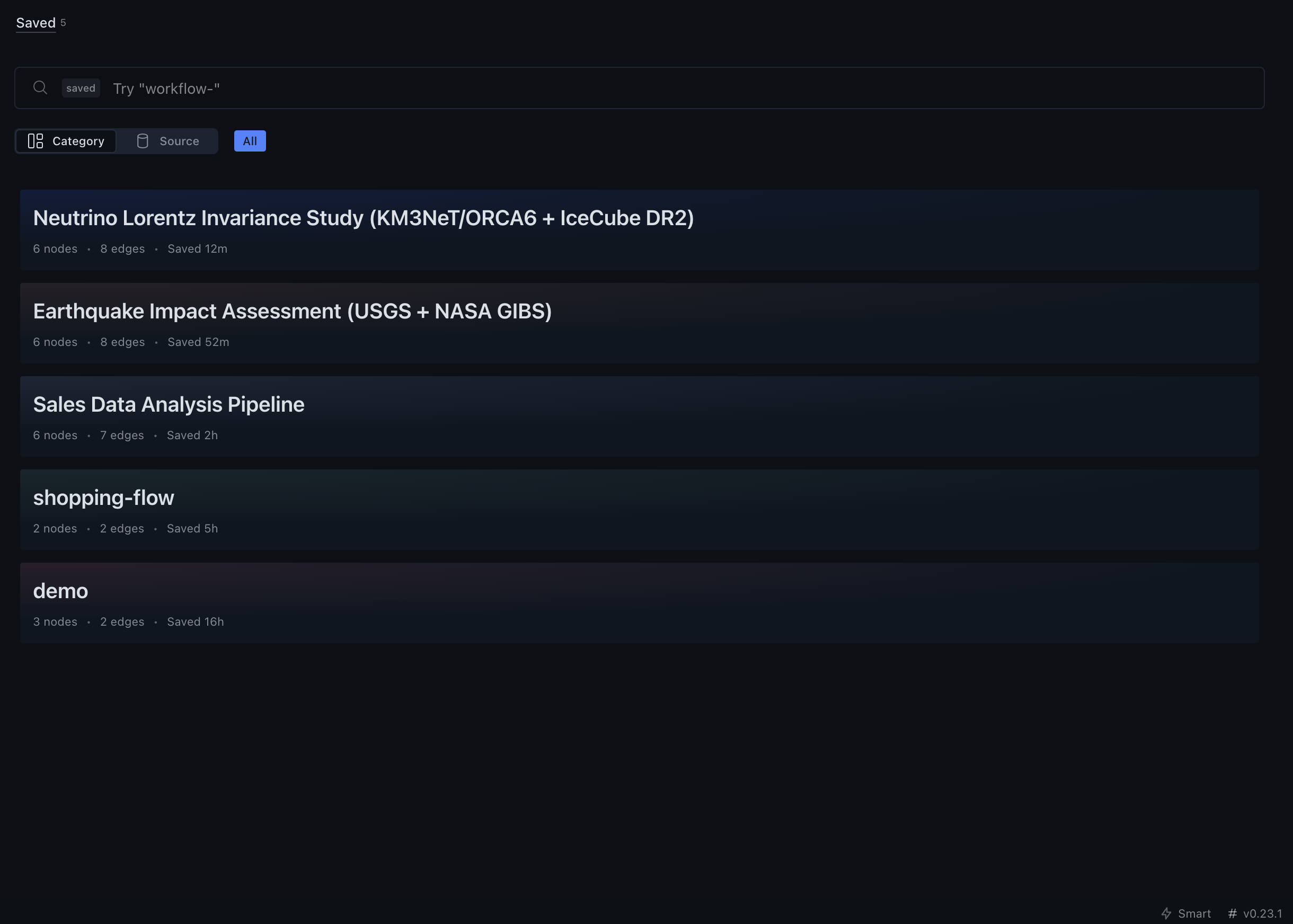
Workflow Library
Browse and manage saved workflows.
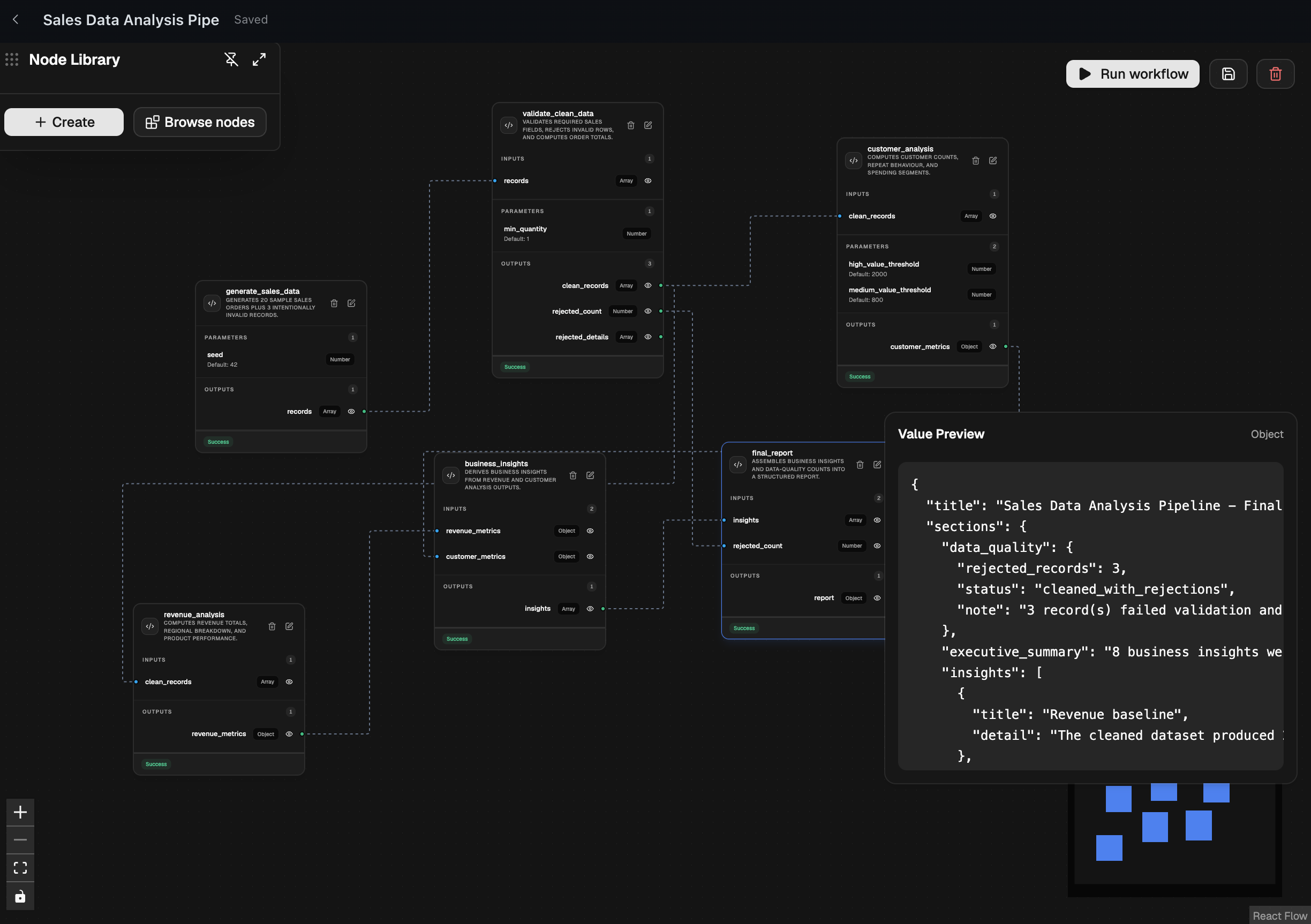
1. Sales Data Analysis Pipeline
A complete data analysis pipeline that generates sample sales records, validates and cleans data, performs parallel revenue and customer analysis, and combines the results into a final business report.
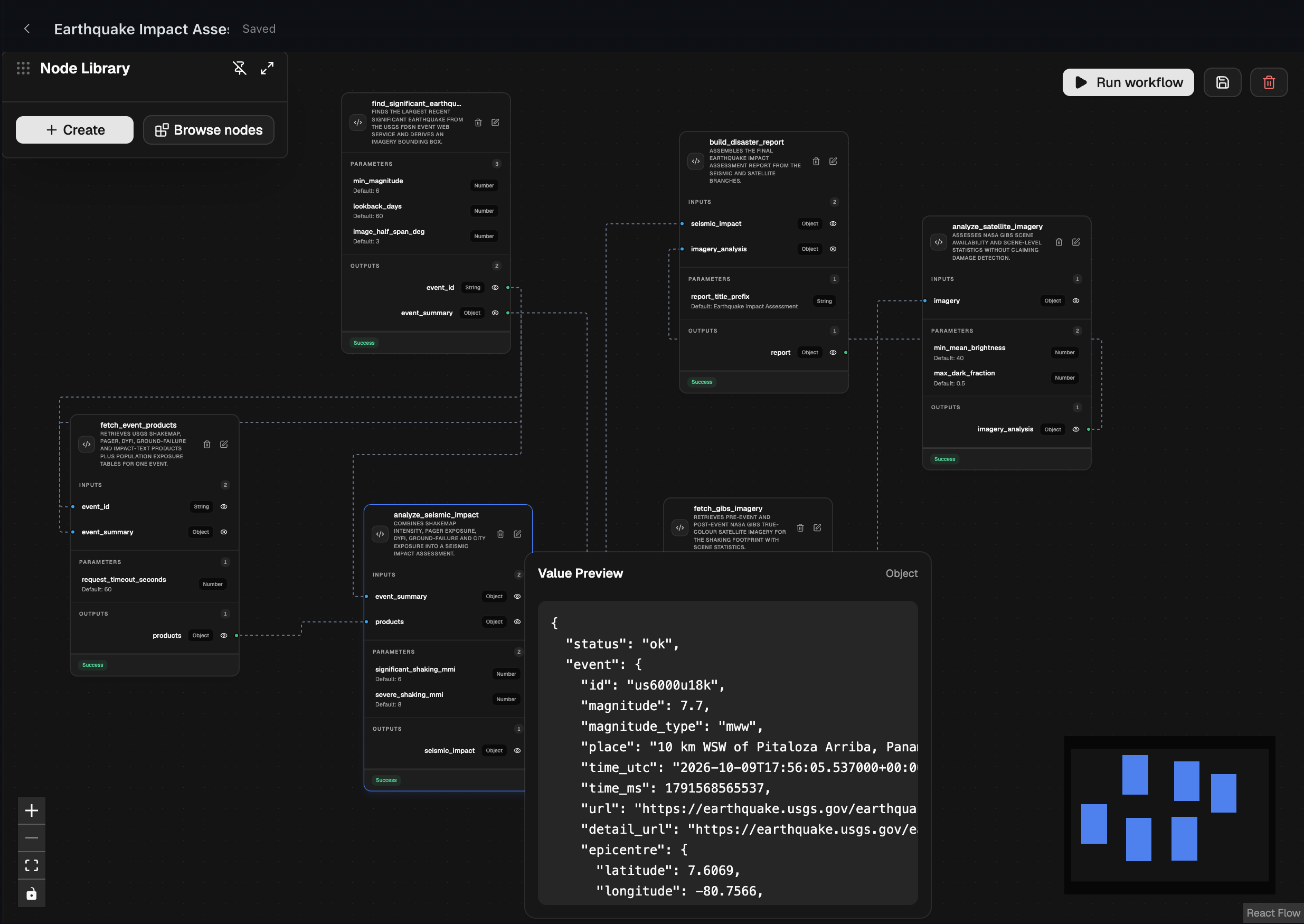
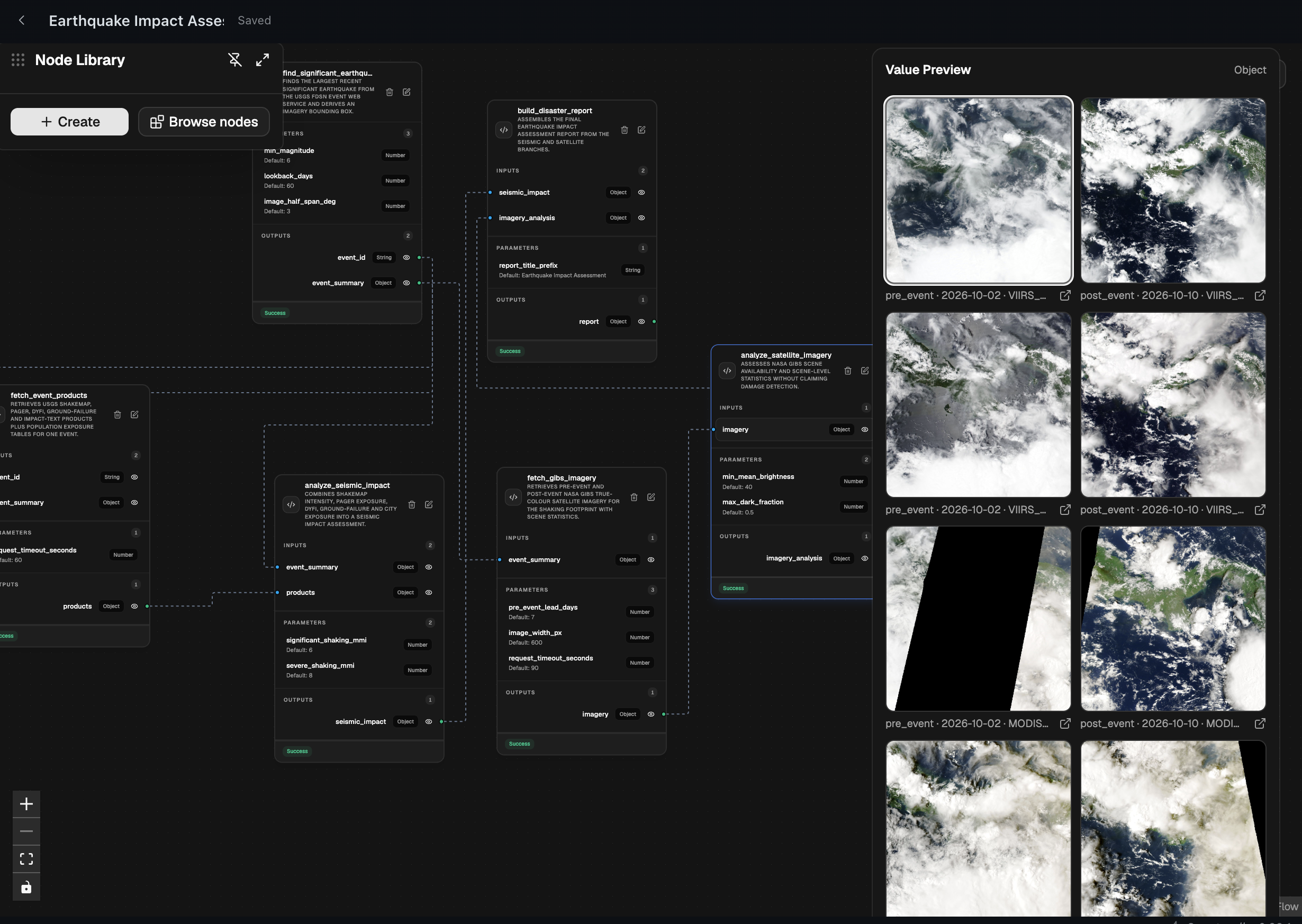
2. Earthquake Impact Assessment
A real-world disaster assessment workflow combining USGS earthquake data and NASA satellite imagery to analyze seismic activity, geographic exposure, and available impact estimates.
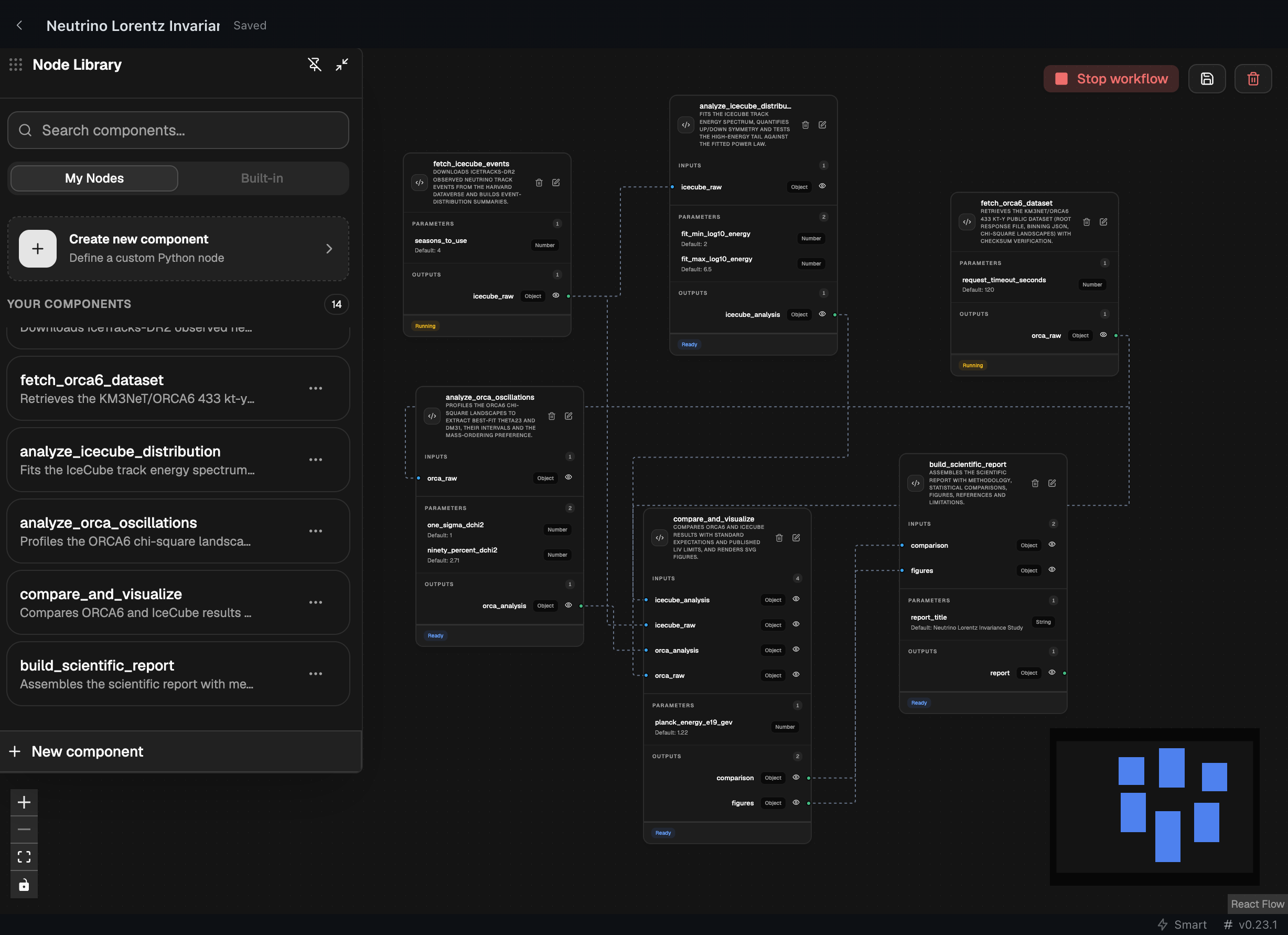
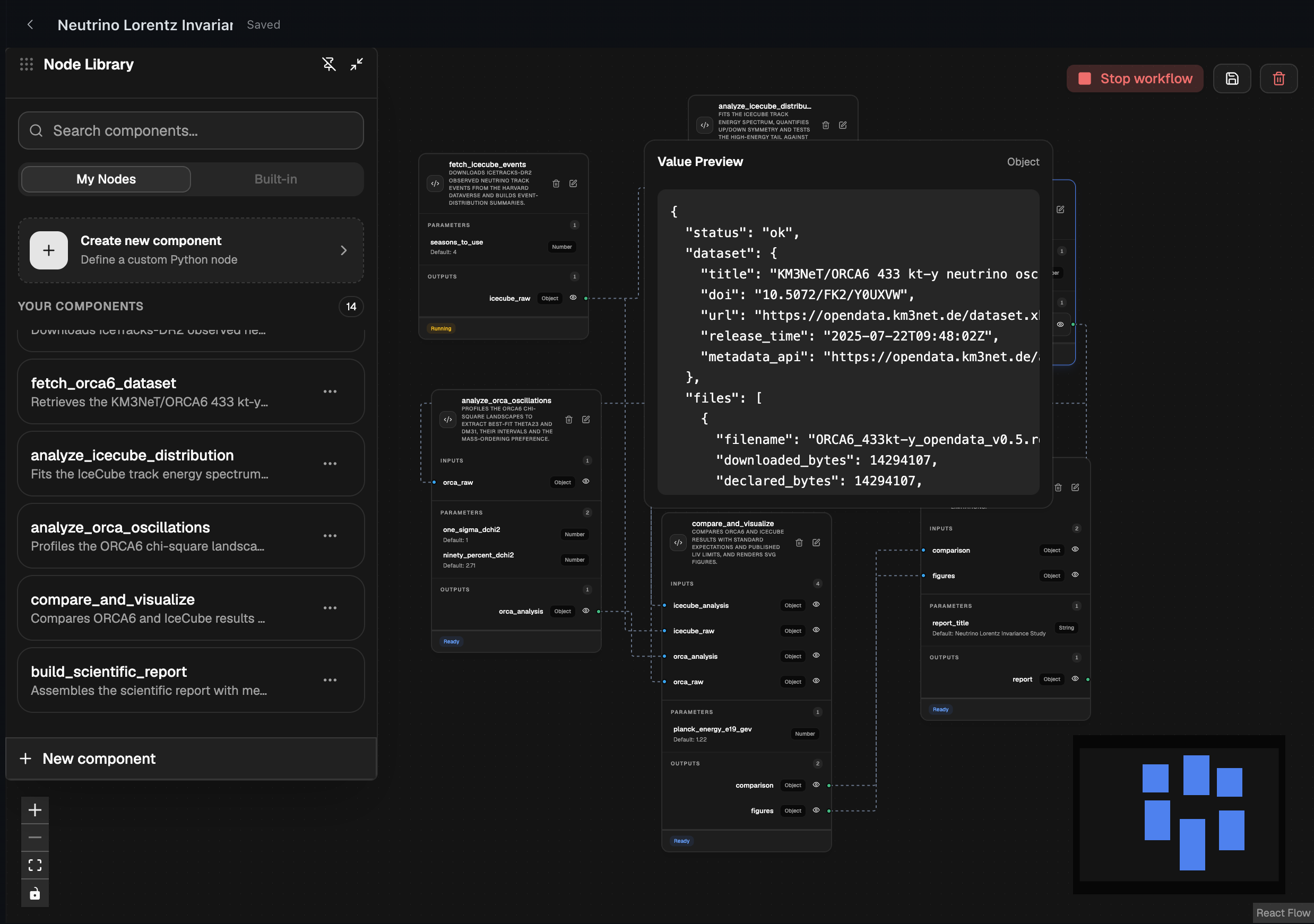
3. Neutrino Oscillations & Lorentz Invariance Analysis
A scientific research workflow comparing publicly available KM3NeT and IceCube neutrino datasets through parallel analysis branches, combining experimental findings into a structured research report.
Warning
Applications limited to user's imaginations.
Getting Started
Installation
hermes plugins install hermes-workflow
After installation, enable the plugin using Hermes's plugin management interface or CLI.
First workflow
Once the plugin is installed and enabled:
- Open Workflow Studio in Hermes Desktop.
- Create a new workflow or ask Hermes to create one.
- Add nodes to the graph.
- Configure node inputs, outputs, parameters, and Python execution logic.
- Connect compatible ports.
- Save the workflow.
- Execute it from Workflow Studio or ask Hermes to run the saved workflow.
For example, you can ask Hermes:
Build a disaster-response workflow that analyzes incoming satellite imagery, detects damaged infrastructure and blocked roads, identifies affected populations, and prioritizes emergency response locations. Combine the findings to generate a response plan with resource allocation and recommended rescue routes. Save the workflow and execute it.
Hermes can use the registered workflow tools to construct the graph.
Architecture
Workflow Studio's UI is native plugin UI: desktop/plugin.js renders the React app from src/ directly into the Desktop window via the plugin SDK's page contributions.
Security and Important Disclosures
Workflow Studio is a development-oriented workflow execution environment. Users should understand how node execution works before running workflows.
Python code execution
Workflow nodes contain Python source code. Node execution is handed to Hermes' own execute_code tool, so each run happens in a separate kernel child process with Hermes' scrubbed environment (PATH, HOME, LANG/LC_*, TMPDIR, SHELL and the project interpreter; credential-shaped variables are dropped), Hermes' approval guard and its configured timeout. Node source is compiled and invoked inside that child — never in the gateway process.
This is process-level separation, not a container jail: the child runs as your user, with that user's filesystem and network access. Only run workflows and node definitions from sources you trust. Do not execute untrusted Python code.
Network access
Node execution code can use network capabilities available to its Python runtime. Node authors should disclose and explain any external services their nodes contact.
Data and persistence
Workflow and reusable node definitions are stored through the plugin's backend routes (/workflows, /node-library) and persist independently of the active editor session.
Node execution receives the connected upstream outputs as inputs. The execution endpoint passes empty parameter and context dictionaries to the node implementation.
Credentials
Do not hardcode API keys, passwords, access tokens, or other secrets into node source code or workflow definitions.
Any node that requires external credentials should use an appropriate secure credential integration.
Background execution
The workflow execution request is dispatched through Hermes Desktop events. The current implementation does not provide a separate durable background execution service.
Compatibility
Workflow Studio requires Hermes Agent 0.23.0 or newer.
Contributing
Contributions, bug reports, and feature suggestions are welcome.
Please open an issue or pull request in the repository:
https://github.com/SaM-0777/hermes-workflows
License
This project is licensed under the MIT License
README from the reviewed commit ca137e9; it updates when the author re-pins.