
 hi4c0ck
It's in Your Head
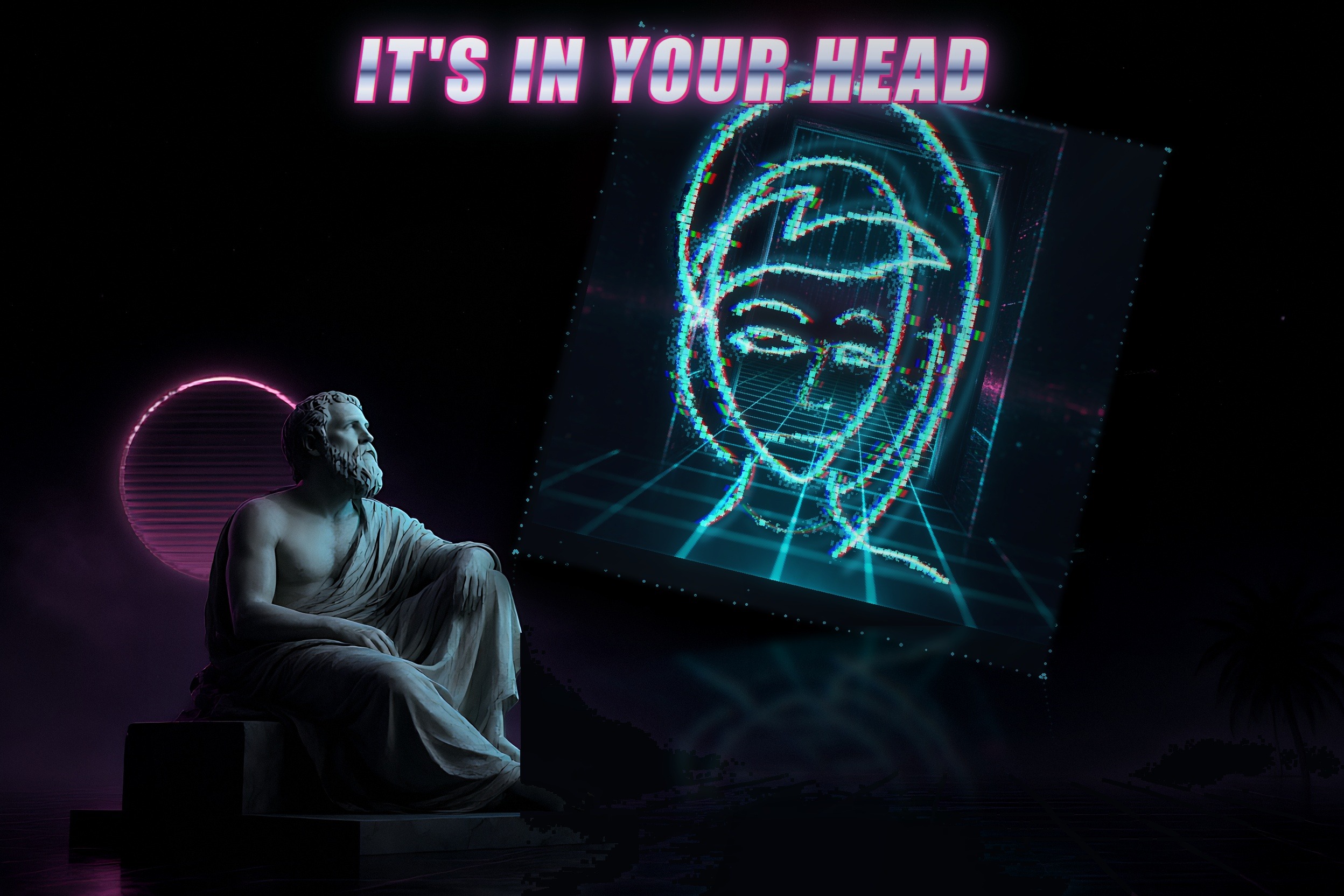
A calm instrument for seeing how you actually work with Hermes — live
activity, a portrait of your working style, and the trends underneath it.
It watches signals, not words: your prompts and reasoning are never stored,
and nothing leaves your machine by default.
What it gives you
- Awareness without interruption. A 96px strip sits at the edge of the
desktop app and shows your session's pulse at a glance — which tools are
active, and whether the work is trending toward your goal, going well, or
hitting friction. You stop guessing whether a session is going well. - A mirror of your working style. A six-dimension portrait derived from
real signals (tools, turns, friction) — how you work, not what you think.
It builds over time and stays honest: weak evidence reads as provisional,
never as false confidence. - Drift you can catch early. Trend series show when your workflow shifts,
so you notice a change in direction before it becomes a problem. - Gentle, opt-in adaptation. If you enable it, the plugin can offer one
bounded directional instruction per turn, driven by independent
goal / good / friction channels. It never nags, and it is off by default. - It stays out of the way. Zero network by default, no raw text on disk,
a compact instrument instead of another dashboard to babysit.
The surfaces
The strip — what you see at all times
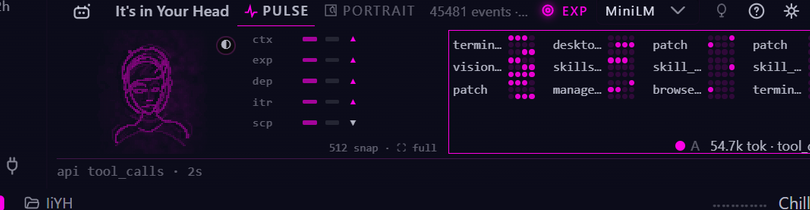
The 96px instrument docks to the bottom of the desktop app: live tool-call
matrix, portrait sketch, four trend bars and a ticker. Labels ellipsize by
design at the compact width.
The workspace — expand for inspection
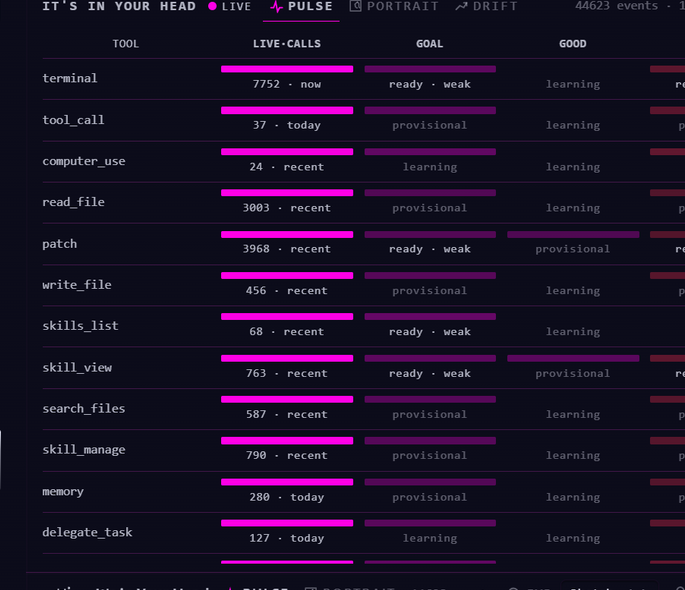
The strip's expand icon (top-right, next to ?) opens the wider PULSE view:
a per-tool table with live-call volume and goal / good / friction state.
/mirror — the chat quick reference
| command | what it shows |
|---|---|
/mirror | dataset line (events + tokens) |
/mirror pulse | goal / good / friction state per label |
/mirror portrait | six dimensions + confidence |
/mirror portrait draw | deterministic ASCII face + six-axis evidence strip |
/mirror drift | six-dimension series (last 8 points) |
/mirror context | context-visibility audit (what the model can / can't see) |
/mirror reset [--yes] | wipe the dataset — confirmation-gated, config untouched |
/mirror adaptation [on|off|status|rules] | directional adaptation state + rules |
/mirror engine [status|enable|disable] | perception tier (Tier-0 default, opt-in ONNX Tier-1) |
The face changes with your work
The portrait isn't a static avatar — it's a live expression of your working
state. These are real renders from the portrait engine, driven to each state
and settled (not mockups):
| rest | open | locked | aligned | tense |
|---|---|---|---|---|
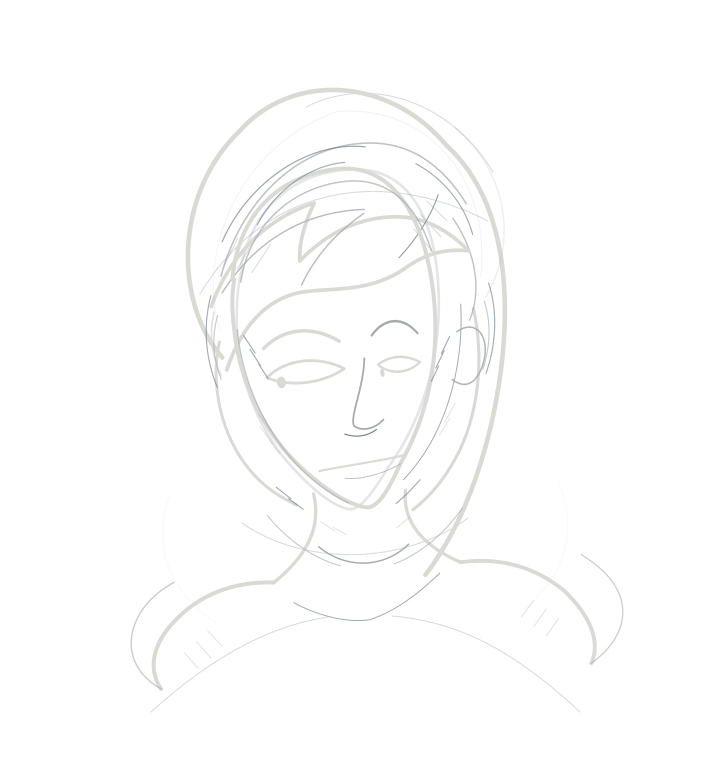 | 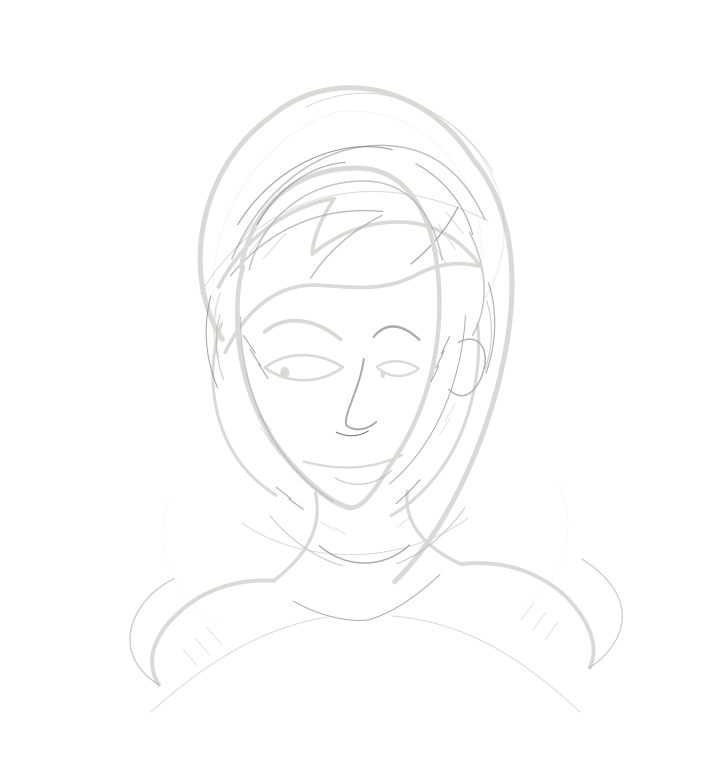 | 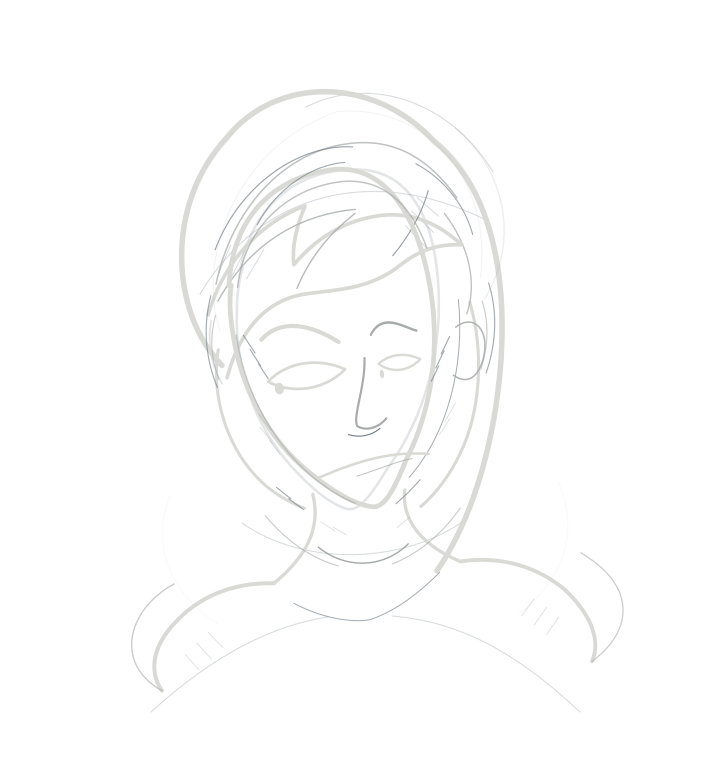 | 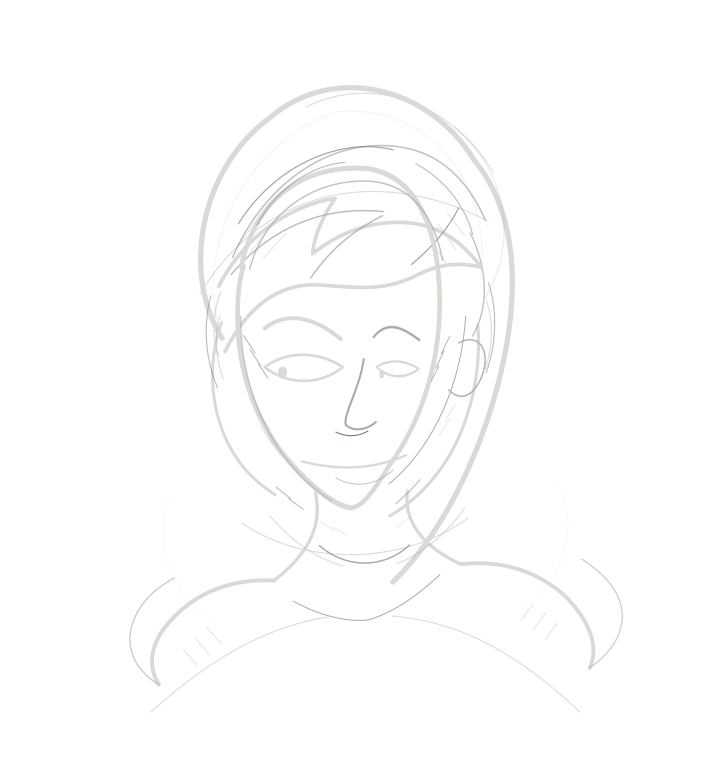 | 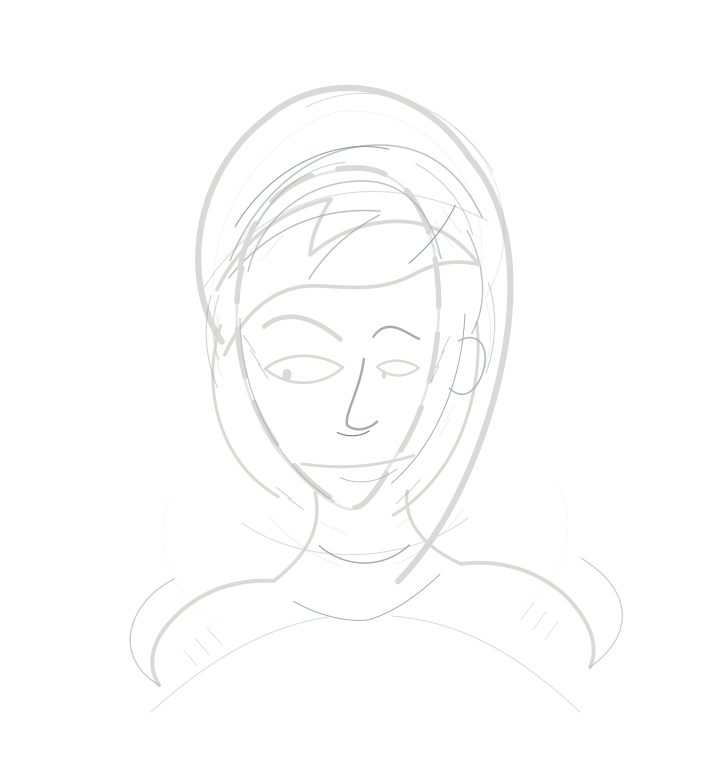 |
| nothing to read | curious, exploring | analytical, locked in | warm, in resonance | diverging, uncertain |
At strip size — what you actually see at a glance:
| rest | locked |
|---|---|
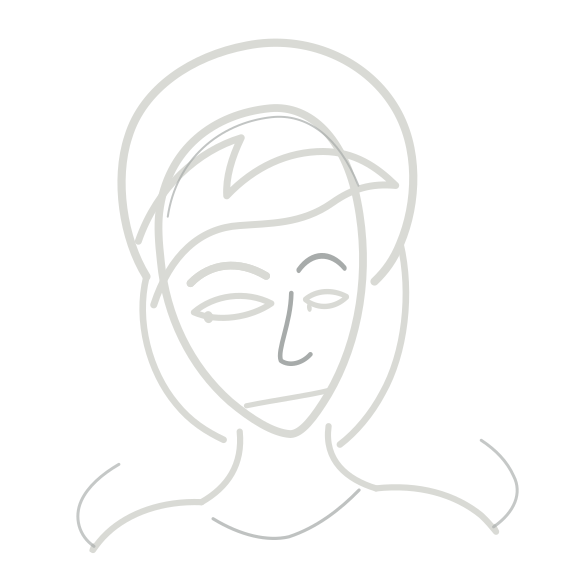 | 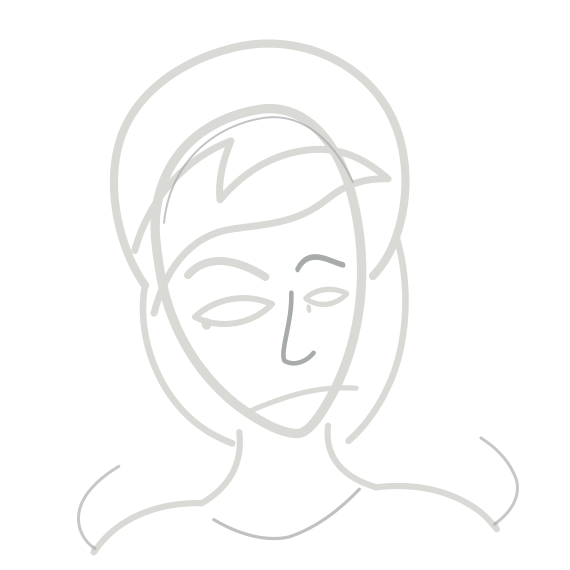 |
The two poles read cleanest: open (exploring) vs locked (focused). The six
measured dimensions are projected into a few display channels — openness,
focus, warmth — so the face bends with how you're working, not with what you
say. The fuller story lives in the wiki.
How it works
Observer hooks capture work signals on the hot path (capture + enqueue only —
no I/O, no network, no database on the token path). A background worker
aggregates them into plugin-local WAL SQLite. The perception engine derives
features from those signals:
- Tier-0 (default): lightweight sketch embeddings, stdlib-only, zero
dependencies, zero network. Tool prototypes, the six-dimension portrait,
pulse/drift views and deterministic adaptation rules all run on this tier. - Tier-1 (opt-in): local paraphrase-multilingual-MiniLM-L12-v2 ONNX
inference in an isolated, PM-managed worker. Enabled only by explicit user
action (/mirror engine enable). The default install downloads only the
int8 artifact set (~135 MB incl. tokenizer/config); fp32 is a separately
selectable variant. The downloader is size-capped at the pinned manifest,
writes atomically, and leaves zero bytes behind on any failure. Any ONNX
failure degrades to Tier-0 automatically.
The desktop pane uses theme-variable-only styling with ResizeObserver plus a
mandatory polling fallback, so it renders correctly across themes and sizes.
Privacy
- Nothing leaves the machine. All storage is local:
plugin-data/its-in-your-head/(WAL SQLite). The default Tier-0 layer is
stdlib-only with zero network. - Raw prompts are not stored. Event rows carry derived feature vectors /
sketches and metadata only — never raw prompt or conversation text. - Reasoning capture (when enabled) requires the profile setting
plugins.stream_reasoning_deltas: true. Raw deltas reach the plugin
transiently, are buffered in memory for the stream, and discarded at the
boundary. Only derived features are persisted: event sketches for turn rows
and derived pattern-affinity numbers for scored reasoning — no reasoning
sketch BLOB (discard-after-scoring). No raw reasoning text ever hits disk. - Tier-1 ONNX is opt-in. Nothing downloads or runs unless you explicitly
confirm; inference is local CPU-only in an isolated worker, pinned by
revision + SHA-256 manifest, size-capped.
Disclosures (catalog Rule 13)
- Data access — Reads the Hermes-provided tool, session, API and stream
hook payloads. Reasoning deltas are optional and transient (captured only
when the profile setsplugins.stream_reasoning_deltas: true, buffered in
memory for the stream and discarded at the boundary; only derived features
are persisted). Does not inspect arbitrary user files or credential stores. - Network — No network by default. The explicit ONNX enable
(/mirror engine enable) downloads the revision- and SHA-256-pinned model
from Hugging Face once. Maintainer-only model repinning also contacts
Hugging Face. No other network calls. - Processes — A background aggregation worker; an optional persistent
Python ONNX subprocess (PM-isolated); and a detached watchdog process used
exclusively to clean up the ONNX worker on exit (Windows Job Object
containment + stale-worker reaping). No shell-command execution. - Credentials — No stored credentials, no provider-token forwarding to
the worker, no external telemetry. The worker receives an explicit
environment allowlist (PATH, HOME, LANG, LC_ALL and Windows
SYSTEMROOT/TEMP/TMP) and does not inherit Hermes provider credentials. - Storage — Derived analytics, caches and (opt-in) model files remain in
the active Hermes profile's plugin data directory
(plugins.plugin_storage.plugin_data_dir("its-in-your-head")). Raw prompts
and reasoning are never stored.
Install
From the catalog / deep link:
hermes://plugin/install?repo=hi4c0ck/its-in-your-head&enable=1
Manual: copy this folder into the profile plugins root
(~/.hermes/profiles/<profile>/plugins/ or the default profile root), add
its-in-your-head to plugins.enabled (equivalently:
hermes -p <profile> plugins enable its-in-your-head), then enable the
desktop half in Capabilities > Plugins.
Verify: hermes -p <profile> plugins doctor its-in-your-head --ci.
Enable / disable
Settings → Plugins → It's in Your Head: the backend toggle runs the
agent half (hooks, telemetry, /mirror); the desktop toggle mounts the
pane. The halves are independent — the pane keeps showing whatever the
backend last flushed.
Tests & gates
<hermes venv python> -m pytest -q (pytest.ini pins importlib import mode,
repo-local basetemp, and temp-budget retention). CI (GitHub Actions,
windows + linux × py3.11/3.12/3.13) runs contract checks, the full suite,
the temp-budget gate, and desktop node checks on every push.
README from the reviewed commit 6b870da; it updates when the author re-pins.


