 posts-design
Launch Desk
Built something? Ask Hermes to prepare the launch, based on what we've learned from posts.design.
- Ideas from launches that worked. Three real launch posts like yours, with what each one does well, and hooks to pick from, your own words first.
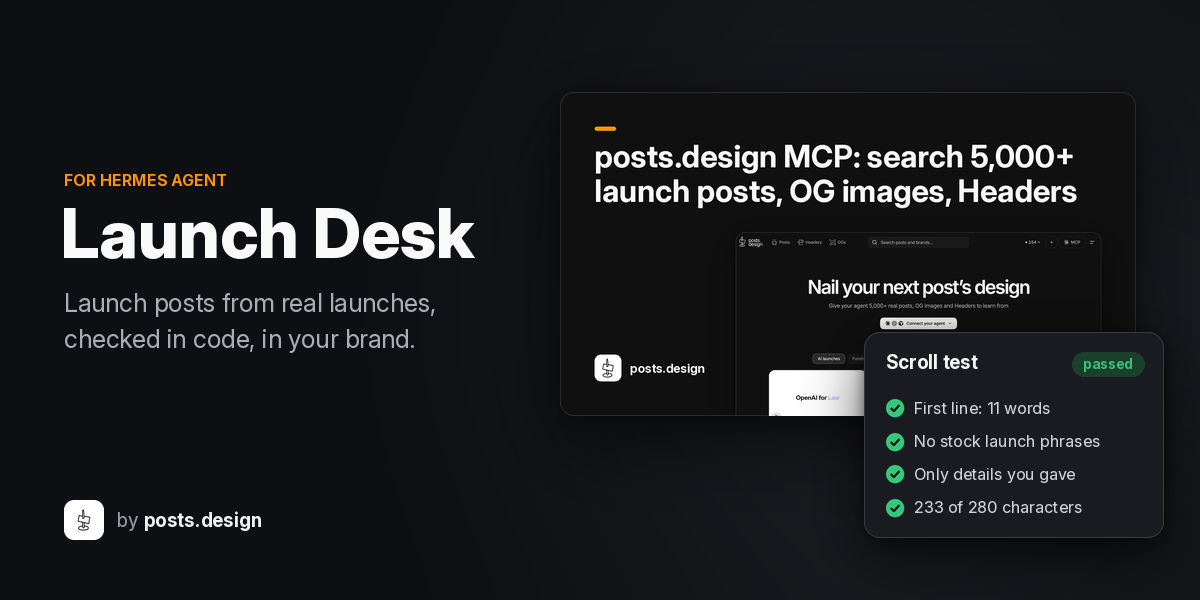
- A post without the slop. Checked in code for stock phrases, made-up numbers, broken links and X's length, and redrafted when it fails.
- Visuals in your brand. A share card from your screenshots, a short launch film, a checklist so you don't post a sloppy video, and a posts.design playbook for a longer one.
- You stay in charge. Nothing is posted for you. You approve, then open X with the post filled in.
The model writes about 20% of this; the references, the checks and your own brand do the rest, so it works on small models.
Install
hermes plugins install posts-design/hermes-launch-desk
Once the plugin is listed in the Hermes catalog, you will be able to install it by name.
Setup
For real references from posts.design, run these once:
hermes mcp add posts --url https://posts.design/mcp --auth oauth
hermes config set plugins.entries.launch-desk.mcp_allowlist '["posts"]'
hermes mcp login posts
Without them, /launch runs on a built-in sample pack of launch posts and tells you so.
Use
/launch https://yoursite.com dark mode for the editor -- people kept asking for it
The text after -- is one true detail, such as who asked for it. It becomes hook 1, word for word. Add your site's link the first time; it is remembered.
The first run ends with the draft, the card and a feed preview. Send /launch again to approve, change the hook, swap references or discard. Send a screenshot and the agent attaches it to the card with launch_desk_attach_screenshot (two screenshots sit side by side; with none, the headline is set large). It takes PNG, JPEG or WebP files only: no links, nothing from Hermes' own folder except its media caches (where photos you send in a chat arrive) and Launch Desk's own data, and nothing from a hidden folder such as ~/.ssh. /launch voice: <a past post of yours> makes drafts sound like you, /launch brand <url> reads your site again, and /launch help shows the rest.
After you approve, Launch Desk asks whether to check in tomorrow and in 3 days. Only if you say Yes, Hermes' own scheduler runs two check-ins in the same chat: each asks how many sign-ups each channel brought, suggests a next post from your pack, and records your numbers with launch_desk_record_results. Your best launch so far then shapes the next /launch. Cancel a check-in with hermes cron remove <id> (the reply names each job). The launch-desk:follow-up blueprint adds one more check-in; it runs with Hermes' default toolsets, since a blueprint cannot narrow them.
The plugin also ships a skill, launch-desk:launch-desk, so the agent suggests /launch when you say you shipped something.
Launch film
After you approve a pack, send /launch film for a 14-second silent launch film in your brand: your first line, your screenshot (or your product's name, large), what shipped, then your logo and site. /launch film <pack> makes one from an older pack, by its folder name or its label as the check-in shows it.
The reply and the shot list end with a short checklist for any launch video you post, from what posts.design learned from the videos in its library: one idea per shot, text big enough for a phone, captions on, captions held long enough to read, a first frame that works as the thumbnail, and under 90 seconds on X with your product on screen early.
It writes a HyperFrames project into the pack (film/, HTML with its own fonts and images, nothing fetched) and a shot list (film-beats.md) to film it yourself from. It renders only with what you set up, first found wins:
- the
film_rendersetting, a command with{project}and{out}:
hermes config set plugins.entries.launch-desk.settings.film_render '["hyperframes", "render", "{project}", "-o", "{out}"]'
(it is also on the plugin's settings page in Hermes Desktop); - a
hyperframesexecutable on your PATH (hyperframes render <project> -o <out>).
The render runs on the machine where Hermes runs, for up to 10 minutes, with a minimal environment (PATH, HOME, LANG and LC_*, the temp folder and HYPERFRAMES_BROWSER_PATH if set; never your provider keys or the rest of Hermes' environment) and HyperFrames' telemetry, update check and auto-install turned off (HYPERFRAMES_NO_TELEMETRY=1, DO_NOT_TRACK=1, HYPERFRAMES_NO_UPDATE_CHECK=1, HYPERFRAMES_NO_AUTO_INSTALL=1). Launch Desk never runs npx. Launch Desk downloads nothing itself. HyperFrames may download its own headless Chrome (into ~/.cache/hyperframes) on its first render, unless HYPERFRAMES_BROWSER_PATH points to one. A command run through sudo gets a fresh environment (env_reset), so put the four opt-out variables in your own command (for example sudo env HYPERFRAMES_NO_TELEMETRY=1 DO_NOT_TRACK=1 … hyperframes render {project} -o {out}) or have the wrapper keep them. With no renderer, the reply gives the project folder, the line to render it yourself (HYPERFRAMES_NO_TELEMETRY=1 npx hyperframes render <project> -o film.mp4, Node 22 or later) and the shot list. A rendered film.mp4 is sent in the chat and shown on the Desktop page.
The reply also suggests a posts.design playbook for a longer film, picked by the kind of launch. Listing playbooks is free; on posts.design Pro it also reads that playbook (1 credit) the first time and shows its beats with their seconds. The beats are kept in plugin state with the playbook's version and read again only when posts.design updates it; the reply names the credit only when it was spent. What a beat says is a shape to fill with your own words, not a script. If posts.design is not set up, this part is left out.
Hermes Desktop
Launch Desk adds a page to Hermes Desktop that shows every pack: the card, the post, the checks, the references, the check-ins, your sign-ups and the film, with Copy post and Open X. It ships off; turn it on in Capabilities → Plugins. The page only reads: its backend (dashboard/plugin_api.py, loaded when the plugin is enabled) reads this plugin's packs folder (serving a pack's film.mp4 only from inside that pack) and, from Hermes' cron/jobs.json, the ids, state and times of the check-ins /launch created. It writes nothing and sends nothing anywhere, and opens only https links.
What it checks
- The first line is 12 words or fewer, with no link in it.
- No stock launch phrases such as "excited to announce", "check this out", "watch this" or "game-changer".
- No "Your X should" opener, the template that gives a post away as written by a model.
- At most one em-dash, one emoji and two hashtags.
- No placeholders such as [link], {name} or TODO.
- No link that only opens on your machine or network: localhost, a loopback or private address, or a .local name.
- At most 280 characters on X, counting each link as 23.
- No run of five words copied from a reference (your own past post and your own detail don't count).
- No line that just restates the first, and no phrase said twice: a later line saying three words of the first again, two lines sharing a phrase ("next to meetings"), or a word other than your product's name in three lines.
- Every line starts with a capital letter, unless it starts with a link, a handle or your product's name as you write it, and ends with a full stop, question mark, exclamation mark or colon. List items, links and bare domains (pawr.link), and a lead-in to a link ("Here's what's new 👇") need no stop. If your own past posts do otherwise, these are relaxed.
- No line that is only your product's name ("Brookhour 2.0.").
- No numbers, counts or time and effort claims ("three things", "today", "in seconds") that are not in your facts. Ones that only your site's description gives are named in the checklist as from your site. If it is true that it is out today (or took a week), put that in your detail after
--, and the post may say it.
The reply shows this list for your post, each line marked pass or fail, and the pack keeps it in pack.json and checklist.md. A hook the model wrote is offered only if it adds no failure of its own and does not echo your words; if none qualifies and you gave no detail, the least bad one is offered marked "(has issues)". Your own words are always offered, and if they break a rule (say, over 12 words) the checklist says so. If your words replace the only line that said what shipped, the draft's own first line comes back as the second; if no line says it, the checklist says so. A rule your own past posts relax (em-dashes, emoji, hashtags, lower-case starts, lines without stops) shows on the checklist as kept from your style.
What goes where
Sent to posts.design, through your own account:
- The first 160 characters of what you shipped, as the search text.
- A short keyword phrase from it, a fixed phrase for the kind of launch, and a category.
- An access check (
get_my_access) on each run. - With
/launch film: a playbook list (list_playbooks, free), an access check, and on Pro one playbook read (get_playbook, 1 credit) the first time and again only when the playbook's version changes. Nothing from your pack is sent.
Not sent to posts.design: the detail after --, your site link, the draft, your brand kit and your screenshots.
Sent to the model Hermes is configured with, which may be a hosted provider: the brief (what you shipped and your detail), your product name, tagline and link, the reference captions (including your own past post with the most sign-ups, when you have recorded some), and your voice samples if any. A check-in also sends it the pack it reads: the post, its X link, the unused hooks, your detail, the brand, link and shape of references you did not see, and any sign-ups you recorded.
Fetched from the internet: your site, its stylesheets and the logo it links to (at most 4 requests, each following up to 3 redirects).
Stored on your machine, in the plugin's data folder and Hermes plugin state:
- The brand kit: name, site link, tagline, colours, font name and face, logo file and voice samples.
- A pending draft with its card, its preview and the search results it came from (items.json), kept up to 24 hours or until you approve or discard it.
- Finished packs, kept until you delete them, with when they were made and the sign-ups per channel you report after a check-in (the last 50). The next
/launchreads them from there. A pack keeps a copy of the screenshots its card used and of your logo (each at most 20 MB), so/launch filmcan use them later, and, once you make one, the film project, its shot list andfilm.mp4. - The beats of a posts.design playbook you read on Pro, with its version, in plugin state.
- Copies of the card and preview in Hermes' image cache, and of a rendered film in its video cache, so chat apps can show them. Hermes clears them after about a day.
- The paths of up to two attached screenshots, until you approve or discard the draft that used them. Until you approve, the screenshot tool reads each image where it is and leaves it there.
Scheduled, only if you say Yes after approving: two check-ins on Hermes' own scheduler, a day and three days later. They run as ordinary Hermes cron jobs with the plugin's own tools and no MCP server, post to the same chat, and are listed by hermes cron list. Nothing else is scheduled, unless you create a check-in yourself from the "Launch Desk check-in" blueprint; that one runs with Hermes' default toolsets.
Run on your machine, only when you send /launch film and only if you set one up: the film renderer (your film_render command, or hyperframes on PATH), as a list of arguments with no shell, with a minimal environment (no provider keys or other secrets) and HyperFrames' telemetry off. No other command is run. Launch Desk downloads nothing itself. HyperFrames may download its own headless Chrome (into ~/.cache/hyperframes) on its first render, unless HYPERFRAMES_BROWSER_PATH points to one.
Nothing is posted or sent to any social network. No credentials are read, Launch Desk itself downloads nothing, no telemetry.
Credits
One search per run, about one posts.design credit. Free accounts get 100 credits a month. References come from posts.design. Pro adds full playbooks; /launch film reads one on Pro (1 credit, once per playbook version). Films are rendered with HyperFrames by HeyGen (Apache-2.0), when you have it.
License
MIT. The bundled fonts are under the SIL Open Font License 1.1, each with its licence beside it in launch_desk/fonts/: Inter (headlines and all small text), and Newsreader and Nunito (headlines for serif and rounded brands), from google/fonts.
Built by posts.design.
README from the reviewed commit 7452084; it updates when the author re-pins.


