nicoarias81
leash
OWASP Top 10 checks for the web apps you build with
Hermes Agent — run by the
agent, against your own dev server, with a hard scope gate around every
network action.
You just finished your webapp. You don't know security, and you don't need to:
ask Hermes "check my app against the OWASP Top 10" and leash walks it
through recon, access-control testing, injection probes and a
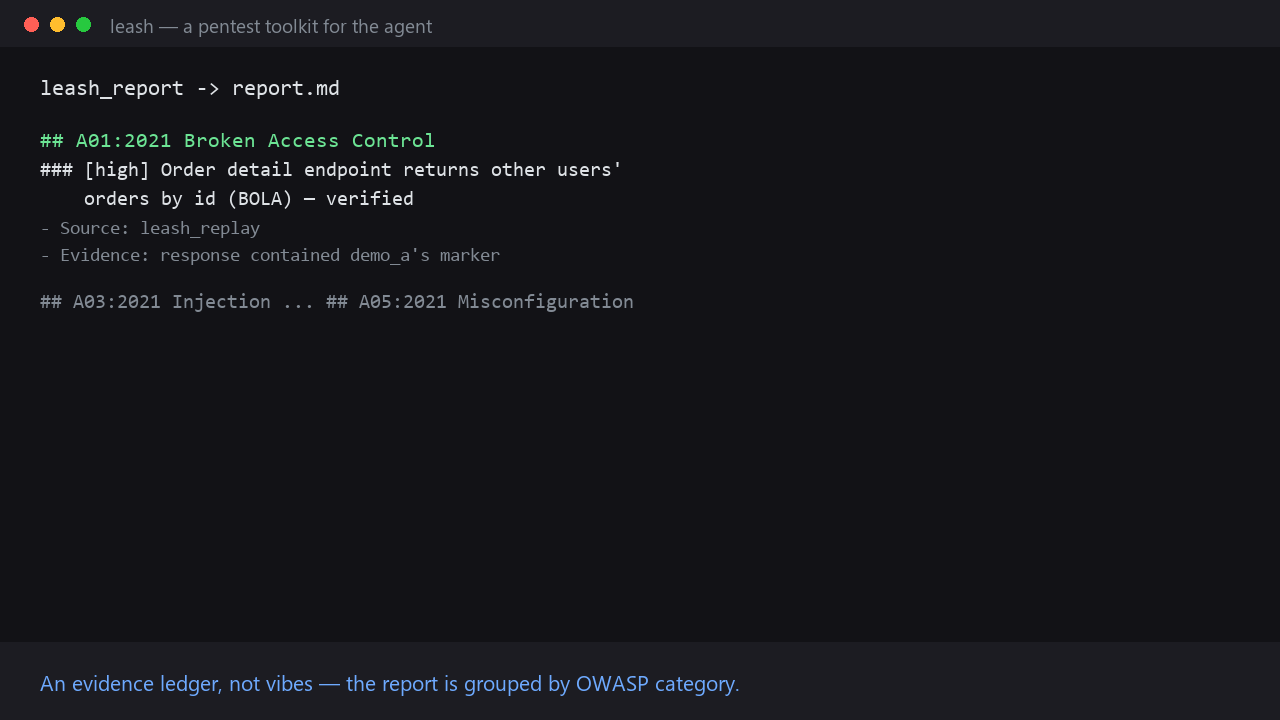
misconfiguration audit — then hands you a plain markdown report organized by
OWASP category, with the evidence attached to every claim.
The table below is one example flow per category. The tools are generic
primitives, not a fixed scanner: the agent picks the endpoints, parameters,
identities and payloads for your app — leash does the measuring, the
differential testing and the evidence keeping. Nothing is hardcoded to any
particular API; the demo hits a crAPI lab because it's a convenient target.
What it checks
| OWASP | Tool | What you get |
|---|---|---|
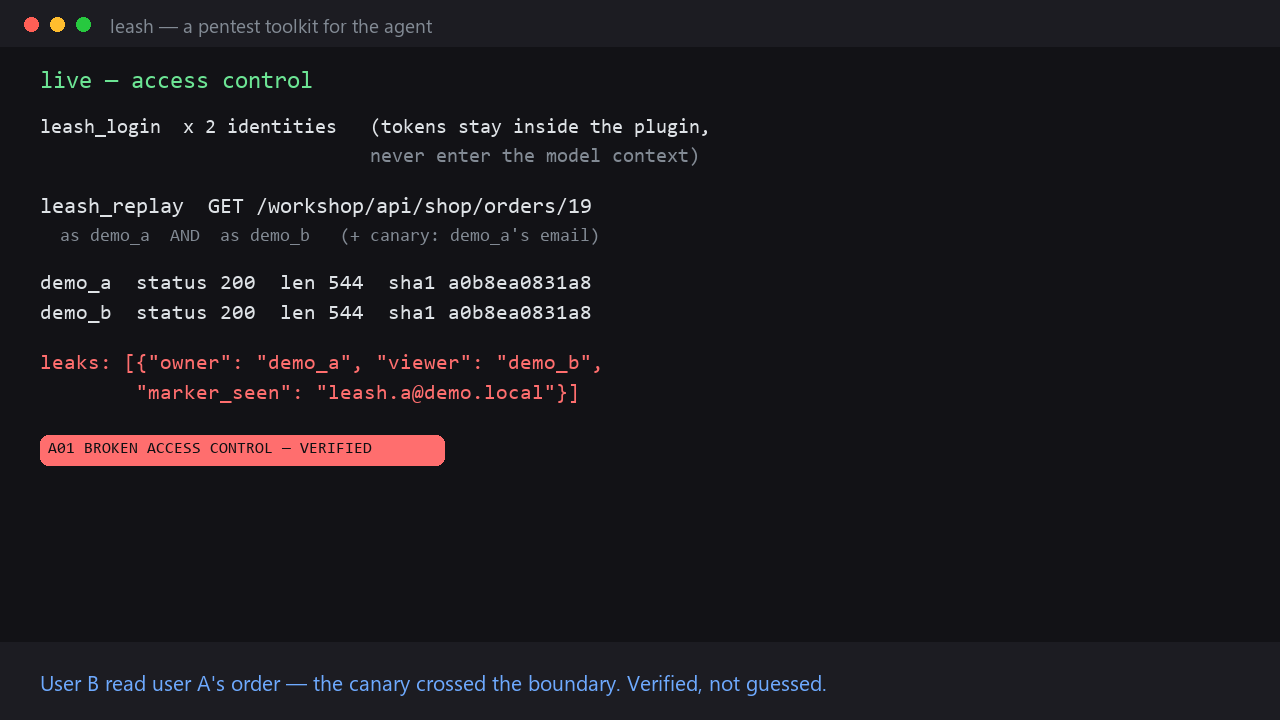
| A01 Broken Access Control | leash_login + leash_replay | The plugin signs in two identities (e.g. userA, userB) and keeps their sessions inside the plugin — tokens never enter the model context. It replays the same request as both and diffs status/size/hash, plus canary detection: give each identity a marker unique to them (their email, a user id, an object id) and the plugin flags any marker that crosses into another identity's response — a verified leak on any API, not just a known lab. |
| A03 Injection | leash_fuzz | 2–10 crafted payloads for one parameter; the plugin sends each against a baseline and flags SQL errors in the response, unescaped reflection (XSS) and 5xx — with a per-variant verdict table. |
| A05 Security Misconfiguration | leash_audit | Deterministic header/cookie grade: CSP, HSTS, X-Frame-Options, MIME sniffing, CORS wildcard+credentials, cookie HttpOnly/Secure/SameSite. |
| — surface discovery | leash_crawl | Same-origin crawl builds a persisted inventory of endpoints and forms; that inventory drives what to check next. |
| — recon | leash_scan | TCP port scan of an in-scope host before touching HTTP. |
Every verdict is computed by the plugin from actual responses — the model
doesn't eyeball curl output. Every claim in the report traces to a ledger
entry.
Scope gate
All of this is network-active, so leash is fail-closed:
- The agent loads a scope file (
leash_scope/ config) describing exactly
what you authorized — your dev server, a lab CIDR. - Engine tools re-check the scope on every call and resolve DNS first, so
an approved hostname can't point at an out-of-scope IP. pre_tool_callalso scans arguments of monitored tools (terminal,
browser_*, …) and blocks out-of-scope network calls inenforcemode.- No scope file → every engine tool refuses to run.
{
  "target": "my dev server",
  "authorization": "localhost, owned by me",
  "allowed_hosts": ["127.0.0.1", "localhost"],
  "allowed_cidrs": ["192.168.10.0/24"]
}
Wildcards (*.lab.local) are supported; matching is literal against the
scope file.
Tools
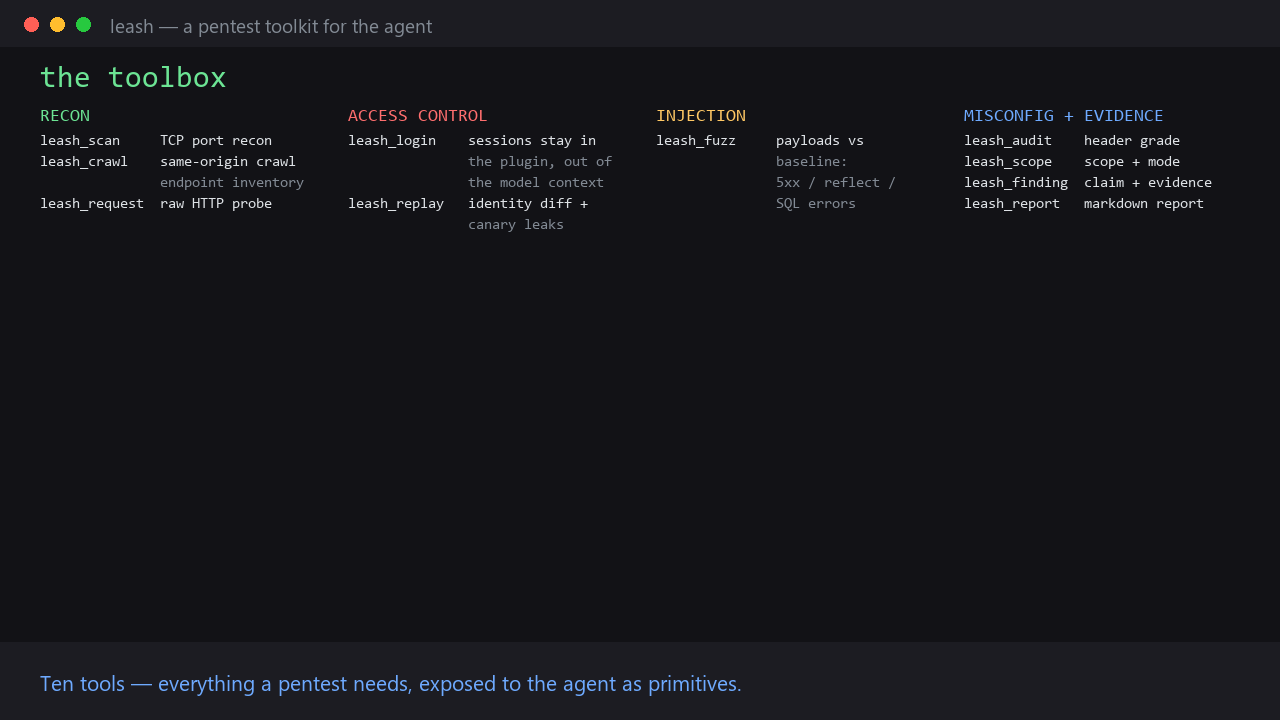
leash_scan— TCP recon of an in-scope hostleash_crawl— same-origin crawl → persisted endpoint/form inventoryleash_login— store an identity's session inside the plugin (out of context)leash_replay— multi-identity replay with differential BOLA/IDOR verdict and canary-based leak detectionleash_fuzz— parameter fuzzing with baseline comparison, JSON/form body support, and automatic SQL-error / reflection / 5xx flagsleash_audit— security headers + cookie hygiene gradeleash_request— raw HTTP(S) probe of an in-scope host, logged to the ledgerleash_scope— show scope, mode and ledger statsleash_finding— record a finding (hypothesis|verified+ evidence, OWASP category)leash_report— write the markdown report, grouped by OWASP category
Example
» check my app on localhost:8000 against the OWASP top 10

agent: scope loaded (localhost, 192.168.10.0/24) — enforce mode
       leash_scan  → :8000 open
       leash_crawl → 12 endpoints, 3 forms
       leash_audit → 6 misconfigurations (no CSP, session cookie without flags)
       leash_login → two test identities signed in
       leash_replay→ GET /api/identity/1: identical response as userA and userB
                     → A01 Broken Access Control (verified)
       leash_fuzz  → /search?q=' → SQL error signature
                     → A03 Injection (candidate → verified)
       leash_report→ report.md, grouped by OWASP category
Configuration
plugins.entries.leash.settings in profile config.yaml:
| Key | Default | Meaning |
|---|---|---|
| mode | audit | off / audit / enforce |
| scope_file | (empty) | Path to the scope JSON |
| monitored_tools | ["terminal", "web_extract"] | Tool names monitored (browser_* always monitored) |
Disclosure
- The engine's
leash_loginstores session tokens locally at
$HERMES_HOME/plugin-data/leash/identities.json(plaintext, same trust
boundary as the profile's own config). They never enter the model context. pre_tool_callsees the arguments of monitored tools; arguments may contain
user content or secrets. Excerpts (first 600 chars) are stored locally
under$HERMES_HOME/plugin-data/leash/and are never sent anywhere.- No network calls, no telemetry, no dependencies beyond the Python stdlib.
- Enforcement is a policy gate, not a sandbox: a tool call to an in-scope host
runs with the agent's normal permissions. enforcemode blocks out-of-scope network-capable calls even under cron and
messaging gateways; nothing waits on a human, so unattended runs fail fast
instead of hanging.
Install
Once listed in the plugin catalog:
hermes plugins install leash --enable
Or straight from the repo:
hermes plugins install https://github.com/nicoarias81/leash --enable
Screenshots
Development
python -m pytest tests/ -q
hermes plugins validate . --install-deps
hermes plugins doctor . --ci
README from the reviewed commit f3bf4f4; it updates when the author re-pins.