 LinkedCamp
 for Hermes
Run LinkedCamp LinkedIn and email outreach from
Hermes Agent. Ask Hermes to build a
campaign for an audience, write the sequence, check how campaigns are doing, or
triage the replies that came in. It works with your existing LinkedCamp
account and its permissions.
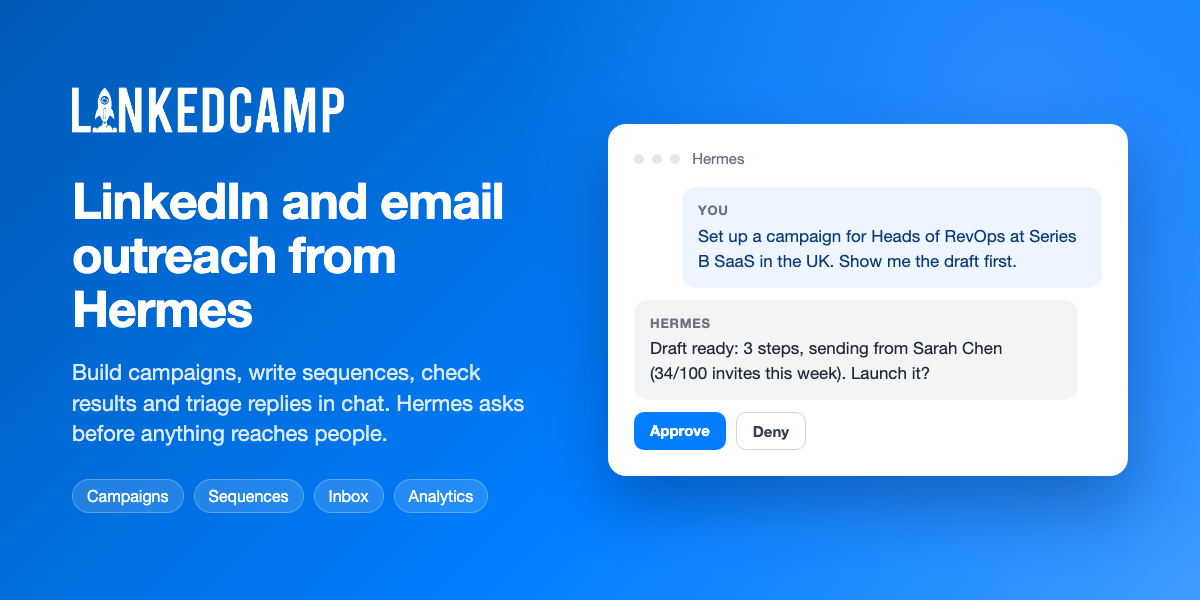
You:    Set up a campaign for Heads of RevOps at Series B SaaS in the UK.
        Connect request, message on accept, email if they go quiet.
        Show me the draft first.

Hermes: Pro plan, so email steps are available.
        Sending from "Sarah Chen" (34/100 weekly invites used), mailbox sarah@acme.io.
        I need a Sales Navigator search URL with the UK and company-size filters set.
This is an Agent Plugins v1 package
with no executable code of its own:
| File | What it does |
|---|---|
plugin.json | Package manifest. Marks the LinkedCamp server untrusted, so Hermes asks before any tool that writes |
mcp.json | Connects to the hosted LinkedCamp MCP server at https://mcp.linkedcamp.com/mcp |
skills/linkedcamp-outreach/SKILL.md | How to build campaigns safely, what needs confirmation, and what the tools cannot do |
Requirements
- Hermes Agent 0.20 or newer
- Node.js 20.18.1 or newer, with
npxon yourPATH - A LinkedCamp account on an active plan
Install
hermes plugins install LinkedCamp/hermes-plugin --no-enable
hermes plugins enable linkedcamp
Start a new session. The first time the server starts, your browser opens the
LinkedCamp authorization page. Paste your API key from
Settings → Integrations in the LinkedCamp web app and approve. Hermes
keeps the token and refreshes it, so you sign in once.
If the tools do not appear after you sign in, run /reload-mcp.
Use an API key instead of the browser sign-in
On a server or another headless machine, skip the plugin and add the server to
~/.hermes/config.yaml with your key:
mcp_servers:
  linkedcamp:
    url: "https://mcp.linkedcamp.com/mcp"
    headers:
      X-Api-Key: "${LINKEDCAMP_API_KEY}"
Put LINKEDCAMP_API_KEY=... in ~/.hermes/.env. Do not paste the key into a
chat.
What you can do
| Area | Examples |
|---|---|
| Campaigns | Create drafts, set the audience, attach sending accounts, set limits and schedule, A/B variants, CSV import, launch |
| Sequences | Write multi-step LinkedIn and email sequences, apply templates, see version history and per-step stats |
| Leads | Search, inspect, add, move, export, notes, exclusions |
| Accounts | LinkedIn and email account limits, warm-up, health, SSI |
| Inbox | Unified inbox, threads, AI-drafted replies, saved replies |
| Analytics | Campaign and account performance, funnels, trends |
| Library | Tags, blacklists, templates, merge fields, blocked dates |
| AI agents | Reply agents, knowledge bases, training, test queries |
| Content | LinkedIn post drafting and publishing schedule |
| Agencies | List sub-accounts and read their campaigns, accounts and analytics |
The server has 133 tools. The tool list comes from the hosted server at run
time, so it can change without a new release of this plugin.
Safety
Some of these tools reach real people. Launching a campaign starts sending
from your LinkedIn account and mailboxes, and message_send delivers a
message at once with no way to recall it.
- The server is marked
untrusted. Hermes asks you before every tool that is
not read-only, and refuses those tools in unattended runs such as cron jobs. - The skill tells Hermes to show you the audience and full sequence before a
launch, the exact text and recipient before a send, and to confirm each
destructive call on its own. - Plan limits are enforced by the server. A refusal is real and the skill does
not look for a way around it.
The server never connects a LinkedIn account, rotates your API key or
configures CRM integrations. Do those in the LinkedCamp web app.
Disclosures
- Network: every tool call goes to
https://mcp.linkedcamp.com, the
hosted LinkedCamp server, and acts on your account data there. - Third-party code: the server is started with
npx -y mcp-remote@0.1.49, which downloads the pinned
mcp-remotepackage from npm and
runs it as a local process for as long as the session is open. It bridges
Hermes to the hosted server and handles the OAuth sign-in. - Stored credentials:
mcp-remotestores the OAuth tokens under
~/.mcp-auth/on your machine. Delete that folder to sign out. - Browser: the first sign-in opens your default browser and listens on a
local port for the OAuth callback. - Telemetry: the plugin collects none.
Uninstall
hermes plugins disable linkedcamp
hermes plugins remove linkedcamp
To also sign out, delete the ~/.mcp-auth folder.
Support
Questions and bug reports: https://www.linkedcamp.com/contact.
Privacy policy: https://www.linkedcamp.com/privacy.
License
MIT. See LICENSE.
README from the reviewed commit 76b6045; it updates when the author re-pins.