 erosika
ROM Studio
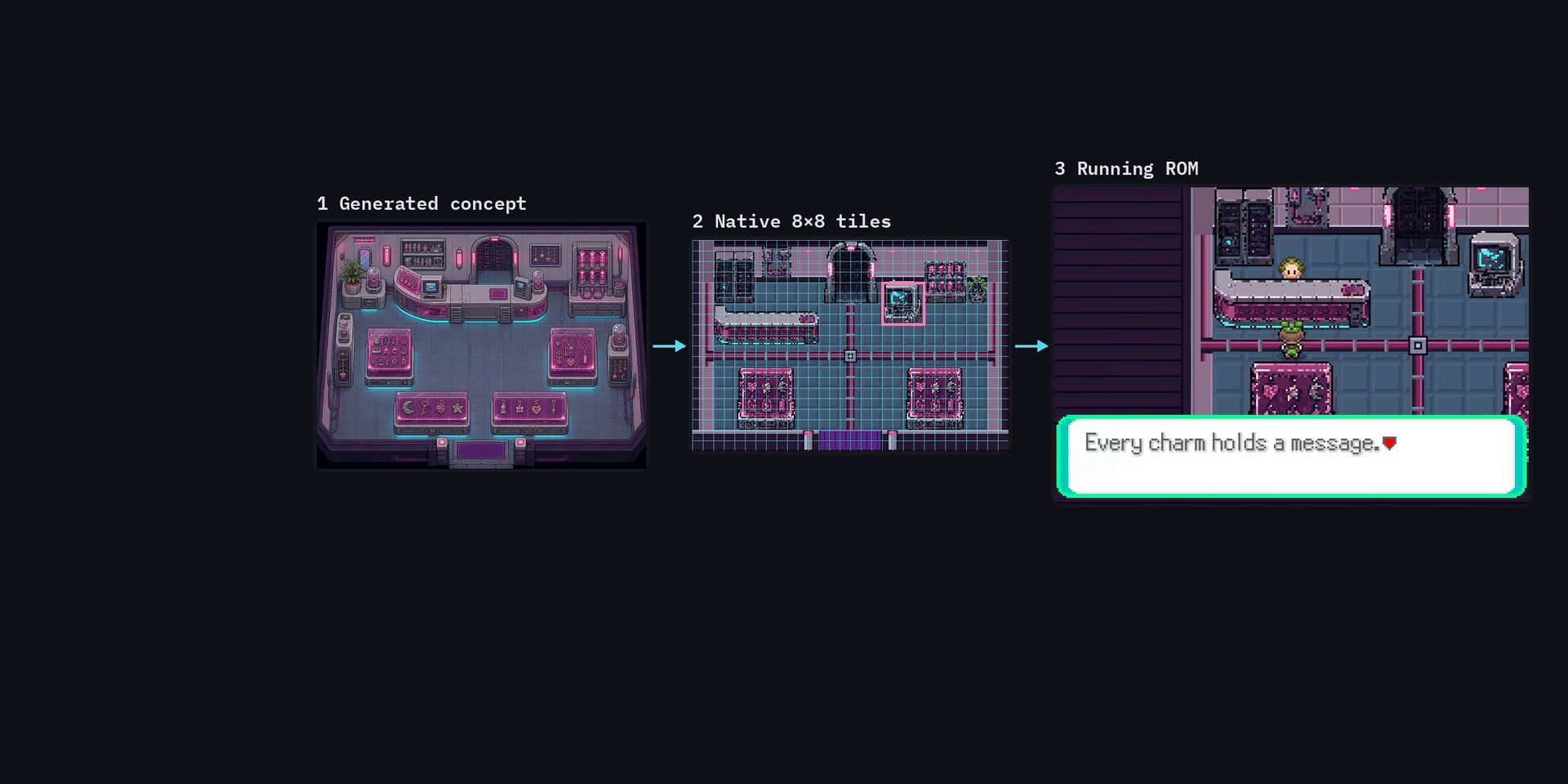
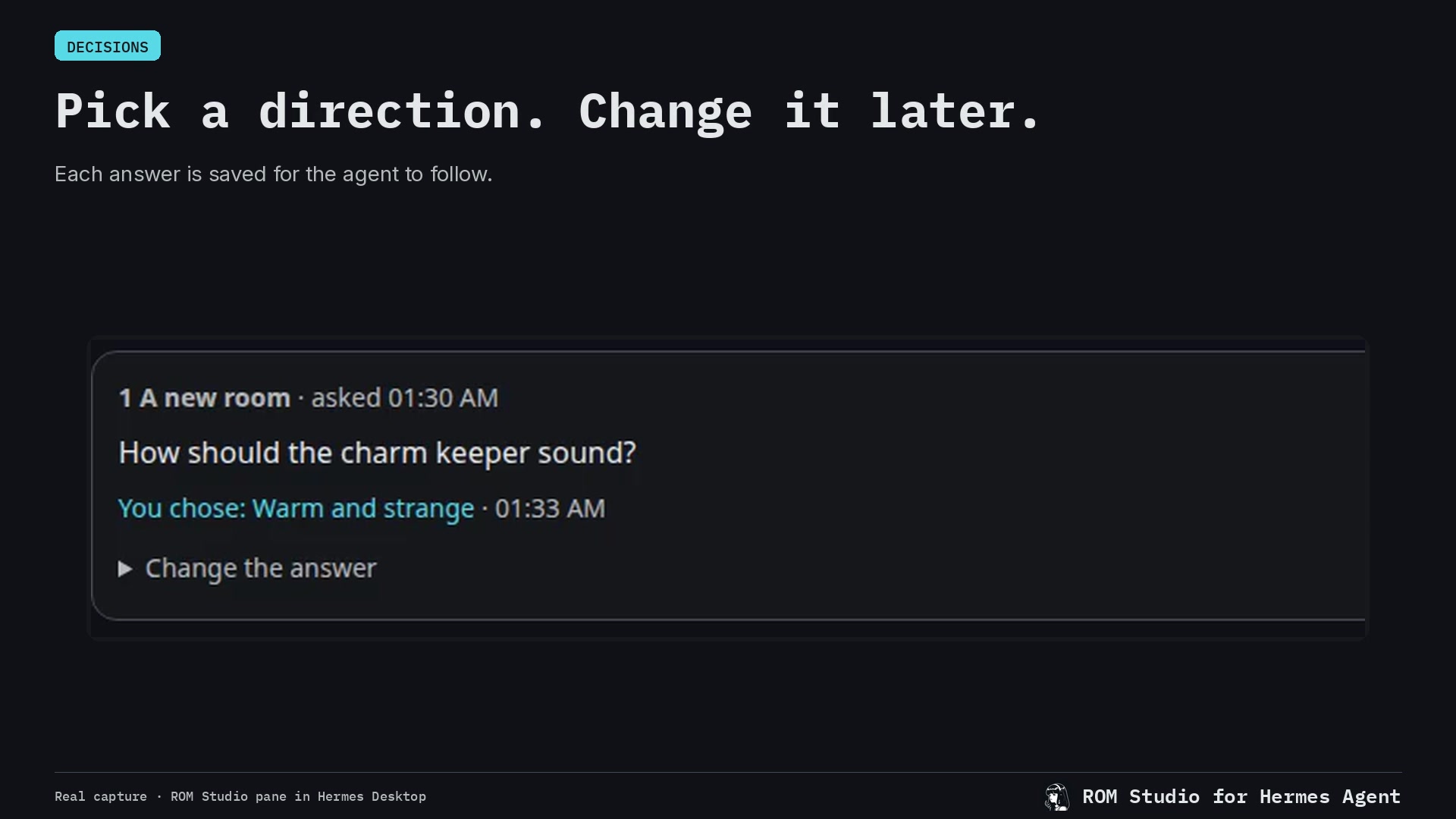
Make your own small game by talking with an agent, one scene at a time, on the real engine of an
existing handheld game whose source (a decomp) you supply. The agent changes that source with you
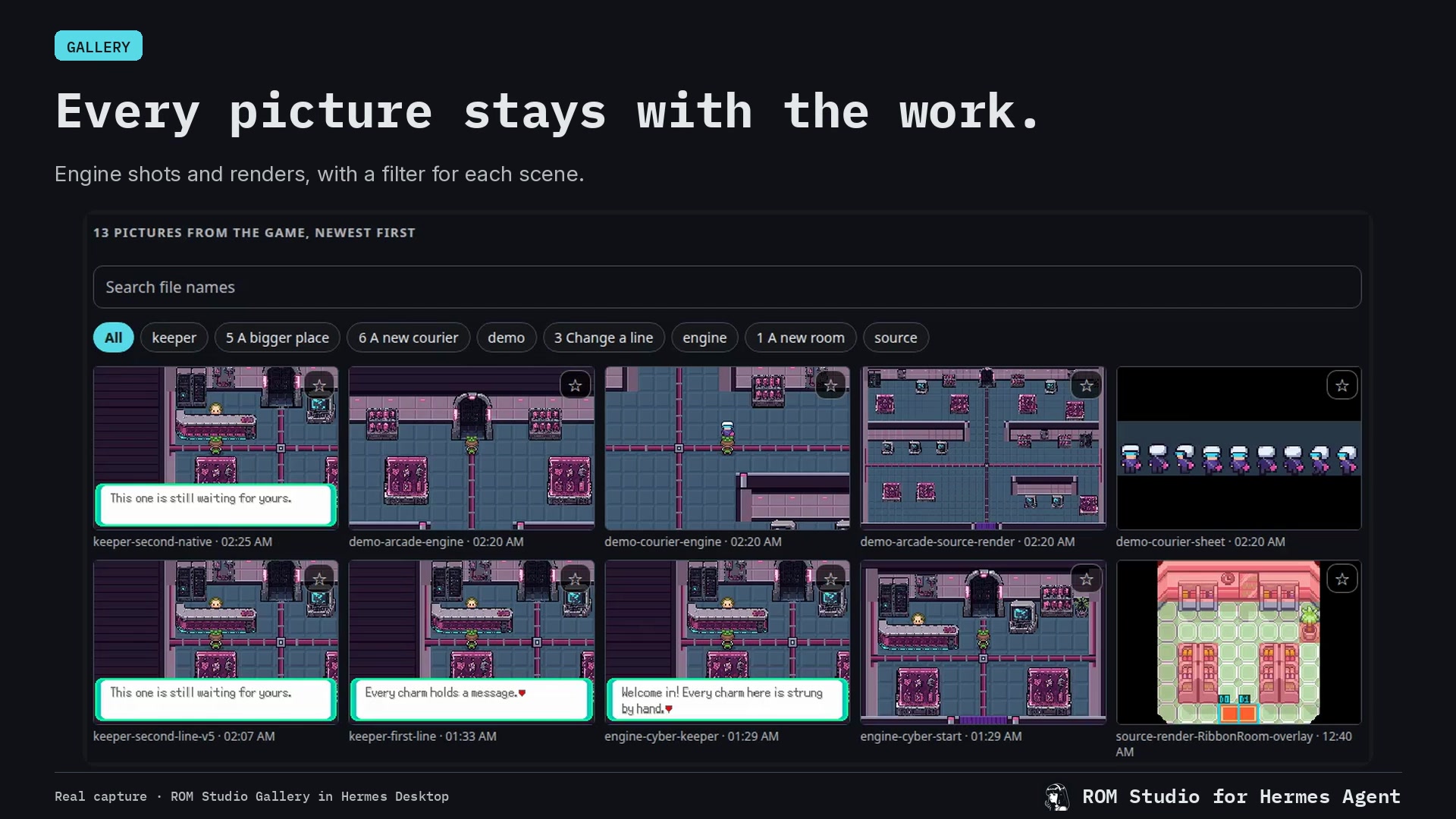
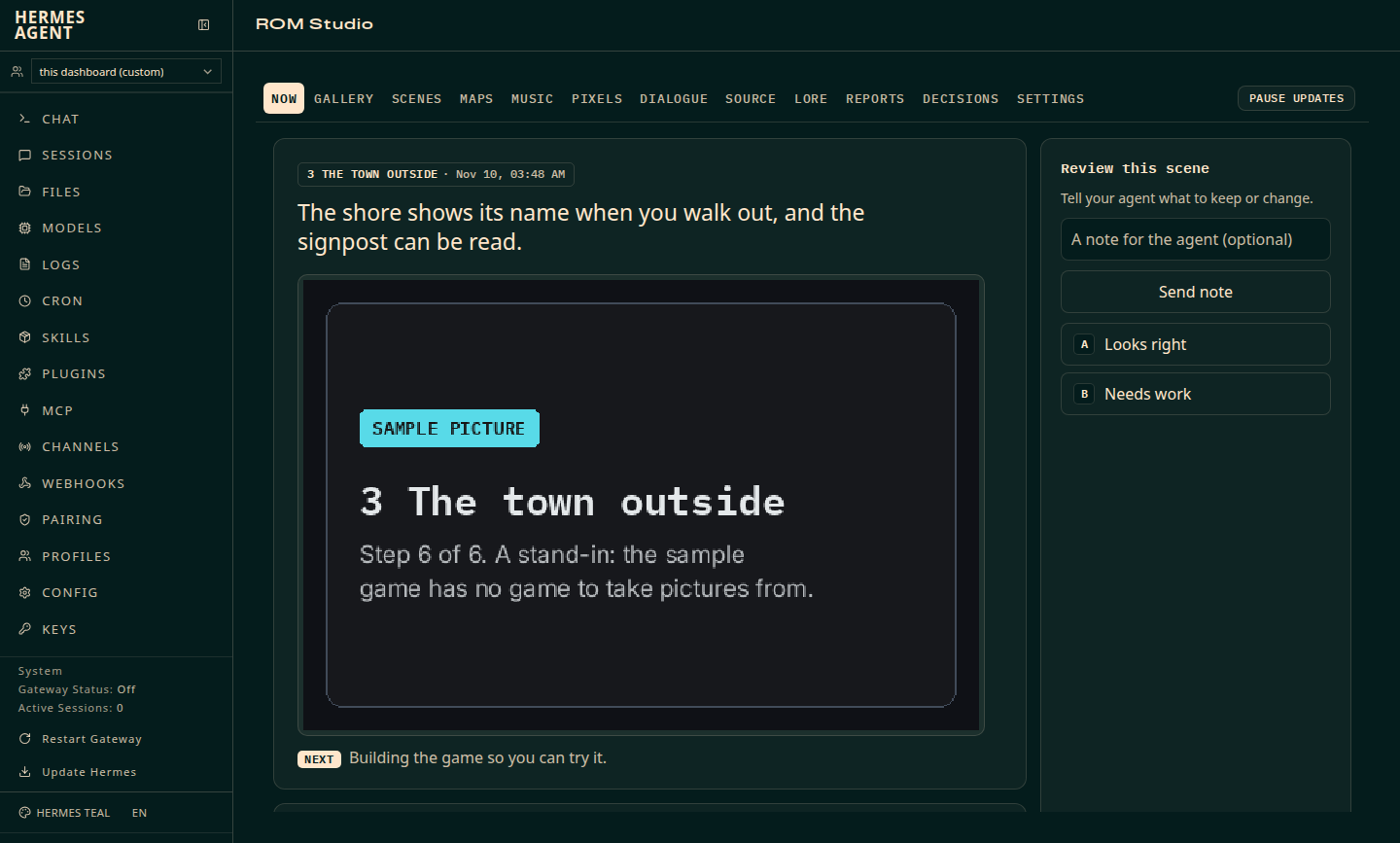
and shows every change as a sentence with a picture taken from the running game. ROM Studio is a
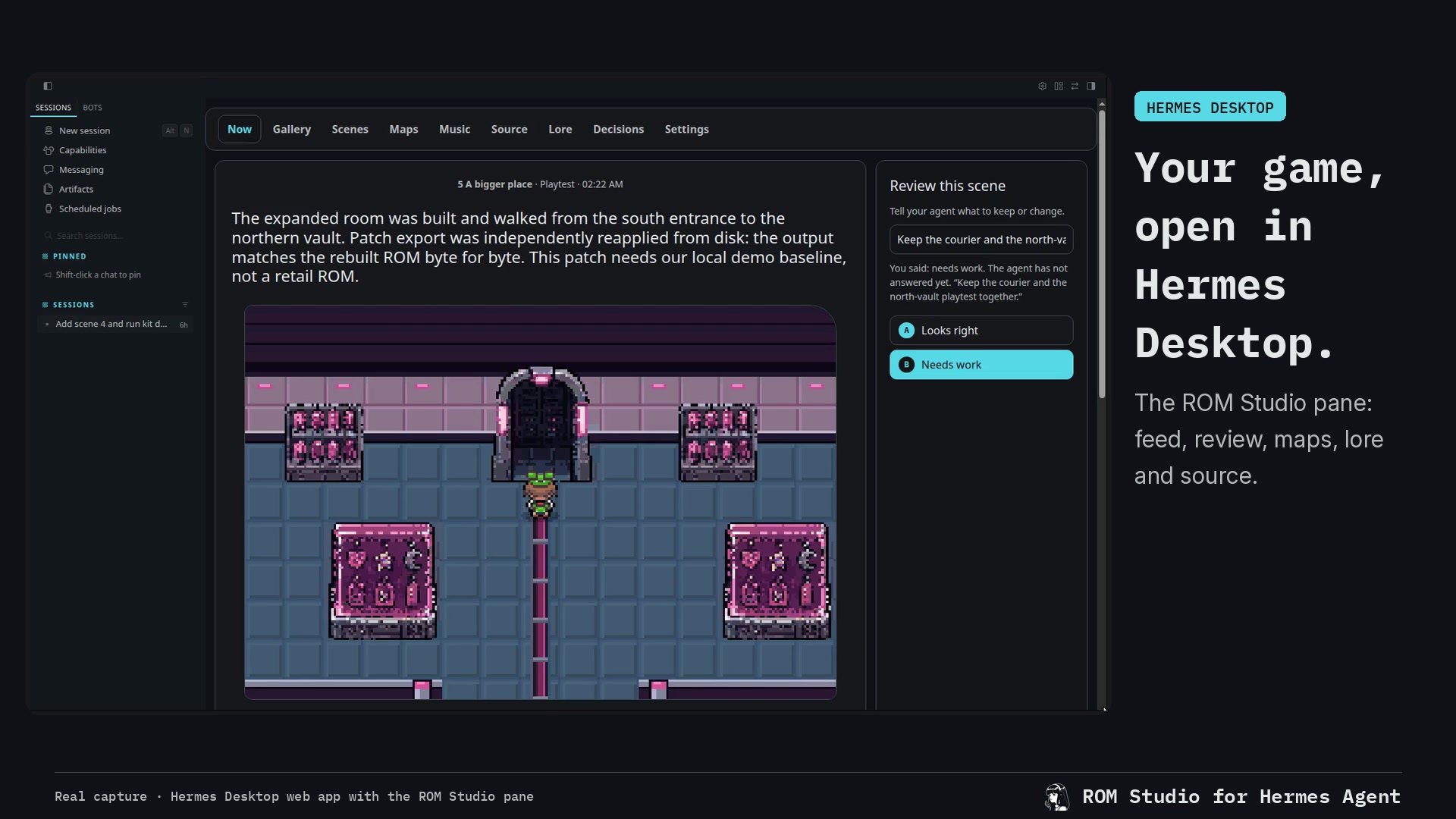
Hermes plugin (a pane that shows the work), a command-line kit the agent uses, and a skill that
guides the path.
What it does not include
ROM Studio names no game and no engine, and it neither contains nor fetches one. You bring your
own decomp: the source code of an original game, taken apart by its community so that it can be
changed and rebuilt. To share what you make you also need your own copy of the original game file
that the decomp rebuilds.
What is legal to share is a patch, never a built game. The built game (out/game.gba in your
game folder) contains the original game's art and music. kit patch writes a patch file that
holds only your changes; the other person applies it to their own copy of the same original.
The optional base is not in this repository. The kit was made alongside a set of patches for
one specific version of one engine (calm changes to the game's own effects, a quick start, a hook
the kit uses to set story switches and give creatures, exact message text). They are diffs against that engine's source, so they are not shipped here.
kit setup says the base is not there and carries on. Without it, building, playing, pictures,
walking, placing the player, starting a script, notes, keep, undo, maps, scenes, listing and
replacing music, the source search and the patch all work. Not available: setting flags, giving a creature, reading message
text exactly, the quick start (each new build plays through the original opening once), the calm
changes inside the game, and the game's settings.json player name and look. The player's flash guard does not depend on the base and is always on.
Requirements
- Linux. The build scripts use Linux tools, so making a game is Linux only. macOS and Windows
are not supported; Windows through WSL has not been tried. (The plugin and its page alone have
also been loaded by Hermes on macOS, for watching a page that runs elsewhere.) - Hermes 0.21.6 or newer for the plugin (run on 0.23 only). The kit and the skill also work
without Hermes, with any agent that can run commands. bun(runs the kit, the pane and the player) andgit.- A toolchain for the game.
kit statuslists each item as ok or MISSING with the line that gets it:git,make,python3, C and C++ compilers (cc,c++),flocklibpngwithpkg-configarm-none-eabi-gcc(Arm GNU Toolchain 14.2), on the PATH or in the folder named byARM_GCC- the emulator library, libmgba 0.10.5, built once by you from its source with
cmake
(kit statusprints the commands, which check the source's commit) curl(setup downloads the script compiler with it)
- Python's Pillow library, for the redraw commands (
kit tileset ... restyle,kit redraw). ffmpeg, for sound: hearing and converting songs and samples, and recording video.openssl, only for the phone link of the player (kit play --phone).- A decomp that you supply, and about 1 GB of disk for each game folder.
Install
From the Hermes plugin catalog, then tell it where your game is:
hermes plugins install rom-studio
hermes config set plugins.entries.rom-studio.settings.game_folder ~/rom-studio-game
From a git checkout (a link, not a copy: the plugin runs the pane and the kit from the checkout):
git clone https://github.com/erosika/rom-studio rom-studio
./rom-studio/kit/kit plugin install --game ~/rom-studio-game
kit plugin install links the checkout into Hermes, saves the game folder in Hermes's own settings
for the plugin and switches the plugin on. There is no restart and no .env to edit; a changed
setting takes effect within ten seconds.
- Desktop app: open Capabilities, Plugins and switch ROM Studio on (desktop halves start off).
The pane opens on the right, and a ROM Studio row appears in the sidebar. - Web dashboard (
hermes dashboard): open the ROM Studio tab.
Check with:
<plugin>/kit/kit plugin status    # linked? switched on? which game? what the pane says now
hermes plugins doctor rom-studio
docs/HERMES.md is the two-minute start for the plugin alone, with what the pane says when
something is wrong. Below, <plugin> is the plugin's folder: your checkout, or
~/.hermes/plugins/rom-studio after a catalog install.
First run
-
Check the tools.
<plugin>/kit/kit statuslists what is missing and how to get it. -
Choose a game folder and tell the plugin, if the install step did not already. In the
desktop app: Settings, Plugins, rom-studio, "Game folder". Or:hermes config set plugins.entries.rom-studio.settings.game_folder ~/rom-studio-gameUse a new, empty folder. The plugin picks the change up within ten seconds. The kit does not
read the plugin's settings: with a catalog install its own default is~/rom-studio-game, so
that path needs nothing more; for any other folder also setROM_STUDIO_GAMEto it in the
environment your agent's commands run in. -
Open the pane. It is on the right in the desktop app, the ROM Studio tab in the web
dashboard, and athttp://127.0.0.1:8778/in a browser. -
Bring your decomp in (about 7 minutes, most of it the first build):
<plugin>/kit/kit setup --decomp <your decomp's folder or git address>or use the pane's Source tab. Setup copies your decomp into the game folder (your original
stays as it is), says that the optional base is not there, builds, and takes a first picture. -
Play.
<plugin>/kit/kit playprints a link that opens the game in a browser. -
Start. Give your agent the skill (below) and say "let's make my game". It asks four
questions, writesgame.mdin the game folder, and starts scene 1. A small change (a line of
text, a person moved) should be back on your screen in about two minutes.
The tools the agent gets
The plugin itself registers no tools. The agent uses the kit, in one of two ways:
-
As commands.
<plugin>/kit/kit helpis the manual:status,setup,build,play,
shot,press,where,maps,map,tileset,redraw,gates,lore,scenes,note,
reviews,decide,decisions,settings,workers,music,find,pixel,dialogue,keep,
undo,patch; and, as commands only,codes,agent-playandplugin. -
As MCP tools.
kit/mcp.tsserves the first 27 of those over MCP on stdio, one tool each.
Add it to the host's configuration yourself. Hermes (~/.hermes/config.yaml):mcp_servers: rom-studio: command: bun args: ["<plugin>/kit/mcp.ts"] env: {ROM_STUDIO_GAME: "<your game folder>"}Hosts that read
.mcp.json:{"mcpServers": {"rom-studio": {"command": "bun", "args": ["<plugin>/kit/mcp.ts"], "env": {"ROM_STUDIO_GAME": "<your game folder>"}}}}
Kit commands run under the host's ordinary approval rules. Nothing in ROM Studio passes a flag
that skips them.
The skill
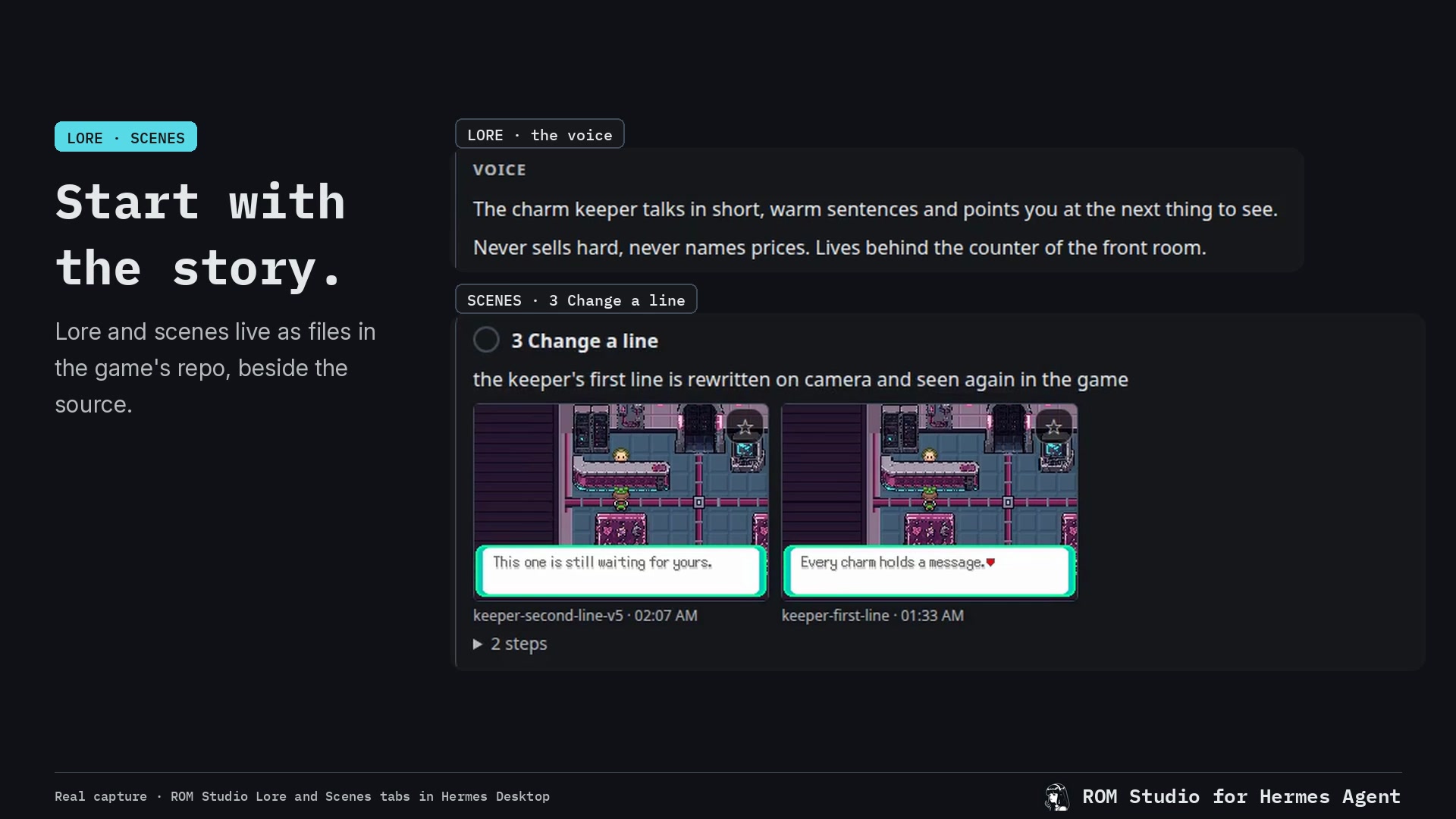
skills/make-your-game/ is an Agent Skill: thirteen scenes, each with one new idea, a recipe and
a check in the running game. It is written for Hermes and works with any agent that loads Agent
Skills.
- Inside Hermes the plugin registers it, and the agent loads it as
rom-studio:make-your-game. - Anywhere else, copy or link the folder into the agent's skills folder:
ln -s <plugin>/skills/make-your-game <the agent's skills folder>/make-your-game.
Settings
Plugin settings (Settings, Plugins, rom-studio, or hermes config set; kept under
plugins.entries.rom-studio.settings). A change takes effect within ten seconds, with no restart.
| Setting | Default | What it is | Environment fallback |
|---|---|---|---|
game_folder | empty | Your game folder. While it is empty the plugin starts nothing. | ROM_STUDIO_GAME |
pane_url | empty | The address of a pane that is already running; for one on another address, the whole link with its key that it printed at start. When set, the plugin shows that one and starts none. | ROM_STUDIO_PANE_URL |
pane_port | 8778 | The port on 127.0.0.1 for the pane the plugin starts. | ROM_STUDIO_PANE_PORT |
The fallbacks are read from the process environment only. No .env file is read, and none of
these is a secret.
Read by the kit, the pane and the player when you run them yourself: ROM_STUDIO_GAME (the game
folder), ARM_GCC, MGBA_PREFIX and SCRIPT_TOOL (where those tools are), PORT, and
ROM_STUDIO_LISTEN_DIRS (name=folder pairs separated by :; the pane's listening page then
also lists and serves the audio files in those folders), and the two network variables below.
Game settings (settings.json in the game folder; kit settings [key] [value]): player_name,
player_look, original_game, private_scenes, image_model, workers and default_worker.
docs/STUDIO.md describes each.
Every program the plugin and the kit start (the pane, the build and your decomp's Makefile, the
emulator, the player, git) gets a short list of variables by name:
PATH, HOME, the language and time-zone ones, TMPDIR, and the kit's own (ROM_STUDIO_*,
ARM_GCC, MGBA_PREFIX, SCRIPT_TOOL, JOBS, GAME_DIR, ROM). None of them is handed the
agent's environment, so no provider key reaches a build script (kit/env.ts).
What it starts, writes and sends
Read this before installing.
- A background process. When a game folder is set, the plugin starts the pane,
bun <plugin>/pane/server.ts, listening on127.0.0.1at the pane port, unless something
already answers there, and starts it again if it stops. It stops that process when the plugin
is unloaded or Hermes ends, also when Hermes is killed outright. A thread checks the game's
feed.jsonlevery two seconds and the plugin's settings every ten. With no game folder nothing
is started. A page you started yourself is never stopped. - Who can reach the pane. On 127.0.0.1 there is no sign-in: programs on your own computer
can read the game folder's pictures and source through it, answer the agent's questions, send
reference pictures, replace a song or sample with an uploaded file, change the helper list in
settings.json, and start a setup into an empty game folder (from a folder, a git address in
one of four plain forms, or an uploaded archive). A web page on another site cannot: requests
from other sites, and requests under a host name that is not this computer's, are refused, and
the page carries a content policy. Every upload has a size limit. If you start the pane
yourself with--bindso a phone can open it, any other device needs the whole link with the
pane's key (/k/<key>/), which the pane prints at start; the key is made once and kept in the
pane's data folder. - Shell commands. The kit runs
git,make, the compilers,python3,ffmpeg,curl,
openssland the tools of your decomp, and building runs your decomp's own build scripts. Only
point it at a decomp you trust. - The player (
kit play, started by you or your agent, not by the plugin) serves the built
game on127.0.0.1with the same refusals. With--phoneit also listens on your
home-network addresses over https, with a certificate made on your computer and a key in the
link; the game file needs that key. - One address in front of both (optional). On this computer the player also passes
/pane/
on to the pane, so someone who puts a single trusted address (a reverse proxy with its own
certificate) in front of the player reaches both.ROM_STUDIO_PANE_LOCALsays where the pane
is (defaulthttp://127.0.0.1:8778), andROM_STUDIO_HOSTSlists, comma separated, the extra
host names the pane and the player should answer to; without it they answer only to
localhostand bare addresses. Whoever can reach such a proxy reaches the pane as if from this
computer, so protect it yourself. - The in-game agent link is gone. Up to 0.2.0 the player could hand words typed inside a
game to your ownhermescommand. Since 0.3.0 the player has no such route and starts no agent. - Downloads, at setup only (
kit setup, never at plugin load):- the script compiler, a prebuilt Linux program, from its author's release page
(github.com/huderlem/poryscript, release 3.6.1), checked against a sha256 written in
kit/kit.tsand refused if it differs; kept in<plugin>/kit/.cache/ - the browser emulator, the npm package
@thenick775/mgba-wasm2.6.0 fromregistry.npmjs.org,
pinned by the sha512 inplayer/bun.lock; kept in<plugin>/player/node_modules/ - your decomp, only if you gave a git address instead of a folder
- the script compiler, a prebuilt Linux program, from its author's release page
- Built on your machine at setup: the headless emulator, from
kit/emu/studio-emu.c, linked
against the emulator library you built yourself (libmgba 0.10.5; the build linekit status
prints checks the commit26b7884bc25a5933960f3cdcd98bac1ae14d42e2); kept in<plugin>/kit/emu/bin/.
<plugin>/kit/.cache/also holds the saved start of the last eight builds. - What it writes. In the game folder: the game's source and git history,
game.md,
feed.jsonl,shots/,refs/,lore/,reviews.jsonl,decisions.jsonl,settings.json
andout/(the built game, logs, the patch). In the host's data folder for the plugin
(~/.hermes/plugin-data/rom-studio/): which pictures you starred, the pane's key, an
uploaded archive while it is being set up,status.json(what the pane says now) and
pane.log(the page's own output, with any key hidden). In the plugin's folder: the three caches above, andplayer/.cert/if you
use the phone link. In~/.hermes/config.yaml: only the settings you enter. - What it sends anywhere: nothing. No telemetry, no accounts, no credentials. The pages load
no outside resources (the two typefaces ship inpane/fonts/). The only network use is the
downloads above, andkit agent-play --providerwhen you run it by hand: it sends the game's
pictures and text to the model API you name. - It does not update itself. A new version arrives only through
hermes plugins update.
The flash guard
The player puts a guard between the emulator and the screen. It holds back fast, strong changes
in brightness or colour, over the whole picture or part of it, and lets ordinary movement and
fades through. It is always on and has no switch: the games this is used with contain flashes
that can harm some people, and a protection that can be turned off is one that will be off when
it matters. Its tests are in player/guard.test.ts.
Troubleshooting
- The pane says there is no game folder, or that the folder is missing. Set
game_folder
(Settings above); its Open settings button goes there. No restart is needed. - The pane says bun is needed, the port is in use, or another game's page is open. Each
message names the one thing to do.<plugin>/kit/kit plugin statusprints the same sentence. - The pane says the page did not answer or stopped. Read
~/.hermes/plugin-data/rom-studio/pane.log, or trybun <plugin>/pane/server.ts --game <game folder>
in a terminal and read what it prints. If nothing loads within eight seconds the pane says so
and gives the link to open in a browser. - A pane you run yourself (for example with
--bindso a phone can open it): put the link it
printed, with its key, inpane_url, and the plugin shows that one and starts none. - "From another device this pane opens only at its full link". Use the link with the key.
- "Open the pane as http://127.0.0.1 or http://localhost". The pane was asked for under a
host name it does not know; if that name is yours, list it inROM_STUDIO_HOSTS. - Hermes opened over https cannot show the pane. A secure page may not frame a plain http
page from another computer. The pane then says so and gives the link. An https address in
pane_urlworks. - The pane is slow to show a new entry. The page checks every three seconds by itself. The
plugin's "feed changed" event only makes it quicker, and is dropped when the host runs plugins
in a separate process. - An older desktop half is still shown. The app compares its published copy with the plugin's
desktop/folder at start and on Rescan, and republishes when they differ. kitsays a tool is MISSING.kit statusprints how to get each one.- After an update the emulator or the player files are gone. Run
kit setupagain; it
rebuilds what is missing and leaves your game as it is. - Setup refuses the script compiler. The download did not match the checksum. Unpack a copy
you trust yourself and setSCRIPT_TOOLto its folder.
Uninstall
<plugin>/kit/kit play --stop        # if the player is running
<plugin>/kit/kit plugin uninstall   # a linked checkout: the link, its settings and its switch
hermes plugins remove rom-studio    # a catalog install
rm -rf ~/.hermes/desktop-plugins/rom-studio ~/.hermes/plugin-data/rom-studio
Remove the mcp_servers entry and any ROM_STUDIO_ variables if you added them. Your game
folder is yours and is left alone.
How it is put together
you <-> your agent (Hermes, or any agent that loads Agent Skills)
          |  reads skills/make-your-game (the guided path)
          |  runs kit/kit <command>, or the same commands as MCP tools (kit/mcp.ts)
          v
        kit/ ---- edits, builds, drives ----> your game folder (a git repo: your decomp + your changes)
          |                                    game.md  feed.jsonl  shots/  lore/  settings.json  out/game.gba
          |  headless emulator (kit/emu)            ^                         |
          |  takes the pictures                     | reads, every 3 s        | serves the built game
          v                                         |                         v
        pictures in shots/                    pane/server.ts            player/server.ts
                                              127.0.0.1:8778            127.0.0.1:4870, flash guard
                                                    ^
        Hermes plugin (this folder's root)          |
          __init__.py   starts and stops the pane, watches the feed and the settings
          common.py     the settings, the checks and the sentences the halves share
          dashboard/    one route (where the pane is) and the tab in the web dashboard
          desktop/      shows the pane in the desktop app
docs/STUDIO.md is the reference for every contract (commands, the feed, the pane, the player).
docs/PRINCIPLES.md holds the rules the project keeps. AGENTS.md is for coding agents working
on this repository.
Licence
MIT, see LICENSE. The licence covers ROM Studio's own code and text. It gives no rights to any
game, and nothing here is affiliated with or endorsed by the makers of any game or engine.
README from the reviewed commit 2c07ad2; it updates when the author re-pins.


