 ponzgpt
🕯 Sabbath
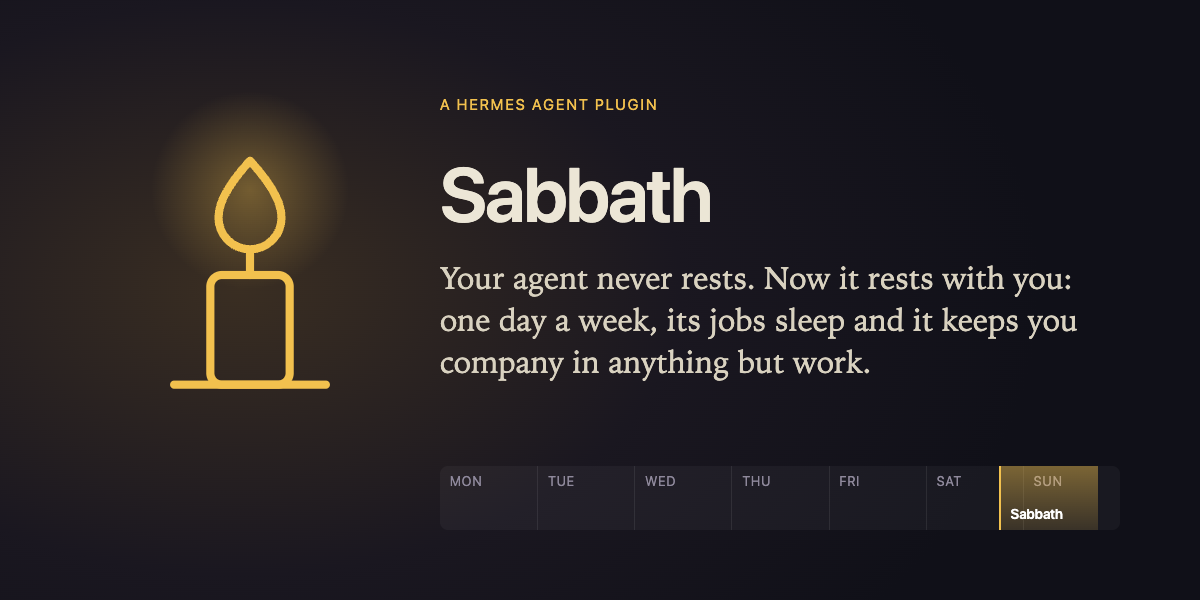
Your agent never rests. Now it rests with you.

Hermes works around the clock: morning briefings, digests, inbox triage, reminders. That's the point of an agent. But an agent that never sleeps can quietly make sure you never do either.
Sabbath gives your Hermes a weekly day of rest, kept with you:
- Goodnight. At the hour you choose (say, Saturday 18:00, sunset to sunset), Hermes writes to you on your phone: the week's work is done.
- Its jobs sleep. Hermes pauses its own scheduled jobs for the day. The ones you exempt (a backup, a monitor) keep running.
- Anything but work. For the whole day Hermes is a companion for rest: people, meals, books, walks, prayer, music, play. When work comes up, it doesn't do it: it offers, in one warm line, to set it aside for after.
- Good morning. When the rest ends, you get one gentle digest: how long you rested, which jobs waited (they catch up now), and everything you set aside, in one list.
And if something truly can't wait? The old rule still holds: when the ox falls into the well, you pull it out (Luke 14:5). Send /sabbath ox and Hermes helps fully for an hour, then the rest goes on.
Why "Sabbath"?
Six days you shall labour, and the seventh is a rest. The Sabbath isn't idleness: it's a day set apart for delight, for the people you love, for gratitude and for beauty. It's one of the oldest technologies humans have for not being consumed by their work. Agents make work infinite; this plugin makes the rest real.
Try it in two minutes
You don't have to wait for Saturday. On the Sabbath page, click Try a two-minute Sabbath (or send /sabbath try from any chat):
- your phone gets the goodnight,
- Hermes's scheduled jobs pause,
- ask Hermes for some work and watch it offer to set it aside,
- two minutes later the digest arrives and the jobs wake up.
Install
hermes plugins install ponzgpt/sabbath
hermes plugins enable sabbath
Or, in Hermes Desktop: Capabilities › Plugins › Install from GitHub › ponzgpt/sabbath. The agent half installs into your Hermes, and the page installs into Desktop. If a gateway is already running, restart it (hermes gateway restart) so your phone chats pick up /sabbath.
Then:
- From your phone, send
/sabbath hereto your Hermes. That's where the goodnight and the digest arrive. - In Settings › Plugins › Sabbath, set your name, when the rest begins (
sat 18:00), how long (24 h), your time zone, and any jobs that never rest. - Turn on Keep it every week on the Sabbath page (or
/sabbath keep).
From any chat: /sabbath status | here | now [hours] | try | end | ox [why] | keep | stop | doctor.
Hermes surfaces it uses
| Surface | What for |
|---|---|
| pre_llm_call hook | While you rest, every turn on every surface (Telegram, Desktop, CLI…) knows it, so Hermes keeps you company in anything but work |
| Tools sabbath_set_aside, sabbath_status | Hermes puts what can wait into the basket, only when you agree |
| Hermes's cron jobs, through the cronjob_manage tool (ctx.dispatch_tool) | Paused at the start of the rest (with the reason "Sabbath"), resumed at the end; Hermes's own catch-up policy runs what was missed |
| /sabbath command | Everything from any chat surface |
| Background ticker (one process at a time, file lock) | Begins and ends the rest on time |
| Desktop page (desktop/plugin.js + dashboard/plugin_api.py) | Your week at a glance, the rest in progress, what sleeps, what's set aside, the weeks you've kept; built from the Desktop UI kit and theme tokens |
| config_schema | The settings form in Desktop |
Disclosures (risky behaviour)
- Pauses and resumes your Hermes cron jobs. At the start of each rest it pauses every runnable job except the ones you list in Jobs that never rest; at the end it resumes only the jobs it paused that are still paused with its reason (a job you paused yourself stays paused).
- Sends messages on your behalf to the chat you set with
/sabbath here: one when the rest begins and one digest when it ends. - Adds context to each turn while you rest (via
pre_llm_call), asking Hermes not to do work that can wait. - Manages jobs through Hermes's own
cronjob_managetool (list, pause with the reason "Sabbath", resume), dispatched from the agent half. Pauses and resumes asked for on the Desktop page are carried out by that half within 20 s. - Runs
hermes send(Hermes's own CLI, as an argv list with the text over stdin) to deliver each message, because Hermes has no public in-process API for a plugin to start a message to a chat yet. That's one short process per message. - Runs a background thread (one per Hermes process; a file lock lets only one act) that wakes every 20 s to begin and end the rest on time. No network calls of its own beyond the two messages above, no shell commands other than
hermes send, no telemetry. - Stores its state (your rhythm, the basket, the history) in plain text in
$HERMES_HOME/plugin-data/sabbath/.
Develop
./scripts/check.sh   # tests + syntax + Hermes's own plugin validator
ln -s "$PWD" ~/.hermes/plugins/sabbath && hermes plugins enable sabbath
sabbath_core.py holds all the logic as pure functions (the weekly window, beginning and ending a rest, the basket, the digest) and is tested without Hermes. sabbath_store.py does the I/O, and __init__.py connects it to Hermes.
A companion to Psychopomp, from the same author: Hermes keeping your story, and keeping your rest.
MIT © Javier Ponz. Written with AI agents; specified and tested by a human.
README from the reviewed commit cb20a4e; it updates when the author re-pins.