Cyberpz
Shelly Direct — Hermes Agent plugin
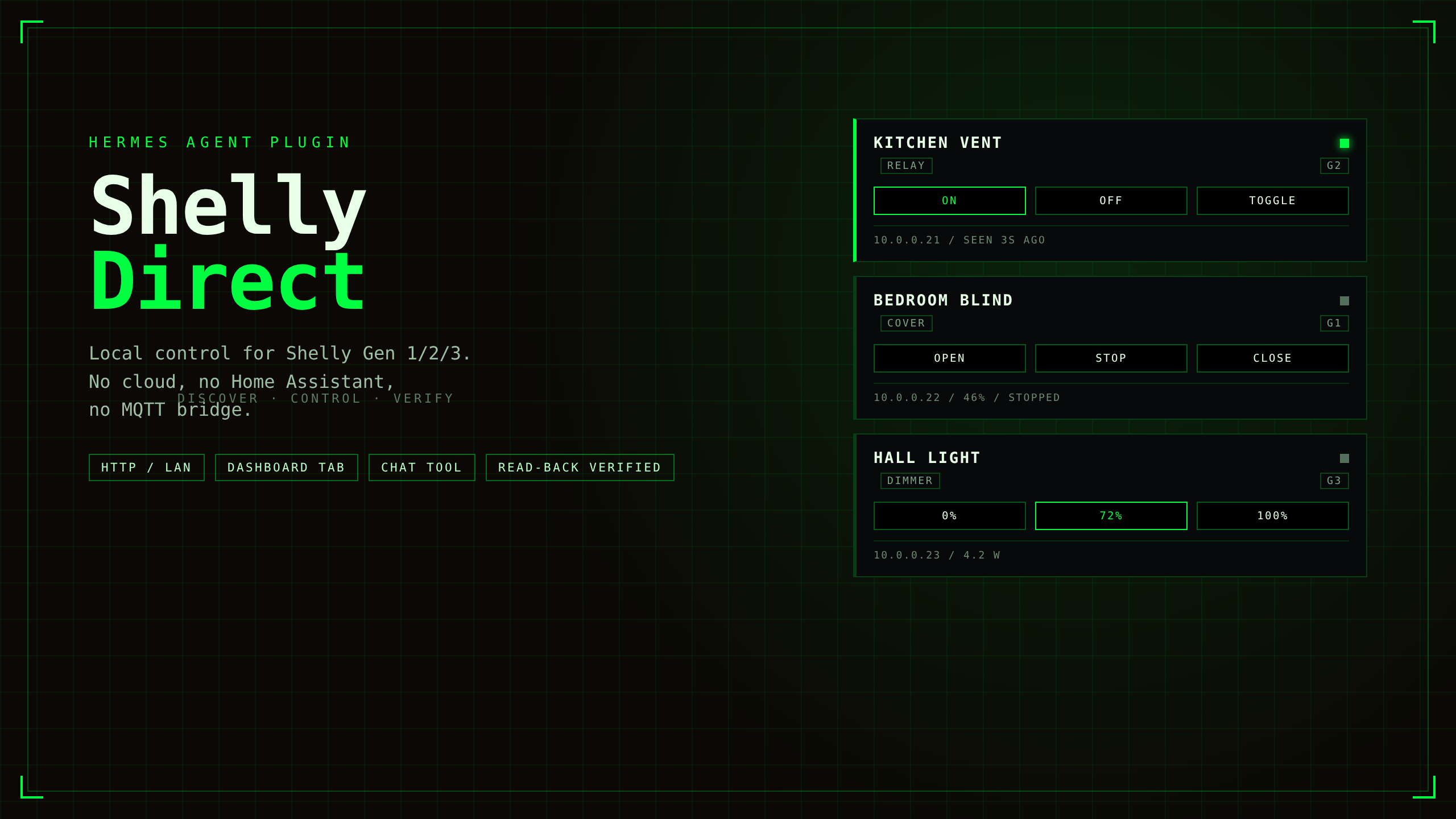
Control your Shelly smart-home devices directly on the LAN from Hermes Agent —
relays, dimmers, RGB, roller shutters, power meters, sensors.
No Home Assistant. No MQTT broker. No cloud account. Just your Wi-Fi.
Built for the Hermes Plugin Hackathon — but meant to outlive it.
Why
Plenty of smart-home bridges exist, but they all want you to stand up a server
first. Shelly devices run a full HTTP API on the device itself — this plugin
speaks it natively for all three generations (Gen1 ESP8266-era REST,
Gen2/Gen3 RPC) and gets out of the way.
- 💡 Zero-config discovery — one UDP broadcast finds every Shelly on the
segment; a TCP-gated CIDR sweep covers IoT VLANs where broadcast is blocked - 🧬 Auto gen-detection — one probe tells Gen1 from Gen2/3, per device
- ✅ Verify-after-write — every command is read back from the device;
verified: falsemeans the device did not confirm, and Hermes says so - 🔋 Real state, not guessed state — live power (W/kWh), temperature,
humidity, shutter position - 🖥️ Dashboard tab — a control minidash inside the Hermes web dashboard
- 🔒 LAN-only — the plugin talks to your devices and nothing else (see
Security & disclosure)
Demo (64s)
Real hardware, real clicks — a 47-device fleet on Gen 1/2/3:
docs/demo.mp4
Install
hermes plugins install cyberpz/hermes-shelly-direct
hermes plugins enable shelly-direct
Once the catalog entry is merged, hermes plugins install shelly-direct works too.
Then in any Hermes chat:
discover my Shelly devices
If your access point blocks UDP broadcast (common on IoT VLANs), the agent
will find out and you can sweep explicitly:
scan 192.168.1.0/24 for Shelly devices
What Hermes can do with it
| You say | Tool call |
|---|---|
| "turn on the coffee machine" | {"action":"on","device":"coffee"} |
| "dim the desk to 40%" | {"action":"set","device":"desk","brightness":40} |
| "close the bedroom shutters" | {"action":"cover","device":"bedroom","op":"close"} |
| "what's the washing machine drawing?" | {"action":"meter","device":"washer"} |
| "how warm is the attic?" | {"action":"sensor","device":"attic"} |
| "call the hallway lamp 'Hall Light'" | {"action":"rename","device":"hallway","name":"Hall Light"} |
| "find my devices" | {"action":"discover"} (optional "subnet":"…/24") |
Full action vocabulary: discover, list, status, on, off, toggle,
set (brightness/rgb/white), cover (op/position), meter, sensor, rename.
Devices are addressed by name, alias (substring ok), id, MAC or IP.
A bundled skill teaches the agent the vocabulary and the failure modes
(battery devices sleep, ambiguous names, protected devices).
CLI (only when plugins run in-process)
hermes plugins defaults to host isolation, where plugin CLI subcommands are
not wired into the CLI parser — so this section applies only if you run plugins
in-process (plugins.isolation: local). The chat tool and dashboard are the
supported surfaces everywhere.
hermes shelly discover            # scan + inventory
hermes shelly list                # known devices
hermes shelly status "office"     # live state of one device
Dashboard tab
Installing the plugin adds a Shelly tab to the Hermes web dashboard: a
device grid with online state, relay toggles, dimmer sliders, shutter
controls and live power readouts, backed by a REST API under
/api/plugins/shelly-direct/.
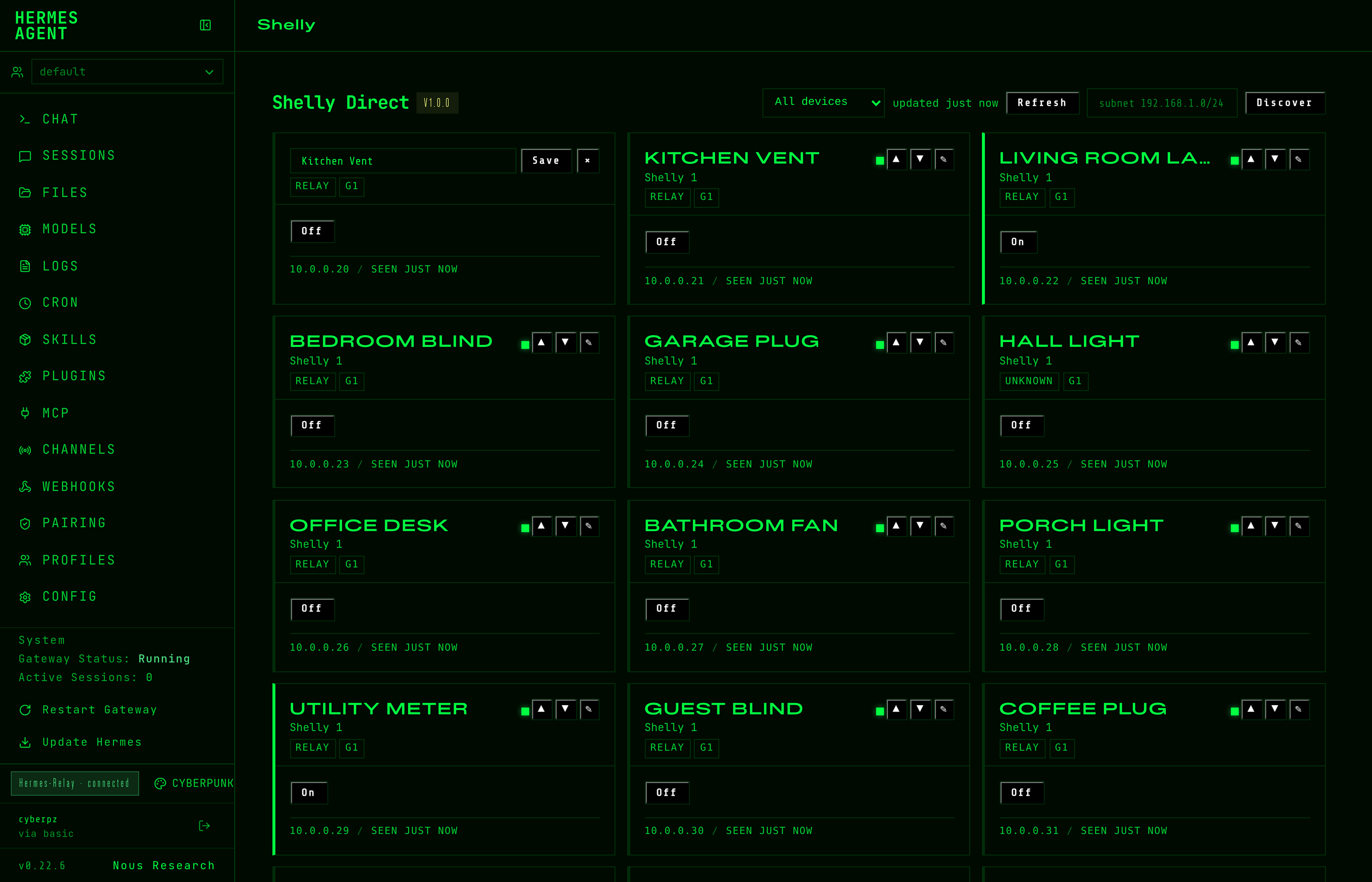
What the tab does beyond clicking buttons:
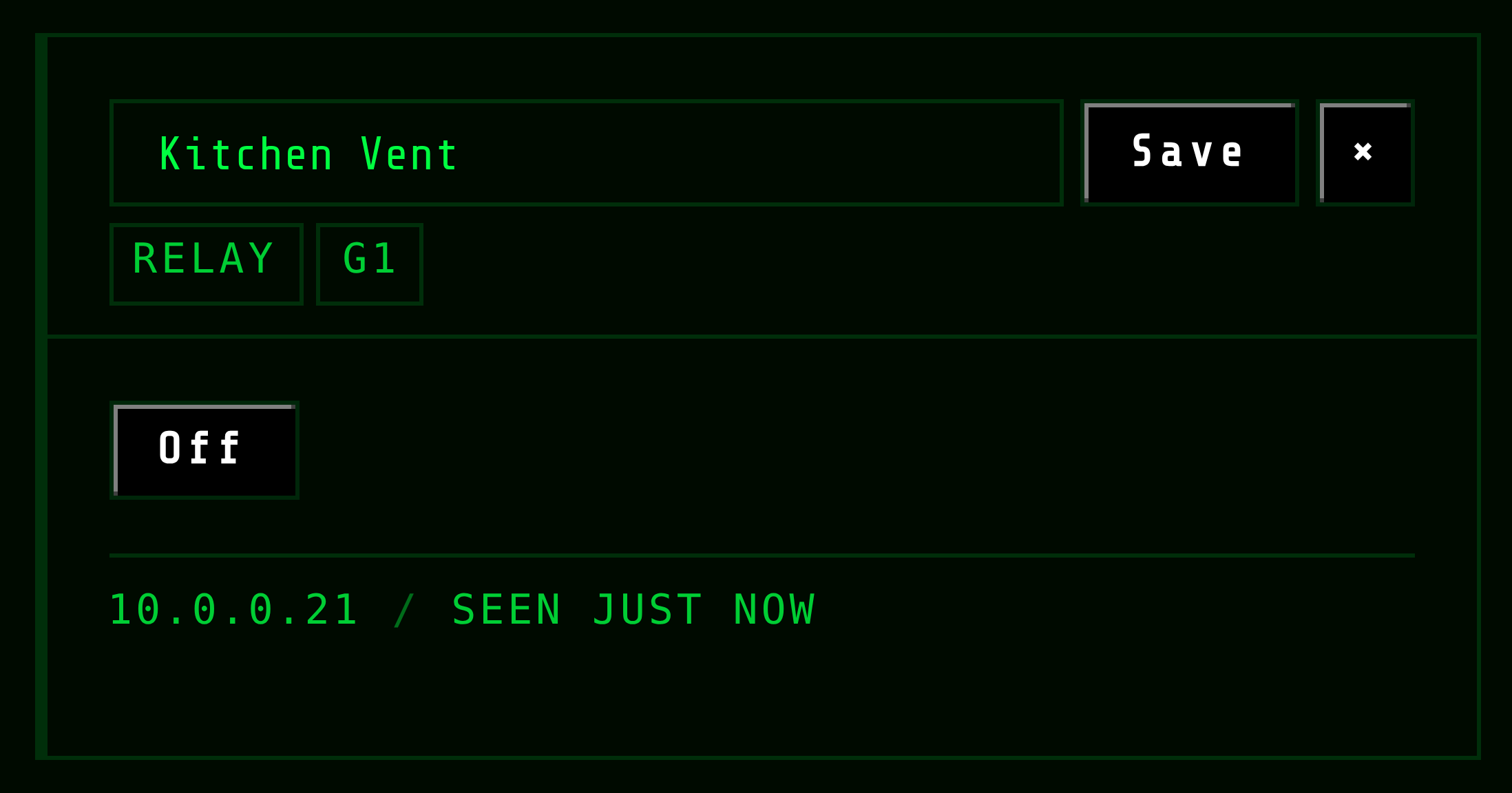
- Rename / map devices — pencil on any card; the alias sticks and wins over
the device's own name (it is what the chat tool resolves too) - Manual ordering — ▲▼ on every card, persisted per-install in
order.json - Filter — All / Mapped / Unmapped, because a fresh discovery of 40+ devices
is mostly unnamed hardware - Fast lane for covers — anything in motion, or commanded in the last 20s,
is polled every 3s (plus a 1.2s settle read), so Stop lands in the UI in
~1.5s instead of waiting for the 10s tick. Gen1 covers never report
"opening", which is exactly why the time window exists - Self-healing online state — a real status read is the source of truth; a
device missed by one sweep heals itself instead of staying grey forever
Configuration
All optional — defaults work out of the box.
| Setting | Default | Meaning |
|---|---|---|
| extra_hosts | [] | IPs/CIDRs to probe beyond the local segment (routed/VLAN setups) |
| timeout_ms | 3000 | per-device HTTP timeout |
| verify_writes | true | read back state after every command, retry once on mismatch |
| auth_user | "" | digest-auth user for password-protected devices (admin) |
| auth_password | — | digest-auth password, stored as a Hermes secret |
| allow_model_sweep | false | let the agent pick CIDR ranges for sweeps (the dashboard can always sweep) |
How it works
discovery   UDP :10100 broadcast (+ directed broadcasts, + CIDR sweep fallback)
probe       GET /shelly → gen, model, mac, id          (one request, all gens)
Gen1        GET /status · /relay/0?turn=on · /roller/0?go=close
Gen2/3      POST /rpc/Switch.Set · Cover.GoToPosition · Light.Set
inventory   MAC-keyed JSON in the Hermes plugin-data dir (IPs drift, MACs don't)
Security & disclosure
- Network scope: HTTP to Shelly devices on your LAN + one UDP broadcast
probe on port 10100. No third-party endpoints, no telemetry, no cloud. - Secrets: the optional device password is stored via the Hermes secret
store (get_secret), never in config files. - Writes: only to devices you address; every write is verified by reading
the device back. - Discovery sweep: the CIDR sweep is opt-in, TCP-gated and capped at /22 per
entry. Targets are allowlisted to RFC1918 / CGNAT / IPv6 ULA: loopback,
link-local (169.254/16, cloud metadata), multicast, 0.0.0.0/8 and all public
space are never probed. A CIDR coming from the model is ignored unless the
user setsallow_model_sweep: true; the dashboard's Discover field is
user-driven and always allowed. A malformed CIDR is rejected before any
traffic leaves the box, and a sweep that probed nothing never demotes your
inventory.
Development
python3 -m pytest                  # 33 tests: stateful Gen1 + Gen3 stubs, no mocks
hermes plugins validate . --install-deps
hermes plugins doctor .
Live-tested against a 47-device fleet (Gen1/2/3, relays, dimmers, covers,
power meters): 20 concurrent toggles, restart survival, blocked-UDP networks,
invalid input fuzzing. Bugs found that way are in the git log with the fix.
Limitations (honest list)
- Battery (Gen2/3) devices sleep —
statusfails until they wake; the plugin
says so instead of pretending. - BLE-only gateways (Gen2/3 BLE) are bridges, not endpoints: control the
wired device behind them. - CoIoT/MQTT event push is out of scope by design: this plugin polls state
on demand and keeps no daemons.
License
MIT © Cyberpz
README from the reviewed commit 8dff645; it updates when the author re-pins.