
 LuuMoss
Video Analysis Workbench · Video X-Ray
A video + audio analysis workbench plugin for Hermes Desktop.
One run = windowed frame sampling → per-segment visual observation → timestamped transcript → structured report → shot-accurate reverse prompt for AI video generation.
- UI language: English / Simplified Chinese, follows your Hermes display language automatically; other locales fall back to English (translation PRs welcome)
- Author: Xiaoya / LuuMoss · License: Apache-2.0 (see LICENSE and NOTICE.md)
- Also exposes
video_xray/video_xray_jobsagent tools — just ask your assistant "analyze this video" in chat
What it does
| Capability | Details |
|---|---|
| 🎞️ Windowed visual observation | Pick any time window (or the whole video); frames are sampled and grouped into observation segments at your chosen granularity (8/16/32/64 frames per segment) and fed to your vision LLM. Cost scales linearly. Via the agent tools there is also an adaptive sampling mode that densifies frames around detected scene changes |
| 🎙️ Transcription, three engines | Local R2T2 (best for Chinese) · local Whisper (multilingual) · cloud OpenAI-compatible ASR · off. If installed engines are missing, the ladder degrades gracefully instead of failing the job |
| 📝 Timestamped dialogue | Standard SRT + JSON cue export — import straight into CapCut, Premiere, or any player |
| 📊 Structured report | Plot flow, camera language, characters & settings, timestamped quote references, opening-vs-ending contrast — saved as Markdown |
| 🔄 Prompt reverse-engineering | Turns the analysis into a MiniMax-H3 video-generation prompt, segmented at real shot cuts (threshold adjustable 0.05–0.95) in multi-shot mode, or continued as one take. The body text is plain natural-language shot description — strip two formatting lines and it works for Kling, Jimeng, Vidu, Runway, etc. |
| ⏹️ Cancel / resume | Cancel is graceful: the transcription worker exits within a second and VRAM is returned instantly (no screen freeze). Resume continues from the interrupted segment — completed segments are never recomputed |
| 🧠 Zero LLM config | Analysis follows the model your Hermes Desktop is currently chatting with (local or cloud) — no endpoints, no keys |
Requirements
- Hermes Desktop ≥ 0.22 (the desktop plugin-panel era)
- ffmpeg on PATH — if you don't have it:
winget install Gyan.FFmpeg - Any working chat model, local GPU engine or cloud API alike
Installation (3 steps, ~2 minutes)
Windows paths.
%LOCALAPPDATA%is usuallyC:\Users\<you>\AppData\Local.
① Backend — copy the plugin files from the root of this repo (plugin.yaml, __init__.py, engine/, dashboard/) to:
%LOCALAPPDATA%\hermes\plugins\video-xray\
② Enable + restart the gateway:
"%LOCALAPPDATA%\hermes\bin\hermes.exe" plugins enable video-xray
Then fully quit Hermes Desktop and reopen it (this restarts the gateway and loads the backend).
③ Frontend hot-load — copy the repo's desktop/plugin.js to:
%LOCALAPPDATA%\hermes\desktop-plugins\video-xray\plugin.js
and press Ctrl+Shift+R in the desktop app to reload the UI.
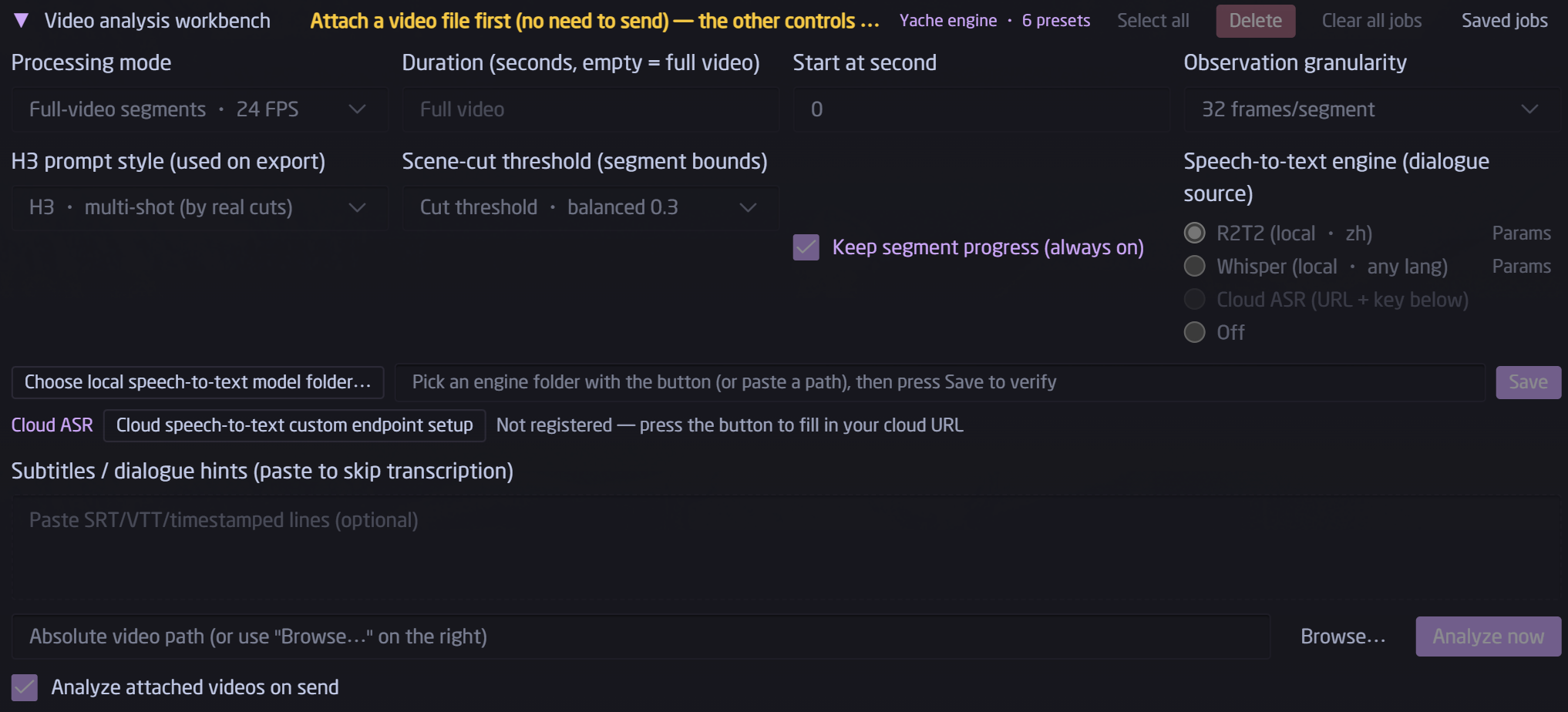
You should now see the golden Video Analysis Workbench strip above the composer. /video opens it too, and chatting "analyze this video" works via the agent tools.
Transcription engines (all optional — the plugin runs without any of them)
In the workbench panel, pick an engine with the radio group: R2T2 (local · zh) / Whisper (local · any lang) / Cloud ASR / off. Engines you haven't installed are greyed out with a tooltip pointing you to the right section below. When the plugin is driven from chat (agent tool), an additional auto ladder picks whichever engine you have installed and degrades gracefully.
Whisper — recommended starting point (multilingual, ~5 min)
python -m venv $env:LOCALAPPDATA\hermes\whisper-venv
$env:LOCALAPPDATA\hermes\whisper-venv\Scripts\pip install faster-whisper
Then in the panel: Transcription settings → Whisper → Register local engine, pick this venv's whisper-venv\Scripts\python.exe and hit Save. Saving performs a real engine load on your machine — it only turns green if the engine actually starts (the model itself downloads on first use).
Cloud ASR — zero local dependency
Any OpenAI-compatible /v1/audio/transcriptions service: fill base URL + model + key under Transcription settings → Cloud ASR and hit Test connection (it performs a real silent transcription round-trip before accepting).
R2T2 — best local Chinese transcription (optional, ~3.5 GB download)
R2T2 is NetEase Youdao's open-source Confucius4-R2T2 speech engine (code Apache-2.0; weights free for commercial use). This repo ships the adapter source (docs/r2t2-runtime/); you fetch the runtime binaries and weights yourself:
Target layout:
%LOCALAPPDATA%\hermes\asr-r2t2\
├── worker.py, smoke.py          ← copy from this repo's docs/r2t2-runtime/
├── core\confucius\*.py          ← same (upstream engine source + patches)
├── runtime\
│   ├── python\                  ← embedded Python 3.12 (step ②)
│   └── native-cpu\              ← official native inference libs (step ②)
└── models\                      ← the four weight files (step ③)
① Adapter layer: copy worker.py, smoke.py and core/ from this repo's docs/r2t2-runtime/ into %LOCALAPPDATA%\hermes\asr-r2t2\.
② Runtime (embedded Python + native libs, ~300 MB): download any 0.2.x …-NoMainModel.zip portable pack from T8mars/Strata-T8 releases and copy two trees:
robocopy <extracted>\runtime\python          $env:LOCALAPPDATA\hermes\asr-r2t2\runtime\python     /E
robocopy <extracted>\runtime\asr\native-cpu  $env:LOCALAPPDATA\hermes\asr-r2t2\runtime\native-cpu /E
③ Weights (Q8 model + audio projector + VAD, with their licenses, ~3.2 GB):
pip install -U huggingface_hub
hf download t8star/Confucius-R2t2-Comfy --repo-type model --local-dir $env:LOCALAPPDATA\hermes\asr-r2t2\models
# China-friendly mirror: append  --endpoint-url https://hf-mirror.com
(The upstream model repo is netease-youdao/Confucius4-R2T2-GGUF; the mirror above also bundles the VAD helpers, all license files, and a per-file SHA-256 table.)
④ Register: panel Transcription settings → R2T2 → Register local engine, pick the asr-r2t2 root directory (the one containing worker.py — picking anything else is rejected), and wait for the on-machine load check to turn green.
NVIDIA GPU owners: drop the
.pydfrom the cu128 wheel (T8mars R2T2 node releases,native-v0.2.0) plus the CUDA trio intoruntime\native-cuda\python\, then switch the device inParams(saving also runs a real load check). In practice the CPU engine matches CUDA speed on this small model — CPU is the recommended default, it keeps your VRAM free.
Using the results
After a job completes, the detail view exports the report (.md) and the reversed prompt (.txt), with copy buttons for both.
- SRT / JSON cues: plain universal formats, import anywhere
- Report: ordinary Markdown for humans — and great raw material for a follow-up AI rewrite
- Reversed prompt: ready for MiniMax-H3; for other generators (Kling, Jimeng, Vidu, Runway…) delete the
integrated_multimodal_description:line, the[Shot N]markers and the trailing H3 magic line — the remaining shot descriptions are generator-agnostic
FAQ
| Symptom | Fix |
|---|---|
| No golden strip above the composer | Make sure step ② (enable + gateway restart) was done; press Ctrl+Shift+R; check %LOCALAPPDATA%\hermes\logs\desktop.log for [plugins] lines |
| "Analyze now" says engine not ready | Analysis uses your current chat model — send one normal chat message first to confirm the model is up |
Report shows transcript=no | There simply was no speech in that window (SFX/music only) — normal |
| R2T2 registration refuses to save | Pick the root folder containing worker.py; make sure runtime\python\python.exe and the models\ four-piece set are in place (layout above) |
| Cancelled a job, want the rest | Hit Resume (amber) in the job list — completed segments are not recomputed |
| VRAM pressure | Use the R2T2 CPU engine (benchmarked on par with CUDA); transcription workers exit right after use and never linger |
Credits & license chain
- R2T2 engine: netease-youdao/Confucius4-R2T2 — code Apache-2.0; weights under the NetEase Youdao Model Use License (free commercial use; trademark & very-high-scale usage terms apply)
- Windows runtime binaries redistributed by T8mars (Strata-T8 MIT; R2T2 node follows upstream Apache-2.0) — thanks for enabling derivative-friendly use; this plugin and their packs cross-promote each other
- Underlying inference: ggml ggml / llama.cpp (MIT, see runtime
NOTICE), FireRedVAD (Apache-2.0) - Alternate transcription: faster-whisper (MIT)
- This plugin's own code (including the
docs/r2t2-runtime/adapter and patches): Apache-2.0 — see LICENSE / NOTICE.md
Gallery
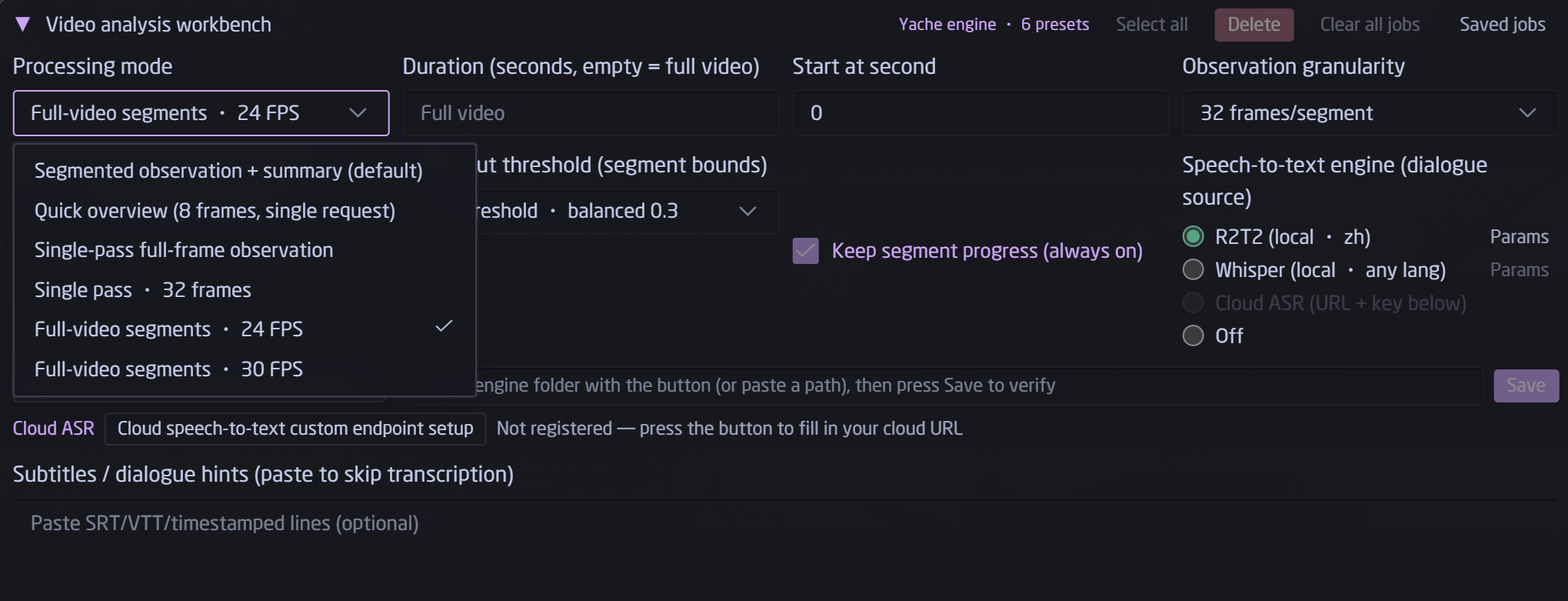
Processing mode: six built-in presets, or custom to write your own observation prompt.
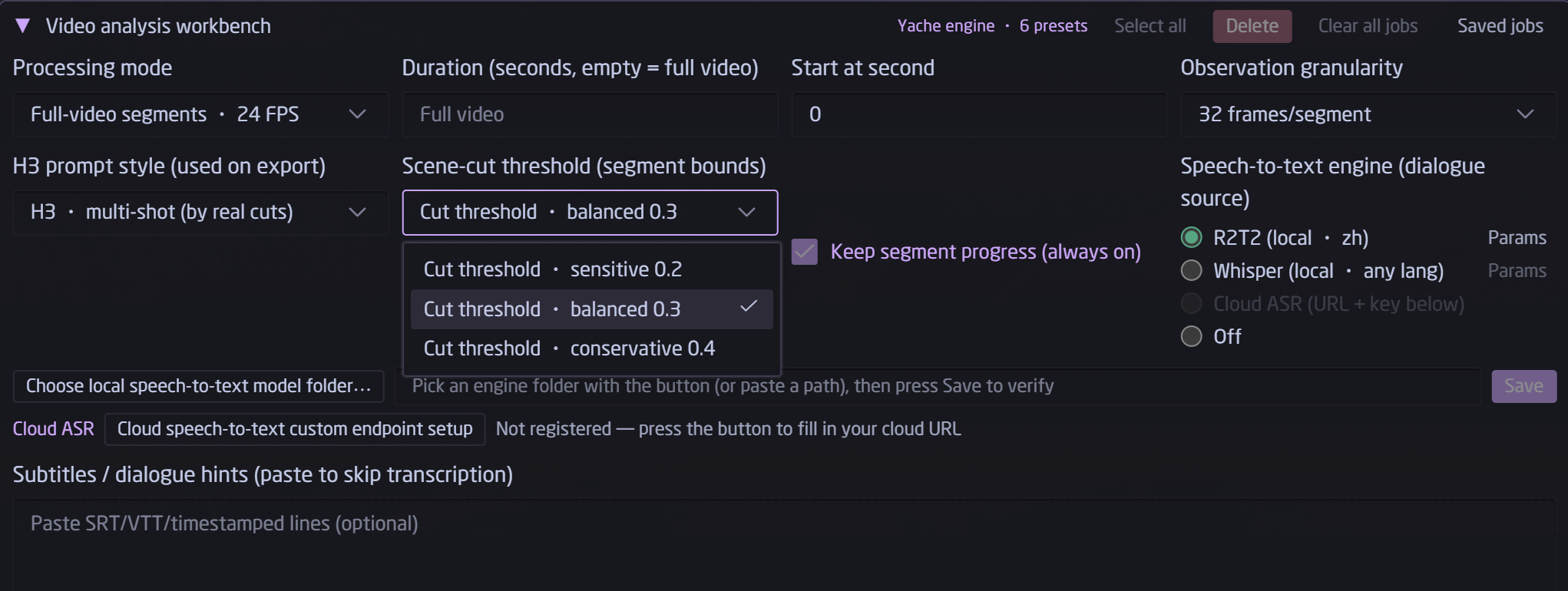
After attaching a video: time window, granularity, shot-cut threshold, transcription engine radio group and the register/params buttons.
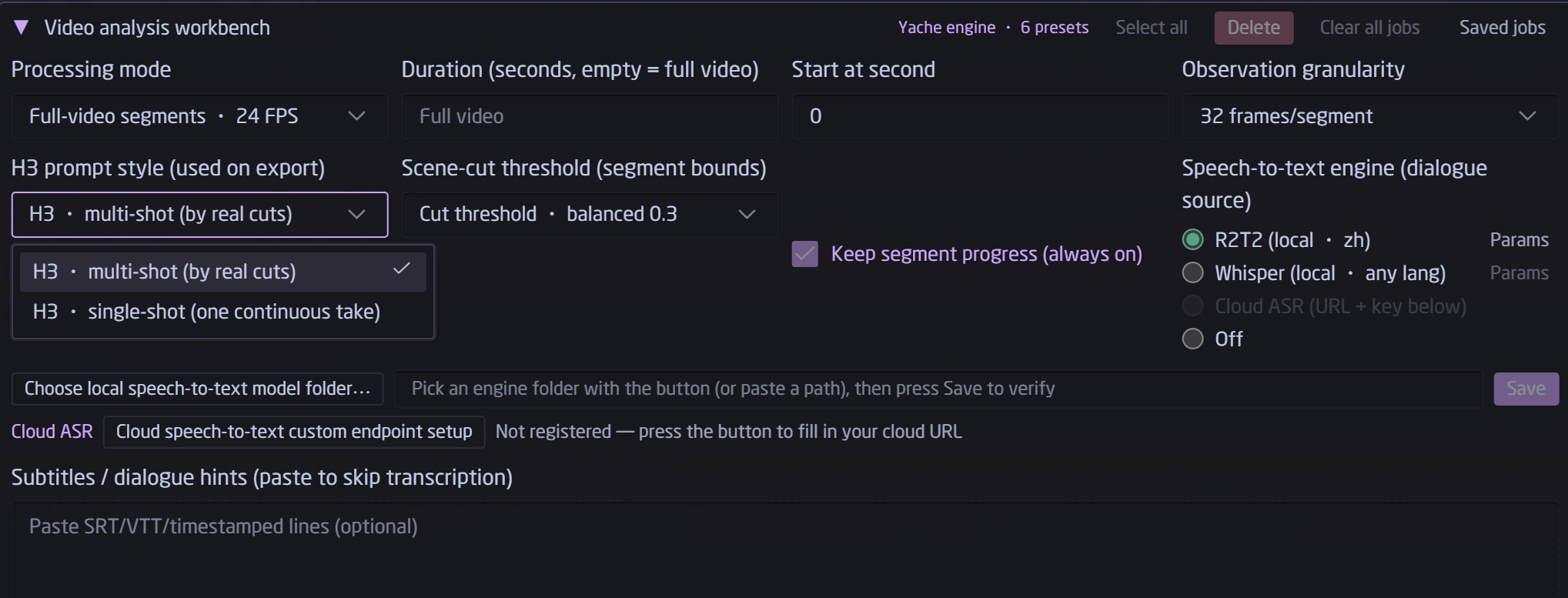
H3 prompt style: per-shot segmentation vs single-take continuation.
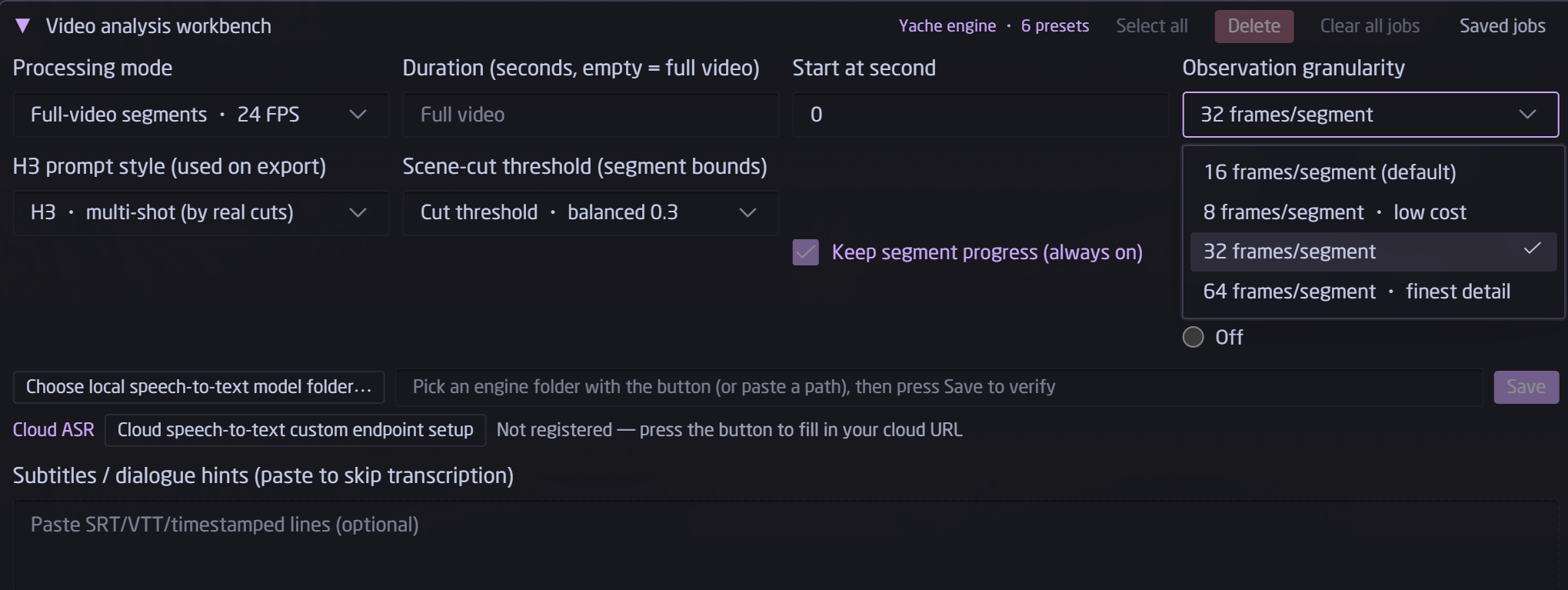
Frames per segment: 8 / 16 / 32 / 64 — cost scales linearly.
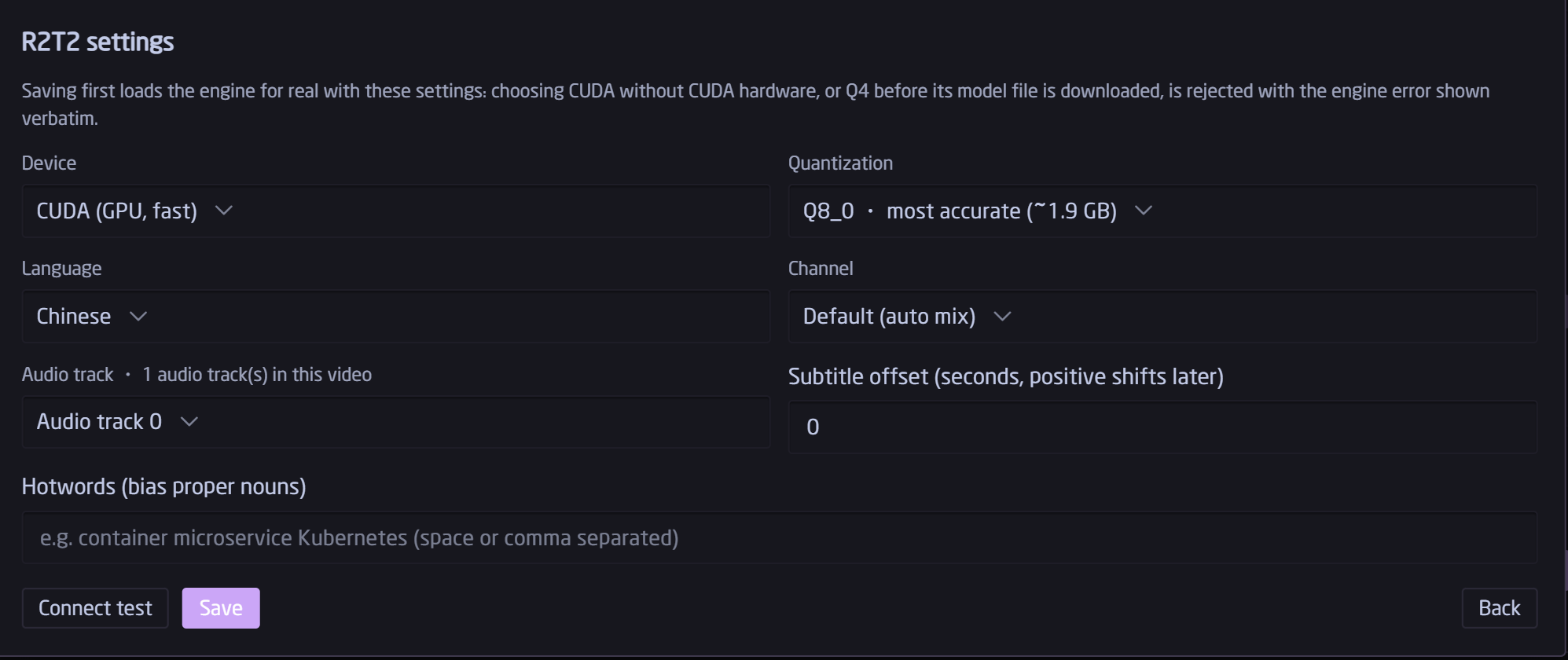
Engine parameters. Save loads the engine for real as a check — a wrong combo is rejected with the engine's own error, never stored silently.
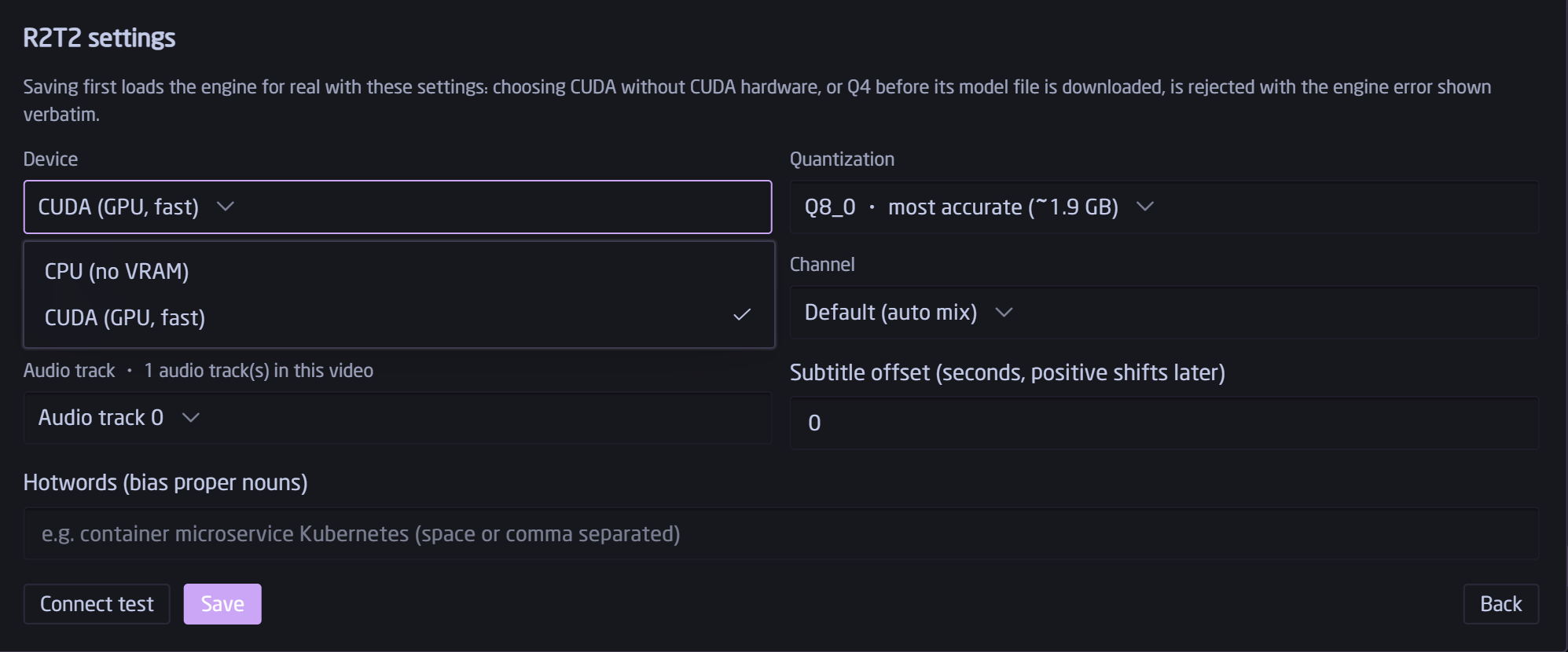
Device: CPU (no VRAM) or CUDA (GPU, fast).
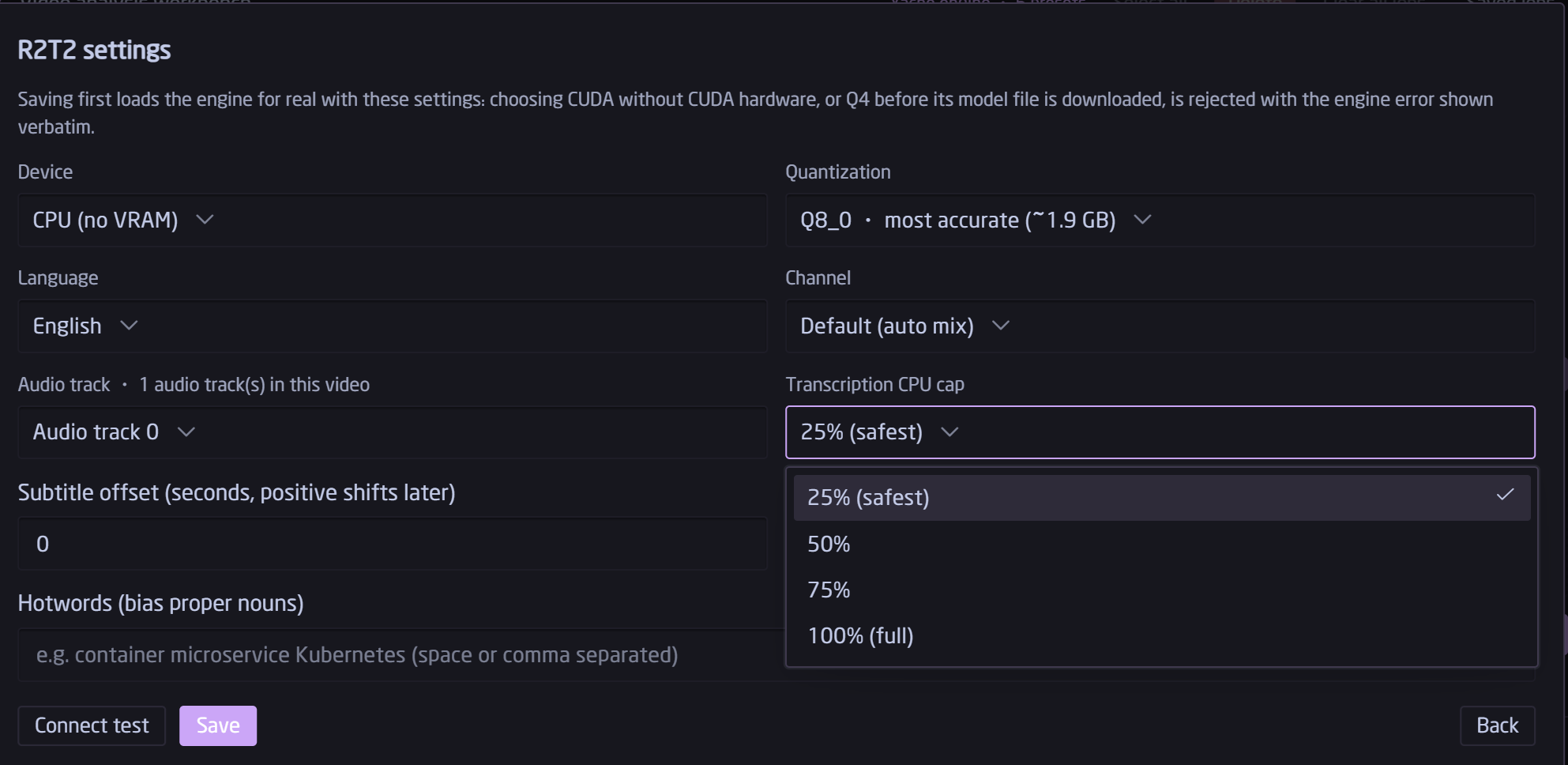
Hard CPU-usage cap so transcription never freezes your machine.
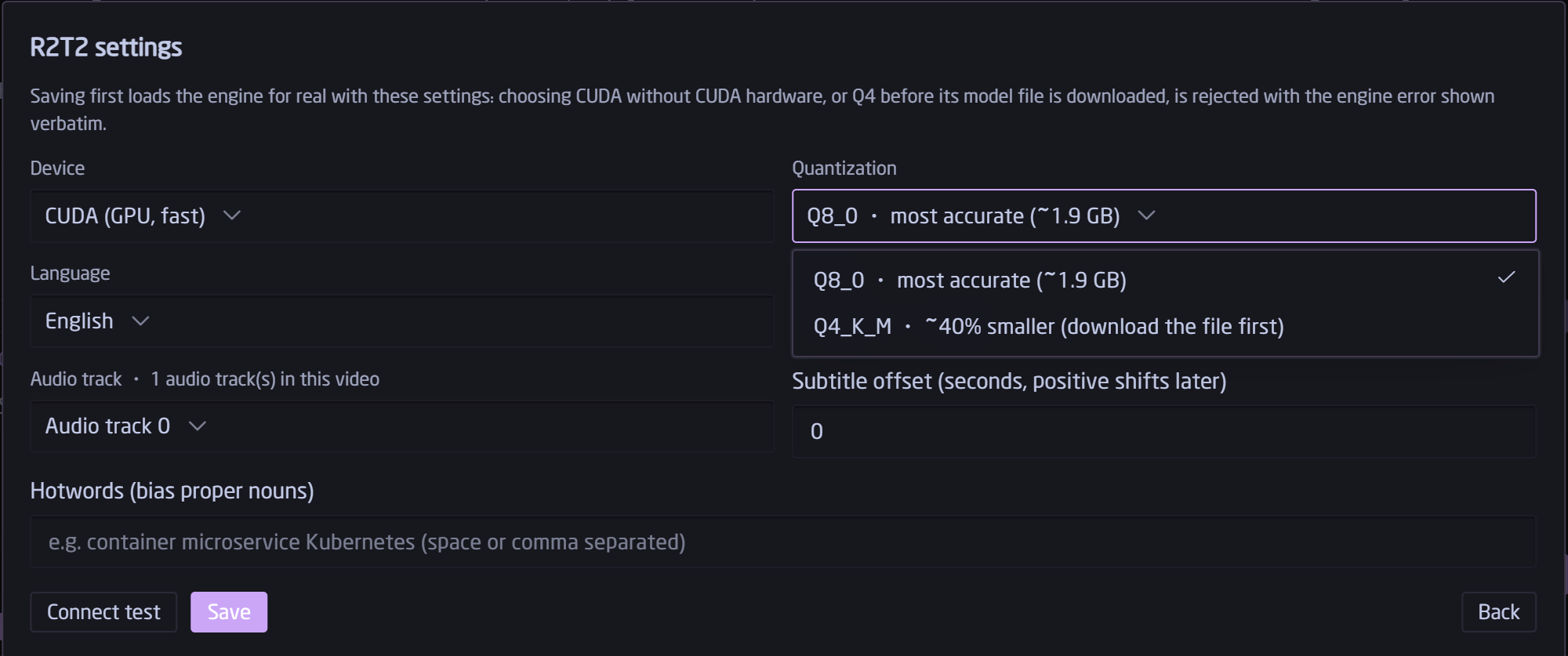
Quantization: Q8_0 (most accurate) or Q4_K_M (~40% smaller; download the weights file first).
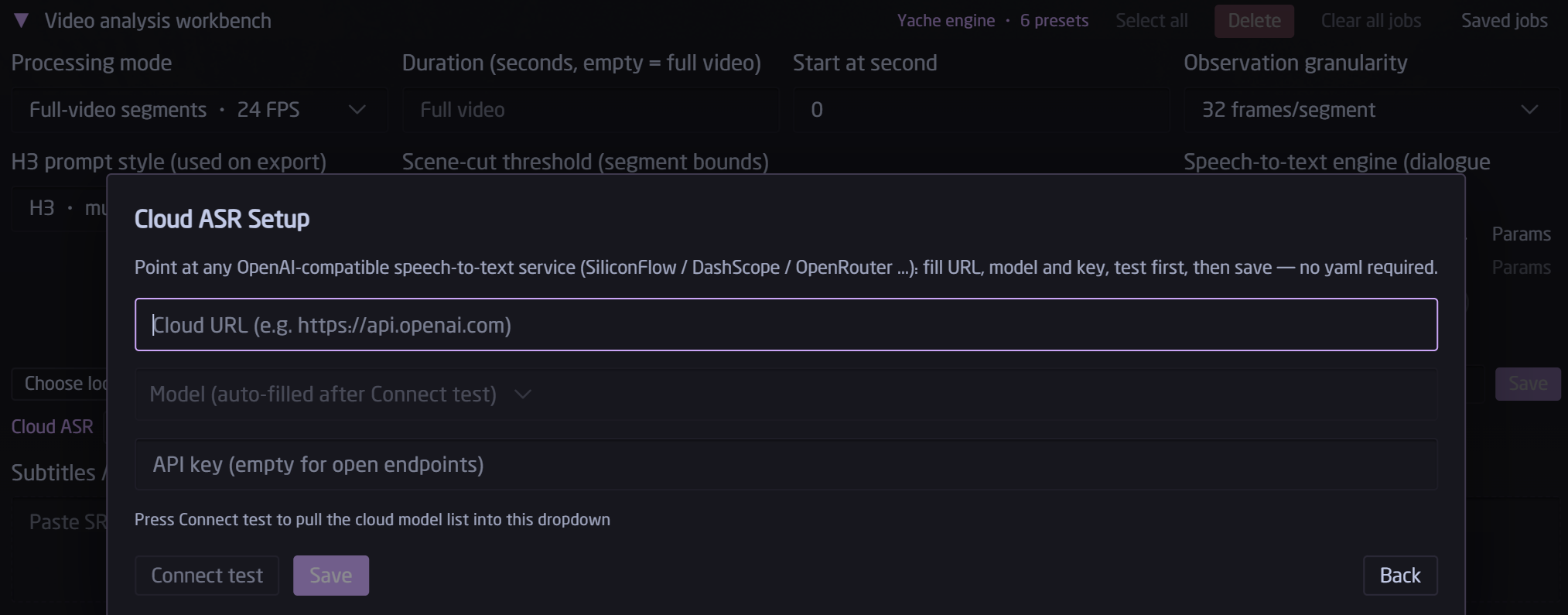
OpenAI-compatible endpoint + model + masked key, with real test buttons.
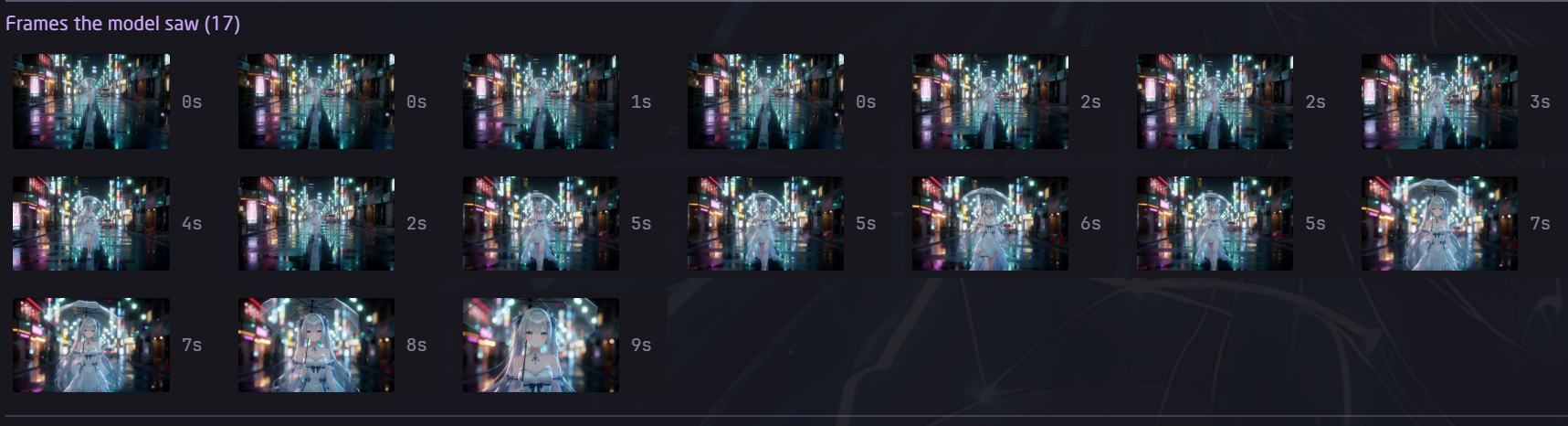
Frame gallery (new in 0.2.0): every frame the engine sampled, timestamped, click for full view — an instant gut-check on sampling coverage.
Full-size frames pulled straight from the demo clip behind that strip (AI-generated with ComfyUI, so nothing here is private footage):



Localization
Wordbook lives in desktop/plugin.js (MESSAGES, two locales today: zh and en). The host automatically falls back to English for every other locale, so a single-file translation PR instantly makes the whole UI speak your language. Welcome aboard!
License
Apache-2.0 © 2026 LuuMoss (Xiaoya). Third-party runtime components keep their own licenses — see NOTICE.md.
README from the reviewed commit df688ec; it updates when the author re-pins.


