browser-toggle
Hermes Desktop plugin: one button that opens/closes the built-in browser,
exactly what the Ctrl+Shift+L shortcut does (view.showBrowser →
toggleBrowserTab()). Nothing else.
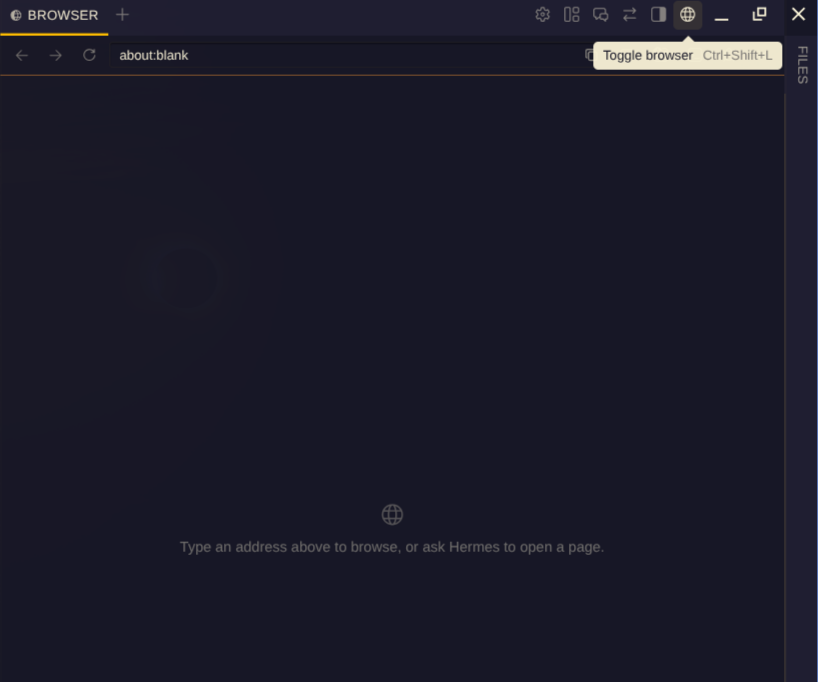
Why
I am trying to do everything inside the Hermes Desktop app, so having a button
for the built-in browser makes sense to me. The Ctrl+Shift+L keybinding works
great too; this is just the click version, and it takes almost no space (one
small icon in the titlebar). I hope it is useful to others.
How it works
- Where: slot
titleBar.right, inside the app's main top-right cluster (next to Settings / Layout / HUD mode). That cluster isno-dragand is reserved against the window-drag strip of the side panes. - Do not use
titleBar.tools.right: it is a separate cluster that is not reserved. With a right-hand pane open (e.g. brand-lean) the pane's drag strip covers the button: no hover, no tooltip, and a click drags the window. - Look: built with the app's own
Button size="icon-titlebar"andTip, so size, hover and colors come fromvar(--ui-*)tokens. Icon: codiconglobe(the app's own browser icon). - Language: the label comes from the app's translation of the keybind
(
t.keybinds.actions['view.showBrowser']) viauseI18n, so it follows the active UI language. The shortcut hint is shown next to it. - Action: dispatches the shortcut's own chord on the window, so the app's keybind listener runs the native action. No browser logic of our own.
Files
docs/screenshot.png: screenshot used in this README.desktop/plugin.js: source of truth (plain ESM, no build step).plugin.yaml: catalog manifest.SHA256SUMS: source vs deployed copy.
Install
Copy desktop/plugin.js to ~/.hermes/desktop-plugins/browser-toggle/plugin.js, then
Ctrl+K → Reload desktop plugins.
Verify
node --check desktop/plugin.js
sha256sum -c SHA256SUMS
cmp desktop/plugin.js ~/.hermes/desktop-plugins/browser-toggle/plugin.js
Status
Deployed and checked by hand on ProDesk (Linux Mint) and ThinkPad 2900
(Omarchy), including with a right-hand pane open. Current sha256:
35abd30bf879580fbe43cb0b097e91e35012a2a0501b2f2f27c1b45fa1565171.