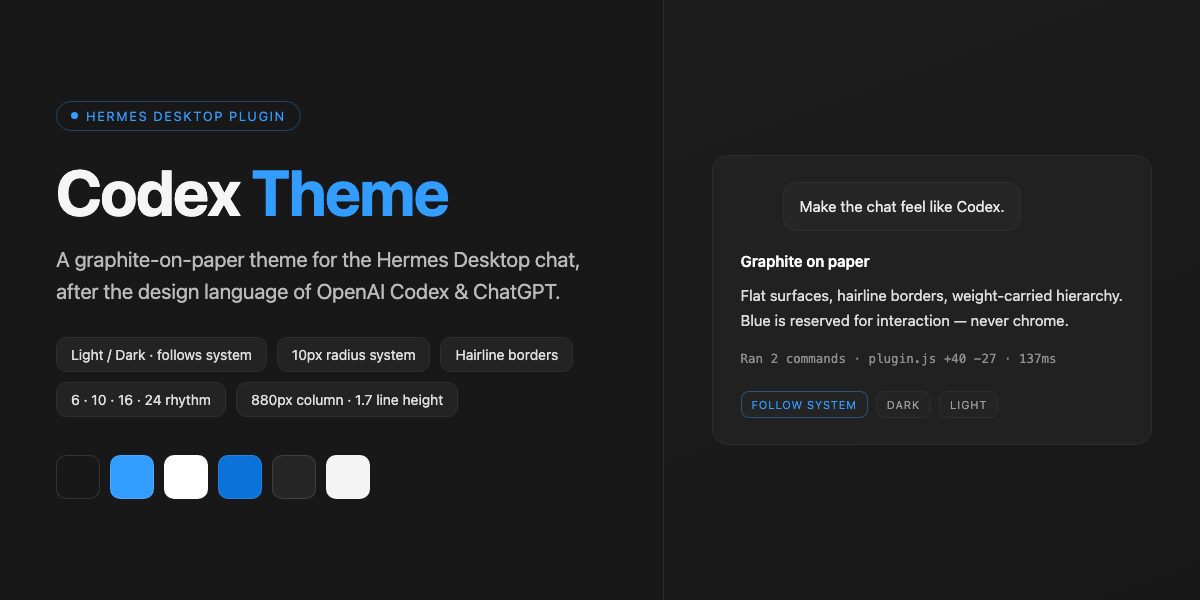
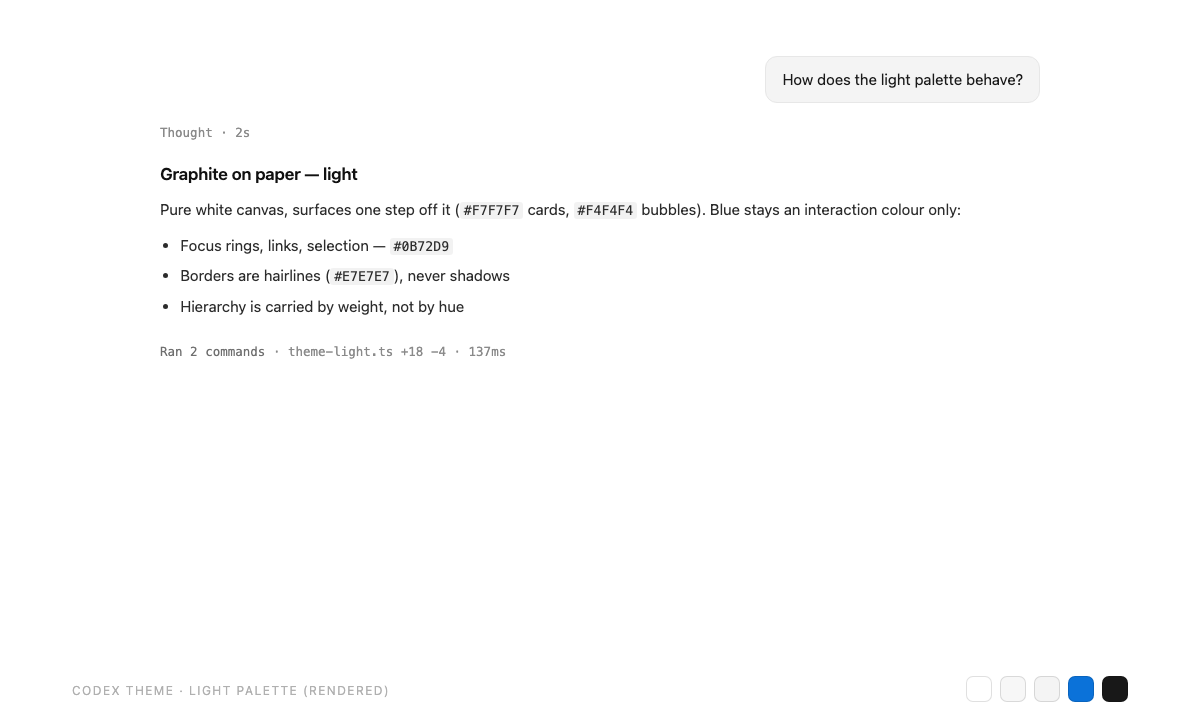
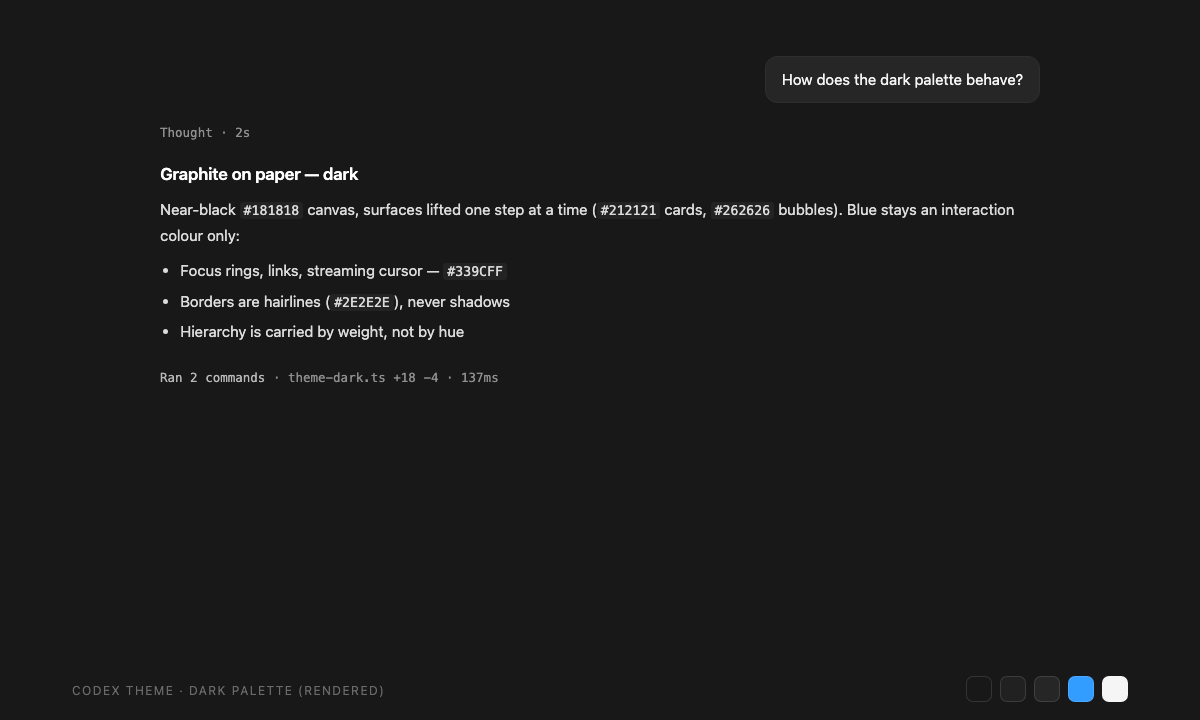
Dual light/dark palettes that follow your system appearance, with typography, radii and spacing tuned after the design language of the OpenAI Codex app and ChatGPT.
Highlights
- Light / dark, hands-off — two hand-tuned palettes; the app follows the macOS appearance, or you pin one in Settings
- Graphite on paper — flat surfaces, hairline borders, hierarchy carried by weight (600/500/400); blue is reserved for interaction, never chrome
- 10px radius system — controls, sidebar rows and cards at 10px; message bubbles at 12px; composer at 16px
- 6 / 10 / 16 / 24 spacing rhythm — paragraph, list, block and turn gaps all land on the same scale, so long threads read like a document
- 1.7 line height — the reading rhythm is one notch airier than stock (headings 1.35, code 1.55), painted through the theme's root line-height knob
- 880px reading column — prose wider than ChatGPT's 720–768px, with three presets in Settings: Narrow 768 / Standard 880 / Wide 992px
- Respects your configuration — text size, chat font, interface mode, translucency, session density and every other Hermes setting stay under Hermes' own control; the theme only paints theme-level tokens
Screenshots
Design language
| Principle | Practice |
|---|---|
| Graphite on paper | Near-white canvas (#FFFFFF) / near-black canvas (#181818) |
| Weight-carried hierarchy | Headings 600, labels 500, body 400 — no decorative colour |
| Interaction-only blue | #339CFF dark / #0B72D9 light for links, focus rings, selection |
| Hairline borders | 1px strokes instead of shadows; surfaces stay flat |
| Radius system | 10px controls · 12px bubbles · 16px composer |
| Spacing rhythm | 6 / 10 / 16 / 24px increments |
| Line height | Root 1.7 — a notch airier than stock; headings 1.35, code 1.55 |
| Reading column | 880px default · presets 768 / 880 / 992px (ChatGPT: 720–768px) |
Palettes
| Token | Dark | Light |
|---|---|---|
| Canvas | #181818 |
#FFFFFF |
| Sidebar | #171717 |
#F9F9F9 |
| Card | #212121 |
#F7F7F7 |
| User bubble | #262626 |
#F4F4F4 |
| Border | #2E2E2E |
#E7E7E7 |
| Accent | #339CFF |
#0B72D9 |
Install
Once listed in the plugin catalog:
hermes plugins install codex-theme
Or install straight from GitHub:
hermes plugins install ethanz-code/hermes-codex-theme
Then open Settings → Plugins → Codex Theme and press Reapply (the theme also applies itself once on first load).
[!TIP] Manual / development install: copy
desktop/plugin.jsto~/.hermes/desktop-plugins/codex-theme/plugin.jsand run Reload desktop plugins from ⌘K.
Settings
Everything lives in Settings → Plugins → Codex Theme, on native settings rows with segmented controls:
| Setting | Options | Notes |
|---|---|---|
| Appearance | Follow system / Dark / Light | Follows the macOS appearance by default |
| Reading column | Narrow (768px) / Standard (880px, default) / Wide (992px) | Theme-level knob; Hermes has no built-in width setting |
⌘K also carries two quiet rows: Theme: 使用 Codex 主题 and Theme: Codex
主题设置.
What this theme deliberately does not touch
Your Hermes configuration is yours. The theme paints theme-level tokens
only (palette, type stack fallback, radii, spacing) and leaves every
user-configurable setting alone — text size (Settings → Appearance), chat font
(display.chat_font), interface mode, translucency, session-list density, chat
background, timestamps, and everything in config.yaml. Two standing rules:
[!IMPORTANT]
- The theme never writes
--chat-text-scale— that knob belongs to Settings → Appearance and writing it would create two owners that overwrite each other.- The theme takes over the palette once on first install. After that, a theme you pick manually always wins; Reapply is opt-in.
Disclosure
Per catalog rule 13, here is everything this plugin does that a user would want to know before installing:
- No network calls. The plugin fetches nothing and phones home nothing.
- No telemetry. No usage reporting of any kind.
- No credentials. It reads and writes none.
- No core patching. Themes, palette commands and the settings page are
registered through the Desktop plugin SDK only
(
THEMES_AREA,PALETTE_AREA,ctx.registerSettingsPage,ctx.i18n). - Storage: one plugin-scoped record (
ctx.storage) for your settings-page choices — appearance mode and reading-column width. - Styling: the theme's
customCSSis injected as a scoped style block by the app's own theme engine, exactly like user skins; it changes visuals, never behavior.
Credits
Design language after the OpenAI Codex app and ChatGPT (graphite-on-paper palette, radius system, spacing rhythm). This is an independent community theme — not affiliated with, endorsed by, or a product of OpenAI.
Built on the Hermes Desktop Plugin SDK. Licensed under the MIT License.