discord-tps
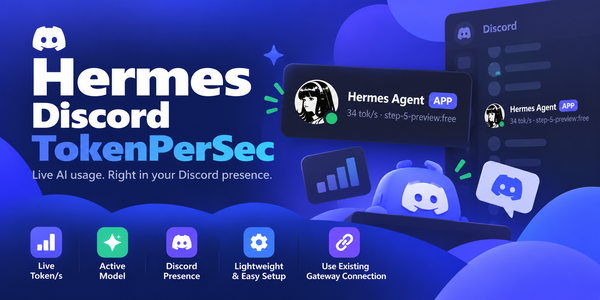
Show live tokens-per-second and the active model on your Discord bot's presence.


Your Hermes bot's presence turns into a live throughput meter — a tok/s figure computed with the same rolling-average approach as Hermes' own status bar, published straight onto the bot's Discord profile card.
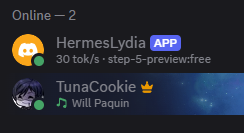
What it looks like
While the agent is working:
Hermes
64 tok/s · step-5-preview:free
After five minutes of no API activity:
Hermes
idle · step-5-preview:free
How it works
discord-tps registers two things, and nothing else:
post_api_requesthook — recordsoutput_tokensandapi_durationfrom each provider call into a rolling 10-sample window. The tok/s figure issum(output_tokens) / sum(api_duration)over the last 10 calls, the same rolling-average approach as Hermes' own status bar.- Discord platform handler — via
ctx.register_platform_handler("discord", ...). The factory receives the gateway's own already-connecteddiscord.pybot at connect time and publishes presence on that connection.
That second point is the important one. The plugin never opens a second
Discord connection and never reads your bot token — it rides the connection
the gateway already holds, so there is no extra login, no credential to
configure, and no DISCORD_BOT_TOKEN requirement.
Requirements
- Hermes 0.21 or newer (first release with
register_platform_handler). - A Hermes gateway with the Discord platform enabled and connected. Without it there is no bot to publish on.
discord.pyis already a dependency of the Discord adapter, so this plugin declares no dependencies of its own.
Installation
hermes plugins install tuancookiez-hub/hermes-discord-tokenpersec --subdir discord-tps
hermes plugins enable discord-tps
Restart the gateway (or reconnect Discord). The presence shows idle on
connect and switches to tok/s on the next API call.
Configuration
All settings live under plugins.entries.discord-tps.settings in
config.yaml, or via the CLI:
hermes config set plugins.entries.discord-tps.settings.<key> <value>
| Key | Default | Meaning |
|---|---|---|
activity_type |
custom |
playing, listening, watching, competing, or custom |
interval |
20 |
Seconds between refreshes (minimum 10). Discord allows ~5 updates per 20s. |
idle_after |
300 |
Seconds of inactivity before the idle text shows. |
idle_text |
idle |
Base idle text; the active model name is appended once one has been seen. |
Activity types
activity_type picks the verb Discord renders (default custom, no verb):
playing→Playing 64 tok/s · step-5-preview:freelistening→Listening to 64 tok/s · …watching→Watching 64 tok/s · …competing→Competing in 64 tok/s · …custom→64 tok/s · step-5-preview:free(Discord custom status, no verb)
Multiple sessions
The hook carries session_id, so when you talk to the bot in more than one
Discord thread the presence follows whichever session is currently active.
Each new session gets its own tok/s window, and the most recently active one
drives the display. Only calls that produce output tokens count, and only the
32 most recently active sessions are tracked. Failed or empty calls are ignored,
so they never take over the display.
Model names are shortened for the presence line — the vendor prefix is
dropped, so stepfun/step-5-preview:free renders as step-5-preview:free.
License
MIT