Draft Cards for Hermes
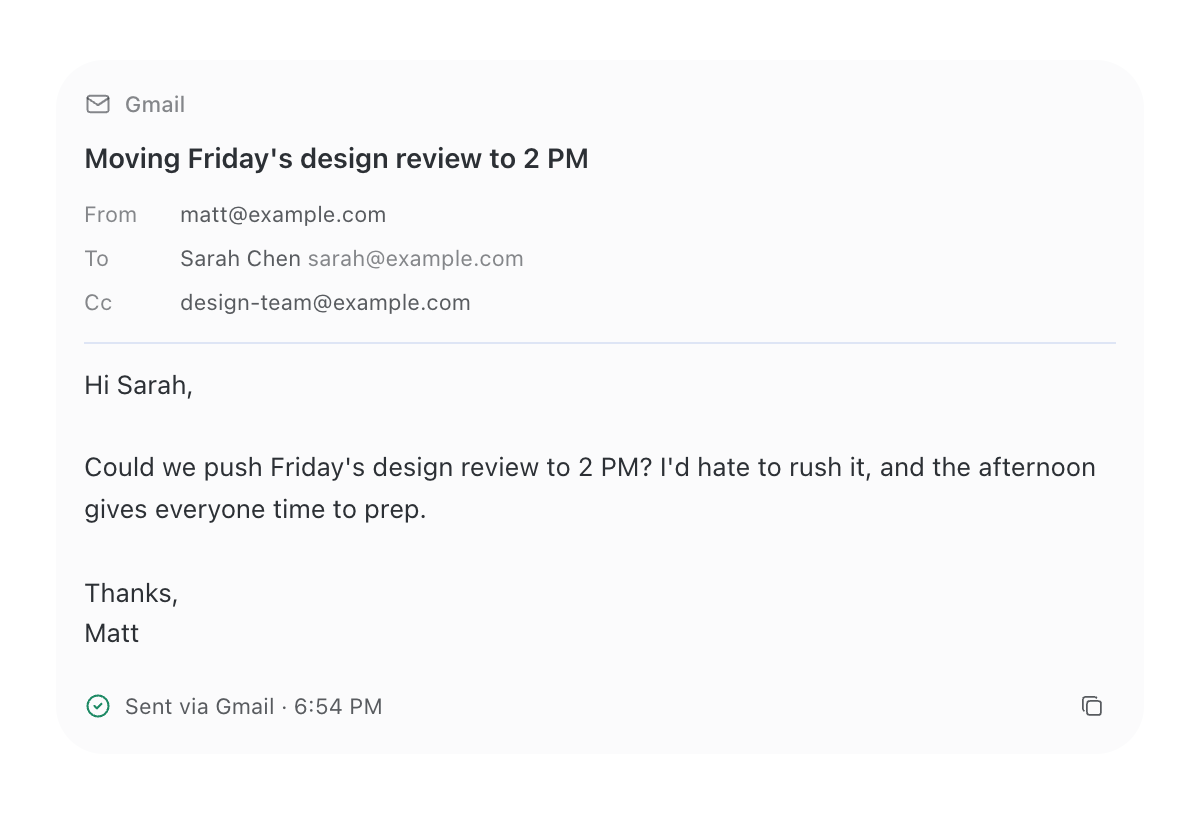
Email and chat-message drafts as reviewable cards in the Hermes desktop chat.
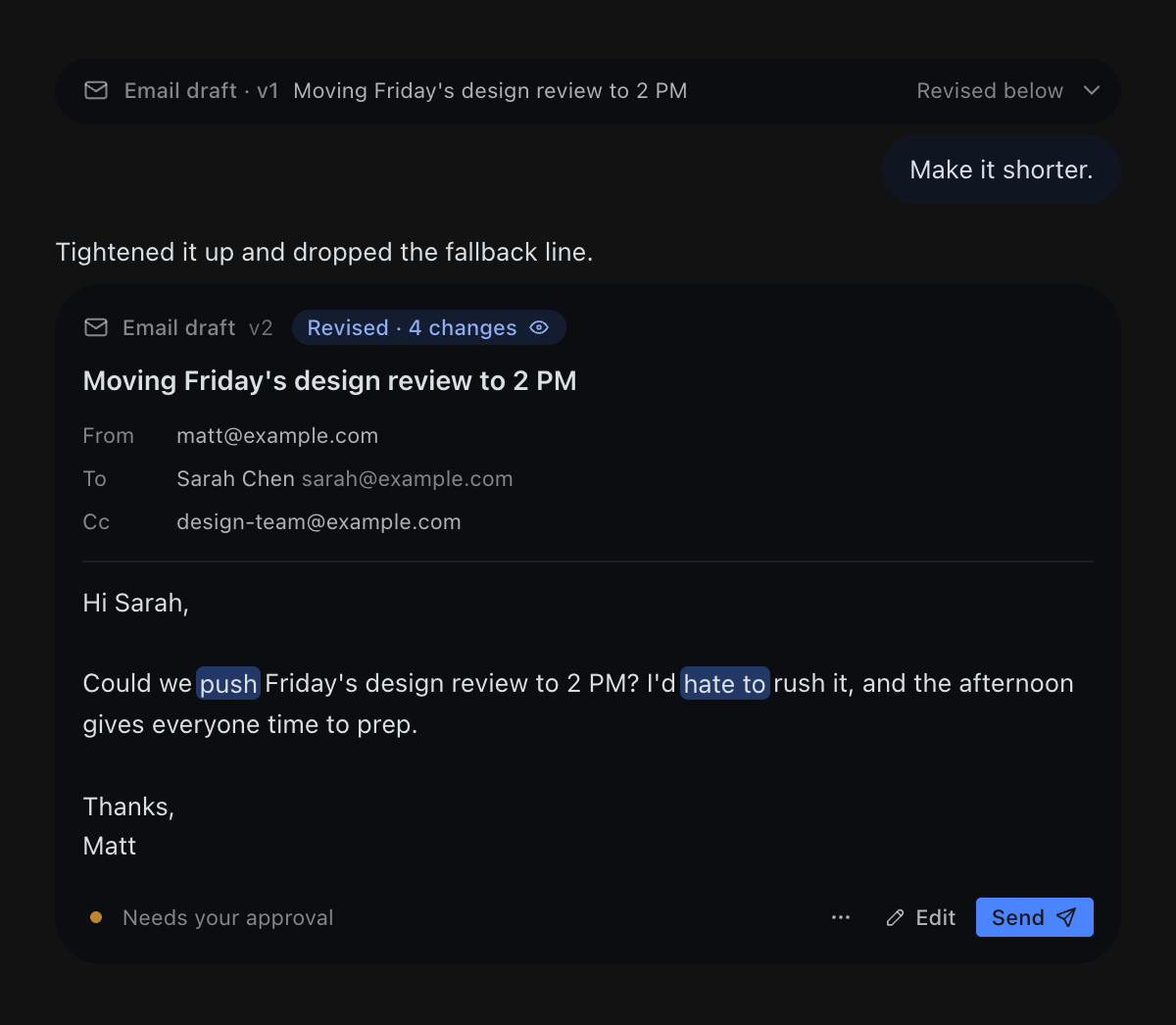
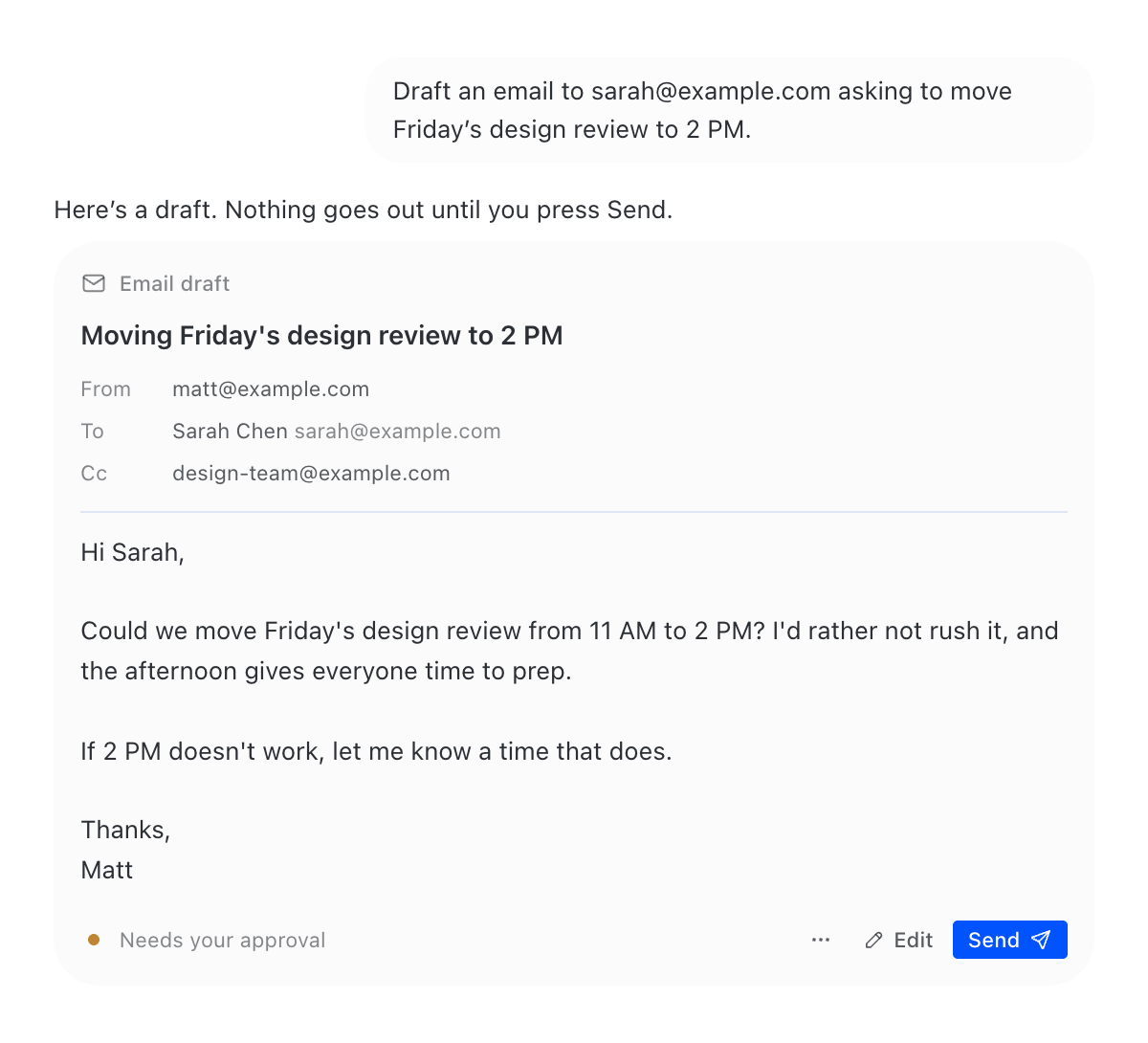
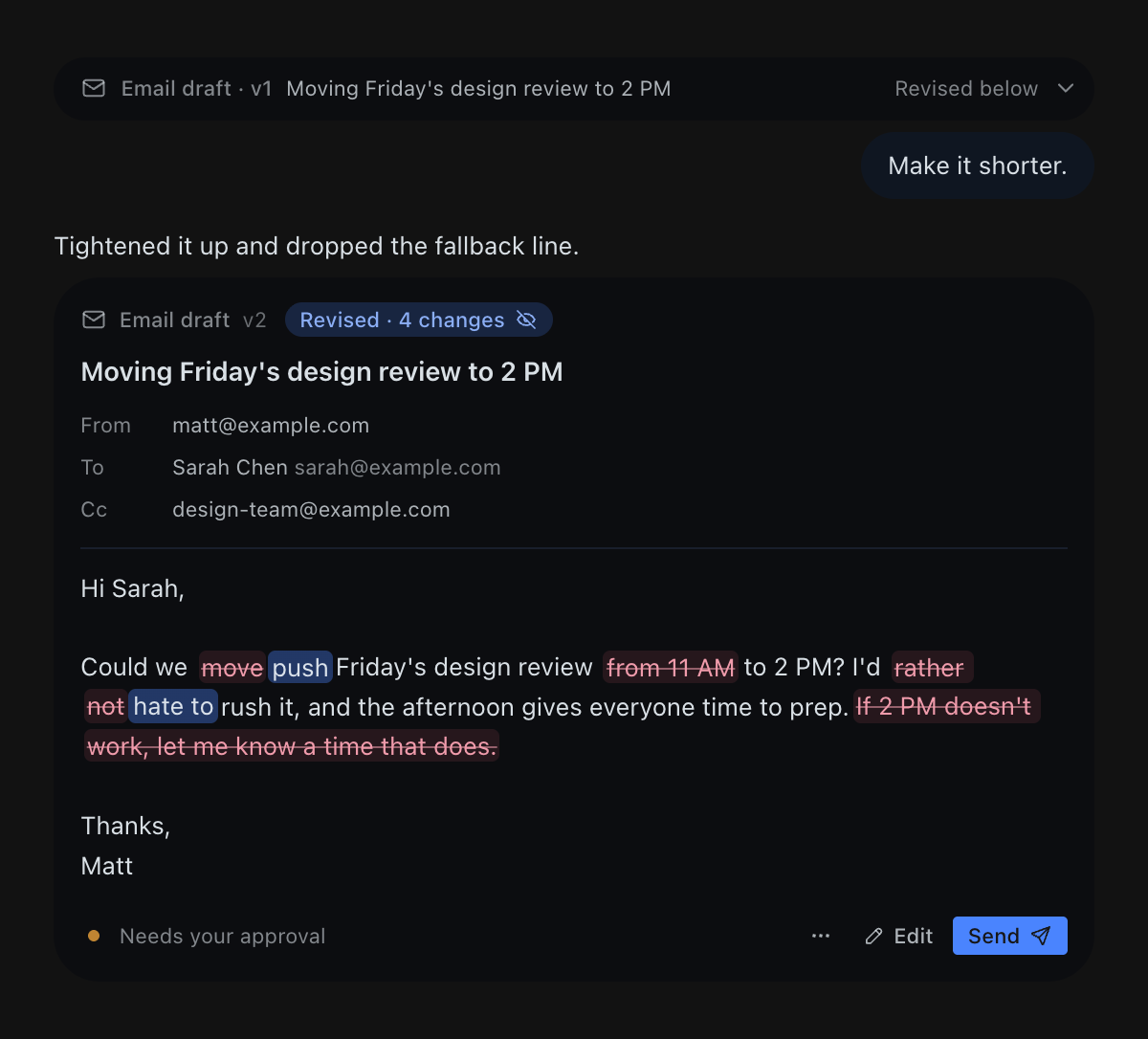
Ask Hermes to write an email and it shows a card instead of a wall of text: recipients, subject and body, ready to read. Ask for a change and the next card highlights exactly which words changed. Edit it yourself right in the card. Nothing is sent until you press Send.
What you get
- A real draft, not a code block. From, To, Cc, Bcc, subject and body, set in the app's own type and colours. Works for email and for chat messages (Slack, Telegram, iMessage, X DMs…).
- Revisions you can read at a glance. Every revision opens a new card with the changed words highlighted; the earlier card folds into a one-line row above it. Tap the "Revised · 3 changes" pill to also see what was removed.
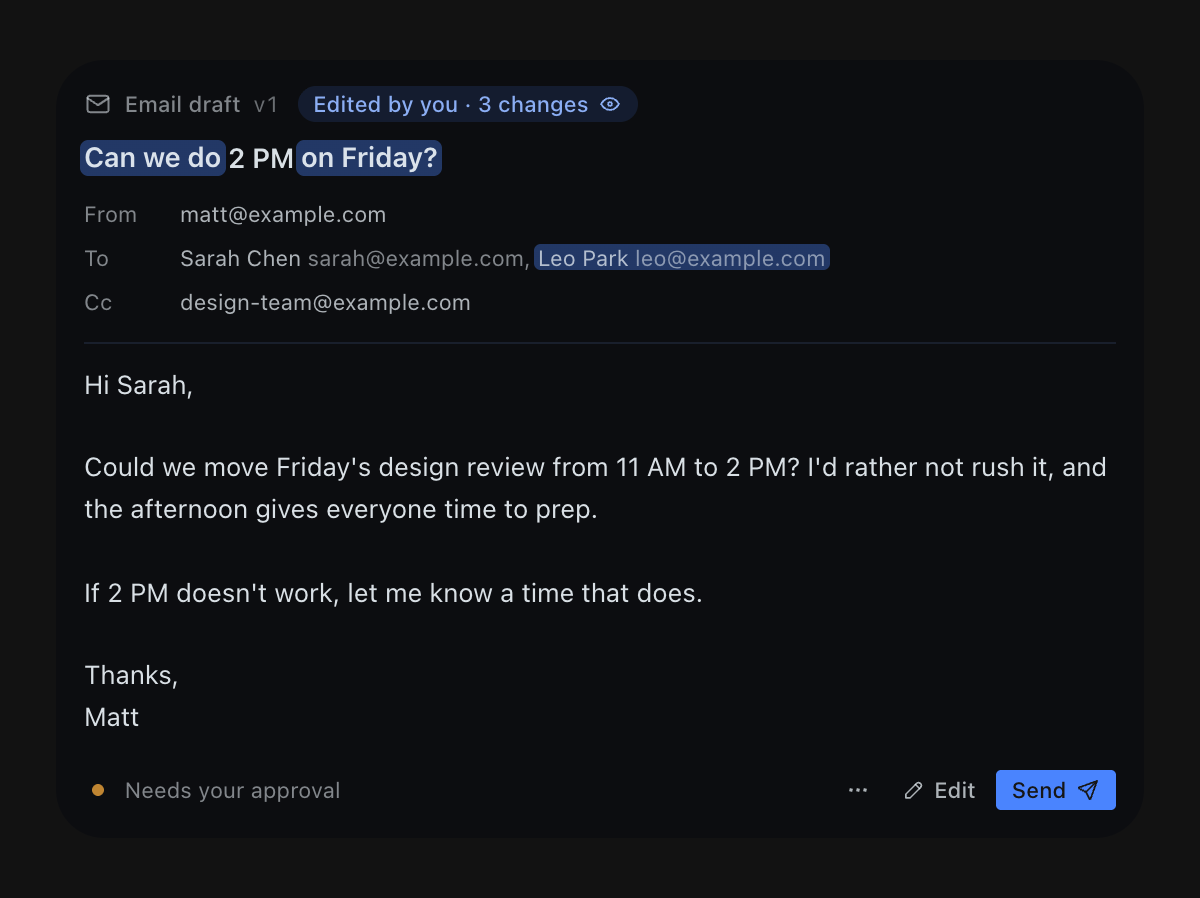
- Inline editing. Press Edit, change anything, press ⌘↵. Your edit becomes a new version ("Edited by you"), and Hermes sends your words, not its own.
- Approval first. Send records your approval of that exact version, then hands it to Hermes to send with whatever mail or messaging tool you already use. The card follows it through: Approved → Sent via Gmail · 2:14 PM, or Couldn't send, with Try again.
- Works without any mail setup. Copy text, or Open in Mail (a
mailto:link to your default mail app). - Light and dark themes, every Hermes skin, reduced motion, narrow panes.
| Light | Edited by you | Removed text shown |
|---|---|---|
 |
 |
 |
Install
hermes plugins install arsiktech/hermes-draft-cards --enable
Then open Capabilities → Plugins in the desktop app and switch on the Draft Cards desktop half (Hermes ships desktop halves off until you opt in). Start a new chat so the agent sees the new tools.
Requires Hermes 0.22.2 or newer.
How it works
you: "Draft an email to Sarah moving Friday's review to 2 PM"
  └─ agent calls draft_card(...)          → draft saved locally, version 1
  └─ agent replies with ::draft-card{…}   → the desktop renders the card
you: "Make it shorter"
  └─ agent calls draft_card(draft_id, …)  → version 2, new card, changes highlighted
you: press Send on the card
  └─ the card records your approval of version 2 and posts
     "Approved: send … (Draft d_…, version 2)" to the chat
  └─ agent calls draft_card_read, sends that exact text with its own mail tool,
     then draft_card_status(sent, "via Gmail")  → the card shows Sent
The plugin has three parts in one folder:
| Part | File | Job |
|---|---|---|
| Agent tools | __init__.py, tools.py, store.py |
draft_card, draft_card_read, draft_card_status |
| Backend | dashboard/plugin_api.py |
Serves drafts to the card; saves your inline edits, approvals and discards |
| Desktop card | desktop/plugin.js |
The ::draft-card{id="…" v="…"} transcript directive |
On surfaces without the desktop app (terminal, Telegram, Slack…), the tool also returns a plain-text version of the draft, and the agent shows that instead.
Privacy and behaviour
- No network calls. The plugin never contacts any service. Sending is done by the agent's existing tools, only after your approval.
- No credentials. The plugin reads no tokens, keys or mail accounts.
- Local storage. Drafts (recipients, subject, body, versions) are stored in this
profile's
plugin-data/draft-cards/drafts.db. The 500 most recent drafts are kept. - No shell commands, no background processes, no telemetry.
- The desktop half adds one stylesheet for the card and is removed cleanly when you disable the plugin.
Development
python -m pytest -c tests/pytest.ini     # store, tools and backend routes
hermes plugins validate .                # the catalog's admission checks
For a live loop, link the checkout: ln -s "$PWD" ~/.hermes/plugins/draft-cards.
License
MIT