 rkfshakti
Hermes Glassbox
A contained, auditable terminal backend for macOS.
Hermes is at its best when it can run commands, edit files and test its own work. That
is also when a bad command can reach your SSH keys, your browser cookies or the network.
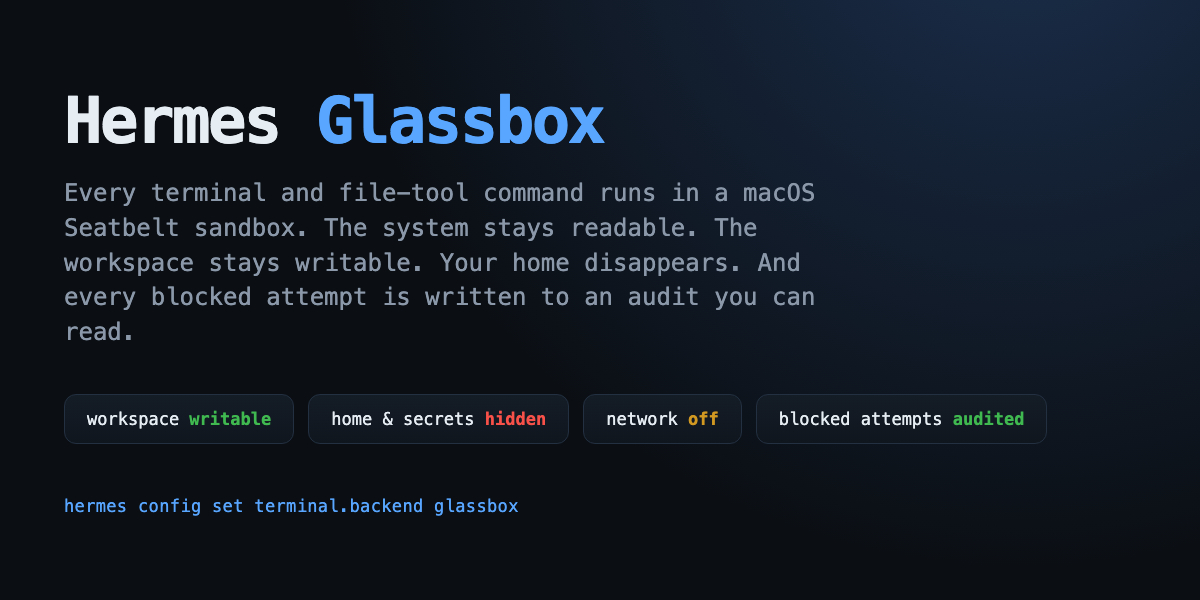
Glassbox puts every terminal and file-tool command inside a generated
macOS Seatbelt
profile:
- the system stays readable,
- the workspace stays writable,
- the rest of your home directory disappears,
- the network is off unless you turn it on,
- and every blocked attempt is recorded so you can see what the agent tried to do.
$ hermes glassbox demo
Glassbox demo
workspace  /var/folders/.../glassbox-demo-...
home       /Users/you (hidden)

  ✓ write inside the workspace                 hello from the glass box
  ✓ read it back                               hello from the glass box
  ⛔ read a file from home                     cat: /Users/you/.glassbox-demo-...: Operation not permitted
  ⛔ write outside the workspace               sh: /Users/you/.glassbox-demo-write-...: Operation not permitted
  ⛔ reach the network                         curl: (6) Could not resolve host
  ⛔ spawn a child that tries the same read    cat: /Users/you/.glassbox-demo-...: Operation not permitted

6 commands ran; 4 were blocked as expected.
Why
Hermes already has a Linux Bubblewrap backend.
macOS had no equivalent. Glassbox fills that gap using the kernel sandbox that ships with
macOS, and adds something the other backends do not: an audit trail of the operations the
kernel refused.
That makes the question "what did the agent actually try to touch?" answerable — from
the CLI, from a slash command, or from the agent itself with the glassbox_report tool.
Install
hermes plugins install rkfshakti/hermes-glassbox
hermes plugins enable glassbox
hermes config set terminal.backend glassbox
hermes glassbox verify
verify runs a throwaway workspace and a canary in your real home, then checks:
| Check | What passing means |
|---|---|
| workspace write/read | ordinary project work still works |
| home read denied | a real file in ~/. cannot be read |
| home write denied | a write outside the workspace cannot land |
| child process confined | bash -c inherits the sandbox |
| parent traversal denied | ../ cannot climb out of the workspace |
| network denied | curl cannot reach the internet |
| secret env filtered | provider keys/tokens are absent from the child environment |
To go back to the normal shell:
hermes config set terminal.backend local
What it protects
terminal, execute_code, read_file, write_file, patch and search_files all go
through the selected terminal backend. With Glassbox selected, they all see the same
sandbox — there is no host-side fast path for the file tools.
By default Glassbox:
- allows reads of system paths (
/System,/usr,/bin,/opt/homebrew,/Library,
/private/etc,/private/var,/Applications,/dev,/private/tmp); - allows reads and writes inside the workspace and a private scratch root;
- hides
/Users,/Volumes,/Users/Sharedand/private/var/root, then re-allows only
the workspace; - refuses the user's home directory — or any ancestor of it — as the workspace, and
falls back to an empty sandbox workspace instead of making the whole home writable; - denies credential stores even when
allow_homeis on:~/.ssh,~/.aws,~/.gnupg,
~/.kube,~/.docker,~/.netrc,~/.npmrc,~/.pypirc,~/.config,~/.codex,
~/.claude,~/.gemini,~/.hermes, keychains, Mail, Messages, Safari, Chrome,
Firefox, Slack and Discord app data; - denies shell-startup and login persistence paths:
~/.zshrc,~/.zprofile,~/.zshenv,
~/.zlogin,~/.bashrc,~/.bash_profile,~/.bash_login,~/.profileand
~/Library/LaunchAgents; - blocks
osascript,open,securityandlaunchctl, plus Apple Events and
LaunchServices IPC, so a copied binary cannot ask launchd to start an app outside
the sandbox; - drops provider keys, tokens, passwords and SSH agent sockets from the child environment.
Configure
All settings live under plugins.entries.glassbox.settings and are editable from
Settings → Plugins → Glassbox in the Desktop app, or with hermes config set:
plugins:
  entries:
    glassbox:
      settings:
        network: false          # allow network in the sandbox
        allow_home: false       # read the home directory (secrets stay denied)
        workspace_writable: true
        read_paths: []          # extra absolute paths to allow
        write_paths: []         # extra absolute paths to write
        deny_paths: []          # extra paths to deny
        audit: true             # record command metadata and blocked paths
Example: let a project read a sibling design-assets folder and reach the network for a
package install, but keep everything else closed:
hermes config set plugins.entries.glassbox.settings.read_paths '["~/design-assets"]'
hermes config set plugins.entries.glassbox.settings.network true
Changes apply to the next command; no restart is needed.
Inspect
hermes glassbox status            # platform, Seatbelt, active backend, audit counts
hermes glassbox verify            # containment self-test
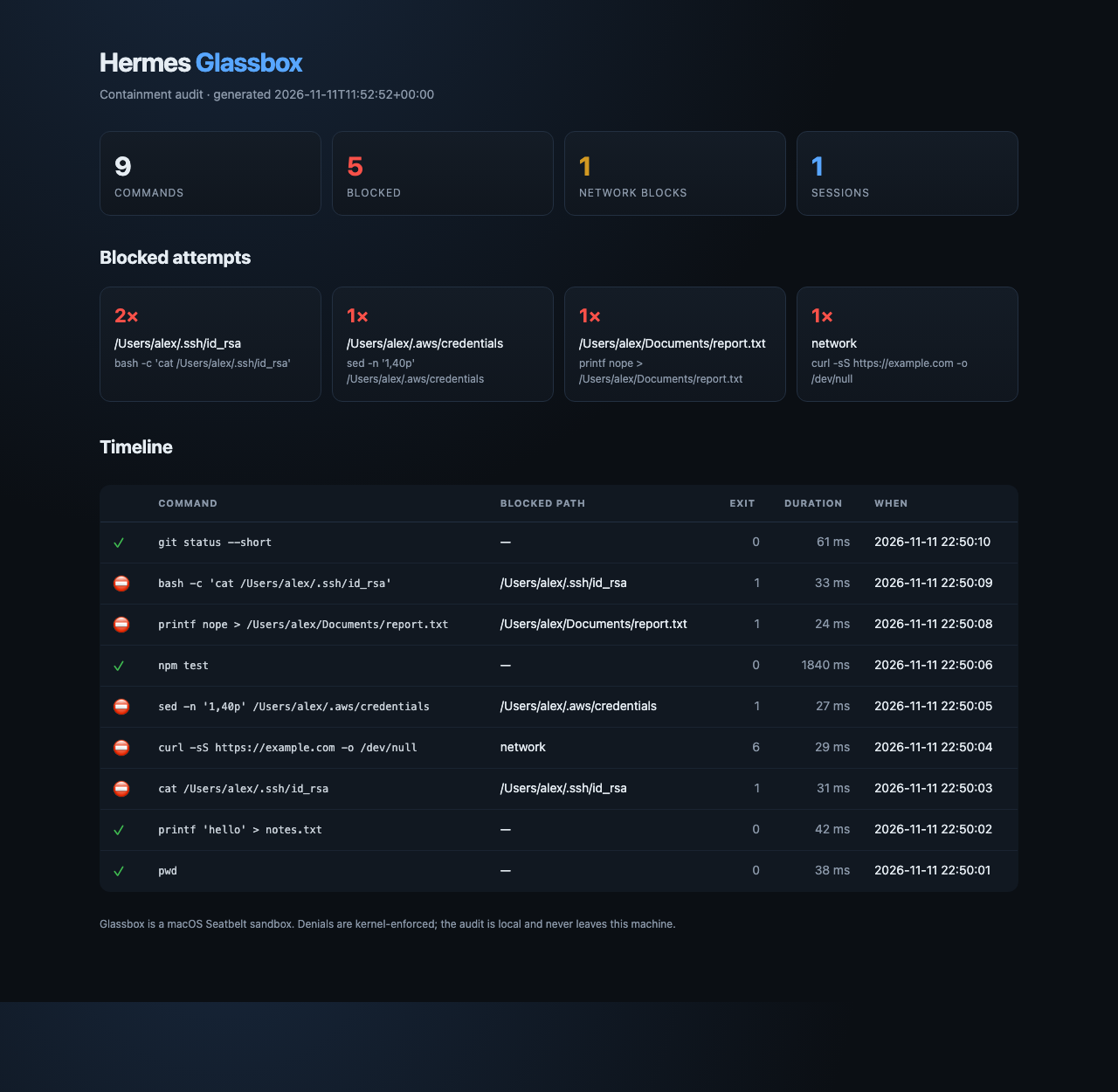
hermes glassbox report            # text audit
hermes glassbox report --html --open   # self-contained visual timeline
hermes glassbox profile           # exact generated Seatbelt profile
hermes glassbox demo              # allowed vs blocked demonstration
hermes glassbox clear             # delete this profile's audit log
Inside a session:
/glassbox status
/glassbox verify
/glassbox report
/glassbox profile
The agent also gets three tools:
glassbox_report— commands, exit codes, blocked paths, network blocks.glassbox_policy— the active policy and exact profile for a directory.glassbox_verify— the self-test, as structured JSON.
How it works
Hermes tool call
      │
      ▼
pre_tool_call preflight (file tools only)
      │  path outside the policy → block with an actionable message
      ▼
GlassboxEnvironment (BaseEnvironment backend)
      │  builds a policy from settings + workspace
      │  writes <plugin-data>/sandboxes/<id>/profile.sb
      ▼
/usr/bin/sandbox-exec -f profile.sb /bin/bash -c "<command>"
      │
      ├── exit 0        → command output returned to Hermes
      └── EPERM         → "Operation not permitted"; audit entry records the path
The preflight is a usability layer, not the boundary. It prevents read_file from
rendering a kernel denial as an empty file; the Seatbelt profile is still what enforces
the policy. Commands that compute a path at run time, or use a tool the preflight does
not inspect, are contained by the kernel and reported by the audit.
The profile is regenerated per sandbox, never installed globally. Seatbelt is a
deny-by-default policy: (deny default) followed by narrow allows and explicit denies.
The plugin uses sandbox-exec only; it does not patch Hermes, inject code, or start a
background process.
The audit is an append-only JSONL file at
<HERMES_HOME>/plugin-data/glassbox/audit.jsonl, capped at 4 MB with one rotated file.
It stores command text (truncated to 2,000 characters), cwd, exit code, duration, task /
session id, blocked paths, and a short output excerpt only when something was blocked.
It is local-only and never uploaded.
Disclosure
- Runs commands on this Mac under
/usr/bin/sandbox-execas the same UNIX user.
Glassbox is a sandbox, not a virtual machine or a separate UID. - Reads the workspace (and any extra
read_paths) to serve file tools and commands. - Reads the Git author name/email with two
git config --global --getcalls so
commits work even though~/.gitconfigis hidden. No other credential file is read. - Writes sandbox profiles, a private scratch home/temp area, and the audit log under
<HERMES_HOME>/plugin-data/glassbox/. - No network calls of its own. The sandbox blocks network for commands unless
network: true; the plugin itself never contacts a service. - No telemetry.
- macOS only.
sandbox-execis the boundary; Linux/macOS users on Linux should use
the official Bubblewrap backend. - Not a defense against a kernel exploit. Seatbelt is an OS sandbox; it is not a VM.
Development
git clone https://github.com/rkfshakti/hermes-glassbox
cd hermes-glassbox
python3 -m pytest -q
hermes plugins doctor . --ci
hermes plugins validate . --install-deps
The plugin uses only the Python standard library and the Hermes public plugin APIs.
License
MIT
README from the reviewed commit af8d713; it updates when the author re-pins.