Hermes Chat Share
English · 简体中文
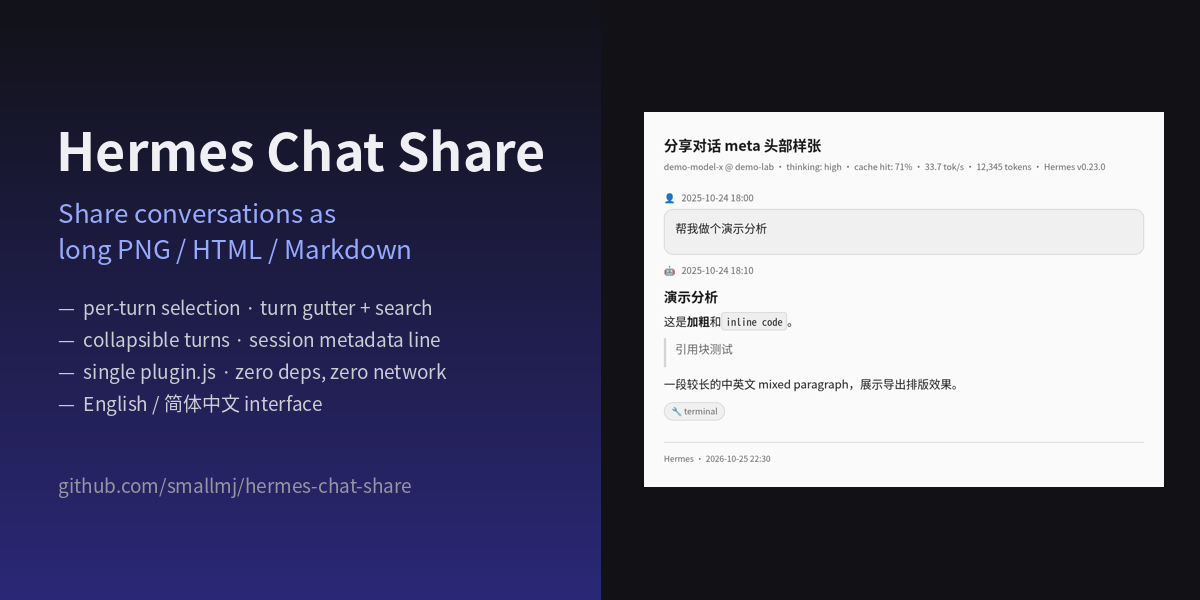
Share Hermes Desktop conversations as long PNG screenshots, self-contained HTML, or Markdown — pick exactly the turns you want, like dsh-share does for chat web, but built into Hermes Desktop. Single-file desktop plugin: zero dependencies, zero network, no build step.
Install (one click)
Hermes Desktop → Capabilities → Plugins → Install from Git → paste:
smallmj/hermes-chat-share
tick the Desktop UI component, done — a share icon now sits on every conversation's title bar. Or open the install deep link.
Drop desktop/plugin.js from this repo into the plugins folder on the machine running the Desktop app (folder name must be hermes-chat-share):
- macOS / Linux:
~/.hermes/desktop-plugins/hermes-chat-share/plugin.js - Windows:
%LOCALAPPDATA%\hermes\desktop-plugins\hermes-chat-share\plugin.js
If the page doesn't show up: ⌘K / Ctrl+K → Reload desktop plugins. On/off toggle under Capabilities → Plugins.
Features
Four entry points — the share icon on each conversation's title bar (opens that conversation directly), the sidebar page, the command palette (Share conversation), and Ctrl/Cmd+Shift+H. The page follows the conversation you switch to; no refresh button, no stale state.
Built for long conversations
- Turn gutter: segmented rail on the right — one tick per turn, hover to preview the question, click to jump straight there.
- Search: matches questions and answers;
Enter/Shift+Enter/ ↑ ↓ cycle through hits with a3/17counter; each hit auto-expands and gets an accent outline. - Per-turn collapsing: every turn shows just your question and the final answer; expand (N more replies · M tool calls) reveals the rest, per turn.
- Share-scope checkbox: uncheck “share full conversation” and all three exports contain only question + final answer — exactly what the collapsed view shows.
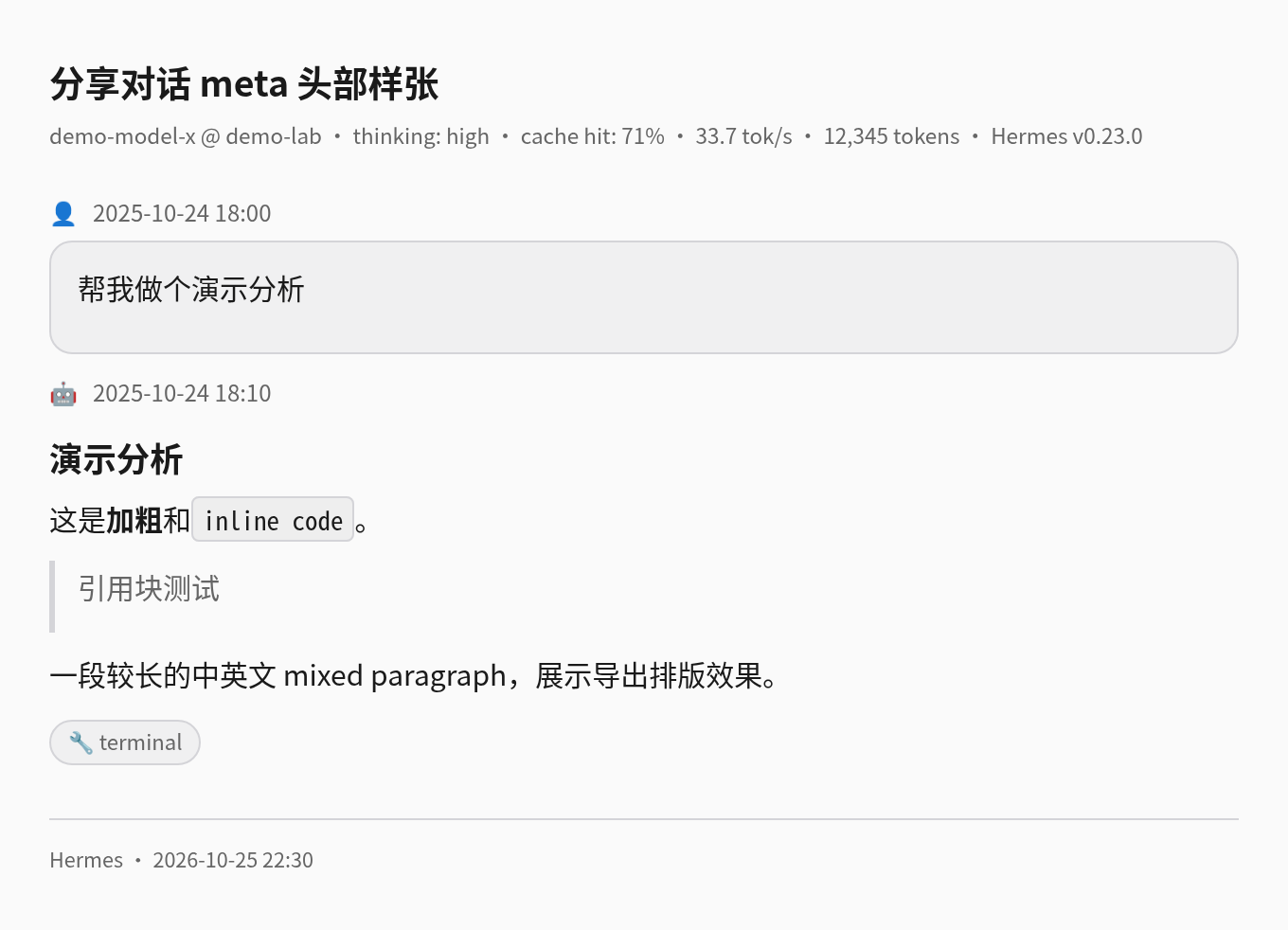
Honest session metadata — model & provider, thinking effort, cache hit rate, output speed (tok/s), token totals and Hermes version appear in the page header and in every export, read from the gateway's canonical session.info. Fields that aren't available are omitted, never invented.
Exports
- PNG long image at 680/880/1080 px wide, three font scales, 2× DPR, colors snapshotted from your live app theme (light and dark). Tall exports auto-paginate; multi-page downloads are stitched back into one long PNG, so the browser's one-download-per-page limit never eats pages.
- Copy image stays honest: it goes to the clipboard as rich text with inline base64 (pastes straight into WPS / Word / Google Docs). When a copy genuinely cannot happen — the image spans pages, or desktop security policy blocks plugin clipboard writes — a dialog explains the exact reason and lets you choose Download image or Cancel. It never downloads behind your back.
- Self-contained HTML and Markdown, each a single file.
- Keeps real rendering: code blocks, tables, quotes, inline code, tool-call chips (checkbox-controlled), timestamps. External images,
MEDIA:attachments and::previewwidgets become labeled placeholders in PNGs (canvas-taint rules) and keep their links in HTML/Markdown.
The UI follows the app language (English / 简体中文 automatically), and dialogs are opaque and theme-correct in both modes.
How it works
One plugin.js on top of the public Desktop Plugin SDK surfaces only: route, sidebar nav, titlebar action, palette commands, keybinds, i18n. No monkey-patching, no eval, no network, no third-party hosts. On-page rendering reuses the app's own markdown components; PNG export runs a self-contained XHTML pipeline (SVG foreignObject → canvas).
Privacy
Everything runs locally inside your Desktop app. Conversation content never leaves your machine — clipboard and downloads are the only exits, and both need an explicit click. No telemetry, ever.
Development
node --check desktop/plugin.js   # syntax
./dev-tests/stub-runner.sh       # SDK registration smoke test → STUB_OK
node dev-tests/meta.test.mjs     # metadata / color-scoping / export-scope unit tests
Git installs require the desktop/plugin.js layout at repo root — see the plugin SDK docs.
Known edges
- Very old archived sessions may lack live metadata — the meta line silently omits unavailable fields.
- PNGs cannot embed cross-origin raster images (browser canvas rules); HTML/Markdown keep them as links.
- One merged PNG is capped by browser canvas limits (≈65,535 px side / 268 M px total, roughly 5–8 pages); beyond that, pages download one by one with a clear notice.
License
MIT — use it, fork it, ship it. Not affiliated with Nous Research.