Honcho Memory for Hermes

A Hermes Desktop plugin for the Honcho memory behind the chat you are looking at. Read what Honcho concluded, see where each conclusion came from, search what was said, ask a question, and correct memory that is wrong, without leaving the conversation.
This is an independent community plugin. It is not affiliated with, or endorsed by, Nous Research or Plastic Labs.
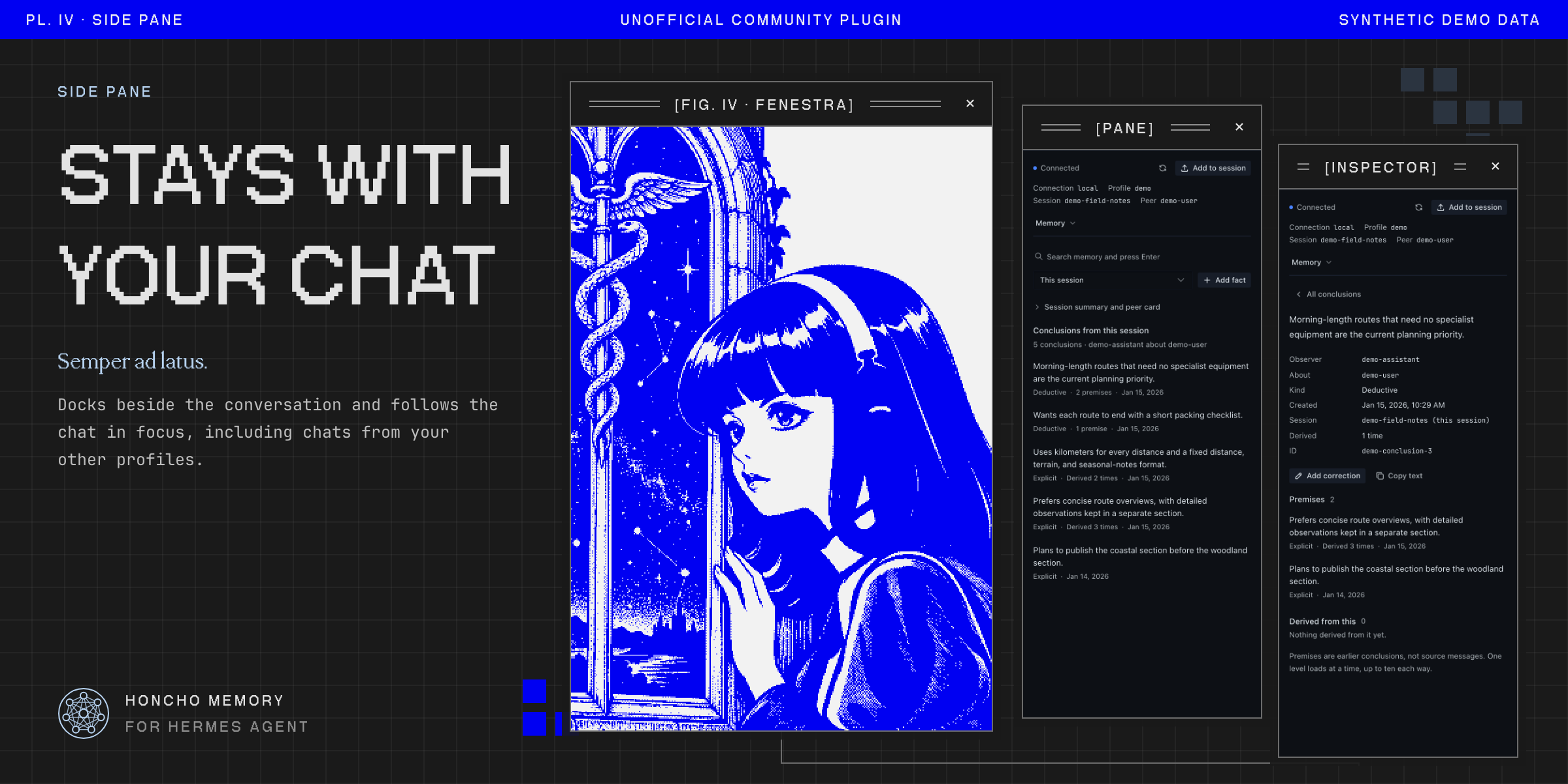
It opens as a page from the sidebar (Honcho) and as a Honcho Memory pane docked beside the chat. A status-bar item shows whether Honcho is reachable and whether background reasoning is still running.
What it shows
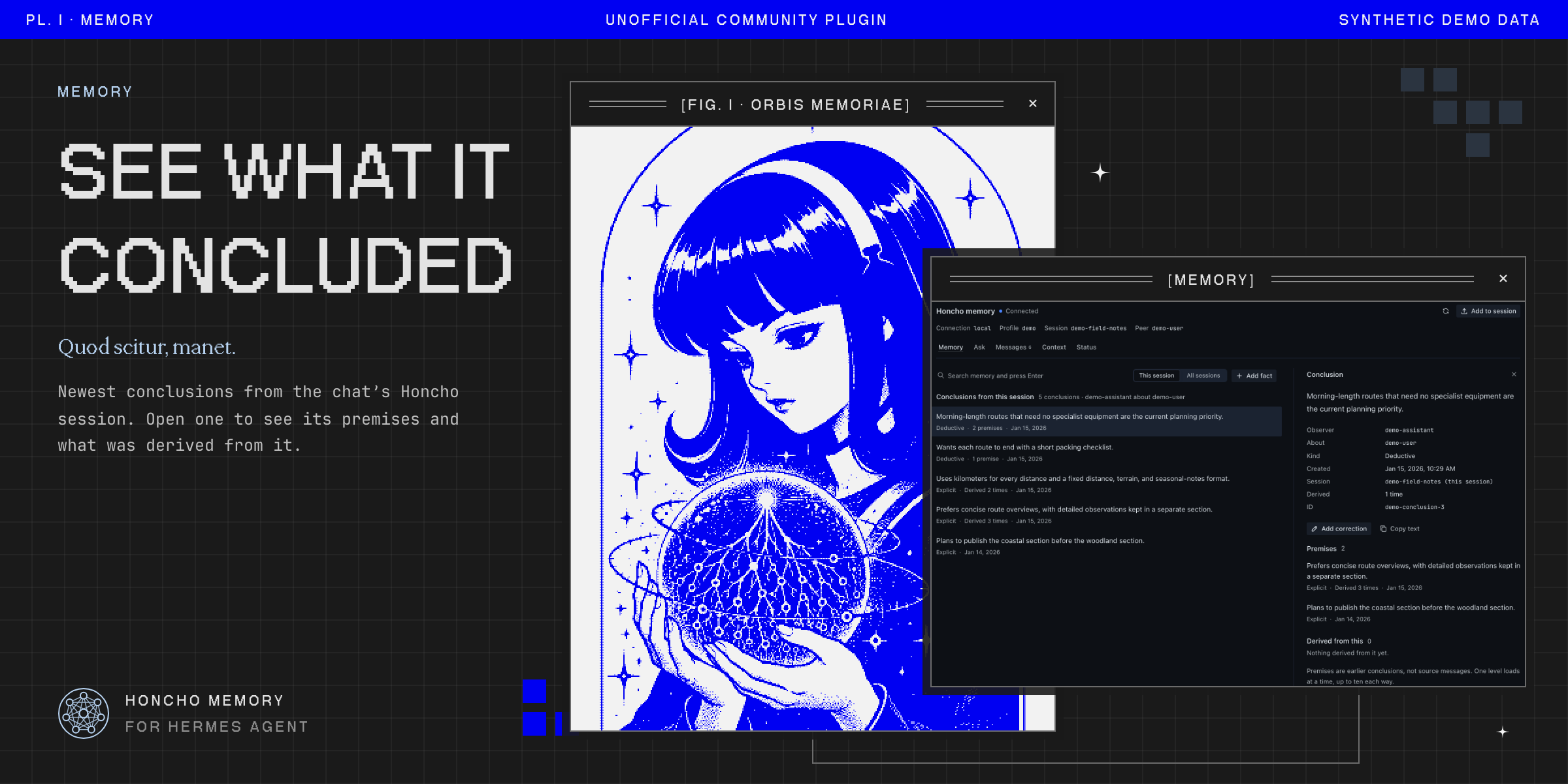
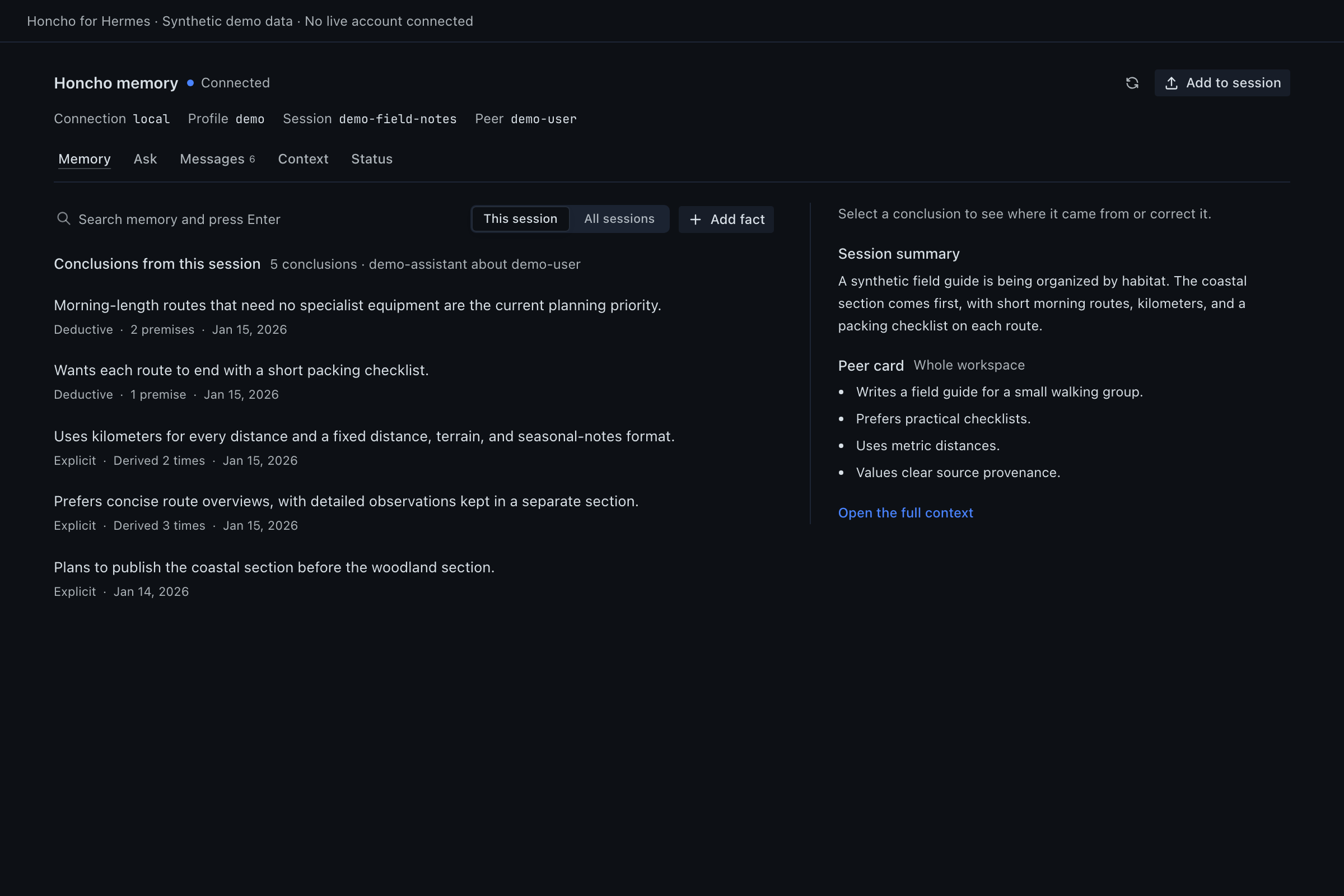
- Memory: the session's conclusions, newest first, with semantic search and a switch between this session and all sessions. Select a conclusion to see its premises, what was derived from it, and where it was recorded.
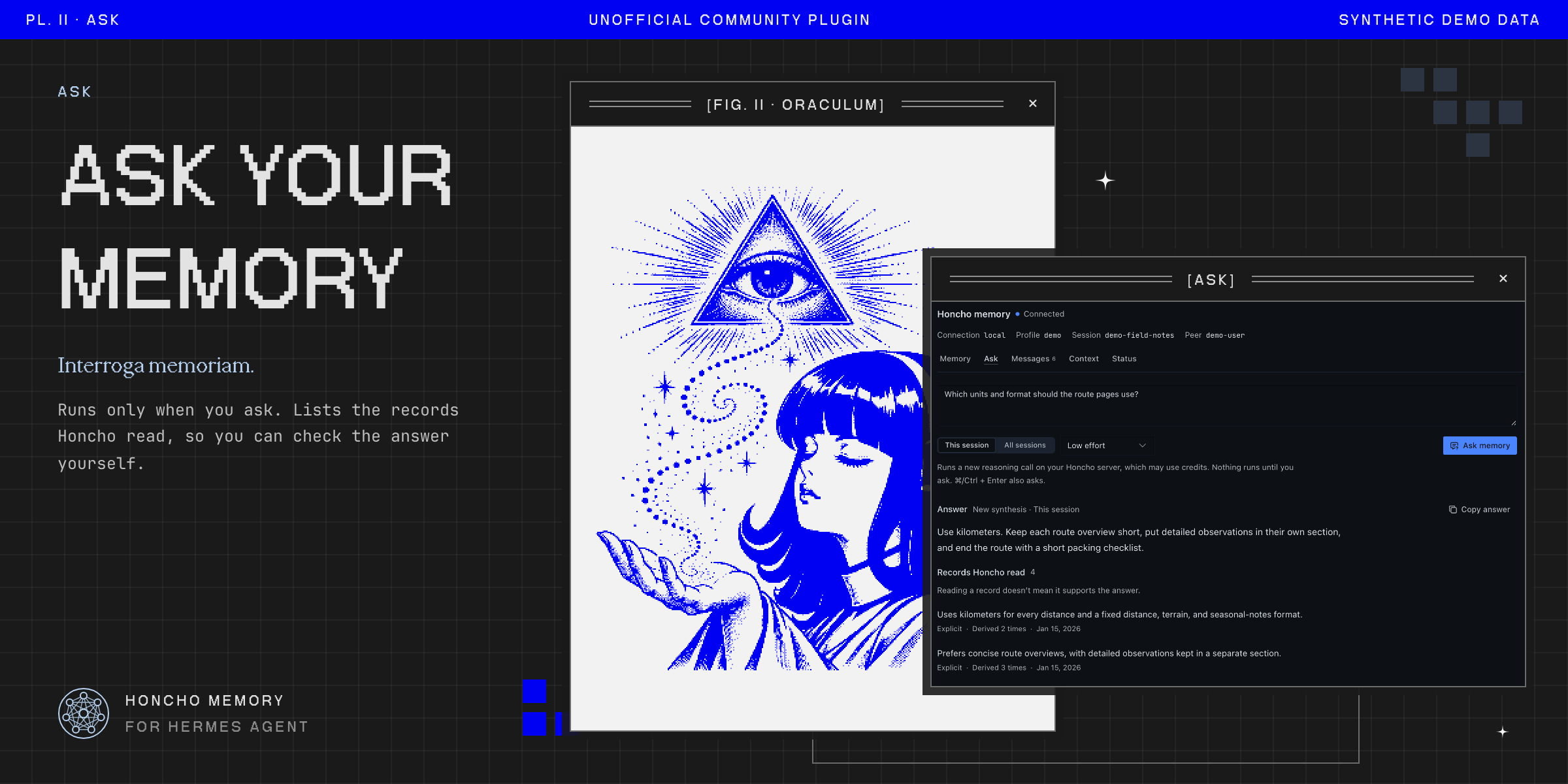
- Ask: asks Honcho a question about the user, scoped to this session or all sessions, at the reasoning effort you choose. On supported servers it lists the records Honcho read. Reading a record is not proof that it supports the answer.
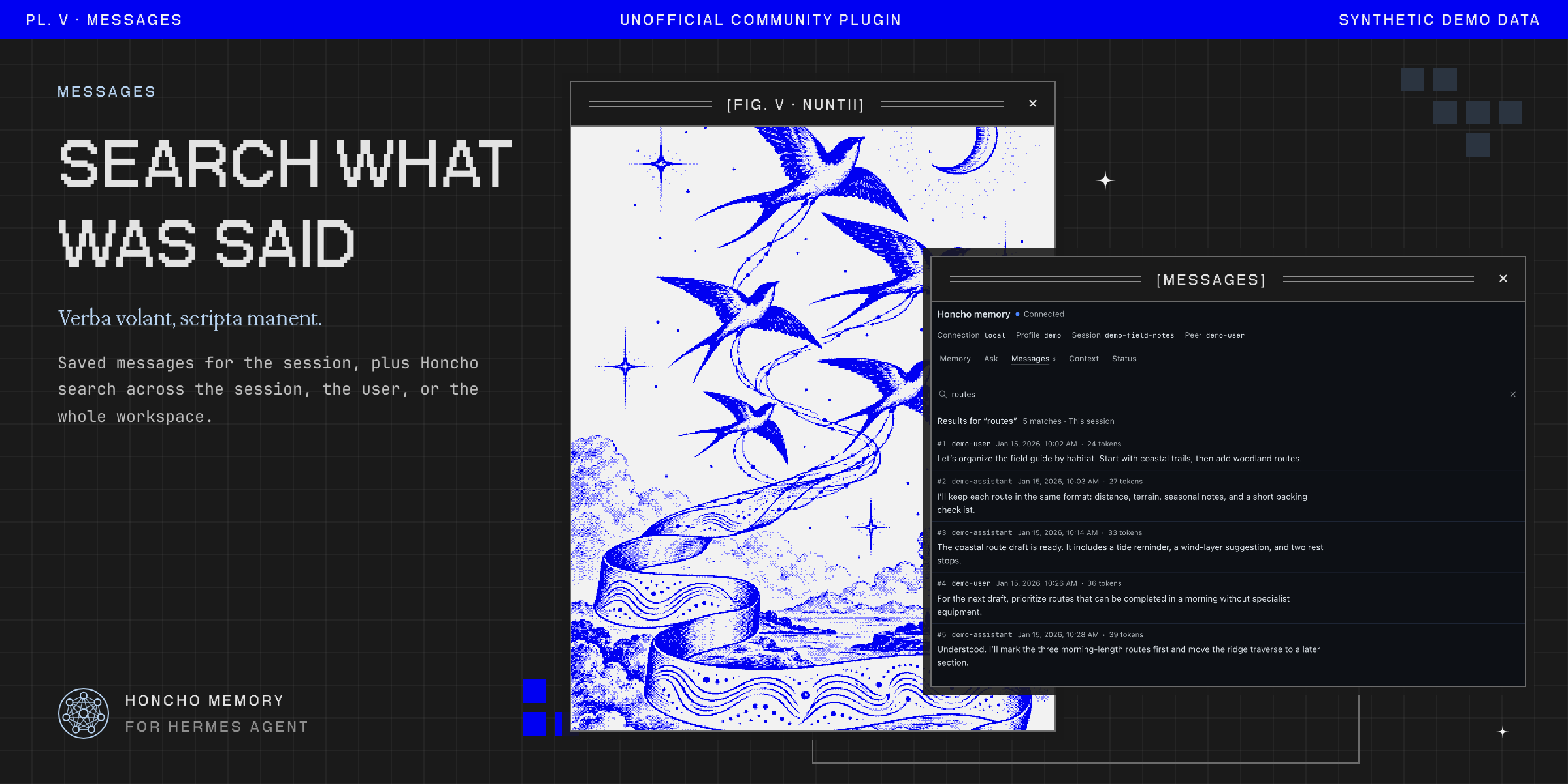
- Messages: saved messages for the session, plus Honcho search across the session, the user, the whole workspace, or a named Honcho scope.
- Context: what Honcho would supply right now (summary, representation, peer card, recent messages) at a token budget you pick. This is a fresh build, not a record of what an earlier reply received.
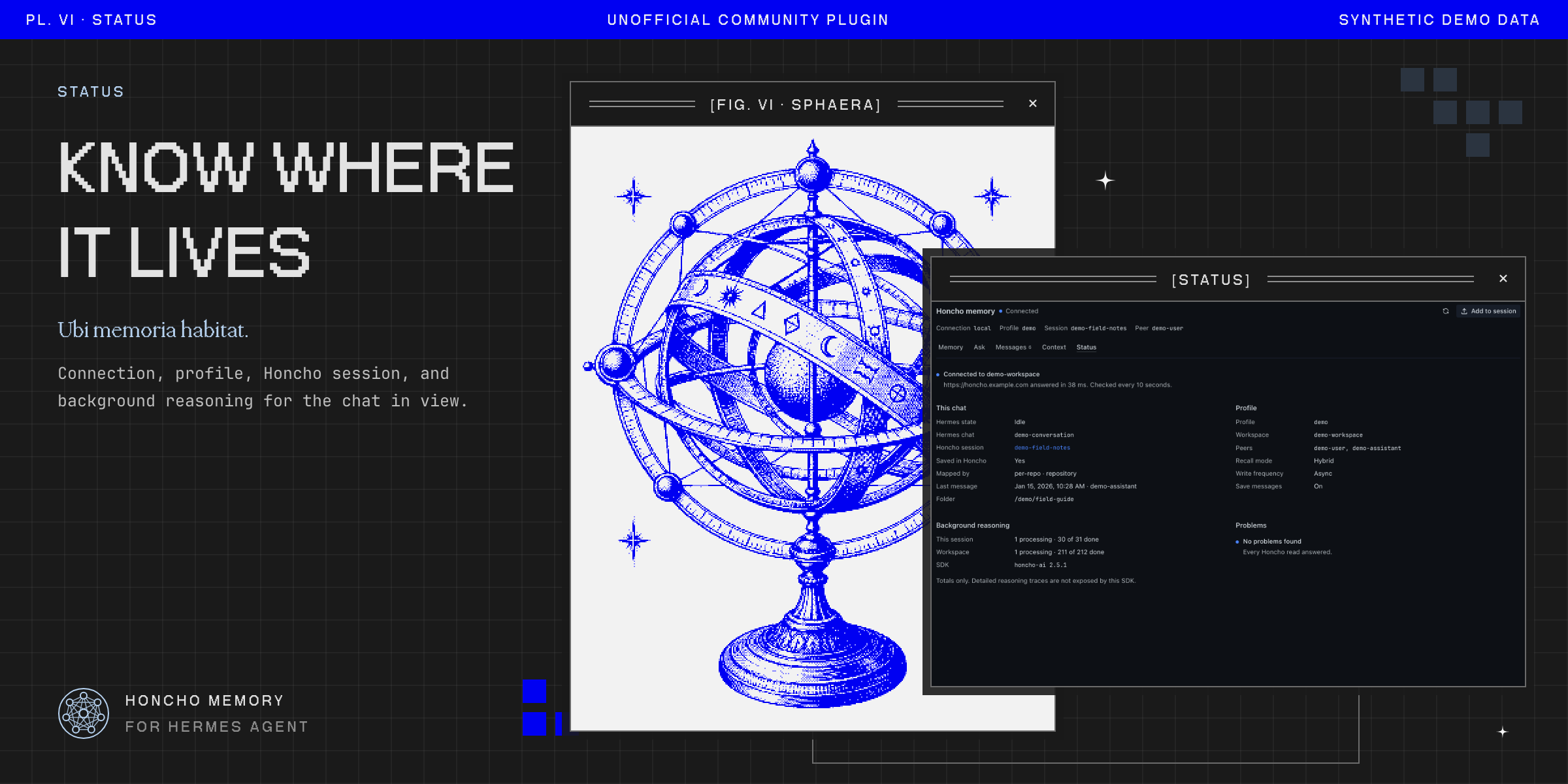
- Status: the connection, profile, Honcho session, mapping, configuration, and background-reasoning queues for this chat.
A Honcho session can span several Hermes chats, for example when sessions are mapped per repository. The header shows the connection, profile, Honcho session, and peer, so it is always clear whose memory you are reading.
Changing memory
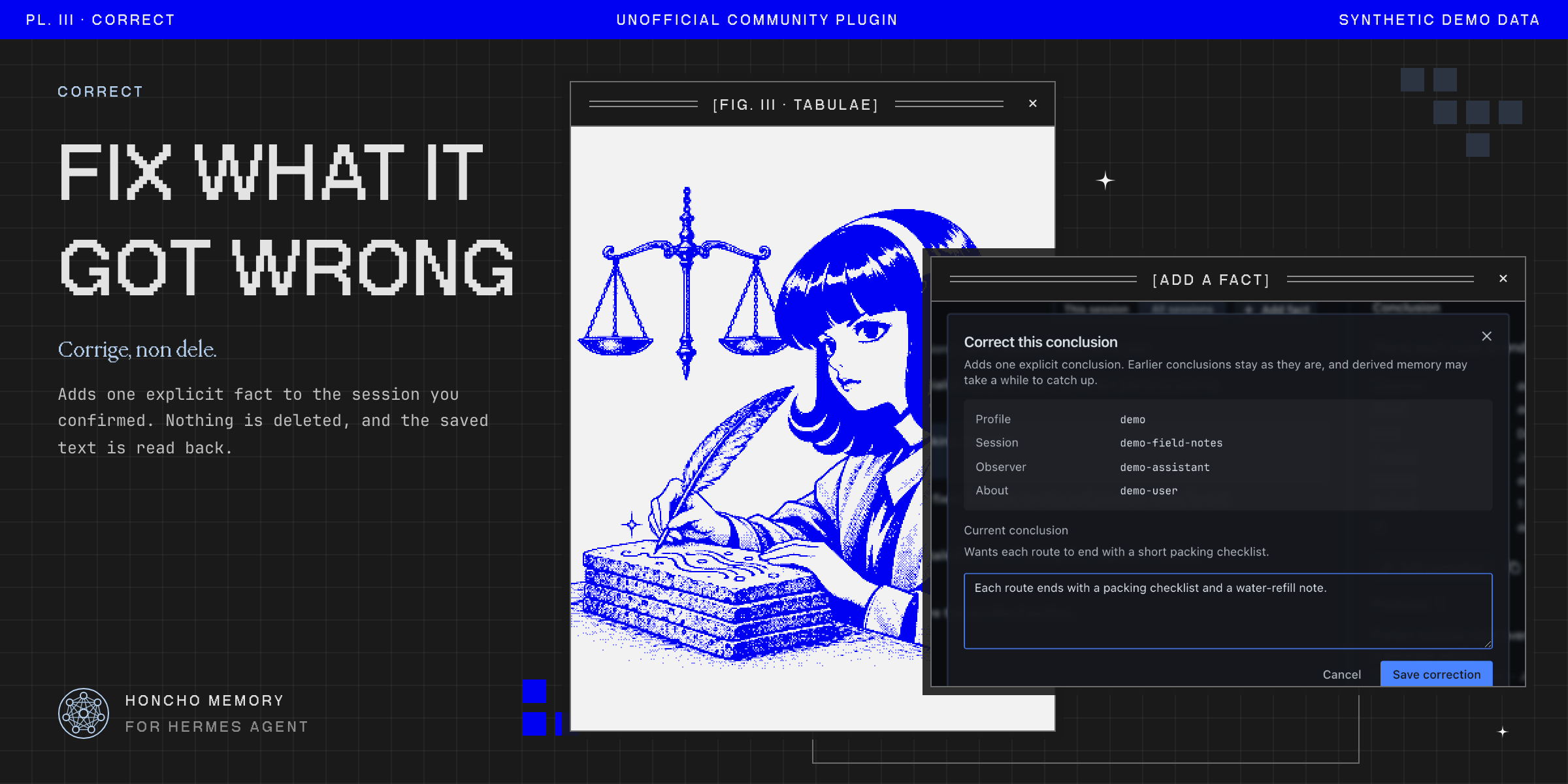
Two actions write to Honcho. Both ask you to confirm the exact target first.
- Add fact and Add correction add one explicit conclusion about the user, attributed to the current Honcho session. Nothing is deleted or overwritten, and derived memory may take a while to catch up. The plugin reads the saved text back before reporting success.
- Add to session sends pasted text or a PDF, JSON, or text file into the current session. Honcho may split it into several messages, and each one is read back by ID.
If a response is lost, the outcome is reported as unknown and the action is not retried. Check Memory or Messages before trying again.
Profiles and connections
The plugin follows the chat in focus. With the sidebar showing every profile, a chat from another profile on the same connection is read in that profile, using that profile's own Honcho configuration. A chat that lives on a different connection than the active one, or whose owner Hermes cannot determine, is shown as blocked with the reason. It is never read through another profile.
Remote SSH and gateway connections work the same way when the plugin's backend is installed on the remote profile. See Windows and SSH testing.
Requirements
-
Hermes 0.21.4 or newer, with Hermes Desktop.
-
The Honcho memory provider installed and configured in each profile you want to inspect:
hermes plugins install honcho hermes memory setup honcho -
The Python
honcho-aiSDK that the provider installs. The plugin is tested with 2.2.0, 2.4.0, 2.5.0, and 2.5.1. Premises, derived conclusions, and the records list in Ask need SDK 2.5 and a Honcho 3.2 or newer server. Features the selected server does not support are shown as unavailable, not as empty.
Install
hermes plugins install outpoints/hermes-honcho-plugin --enable
The page and pane are added once, on the machine running Hermes Desktop. The backend must be installed and enabled in every profile you want to read, including profiles on remote hosts:
hermes -p <profile> plugins install outpoints/hermes-honcho-plugin --enable
Restart Hermes after installing so each profile's backend loads the plugin. If Honcho does not appear in the sidebar, turn it on in Settings → Plugins.
What it reads and sends
- Requests go only to the Honcho server each profile is already configured to use, through that profile's Honcho provider. The plugin has no telemetry and makes no other network calls.
- It reads the focused chat's title and working directory from that profile's Hermes session database, read-only, to find the Honcho session.
- It never reads, returns, or stores Honcho credentials. Hermes resolves them.
- Reads never create Honcho workspaces, sessions, peers, or scopes.
- Ask starts a reasoning call on your Honcho server, which may use credits. Nothing runs until you ask.
- Writes happen only through the two confirmed actions above.
Limits
- Honcho's default upload limit is 5 MiB. Self-hosted servers can set another value, and the server makes the final call. The plugin adds no limit of its own.
- Hermes cannot forward file uploads to OAuth-protected remote gateways yet. Uploads to those fail with an error instead of going anywhere else.
- Confirmation tickets live in the backend process for two minutes. Restarting Hermes in between means confirming again.
- Exact per-reply recall, service-wide queue metrics, and fleet administration are out of scope.
Troubleshooting
| What you see | What to do |
|---|---|
| Can't reach the Honcho plugin | Enable hermes-honcho-plugin in that profile and restart Hermes. |
| Honcho isn't set up for this profile | Run hermes -p <profile> memory setup honcho. |
| No Honcho session for this chat | The chat is a new draft. Send a message, or open a saved chat. |
| This chat isn't in Honcho yet | Hermes saves the session after the first message. |
| This chat is on another connection | Switch Hermes to that connection to read it. |
| Partial | One Honcho read failed. Status lists which one. The rest still updates. |
Development
The Desktop file desktop/plugin.js is plain ESM that Hermes loads without a
build step. The backend is dashboard/plugin_api.py, a FastAPI router that uses
the installed Honcho provider and SDK.
./scripts/check.sh                 # JavaScript and Python tests
hermes plugins validate . --json
hermes plugins doctor --ci .
These need a Hermes source checkout with Desktop built
(HERMES_SOURCE=/path/to/hermes-agent):
node scripts/check-ui-surface.mjs   # SDK imports and shipped CSS classes exist in the host
node scripts/check-host.mjs         # real host REST bridge and profile routing, offline
node scripts/screenshots.mjs        # synthetic-data screenshots and accessibility checks
node scripts/catalog-art.mjs        # catalog banner and gallery
check-host.mjs and screenshots.mjs also need SCREENSHOT_WORK_DIR set to a
scratch directory. Every screenshot uses invented demonstration data.
More detail: architecture, compatibility, release verification, screenshots, catalog submission.
Affiliation and trademarks
Honcho Memory for Hermes is an independent, community-made project. It is not affiliated with, endorsed by, sponsored by or supported by Nous Research or Plastic Labs.
"Hermes", "Hermes Agent", "Nous Research" and the Nous Girl character are trademarks or brand assets of Nous Research. "Honcho" is a product of Plastic Labs. These names appear here only to say what the plugin works with.
The catalog images show new, AI-generated drawings of the Nous Girl, made with her MIT-licensed mark from hermes-agent as a reference. The prompts and the license notice are in docs/catalog/art.
License
GPL-3.0. See LICENSE. It grants no rights to the names or marks above.