Hermes Tripo
Describe a thing. Get back a model you can drop into your project.
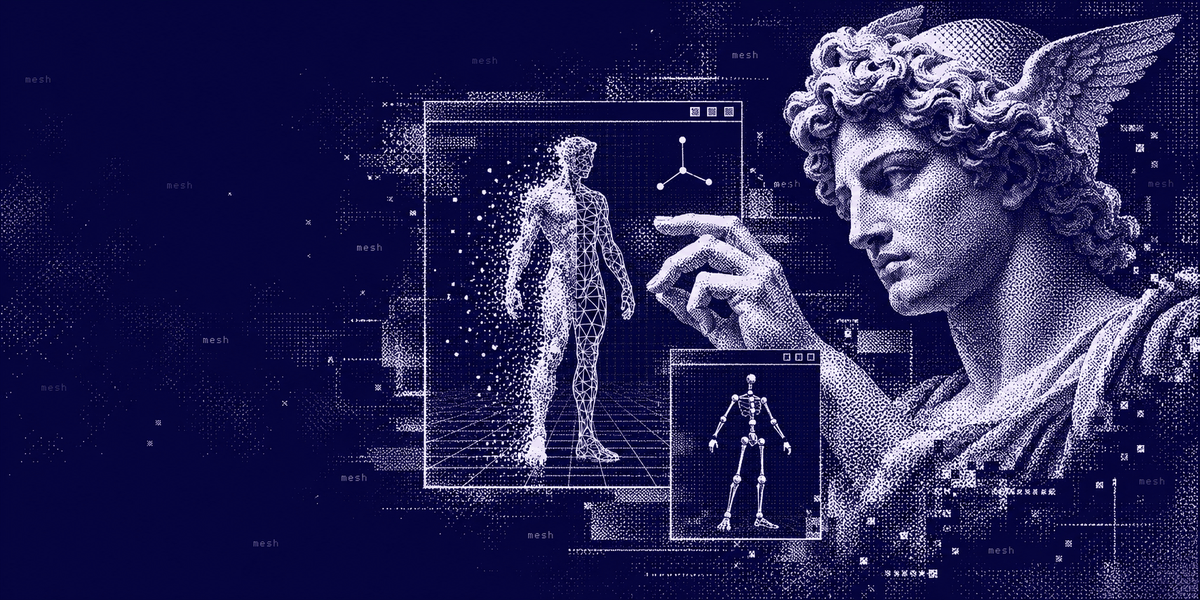
Hermes Tripo gives Hermes Tripo's 3D generation: text, a photo or a few views become a textured model, which Hermes can then rig, animate, retopologize and convert for your engine, your AR viewer or your printer.
POWERED BY HERMES AGENT · COMMUNITY PLUGIN · VERSION 0.3.1
What it does · See it in 3D · Every tool · Credits · Install it · Where your data goes
Powered by Hermes
Hermes Tripo is a community-built plugin for Hermes Agent with two halves in
one install. The agent half adds fourteen tripo_* tools and a hermes-tripo:workflow skill and talks to Tripo's v3 API
(openapi.tripo3d.ai/v3) directly, with no extra packages and no background process. The Desktop half adds an inline 3D
viewer to the chat.
It works in the CLI, Hermes Desktop, the messaging gateway and subagents: anywhere Hermes runs tools and someone can answer an approval prompt.
From a sentence to a mesh
Generatetripo_generate_model turns a prompt, a photo, or front/left/back/right views into a 3D model. v3.1 for detail, P1/P2 for clean low-poly game assets. |
Sketch firsttripo_generate_image draws a 5-credit concept (T-pose, full figure, isolated asset) so you agree on the look before paying for 3D. |
Retexturetripo_texture repaints an existing model from a prompt or a reference image, up to 8K. |
Rig and animatetripo_rig_check (free), tripo_rig and tripo_animate add a skeleton and preset motions: idle, walk, run, jump, and creature gaits. |
Make it lightertripo_retopology rebuilds the mesh at a target face count with clean topology, quads and fresh UVs. |
Ship ittripo_convert exports FBX for Unity and Unreal, USDZ for Apple AR, STL or 3MF for printing, GLTF for the web. |
Change one parttripo_parts splits a model into named parts (helmet, sword, wheels), so you can repaint or export just one. |
Fresh UVstripo_uv re-unwraps a model and re-bakes its textures, rig and animation, with a UV layout image for hand texturing. |
Four views firsttripo_multiview turns one image into front, left, back and right views, editable view by view, for cleaner 3D. |
Edit the concepttripo_generate_image also edits reference images: "same character, red armor", a T-pose, a cleaner photo for 3D. |
Wait and fetchtripo_task follows a job to the end; tripo_download saves the model, previews and spin videos, and reports the rig and clips inside the file. |
Know the balancetripo_balance shows available and frozen credits, and what recent tasks cost. |
Any input takes a Tripo task id, a public URL or a local path (a photo you just attached works as is), so one result feeds the next step without regenerating: generate → rig → animate → convert, all from the same task.
The skill knows the hand-offs too: open the result in Blender (with the Blender plugin), and the right export, scale and rig for Godot, Unity, Unreal, Roblox, the web, Apple AR and 3D printing.
See it in 3D
In Hermes Desktop the result lands in the conversation itself. The agent writes one line,
::tripo-model{task="task_..."}, and the reply shows an interactive viewer in its place:
- Live while it cooks. Right after a create, the card shows Tripo's queue and progress, then swaps in the model the moment the task finishes. The agent does not have to sit and wait for it.
- Turn it over. Drag to orbit, right-drag to pan, Ctrl or ⌘ + scroll to zoom; plain scrolling keeps scrolling the chat. Spin, Wireframe, Reset, and Bigger for a taller stage.
- Watch it move. Rigged and animated outputs play in place, with a picker for every clip (walk, run, idle...).
- Know what you got. Format, file size, triangle count and the credits the task used, under the model.
- Take it with you. Download saves the original file to
Downloads\Tripofor free and shows it in your file manager. Other formats (FBX, USDZ, GLTF, OBJ, STL, 3MF) are a click too: the viewer writes the request into your message box, and once you send it the agent converts it on Tripo (5 credits) behind the usual approval prompt. The viewer itself never spends credits. - GLB, FBX, OBJ and STL open in the viewer. Concept images, and formats it cannot open (USDZ, 3MF), show Tripo's preview render instead.
Elsewhere the agent uses what the surface has: on Telegram, Discord, Slack and other chats it posts the preview render and the model file as attachments after a download; in the CLI and TUI it gives the saved paths.
The Tripo library pane (in the layout menu, or ⌘K → "Open Tripo library") lists your recent Tripo tasks with thumbnails. Pick one to open it in the viewer, and "Ask about it" starts a message about that task.
The viewer stays quiet in a long chat: it draws only while on screen, and each task's files are fetched once and cached.
Every tool
| Tool | What it does | Credits |
|---|---|---|
tripo_generate_model |
Text, a photo, four views or a tripo_multiview task to 3D. v3.1 / v3.0 / v2.5 for detail, P1 / P2 for clean low-poly. Texture and geometry quality, quad, smart low-poly, separate parts, real-world size. |
10–50, plus add-ons |
tripo_generate_image |
A concept image from text, or an edit of up to four reference images. Templates: T-pose, full figure, isolate an asset, 3d_enhance (ready a photo for 3D), variants. |
5, or 10 for premium edit models |
tripo_multiview |
Front, left, back and right views from one image, then edits view by view. | 10, then 5 per edited view |
tripo_texture |
Repaint a model from a prompt or reference image, up to 8K, the whole model or named parts. | 10 / 20 / 30 |
tripo_parts |
Split a model into named parts, then rebuild the faces hidden where they touched. | 40, then 50 |
tripo_uv |
Unwrap the UVs again and re-bake textures, rig and animation, with a UV layout image. | 20 |
tripo_rig_check |
Can it be rigged, and as what: biped, quadruped, bird, snake... | free |
tripo_rig |
A skeleton, with Tripo, Mixamo, Unity, Unreal, VRM or ActorCore bone names. | 25 |
tripo_animate |
Up to five preset clips per task: idle, walk, run, jump, dances, creature gaits. | 10 each |
tripo_retopology |
A lower face count with clean topology, optional quads and fresh UVs. | 30–40 |
tripo_convert |
FBX, USDZ, GLTF, OBJ, STL or 3MF; scale, pivot, flat bottom, chosen parts. | 5, or 10 with options |
tripo_task |
Status, progress, cost and results; waits up to two minutes per call. | free |
tripo_download |
Saves the model, previews and spin videos, and reports the skins, joints and clips inside each GLB. | free |
tripo_balance |
Available and frozen credits, and what recent tasks cost. | free |
Every credit, asked for
Most Tripo calls spend credits. Before each one, Hermes stops and asks (allow once, for this session, always, or deny), and the prompt says what will run and what it costs:
Tripo image to 3D (v3.1-20260211, textured, detailed texture): costs about 50 credits of your Tripo balance
- The gate is a
pre_tool_callhook, so the model cannot skip it. "Session" approves that tool until the session ends. - Free calls run without a prompt:
tripo_task,tripo_download,tripo_balance,tripo_rig_check. The one exception is sending a file: any call that would upload a local file to Tripo asks first, free or not, and the card names the files. - Unattended runs (cron,
hermes chat -q, a gateway nobody is watching) cannot approve, so paid calls are refused there. Cron follows yourapprovals.cron_mode. - Estimates follow Tripo's price list. Tripo bills what a task actually
uses, which
tripo_taskreports ascredits_consumed, and refunds failed tasks.
| Job | Credits |
|---|---|
| Text to 3D | 10 untextured, 20 textured |
| Image or multiview to 3D | 20 untextured, 30 textured |
| P1 / P2 low-poly | 30–50 |
| Detailed texture / extreme 8K / detailed geometry | +20 / +30 / +20 |
| Quad / smart low-poly / parts | +5 / +10 / +20 |
| Concept image | 5 |
| Retexture | 10, 20 or 30 |
| Rig | 25 |
| Animation | 10 each |
| Retopology | 30–40 |
| Convert | 5, or 10 with processing |
| Split into parts / complete parts | 40 / 50 |
| Smart UV | 20 |
| Four views / edit a view | 10 / 5 |
| Image edit | 5, or 10 with the premium models |
A limit per chat
"Allow for this session" is handy, so there is a backstop: once a chat has spent about 100 credits, every further paid
call asks again, and the prompt says how much the chat has used. Set TRIPO_SESSION_LIMIT in the profile's .env to
change it, or to 0 to turn it off.
Small decisions, already made
- A create is sent once and never retried. If the network drops mid-request, the agent is told the task may exist and to check before trying again, so a flaky connection cannot bill you twice.
- Waiting is a separate, free call. A long generation that outlasts the wait keeps running, and the agent picks it up
by
task_idinstead of starting over. - Impossible combinations (parts with textures, v3-only options on v2.5, smart low-poly on a P model) are refused before anything is sent, with the reason.
- The right rig model is picked from the rig type and bone naming you ask for: creatures get v2.5, Unity/Unreal/VRM skeletons get v3.0.
- Results leave out Tripo's long signed URLs; the agent sees file names, the preview link and the cost.
- Downloads check what a GLB really holds (meshes, skins, joints, every animation clip) and hand that to the agent, so "rigged" and "animated" are claims about the file, not about the task status.
- The rig model is matched to the animation you want: dances live only on Tripo's v1.0 biped rig, walk/run/idle and engine bone naming on v3.0, and the skill says which before any credits go.
- Downloads never overwrite: if
robot.glbis already there, the next one isrobot (2).glb, and its preview gets the same number. - Downloads go to the folder the agent names in your project, as
<name>.glbplus<name>_<preview>.<ext>, written to a temporary file first and renamed when complete.
Make it yours
Install
hermes plugins install Adolanium/hermes-tripo --enable
The installer asks for TRIPO_API_KEY. Create one in the Tripo console under
API Keys; new accounts come with free credits. You can also put it in the profile's .env:
TRIPO_API_KEY=tsk_...
For the 3D viewer, turn on the Desktop switch for Tripo in Hermes Desktop under Capabilities → Plugins. Like every Desktop plugin half, it ships switched off.
Hermes Tripo needs Hermes Agent 0.21.6 or later. Start a new session, then ask:
- "Make a low-poly treasure chest for Godot and save it in
assets/." - "Turn ~/photos/mug.jpg into a 3D model."
- "Design a knight character in a T-pose, rig it, and give it an idle and a walk for Unity."
- "Convert that model to STL with a flat bottom so I can print it."
- Attach a photo: "Turn this into a 3D model." The attachment is used as is.
- "Make four views of this concept, fix the back, then build the model from them."
- "Split the robot into parts and paint just the head gold."
- "Unwrap the UVs on my robot so I can texture it in Substance."
- "Open the dancing robot in Blender." (with the Blender plugin enabled too)
- "How should I export this for Roblox?" (answered from the skill, nothing spent)
China site
Set TRIPO_API_BASE=https://openapi.tripo3d.com/v3 to use Tripo's China endpoint.
Test
The unit tests use an in-memory Tripo, so they make no network calls and spend nothing:
pip install httpx pytest
pytest tests -q
The contract tests run the plugin through Hermes's real plugin discovery and approval gate:
HERMES_SOURCE=/path/to/hermes-agent bash scripts/test.sh
The Desktop viewer is built from desktop-src/ (React and three.js, bundled with esbuild). CI rebuilds it and fails if
the committed desktop/plugin.js differs:
cd desktop-src && npm ci && npm run build
Check the plugin the same way the catalog does:
hermes plugins validate . --install-deps
CI runs the unit tests on Linux, macOS and Windows, the contract tests against Hermes 0.21.6 and 0.22.2 on Python 3.11
and 3.13, and catalog validation against current Hermes main.
Privacy you can explain in one breath
Hermes tripo_* tools → openapi.tripo3d.ai (Tripo) → your models, saved where you asked
- What leaves your machine. Prompts, and any image or model you point a tool at, go to Tripo under your key. Local files are uploaded only when a tool is given their path. See Tripo's privacy policy.
- Your key. Sent to Tripo as a bearer token. The plugin reads it only through Hermes's secret scope, so each profile keeps its own key. It is never stored, logged, echoed in an error, or sent to the download CDN.
- What it writes. The files you download, into the folder you name (default
<HERMES_HOME>/tripo/<task_id>/), the copies you save from the viewer's Download menu intoDownloads\Tripo(never overwriting), and the viewer's copy of each model and preview it shows, under<HERMES_HOME>/tripo/<task_id>/.viewer/. Delete either folder at any time. - The viewer. The Desktop half talks only to this plugin's own backend (
/api/plugins/hermes-tripo/), which reads task state from Tripo with your key and serves the cached files. It loads no remote code: three.js is bundled in. - Your Tripo history. When you open the library pane it fetches your recent tasks from Tripo
(
/v3/account/usage) and, as each row scrolls into view, its preview image. Previews are cached like any viewer file. - Finding Downloads. For "Save original", the plugin asks the OS where your Downloads folder is: the Downloads
known-folder value in the Windows registry (read only), or
XDG_DOWNLOAD_DIRon Linux, else~/Downloads. - Which surface you are on. A
pre_llm_callhook notes each session's platform (desktop, telegram, cli...) in memory so results can say how to show a model there. It injects nothing into the prompt and stores nothing. - Nothing else. No shell commands, no background processes, no telemetry.
Compatibility
| Hermes Agent | Python | Status |
|---|---|---|
| 0.22.2 | 3.11, 3.13 | Tested in CI and by hand, Desktop viewer included |
| 0.21.6 (minimum) | 3.11, 3.13 | Tested in CI |
The plugin depends only on httpx, which Hermes already ships. It uses Tripo's v3 API; Tripo retires v2 on 2026-10-31.
Limits
- Paid calls need someone to approve them, so they do not run from cron or one-shot
chat -qunless your approval settings allow it. - Local uploads are capped at 50 MB. Pass a public URL for anything larger.
- Smart UV takes models up to 80,000 triangles; retopologize heavier ones first.
- The library pane shows your 60 most recent Tripo tasks.
- Tripo runs a limited number of tasks at once per account (about 10 standard 3D jobs, 5 P-series). Extra requests are refused with a rate-limit error until one finishes.
- Output links expire, so download soon after a task succeeds. The task itself can be fetched again for fresh links.
- Tripo's content policy can refuse a prompt or image; the agent passes that along instead of retrying.
License
MIT.
Community project
Hermes Tripo is an independent community plugin. It is not affiliated with, endorsed by, sponsored by, or officially associated with Nous Research, the Hermes Agent project, Tripo or VAST. Hermes, Hermes Agent, Nous Research and Tripo are names and marks belonging to their respective owners.