hermetic
A status-bar popover for the Hermes desktop app. It shows what your agent costs, whether its skills and replies are getting better or worse, and what the harness itself touched.
Install: hermes plugins install hermetic --enable from the Hermes plugin catalog once it is listed, or hermes plugins install forefy/hermetic --enable --force from GitHub. Then see INSTALL.md (two more steps, and how to check it worked).
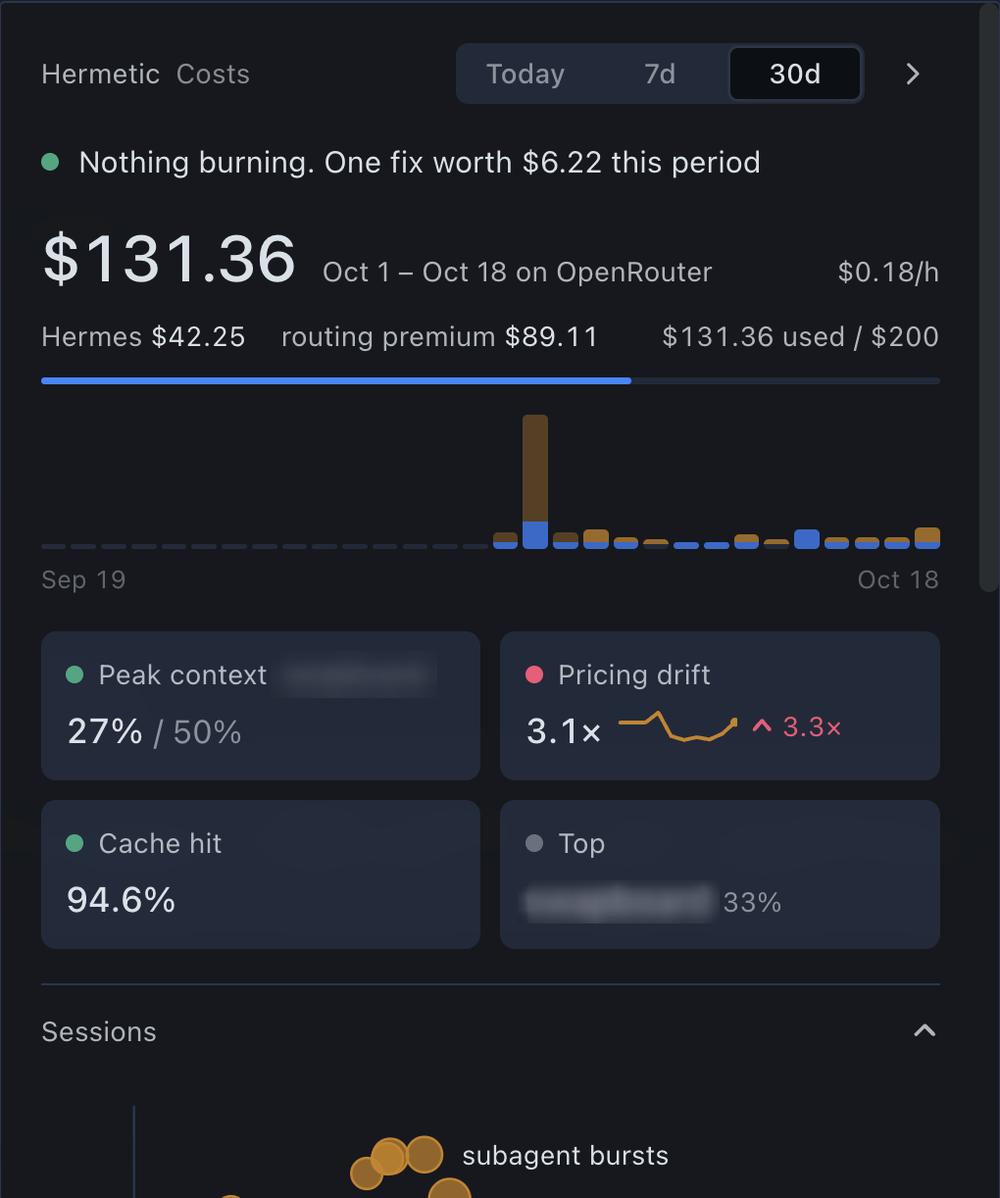
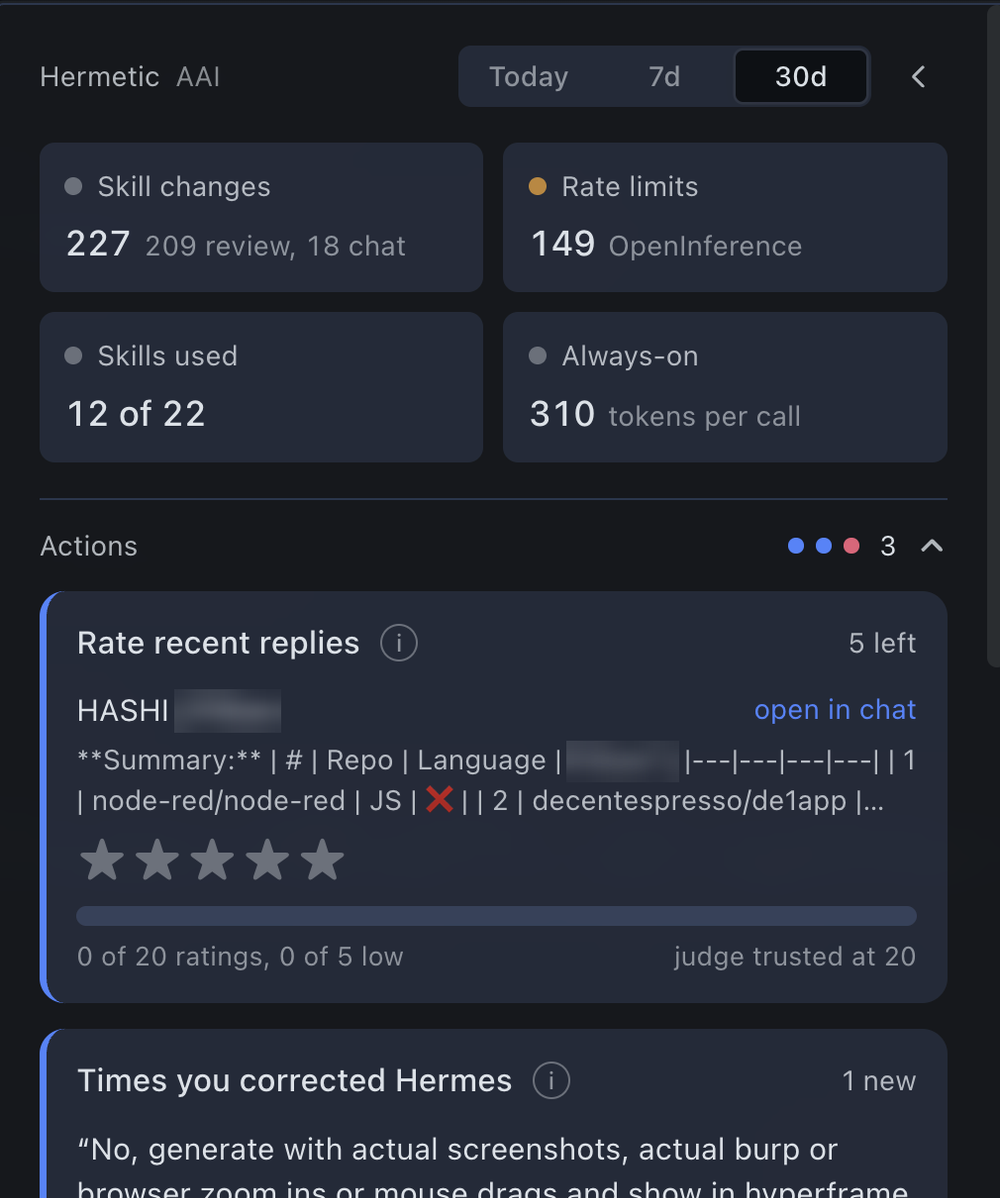
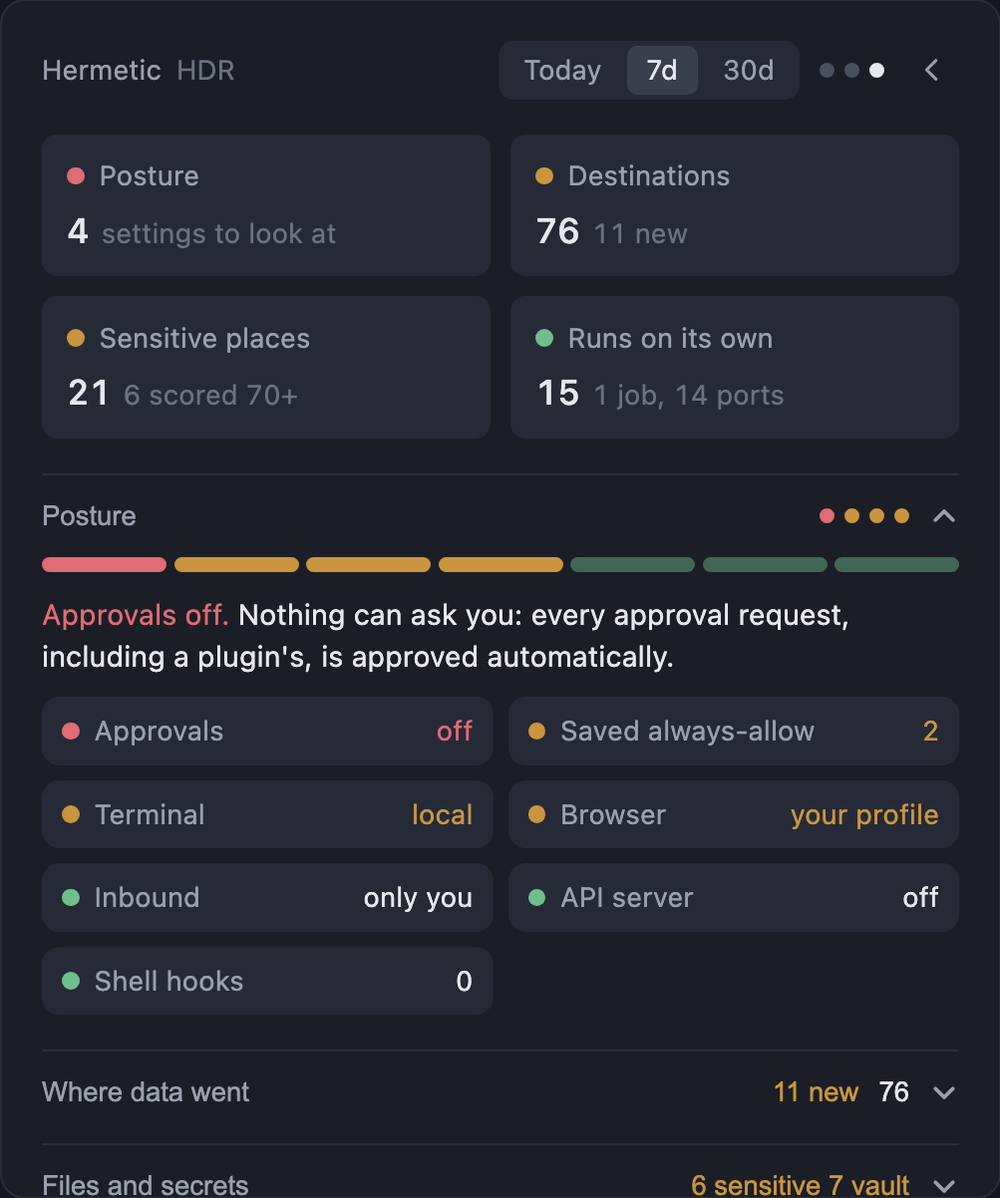
It has three views in the same popover: Costs, AAI and HDR. The dots at the top right show which one you are on, and the arrow steps through them.
Costs
- Spend per day and per session, live $/hour while a turn runs, and the most expensive session.
- Cache hit rate: how much of each prompt came from the provider's cache, and what cache resets cost you.
- Pricing drift: what you were billed compared with list prices.
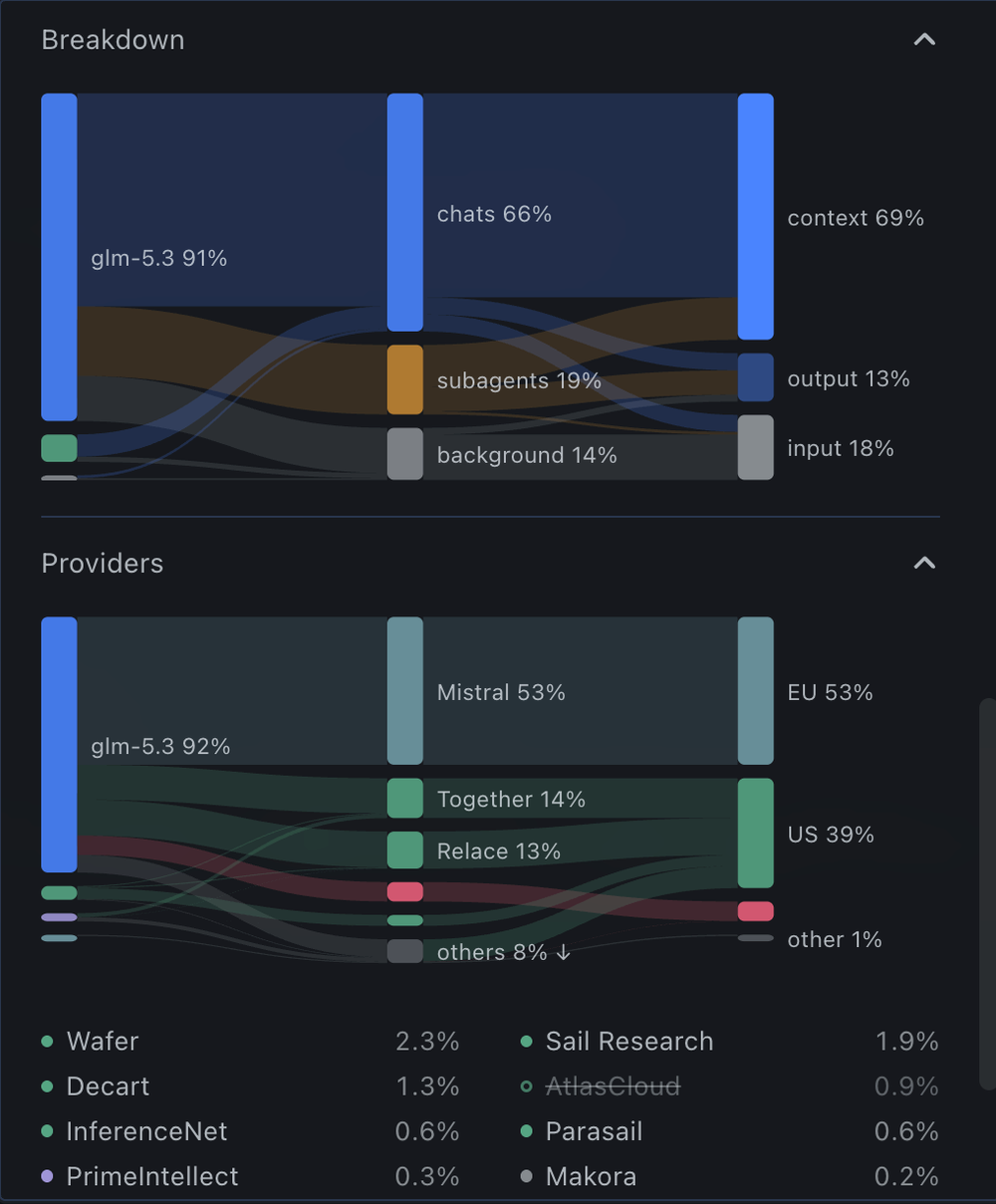
- Providers (OpenRouter): which providers actually served your calls, where they are based, and your routing rules, with an editor for them.
- Improve: one-click config fixes, for example routing to the cheapest provider, running background tasks on a cheaper model, or turning fallback on when calls fail on rate limits. Every fix shows the exact
config.yamlchange before it writes anything, and writes on top of the config as it is at that moment.
AAI (applied-AI quality)
- Actions: the few things that need you, each on its own card.
- Rate recent replies with 1 to 5 stars.
- Keep a time you corrected Hermes ("no, …", "you forgot …") as a test.
- Fix a skill whose tests fail: Hermes drafts a new version, it is tested on the same tests, and you decide whether to ship it.
- Revert a skill change that tested worse.
- Archive skills that were never used, to save tokens on every call.
- Tests: every saved test as a tile, coloured by its last result. Replay them all with your current routing. From 5 tests on, compare your two most-used providers and a second model on the same tests.
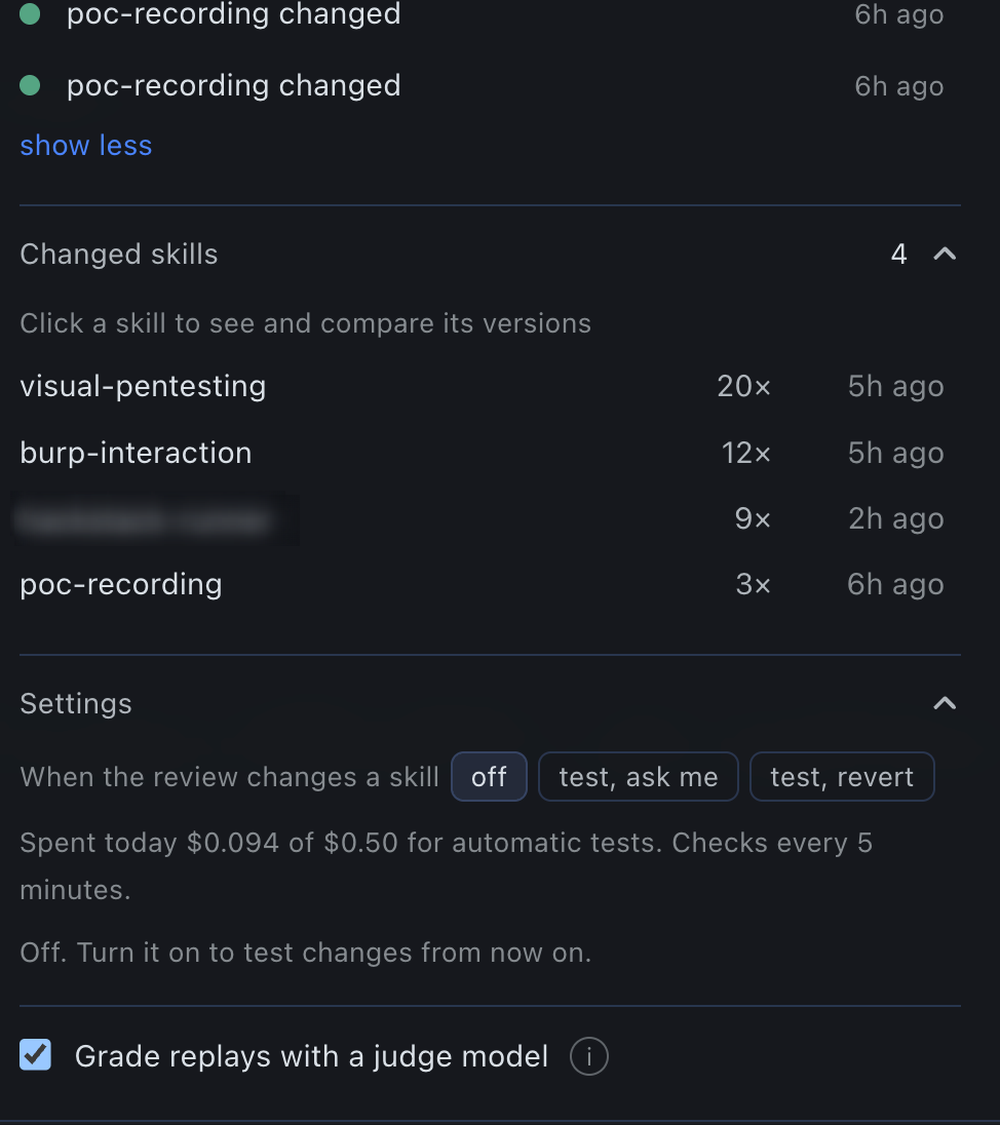
- Timeline: skill changes made by chats and by the background review, routing changes, rate-limit days and Hermetic's own actions. Changes that added links, code blocks or script files are flagged.
- Changed skills: every saved version of a skill, and a replay to compare two of them.
- Settings: test skill changes automatically when the background review makes them (off, ask me, or revert), and grade replays with a judge model. Each skill's grading rubric is written from the skill itself the first time it is graded.
Parts that only make sense with OpenRouter (provider routing, provider comparison, fallback) hide themselves when the profile does not use it. Spend, cache, sessions, ratings, corrections, the timeline and skill history work with any provider. Fix drafts and the judge go through Hermes' own model access for plugins, on your main model. Replays rerun a test on a chosen model and provider through OpenRouter, so they need an OpenRouter key set up in Hermes.
HDR (harness detection and response)
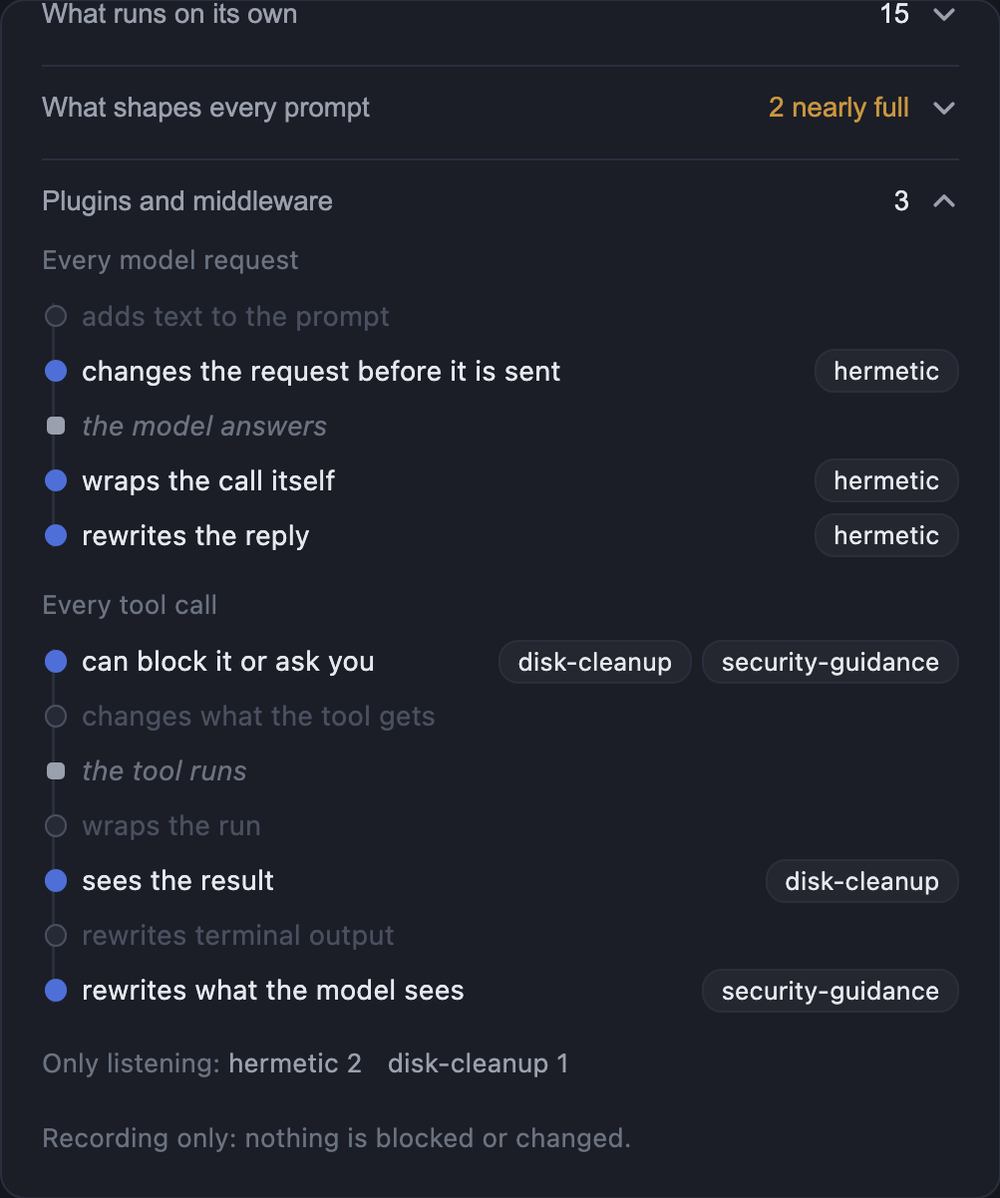
What the harness touched and how exposed it is. For now it records and shows; it does not block anything.
- Posture: the settings that decide how exposed you are. Approvals, commands you allowed permanently, whether the terminal runs directly on your machine, whether the browser uses your real profile, who can message the agent, the API server and shell hooks. One strip shows them all, and the worst one is spelled out.
- Where data went: every host that model requests and tools reached. Tool traffic is drawn as a flow from tool kind to destination to known or new, and each host lists the chats behind it.
- Files and secrets: where tools worked, and the sensitive places they touched (keys and logins, startup items, shell settings, system files, the browser vault), each scored. Reading keys scores high; writing to startup items scores highest.
- What runs on its own: scheduled jobs with their schedule and next run, ports opened under Hermes and the chats that opened them, subagents and background processes.
- What shapes every prompt: SOUL.md and the memory files against Hermes' own size limits, when each last changed, and memory and skill writes made from chats.
- Plugins and middleware: where each enabled plugin acts on the path of a model request and of a tool call, and anything it registers without declaring it.
Next: asking or blocking before a risky tool call runs, through Hermes' own approval prompt, and a low-cost judge that checks web pages and new skills before the model reads them.
Install
hermes plugins install hermetic --enable
That is the catalog install, once Hermetic is listed. From GitHub, use hermes plugins install forefy/hermetic --enable --force: --force is needed there because Hermes' install scan flags the list of sensitive paths HDR watches, and INSTALL.md explains it. Then restart Hermes and switch on Hermetic's Desktop half under Capabilities, Plugins. Hermes installs it switched off, so this is the step that makes the button appear. INSTALL.md has the steps, what you should see when it worked, and fixes for what can go wrong.
Hermetic does not update itself. Catalog installs update from the Hermes Plugins page or with hermes plugins update hermetic; GitHub installs update by running the install command again.
What it does on your machine
Model requests. On every request that goes to OpenRouter, Hermetic's llm_request middleware adds the routing fields from provider_routing in your config.yaml that Hermes does not send on its own: fallbacks, zero data retention, distillable text, quantizations, max price, minimum throughput and maximum latency, including per-model overrides. Requests to any other provider go out unchanged, and on any error the request goes out unchanged. The llm_execution middleware only reads the generation id and finish reason off the result.
Model calls of its own. Only when you press replay, compare, draft or judge, or when you turn on automatic tests.
- Fix drafts, the judge and rubric drafts use Hermes' plugin model access (
ctx.llm) on your main model. To let the judge use a different model, allow it inconfig.yamlunderplugins.entries.hermetic.llm(allow_model_override: trueandallowed_models). - Replays call OpenRouter with the
OPENROUTER_API_KEYHermes holds for the profile, read through Hermes' secret scope. They follow your routing rules and appear in your spend like any other call. A replay costs about $0.01 per test; automatic tests stop at $0.50 a day. - No API key ever reaches the popover.
Network. The popover reads OpenRouter's public model, provider and zero-retention lists. The backend asks Hermes for your OpenRouter account usage (at most every few minutes, OpenRouter profiles only) to show billed spend. Nothing else leaves your machine.
What it reads. Hermes' session database (read-only, through Hermes' SessionDB), config.yaml, the skills and their change history, scheduled jobs, SOUL.md and the memory files (sizes and change times), installed plugin sources (to see what each registers), and its own routing records. HDR runs ps and lsof locally to list ports opened under Hermes.
What it writes, and only when you ask. Routing rules and the fixes you apply (through Hermes' own config functions, shown before writing), the posture settings you tighten from HDR, archived skills, skill versions you ship or revert, and test results. Posture controls only make settings stricter; loosening one opens Hermes' own settings.
In the background. A thread checks every 5 minutes for skill changes made by the background review, and acts only if you turned automatic tests on. A short-lived thread stores the billed-spend snapshot.
Everything Hermetic records stays in $HERMES_HOME/hermetic/ (ratings, tests, replay results, saved skill versions, routing history).
Layout
| Path | What it is |
|---|---|
desktop/plugin.js |
The popover: plain ESM for the Hermes plugin SDK, no build step |
__init__.py |
Hooks and middleware: per-call cost and routing records, provider errors, empty-reply debugging |
dashboard/plugin_api.py |
Backend routes under /api/plugins/hermetic/ |
plugin.yaml |
Package manifest |
tests/test_hdr.py |
HDR detection rules |
tests/test_credentials.py |
Hermetic's own model calls go through Hermes (ctx.llm, secret scope) |
tests/test_paths.py |
Skill names and version ids from requests never leave Hermetic's folders |
tests/test_config_routes.py |
Config writes reach only the profile Hermes scoped the request to |
tests/test_detect.mjs |
How a profile's provider is read from its config |
scripts/release.sh |
Tests, validates and pushes a release, then prints the catalog entry; --pr opens the catalog PR |
catalog/hermetic.yaml.in |
Template for the catalog entry |
Run the Python tests inside Hermes' environment, and the rest with node:
bash ~/.hermes/hermes-agent/scripts/run-in-hermes-env python3 tests/test_hdr.py
node tests/test_detect.mjs
Check the package with hermes plugins validate .
Releasing
Bump version in plugin.yaml, commit, then run scripts/release.sh --pr. It runs the tests and Hermes' validation, pushes, fills the catalog entry with the new commit, and opens the pin-bump PR on NousResearch/hermes-agent from your fork, asking before it pushes and before it opens the PR. Catalog users get the update once a maintainer merges it.