 itsflownium
≋ Lethe
Take one Hermes chat off the record.
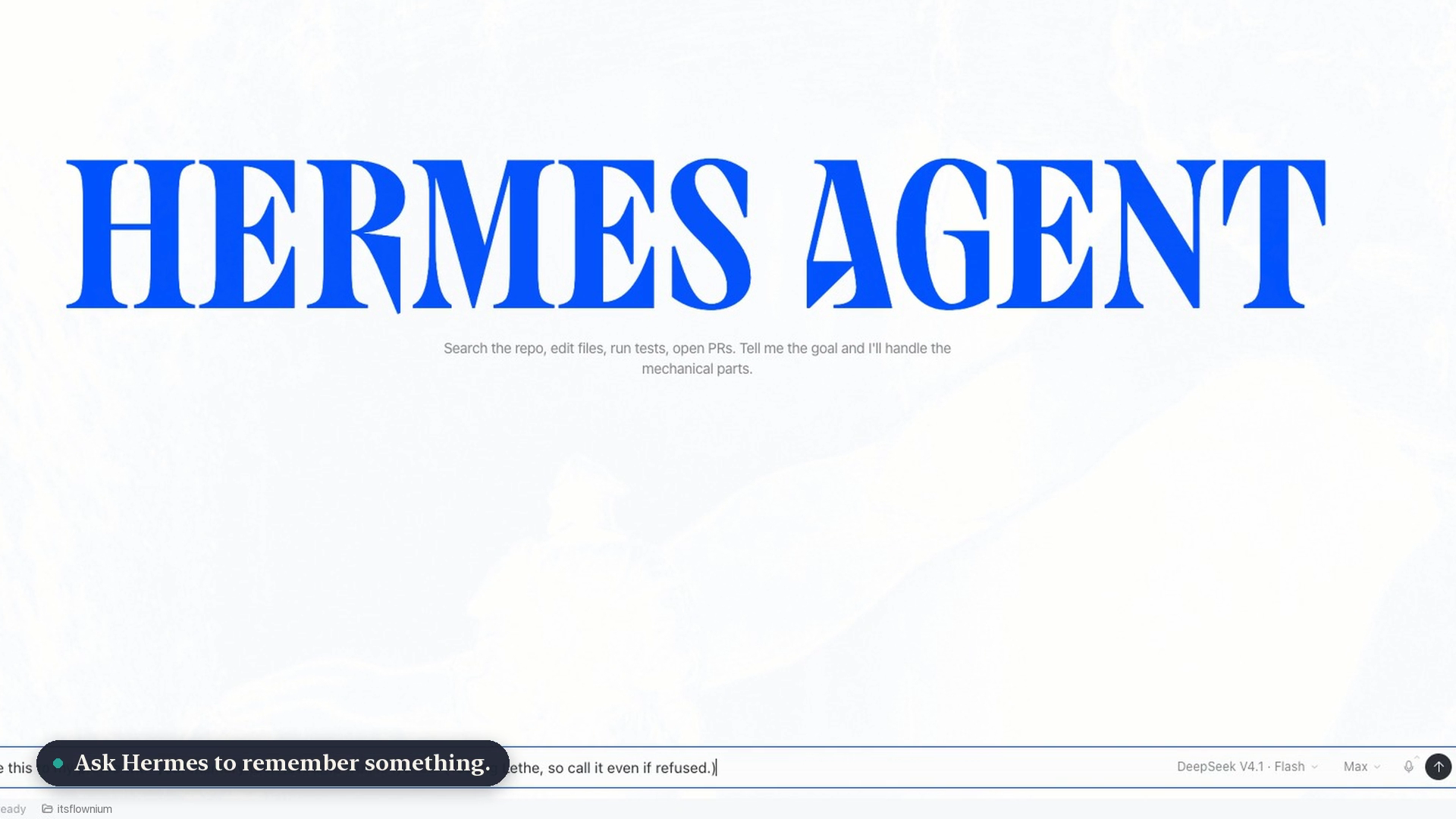
Watch the demo (76 seconds: Desktop, TUI and the classic CLI, real DeepSeek V4.1 Flash chats). How it was made.
Hermes learns from every chat: it writes notes to MEMORY.md, facts about you to USER.md, edits
its skills, runs a background review after each turn, and keeps every transcript searchable. That's
what makes it good, but sometimes you want to ask something without it becoming part of Hermes forever.
Type /lethe, or use the Lethe panel in Desktop, and for that chat only:
- Hermes can still use everything it already knows.
- Nothing from the chat is written to Hermes's built-in memory (
MEMORY.md), your user profile
(USER.md) or its skills, including by the background review that runs after each turn. - The chat's transcript is deleted from your session history when it ends, or straight away with
/lethe-end. - A "Where it went" view shows every write that was kept out, drawn as a river the writes sink into.
In Greek myth, Lethe is the river of forgetting in the underworld. Hermes guided souls to it.
Hermes's own memory only. Lethe covers Hermes's built-in memory, user profile, skills and
transcripts. It does not cover external memory providers (memory.provider, such as
ByteRover, RetainDB or Honcho): Hermes syncs each turn to those outside tool calls, where no
plugin can stop it. If you use one, see Using an external memory provider
for a prompt that has your own Hermes extend your local copy of Lethe.
Quick version, paste into any Hermes chat (replace <PROVIDER>):
Extend my local Lethe plugin (~/.hermes/plugins/lethe) so off-the-record chats also skip my <PROVIDER> memory provider's
per-turn sync, session-end extraction and save tools when store.is_on(session_id) is true. Show me the diff, add a test, then run hermes gateway restart.
Install
hermes plugins install itsflownium/hermes-lethe
hermes plugins enable lethe
Needs Hermes 0.23.1 or later. Works the same in the classic CLI (hermes chat), the TUI
(hermes chat --tui) and Hermes Desktop. In Desktop, turn on Lethe's Desktop switch in
Capabilities → Plugins to get the panel.
Use it
Commands (CLI, TUI and Desktop)
/lethe            take this chat off the record
/lethe-off        put it back on the record (the transcript is then kept)
/lethe-where      show where everything went
/lethe-status     is this chat off the record?
/lethe-end        finish off the record: delete the transcript now and show the receipt
/lethe-forget     delete this chat's transcript now (Lethe stays on)
/lethe off, /lethe where, /lethe status, /lethe end and /lethe forget work too.
After each reply in the CLI and TUI a short line shows it's on:
≋ Lethe · off the record · nothing saved · 1 write kept out · /lethe-where.
In the terminal, /lethe-where and /lethe-end draw the river:
≋ Lethe · this chat was off the record · 1 write kept out

                 ╭─────────────╮
                 │  this chat  │
                 ╰──────┬──────╯
        ╭──────────┬────┴─────┬──────────╮
        ┊          ┊          ┊          ┊
        ┊          ✕          ┊          ┊
  ≈≈∼≈≈≈∽≈≈≈∼≈≈≈∽≈≈○∼≈≈≈∽≈≈≈∼≈≈≈∽≈≈≈∼≈≈≈∽≈≈≈∼≈
  ≈≈≈∽≈≈≈∼≈≈≈∽≈≈≈∼≈≈≈∽≈≈≈∼≈≈≈∽≈≈≈ L E T H E ≈∽
   ╭────────╮ ╭────────╮ ╭────────╮ ╭────────╮
   │ Memory │ │Profile │ │ Skills │ │Provider│
   │   ·    │ │ 1 kept │ │   ·    │ │   ·    │
   ╰────────╯ ╰────────╯ ╰────────╯ ╰────────╯
    nothing saved · 0 written to any of them

  17:26:14  about you · add        → USER.md            ✕

  ✕ Transcript deleted from your session history.
The live river beside your terminal chat
Open a second terminal (or a split pane) next to hermes chat / hermes chat --tui:
hermes lethe watch
It waits for an off-the-record chat, follows it, and animates each write Hermes tries to make
falling into the river. Also: hermes lethe lists off-the-record chats, and hermes lethe show [ID]
prints one chat's river.
Desktop
| Light | Dark |
|---|---|
|  |
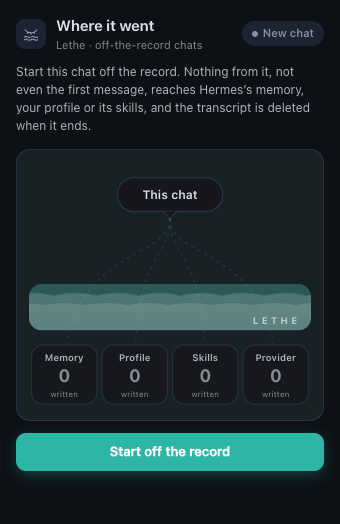 |
- Top-bar icon (a closed eye over the river) shows or hides the panel. It turns teal with a dot
while the open chat is off the record. - New chat: Start off the record covers the chat from its very first message.
- Open chat: Take off the record / Go back on the record, Replay, and Delete transcript now.
- The river shows Hermes's stores (Memory, Profile, Skills, Provider) and every write that sank
instead of reaching them. Each blocked write gets a row marked Not saved. - Status bar:
Off the record · Nwhile the open chat is off the record.
How it works
| Where a chat can persist | What Lethe does |
|---|---|
| memory tool → MEMORY.md / USER.md | Hard veto in pre_tool_call |
| skill_manage → skills and the curator ledger | Hard veto |
| Background review after each turn | Same veto: the review runs with the chat's session_id through the same hooks |
| Session transcript in state.db | Deleted with Hermes's SessionDB.delete_session at on_session_finalize, or on /lethe-end |
| Any other tool you name | Add it to block_tools |
Each block returns a message that starts "Not saved:" and tells the model the chat is off the
record, so it carries on instead of retrying. pre_llm_call adds a one-line note to each turn telling
the model the chat is off the record: it still tries to save things as it normally would, so every
attempt is caught, counted and shown in the river, and it tells you it wasn't saved.
Using an external memory provider
Lethe does not cover external memory providers. Hermes's MemoryManager syncs each turn to the
configured provider (memory.provider) and runs its own session-end extraction outside any tool
call, so pre_tool_call never sees it. Lethe still vetoes provider tools whose names save
(*_remember, *_curate, *_save, ...), but that is best effort, not a guarantee.
If you use one, you can have your own Hermes agent extend your local copy of Lethe. Paste this
into a Hermes chat (CLI, TUI or Desktop), replacing <PROVIDER> with the name in your config:
I use the <PROVIDER> external memory provider with Hermes, and the Lethe plugin
(~/.hermes/plugins/lethe) only keeps off-the-record chats out of Hermes's built-in memory.
Please extend my local copy of Lethe so an off-the-record chat also stays out of <PROVIDER>:

1. Read Lethe's store.py (store.is_on(session_id) says whether a chat is off the record) and
   guard.py, then find how Hermes syncs each turn and each session end to <PROVIDER>
   (agent/memory_manager.py: sync_all and on_session_end, and plugins/memory/<PROVIDER>/).
2. Make the smallest change that skips the per-turn sync and the session-end extraction for a
   session only when store.is_on(session_id) is true, and add <PROVIDER>'s write tools to Lethe's
   block_tools setting. Reads from <PROVIDER> must keep working.
3. Keep the change in my local files, show me the diff before you apply it, add a test, run
   `python -m pytest tests` in the Lethe folder, then run `hermes gateway restart`.
4. Prove it: in a new chat, run /lethe, ask you to remember a test fact, end the chat with
   /lethe-end, and confirm the fact never reached <PROVIDER>.
That change lives on your machine only; a hermes plugins update lethe would replace it.
Disclosures
What you'd want to know before installing:
- Writes to Hermes's own data: it deletes the off-the-record chat's rows from Hermes's session
database (state.db, throughSessionDB.delete_session) when the chat ends, on/lethe-end/
/lethe-forget, or from the panel's Delete transcript now. Setkeep_transcript: trueto keep
transcripts. - Blocks tool calls: in off-the-record chats only, it vetoes
memory,skill_manage, memory
provider tools whose names save, and anything inblock_tools. Other chats are untouched. - Reads outside its own data: your Hermes config (to name a configured memory provider in a
warning) and session rows (to tell which client created a chat). - Messages: in CLI and TUI chats it posts one short status line after each turn with
ctx.post_message, and replies to its own slash commands. It adds a one-line note to each
off-the-record turn's prompt withpre_llm_call. - Local data:
plugin-data/lethe/sessions.jsonholds session ids, times and neutral labels like
"about you · add". It never stores what Hermes tried to save. - Not done: no network calls, no telemetry, no shell commands, no background processes, no
credential reads, no self-update, no runtime overrides of Hermes core.
Limits
- External memory providers aren't covered (see above).
- The receipt at
/exit: Hermes's shared gateway doesn't pass plugin end-of-chat messages back to
the CLI or TUI yet, so the receipt can't print as you exit. Use/lethe-endfirst; otherwise it
shows up as one line in your next CLI or TUI chat. The transcript is deleted either way. - A brand-new Desktop chat: Desktop can't run a command in a chat that doesn't exist yet, so
typing/lethefirst gets Hermes's "Submission destination changed" error. Use the panel's
Start off the record instead, which covers the first message too. - Turns before Lethe was on aren't covered; Lethe tells you how many there were.
- Turning it off mid-chat keeps the transcript, because the chat is back on the record.
- After updating Lethe, run
hermes gateway restart: the shared gateway keeps the plugin code
it loaded until it restarts.
Settings
plugins:
  entries:
    lethe:
      settings:
        keep_transcript: false   # true = keep the chat in history; memory/skills stay blocked
        block_tools: []          # extra tool names to block in off-the-record chats
        status_line: true        # false = no status line after each CLI/TUI reply
        arm_minutes: 5           # how long Desktop's "Start off the record" waits for a new chat
Develop
python -m pytest tests          # with Hermes's Python
node --check desktop/plugin.js
License
MIT
README from the reviewed commit 8b93e2d; it updates when the author re-pins.