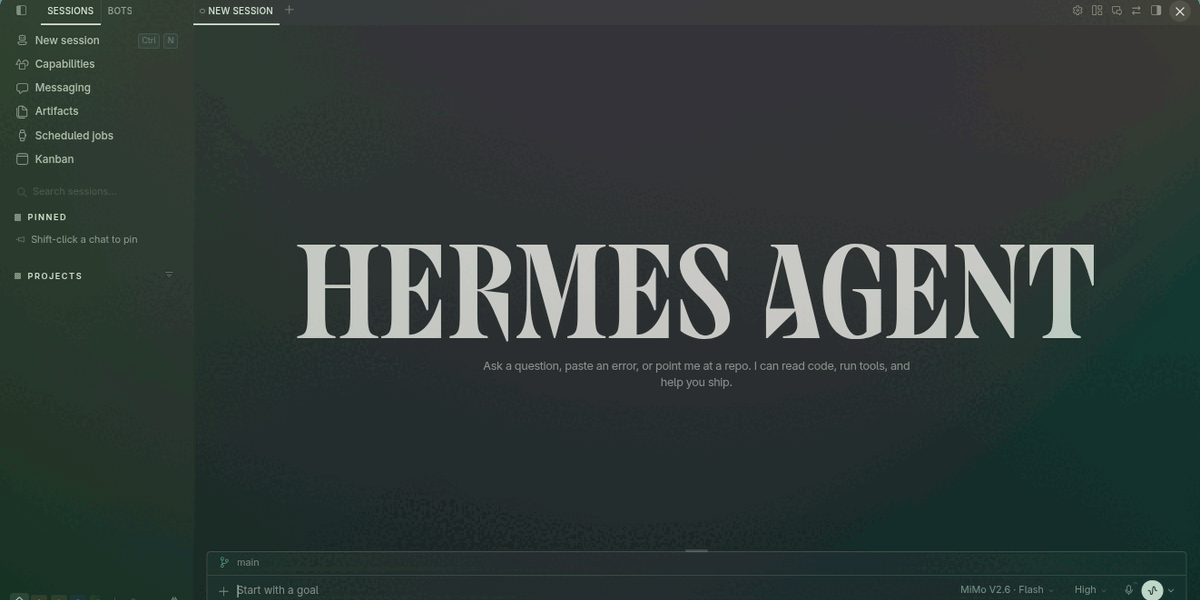
Nous Girl
A warm monochrome theme for Hermes Desktop and the Hermes Agent CLI. Light and real dark palettes in the native picker, muted terminal colours, and the Nous Girl — the character the terminal banner draws in braille, painted from the theme's own palette.
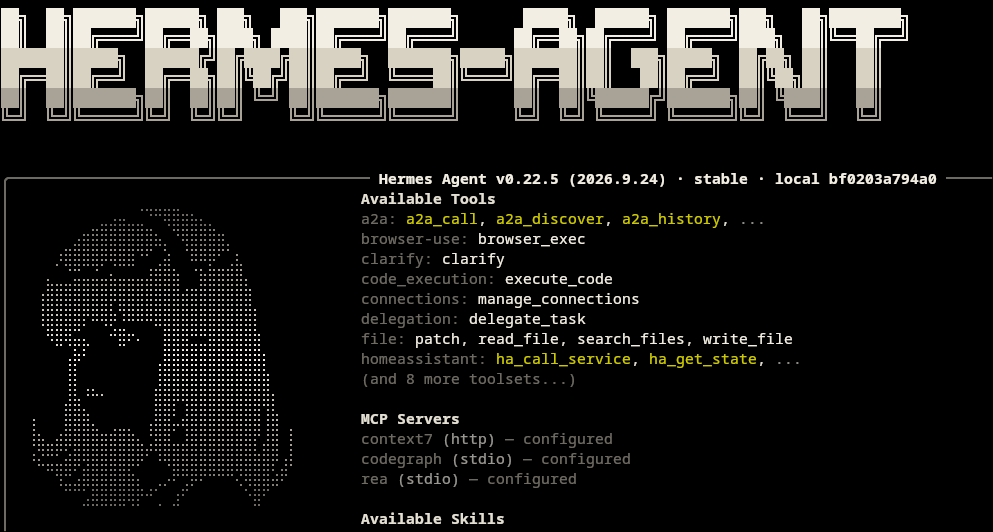
- Two real palettes, light and dark, in Hermes' native theme picker.
- Matching CLI/TUI skins (
nous-girl-light,nous-girl-dark), each carrying the character and the wordmark as braille banner art. - Legible by measurement: at least 4.5:1 contrast for text and 3:1 for controls, icons and focus states, against WCAG AA.
- Colours only: no fonts, no stylesheet, no DOM, no changes to Hermes core. Your typography and layout stay exactly as they are.
Requirements
- Hermes Desktop and Hermes Agent
0.21.3or newer. gitin the shell you install from. Hermes fetches the plugin by cloning this public repository over HTTPS — no account, token orghlogin is involved.
Install
hermes plugins install mykeura/nous-girl --enable
Reopen Hermes Desktop and select Nous Girl in the theme picker. The package is installed at $HERMES_HOME/plugins/nous-girl-theme; nothing is copied by hand. If the theme is missing or still shows an older description after an update, use ⌘K → Reload desktop plugins.
Install only code you have reviewed. Plugins run inside the Desktop process with the same access as Hermes itself, so read the source before enabling one.
The CLI skins need one copy step
Hermes only reads skins from ~/.hermes/skins/, so the two skins that travel inside the plugin are not picked up on their own. Copy them once after installing, and again after every update:
mkdir -p ~/.hermes/skins
cp ~/.hermes/plugins/nous-girl-theme/skins/*.yaml ~/.hermes/skins/
hermes skin use nous-girl-dark
Confirm the version first: hermes plugins list should show the release you followed. Copying from an older install silently overwrites your skins with stale colours — there is no error and no warning. The path uses the plugin's manifest name, nous-girl-theme, not the repository directory name.
Inside a running session, /skin nous-girl-dark switches skins without leaving the TUI. Use nous-girl-dark on a black terminal: the light skin's dark ink is not legible there.
Choosing a CLI skin also moves the Desktop appearance, because display.skin is shared per profile. The Desktop theme keeps both palettes and picks the half that matches the app's own appearance setting, not the skin the terminal happens to be using.
Switch back or remove
Select another Desktop theme to revert the interface. To disable or delete the package:
hermes plugins disable nous-girl-theme   # keep it installed, stop loading it
hermes plugins remove nous-girl-theme    # delete it
Do not edit or delete files inside Hermes core. If you copied the skins, remove them from ~/.hermes/skins/ as well.
Preview
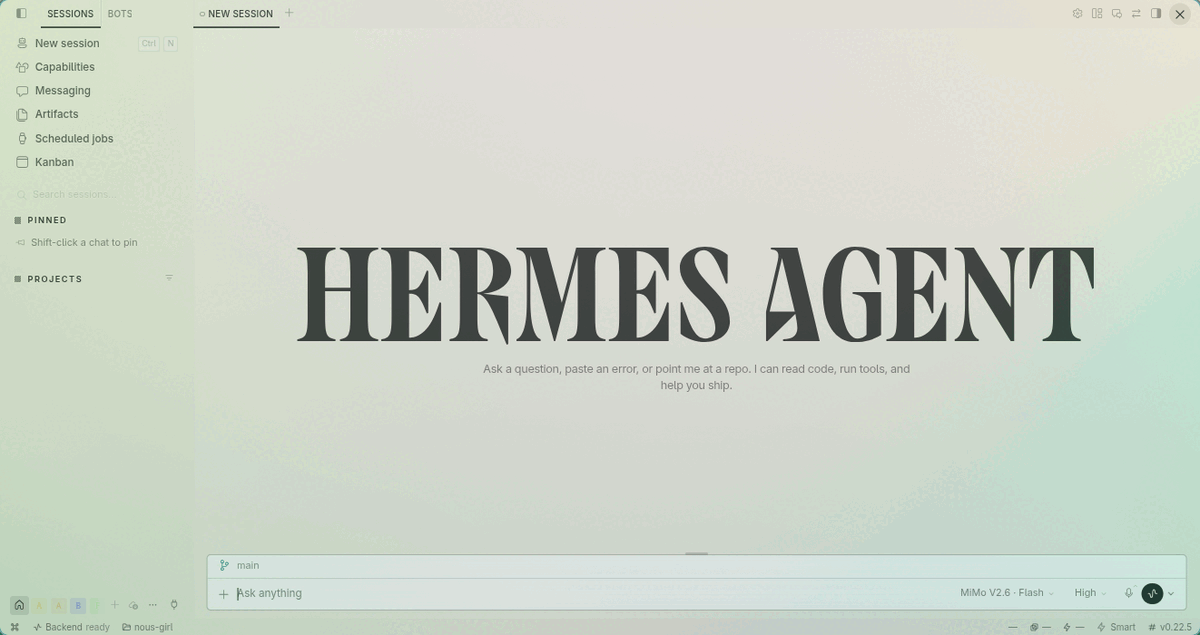
Light mode
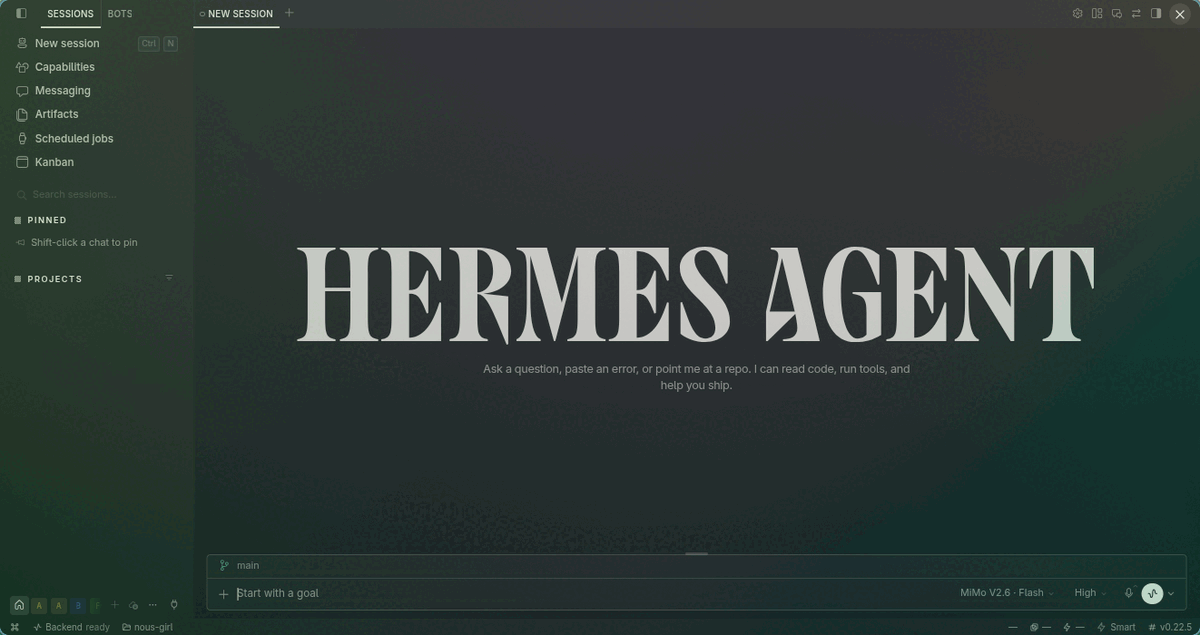
Dark mode
A small way to support the project
If you are considering the Nous Portal Plus plan, you can use my Nous Portal referral link: your first month costs $5 instead of $20, and I receive a $10 referral credit that helps cover the API usage behind Nous Girl and my other Hermes plugins. It is optional and mutual — the discount applies to the first invoice of a new Plus subscription, and each payment card can back only one referral.
If you would rather support the work directly, you can sponsor me on GitHub. Thank you.
License
MIT.