office-3d — a live isometric office for Hermes Desktop
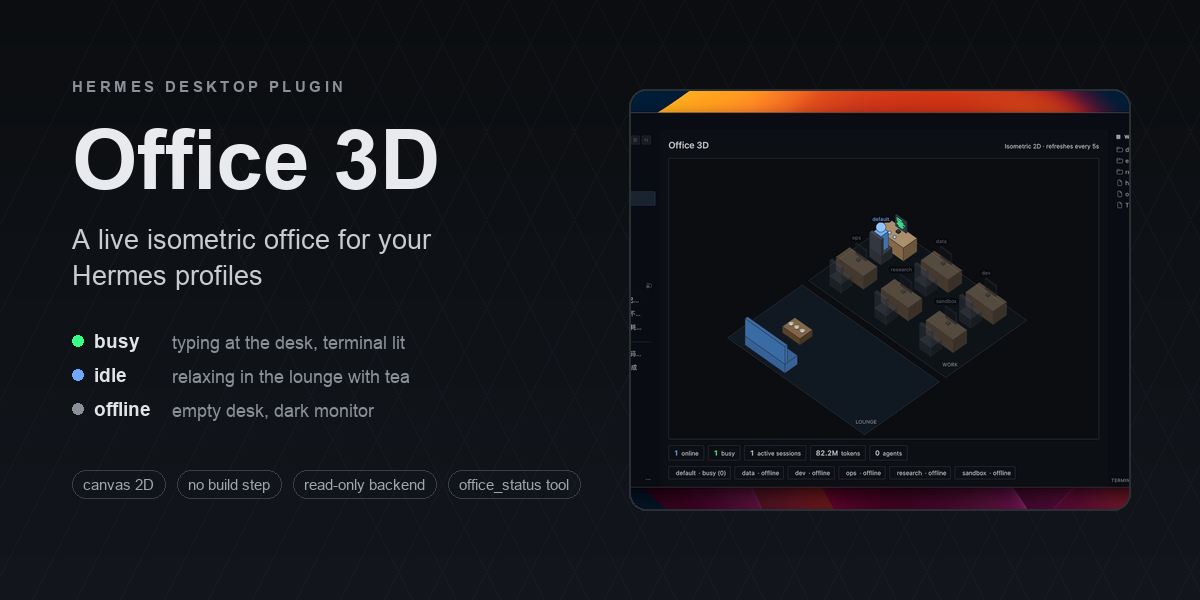
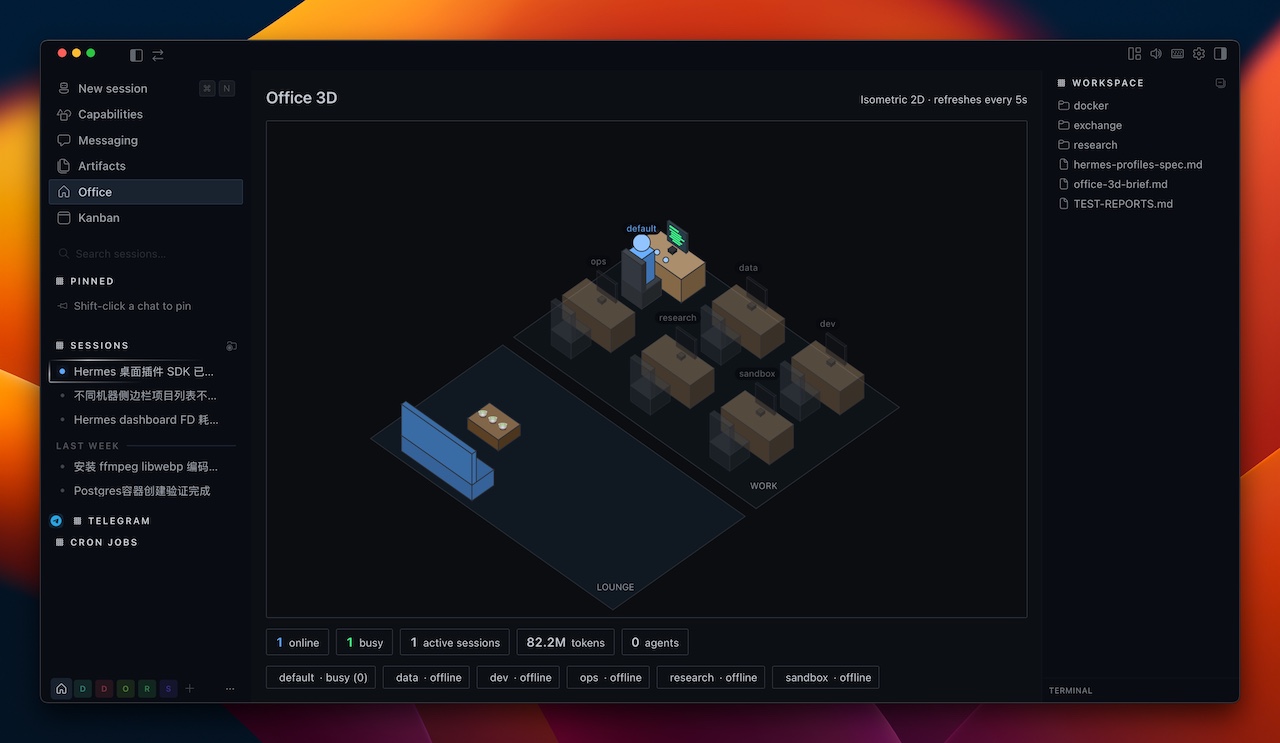
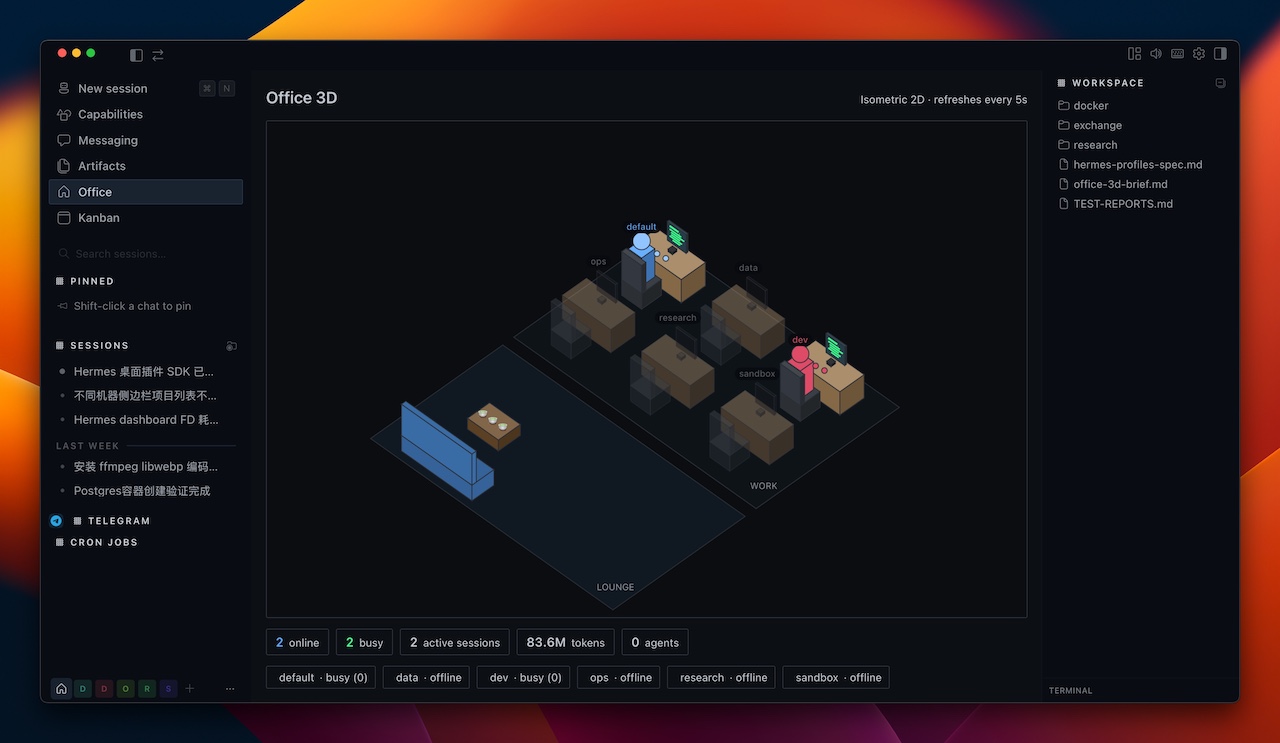
A Hermes Desktop plugin that renders your Hermes profiles as people in an isometric office. Each profile owns a desk; when a profile is doing real work it sits at its desk typing with a green terminal screen, when it's online but idle it relaxes in the lounge with tea 🍵, and when it's offline its desk sits empty with a dark monitor. A slim stats bar shows aggregate active sessions, tokens, and cost.
English | 中文
Screenshot
What it shows
| State | Meaning | In the office |
|---|---|---|
| busy | the profile has a session active in the last ~90s (real work) | person typing at the desk, green code on screen |
| idle | online but no recent session activity | person in the lounge holding tea 🍵 |
| offline | no live process / no recent activity | empty desk, dark monitor, dimmed name |
- Follows the Hermes light/dark theme automatically.
- Bottom stat chips: online / busy / active sessions / tokens / agents / cost aggregated across every profile.
- Backend reads only aggregate columns (COUNT/SUM/MAX) from each profile's
state.db— never message contents.
Beyond the page
- Click a desk (or a leaderboard row) to inspect that profile: a detail panel with its state, active/open sessions, agents, tokens, cost and idle time, plus Open chat and — when the profile has one — Open latest session.
- Cost / tokens leaderboard in the right-hand column, switchable between the two, ranked descending; click a row to inspect that profile.
- Status-bar chip — an always-mounted summary at the right end of the status bar
(
🏢 2 busywhen something is working, otherwise🏢 4 online). Click it to open the office. Hover for the full breakdown. - ⌘K palette command + keybind — "Open Office 3D", bound to
mod+shift+oby default and rebindable in Settings. office_statusagent tool — read-only. Reports which profiles are online, busy or offline with aggregate session / token / cost totals, so the model can answer "who is working right now?" without the Desktop app. Same privacy boundary as the backend.- Settings ▸ Plugins ▸ Office 3D — refresh interval (2s / 5s / 15s / 60s), hide offline profiles, and opt-in desktop notifications when a profile changes state.
Built with
- @hermes/plugin-sdk — Hermes Desktop plugin API (single-file ESM, no build step)
- Canvas 2D — hand-rolled isometric projection (no WebGL / three.js)
- React via the SDK's jsx runtime —
useQuerypolling + canvas lifecycle - Python + FastAPI — read-only dashboard backend at
/api/plugins/office-3d/ - SQLite (read-only, stdlib only) — per-profile session / token / cost aggregates
Repository layout
This repo is a single unified package — one installable folder that ships both halves:
plugin.yaml                 # manifest (name, version, description, platforms)
__init__.py                 # agent half — the read-only office_status tool
desktop/plugin.js           # desktop half — the canvas office page, sidebar nav,
                            # status-bar chip, palette command + keybind, settings page
dashboard/manifest.json     # dashboard backend manifest
dashboard/plugin_api.py     # FastAPI router -> /api/plugins/office-3d/state
docs/                       # screenshots
When the folder lands in a plugins/ root, the Desktop app copies desktop/plugin.js into $HERMES_HOME/desktop-plugins/office-3d/ itself, so one folder is the whole install. The desktop half degrades gracefully (an error, not a crash) when the backend half is disabled.
How it works
- Desktop half —
desktop/plugin.js— a single ESM file the desktop app loads at runtime (canvas 2D isometric scene; no build step). - Backend half —
dashboard/plugin_api.py+manifest.json— a FastAPI router mounted at/api/plugins/office-3d/stateby the dashboard web server. It scans each profile'sgateway_state.json(process liveness) andstate.db(session activity + token/cost aggregates). - Enable flag —
office-3dmust be listed inplugins.enabledin yourconfig.yamlbefore the backend is imported (security gate).hermes plugins enable office-3dwrites it. - Agent half —
__init__.pyregisters one read-only tool,office_status, which scans the same two sources directly from the gateway process (no HTTP, no credentials).
The plugin is portable: HERMES_HOME honours $HERMES_HOME (falls back to ~/.hermes), and profiles are discovered by scanning ~/.hermes/profiles/ — no names are hard-coded.
Install
From the catalog (once listed)
hermes plugins install office-3d
hermes plugins enable office-3d
From this repository
hermes plugins install oslook/hermes-desktop-plugin-office-3d
hermes plugins enable office-3d
Manual
git clone https://github.com/oslook/hermes-desktop-plugin-office-3d.git
cp -R hermes-desktop-plugin-office-3d "${HERMES_HOME:-$HOME/.hermes}/plugins/office-3d"
hermes plugins enable office-3d
install.sh does the same thing and honours $HERMES_HOME:
bash install.sh
Then make it take effect:
- Desktop half: fully quit and reopen the Hermes Desktop app (or ⌘K → Reload desktop plugins), then open the Office page from the sidebar.
- Backend half: restart the dashboard web server so it mounts
/api/plugins/office-3d/. If you runhermes dashboard, stop and start it again. (On a LAN/LaunchAgent setup, restart that service.)
Requirements
- Hermes Desktop 0.20.0+ — the desktop app is required; the CLI/gateway alone does not load desktop plugins. (Developed on 0.20.0.)
- The dashboard web server running (it serves
/api/plugins/...). - Linux or macOS. Windows is not supported: the backend judges profile liveness with
os.kill(pid, 0), and on Windows every signal other thanCTRL_C_EVENT/CTRL_BREAK_EVENTis routed throughTerminateProcess, which would kill the target process (the gateway). The manifest declaresplatforms: [linux, macos]accordingly.
Uninstall
hermes plugins remove office-3d
Then reload desktop plugins / restart the dashboard.
Privacy
The backend opens each profile's state.db read-only and runs only aggregate queries (COUNT/SUM/MAX) over the sessions table — session counts, token totals, cost, and last-activity time. It never reads message content, system prompts, or titles. It makes no network calls and needs no credentials.
License
MIT — see LICENSE.