 Lyfae
Retouch
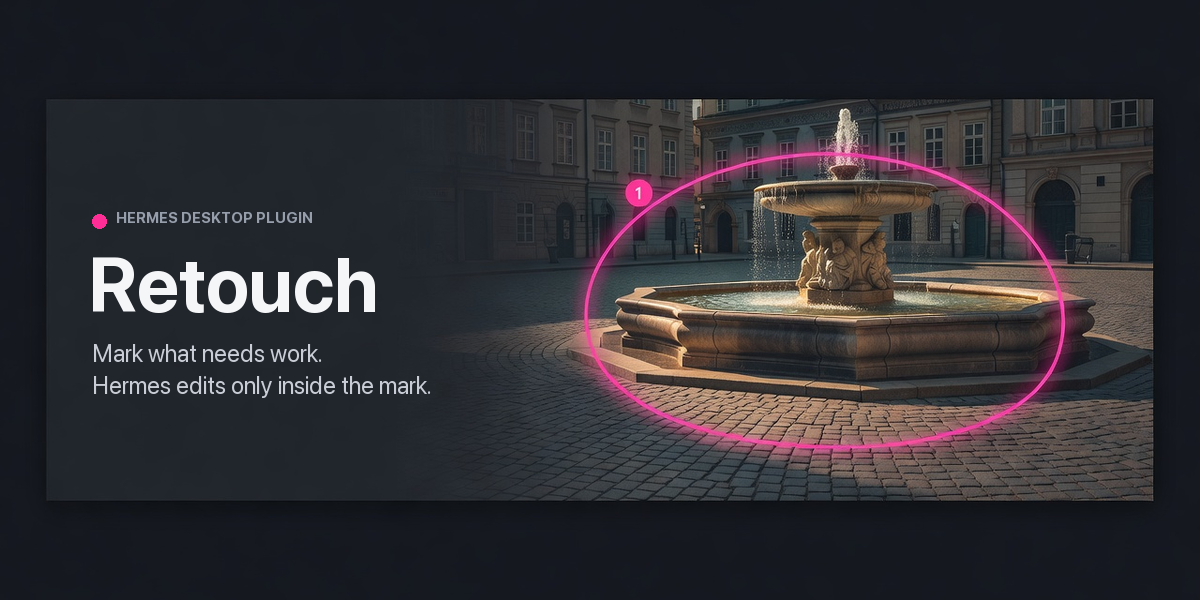
Mark the parts of an image that need work, leave a note on each mark, and Hermes fixes only those
areas. Every edit is checked pixel by pixel to change nothing outside its mark, saved as a new
version, and reviewed by you in that mark's own thread.
Retouch is a Hermes plugin with two halves: a pane in the Hermes Desktop app where you draw and
review, and four agent tools Hermes uses to do the work.
What it does
- Marks. Draw with the pen, a box, an ellipse or a lasso, or drop a note at a spot. Each mark
has an intent (fix, remove, enhance, ask) and a note in your own words. A pen stroke whose ends
meet is a loop: the pane tints its inside, because Hermes may change everything inside it. - One thread per mark. Send the marks and Hermes works on them in hidden sessions of Retouch's
own: nothing is typed into your chat. Marks that do not overlap are worked on side by side, up to
three at a time; a banner over the picture shows each one and the step it is on. The picker
beside Send chooses the model that does the work.
Its replies, questions and your answers stay attached to the mark they are about. - Edits stay inside the marks. Every result is blended through the mark's mask and compared
with the previous version. An edit that changes even one pixel outside its mark is refused and
never saved. - Three ways to edit.
adjust: local tonal and privacy operations (exposure, brightness, contrast, saturation,
warmth, grayscale, sharpen, denoise, blur, pixelate, redact). Tonal changes fade toward the
mark's edge so no outline shows; privacy operations cover every pixel of the mark.generate: repaints the marked area with your configured image model, for removing or
replacing things.from_file: takes a full-size copy the agent edited another way (saved in the project's work
folder) and keeps only the marked area.
- Honest review. Hermes has to say what is still visibly wrong after each edit, and the pane
shows it as "Still visible: …". When a removed object continues past the edge of its mark, the
edge check says so whatever Hermes reports, and suggests drawing a bigger mark. - Versions. Each edit is a new version and none is ever deleted. In a mark's bubble you can
Accept it, ask for more work, Revert it, or close it as won't fix. Undo and Redo in the
header (⌘Z, ⇧⌘Z) step the picture back and forward. The strip above the image lists the original
and every edit: click one, or press [ and ], to look at it without changing anything;
H hides the mark outlines; the strip collapses to a small pill when it is in the way. - Save. PNG, JPEG or WebP, written as a new file. Your original is never modified. GPS data
and embedded file names, descriptions and comments are stripped; the color profile is kept.
While you are looking at an earlier version, Save writes that version.
Requirements
- Hermes
>= 0.22.7and the Hermes Desktop app. Images are opened and marked in the pane. - For removals and replacements (
generate): an image generation provider configured in Hermes.
Tonal fixes and privacy edits work without one. - HEIC photos open when
pillow-heifis installed (Hermes ships it on Python 3.14 and newer). - Pillow 12.3 to 13.x. Hermes ships it on Python 3.14 and newer; on older Pythons the plugin declares
it, and Hermes asks before installing it when you enable the plugin.
Install
From the catalog, once listed:
hermes plugins install retouch
From source:
git clone https://github.com/Lyfae/hermes-retouch
ln -s "$PWD/hermes-retouch" ~/.hermes/plugins/retouch
hermes plugins enable retouch
Then turn on the Desktop half in the app: Capabilities → Plugins → Retouch. Nothing opens by
itself: press ⌘⇧E, click the image button in the title bar, or ⌘K → "Retouch: open / close".
The window docks to the right of the chat; the same toggle, ⌘W or its × closes it.
After updating the plugin, restart the gateway (hermes gateway restart). The pane's backend
routes are loaded once per gateway process.
Using it
- Open an image in the Retouch window: Open an image, drag and drop, or bring one in from the
clipboard with ⌘V or From clipboard. For a screenshot, press ⌘⇧⌃4 (macOS) or Win+Shift+S
(Windows) to copy an area of the screen, then paste. An image from the clipboard lands as a
scratch project ("Pasted · kept once you mark, edit or save it"). Marking it, editing it,
Keep or Save makes it permanent; Discard deletes it. Scratch projects you never
marked, edited or kept are deleted a day later, the next time you paste. - Pick a tool from the toolbar: Select V, Pen P, Box R, Ellipse E, Lasso L,
Note T. Draw on the image, choose an intent, write what you want, and press ⌘↩. - Pick a model beside Send if you want one other than your default (it has to be able to see
pictures), and click Send. Hermes starts on your marks in Retouch's own hidden sessions;
your chat is not touched. (If the app cannot make such a session, the request goes to your open
chat instead.)
Stop in the banner over the picture, or in a mark's bubble, takes sent marks back: work
that has not started is dropped, a running session is interrupted, and the marks are open again.
An edit Hermes had already saved stays as a version; Undo removes it. - Click a mark's number to see Hermes's reply, the result and any warnings. Accept it, or say what
is still wrong and send it back. Step through the versions with [ and ], hide the
outlines with H, and press Esc to return to the current picture. - Save ▾ writes the finished image.
Open marks can be moved with Select; once sent, an edit belongs to that outline.
Agent tools
| Tool | What it does |
| --- | --- |
| retouch_get | Reads a project: its marks, notes and threads, with an overview of the image and a close-up of each mark. |
| retouch_edit | Edits one mark with adjust, generate or from_file, and returns the pixel proof, the edge check and a before/after review image. |
| retouch_reply | Posts Hermes's reply on a mark, with its status and what is still visibly wrong. |
| retouch_export | Writes a version (the current one by default) to the project's exports folder, and nowhere else. |
Only you close a mark. Hermes can mark it as working, ready for review, or a question for you.
Data, network and privacy
- Projects, versions, crops, review images and exports live in
<HERMES_HOME>/plugin-data/retouch/, separately for each Hermes profile. - Your chat model sees the picture. Every
retouch_getsends a downscaled overview of the
whole image plus a close-up of each mark to your chat model's provider, and everyretouch_edit
sends a before/after strip. If you pick another model beside Send, the pictures go to that
model's provider instead. When Send falls back to your open chat the work runs as a background
subagent, and if you configured delegation to use a different model or provider, the pictures go
there too. - Send starts hidden Hermes sessions. Each Send creates one session per group of marks (marks
that overlap share one), and up to three run at the same time, so a Send with several marks uses
several times the model usage of one. These are ordinary Hermes sessions with your usual tools
and settings; they are hidden from the session list and stay in your session history. If one
needs your approval for something, Hermes asks with its normal approval notification; Retouch
approves nothing for you. Like any Hermes session, one may end with Hermes's own review step
suggesting a memory or skill update. generateadditionally sends a crop of the area around the mark to Hermes's
image_generatetool, which forwards it to the image provider you configured. Retouch then
downloads the result: only over https, only from a public address, at most 40 MB. Your provider's
own data retention applies; some providers return results at public URLs, so don't usegenerate
on images you can't share with your provider.- Text inside a picture is treated as picture content. Hermes is told never to follow it, which
is an instruction and not a barrier: nobody reads a hidden session as it runs, so be as careful
with a picture of text you do not trust as you would be pasting that text into a chat. Retouch's
own tools cannot read or write outside the project:from_filereads only the project'swork
folder and exports go only to itsexportsfolder. - Retouch never captures your screen and needs no Screen Recording permission. Screenshots come
in through the clipboard: your system's own tool copies, you paste. The clipboard is read only
when you press ⌘V or From clipboard. Untouched pasted projects are the only thing Retouch
ever deletes on its own (see Using it); Discard refuses a kept project. - Retouch makes no other network calls, runs no shell commands or other programs,
stores no credentials and sends no telemetry.
Development
uv run --no-project --python 3.11 --with "pillow==12.3.0" --with pytest pytest tests -q   # unit tests, declared floor
uv run --no-project --python 3.14 --with "pillow==13.0.0" --with pytest --with hypothesis pytest verify -q  # property checks
node verify/pane_scheduler.mjs   # the pane's parallel Send queue
hermes plugins validate .
verify/ holds Hypothesis checks of the promises above (every pixel outside a mark untouched,
for generated images and marks; the mark/version state machine honest under generated sequences
of user and agent calls; edits made by several sessions at the same moment all land), and a
random-schedule check of the pane's Send queue. .hermes/skills/verify-retouch/SKILL.md says when to run them and how
to read a failure.
The library lives in retouch/ (geometry, compositing, operations, storage, the service), the
agent tools in tools.py, the pane's REST backend in dashboard/plugin_api.py and the pane in
desktop/plugin.js.
License
MIT
README from the reviewed commit 1a5ac43; it updates when the author re-pins.


