SGME × Hermes — long-term memory for your agent
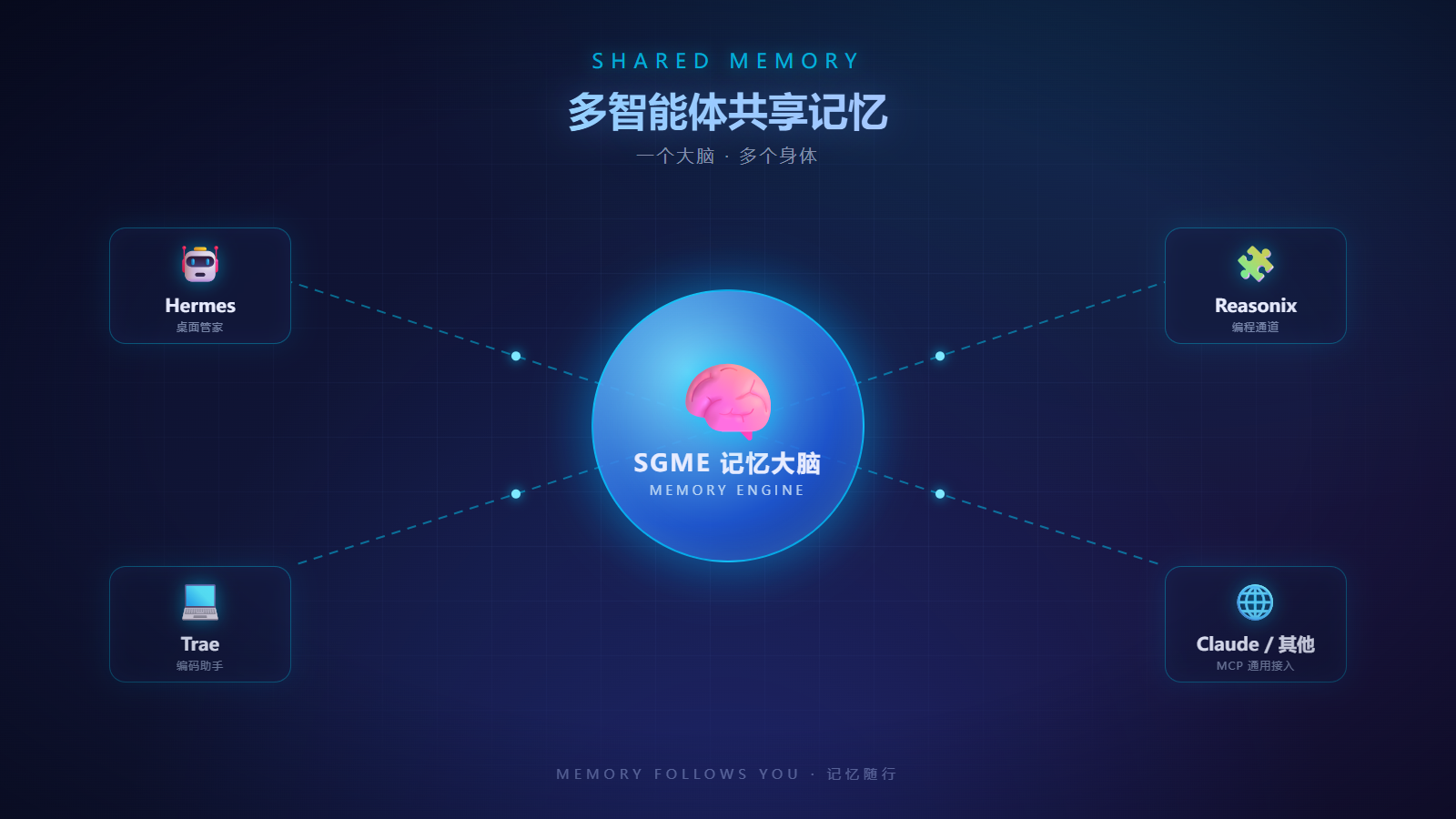
SGME (拾光记忆) is a self-hosted memory engine: tagged long-term memory, sourced recall, a skills library, a wiki knowledge base, care signals, communication roles, and a three-pool task system — all behind one HTTP service.
This is the official Hermes bridge. It plugs SGME into Hermes as a native
memory.provider, so your agent recalls what happened in past sessions — and what
happens today is distilled into memory for tomorrow.
Hermes ──(memory.provider)── sgme plugin ──HTTP──▶ SGME server :9910 ──▶ storage
              thin bridge                            (refine / search / roles / …)
Tiny by design: the plugin contains no LLM and no database. Everything heavy (L1/L1.5/L2 refinement, vectors, TTL, provenance) lives in your SGME server.
What you get
- Persistent memory — turns are appended to the raw layer and refined into tagged, sourced memories.
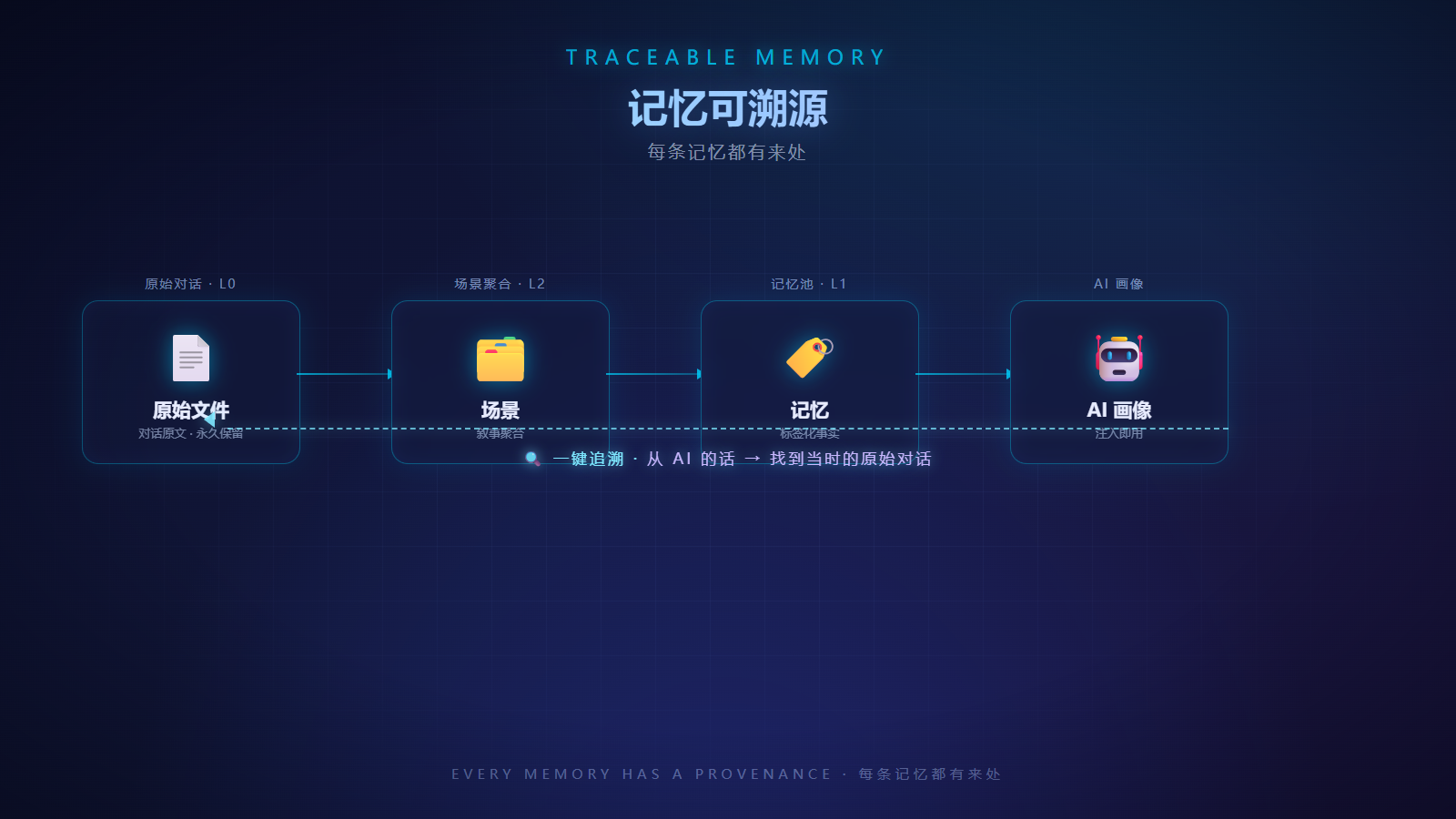
- Sourced recall — search results carry provenance, so the agent can say where a fact came from.
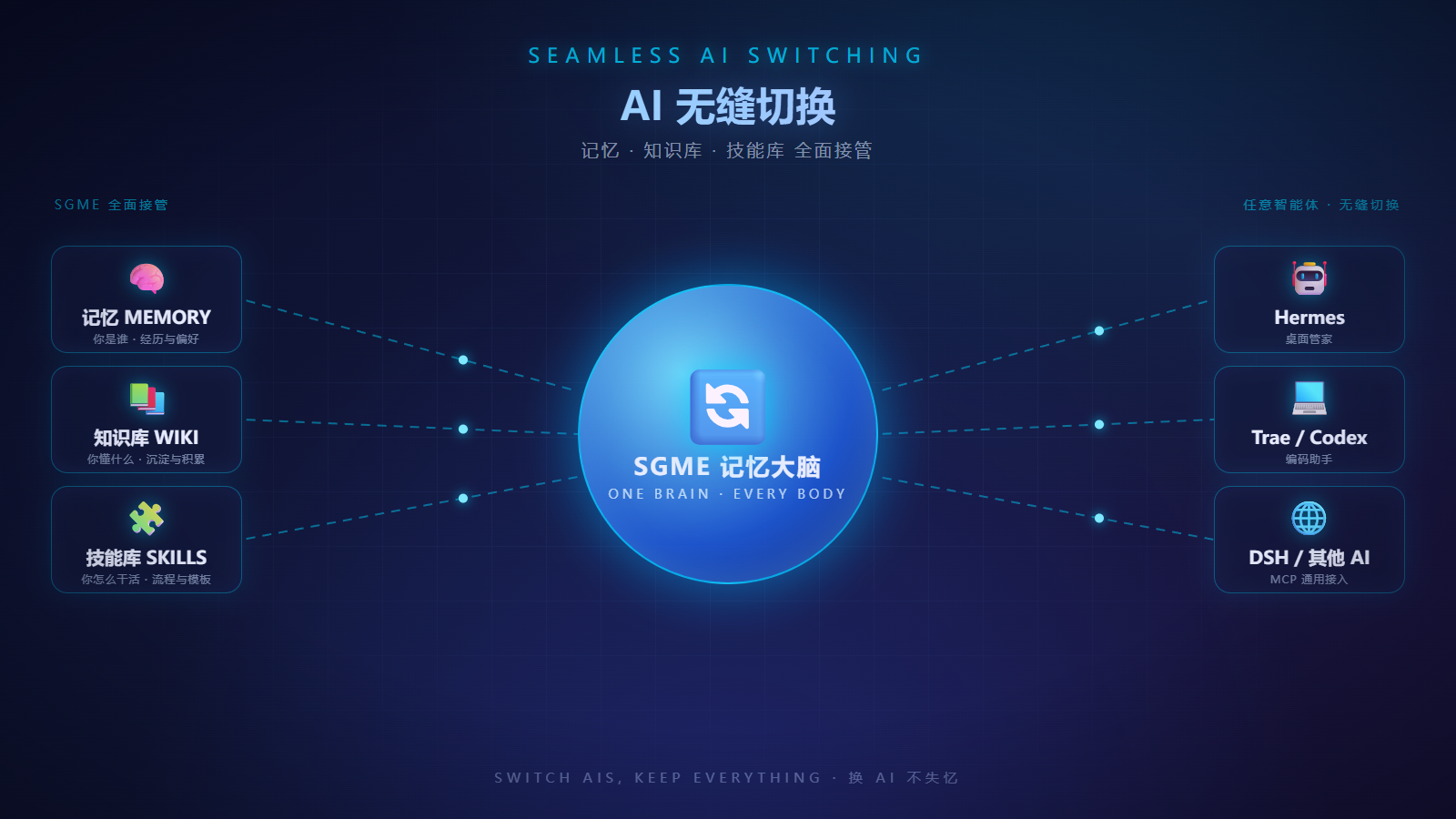
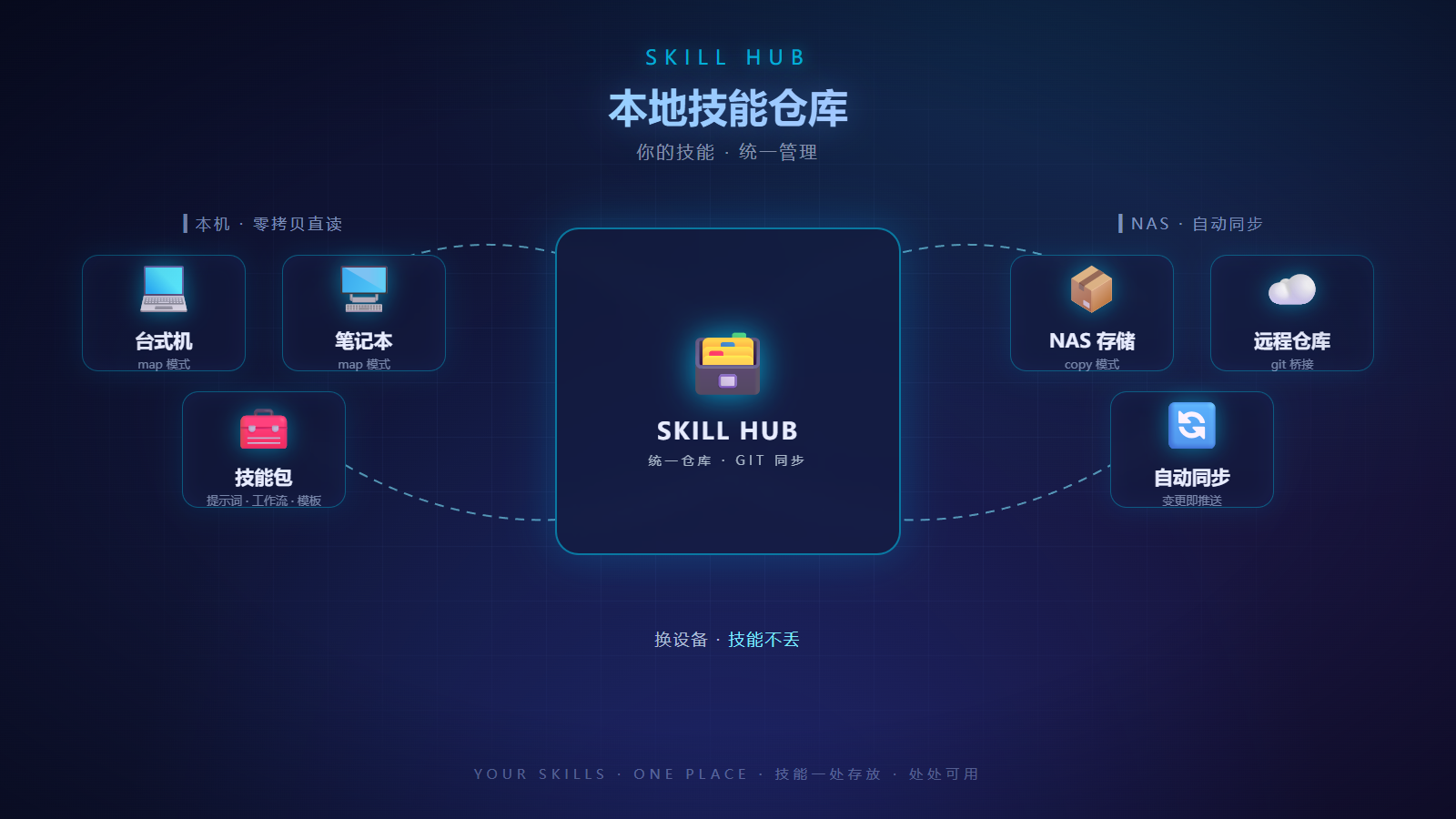
- Skills library — progressive disclosure: search → digest → full text. Nothing is preloaded.
- Wiki knowledge base — agent-facing pages with search / list / read / write.
- Care signals — pull-based signals (due items, mood, overwork) with atomic claim / ack semantics.
- Communication roles — one memory core, many skins. A role changes how the agent talks, never what it remembers. Ships with 4 cards (butler / companion / friend / mentor); write your own in seconds.
- Three-pool task tracking — ideas pool, cross-project demands, project registry.
Requirements
-
A running SGME server — HTTP
9910(memory API), optionally MCP9913. Quick self-host (Docker): see the main repo → Quick Start. -
Hermes Agent with plugin support and
httpxavailable. -
Keys issued by your SGME deployment:
SGME_AGENT_KEY— per-agent key; used by all read/write tools.SGME_ADMIN_KEY— optional; unlocks admin tools (stats, refine, config, wiki/skill writes, pool writes).
Onboarding a new agent? Give each agent its own key (
POST /v1/admin/agents/registerreturns a one-timeagt_…key). SeeAI-INSTALL/in the main repo for the full guide.
Install
From the Plugin Catalog (recommended)
Hermes desktop → Settings → Plugins → Catalog → SGME → Install.
CLI equivalent:
hermes plugins install sgme    # fetches from the curated catalog
hermes plugins enable sgme
From source
install.py is for source installs only. If you installed from the Plugin
Catalog, never re-run it — it would overwrite the catalog install outside the
reviewed pin. Catalog installs update with:
hermes plugins update sgme
Source install (you cloned the repo and want a live copy in your Hermes home):
python adapters/hermes/install.py            # deploys to <HERMES_HOME>/plugins/sgme/
python adapters/hermes/install.py --home <HERMES_HOME> --install-json <path>
Point Hermes at it
# config.yaml
memory:
  provider: sgme
Keys go in the environment only (Hermes .env, shell profile, or service env):
SGME_AGENT_KEY=<your agent key>
SGME_ADMIN_KEY=<your admin key>            # optional
SGME_BASE_URL=http://<SGME_HOST>:9910      # optional; default http://127.0.0.1:9910
Restart Hermes. Verify with hermes plugins list (the sgme row should read
enabled) and by asking a question about a past session — you should see
sgme_memory_search fire.
Configuration
Desktop → Settings → Memory & Context → Persistent memory shows every option (the SGME
panel renders under the Memory provider row); hermes memory setup offers the
same form in the CLI.
- Secrets are stored by Hermes in
.env(never echoed back — the panel only shows set / not set). - Non-secret values are stored in
$HERMES_HOME/sgme/config.json(legacysgme.jsonis still read) and take effect on the next session.
| Field | Default | Notes |
|---|---|---|
base_url |
http://127.0.0.1:9910 |
SGME server address; use a full URL for remote servers |
agent_key |
— | secret; required for remote servers (the dev fallback only ever works on loopback) |
admin_key |
— | secret; optional, unlocks admin tools |
inject_mode |
daily |
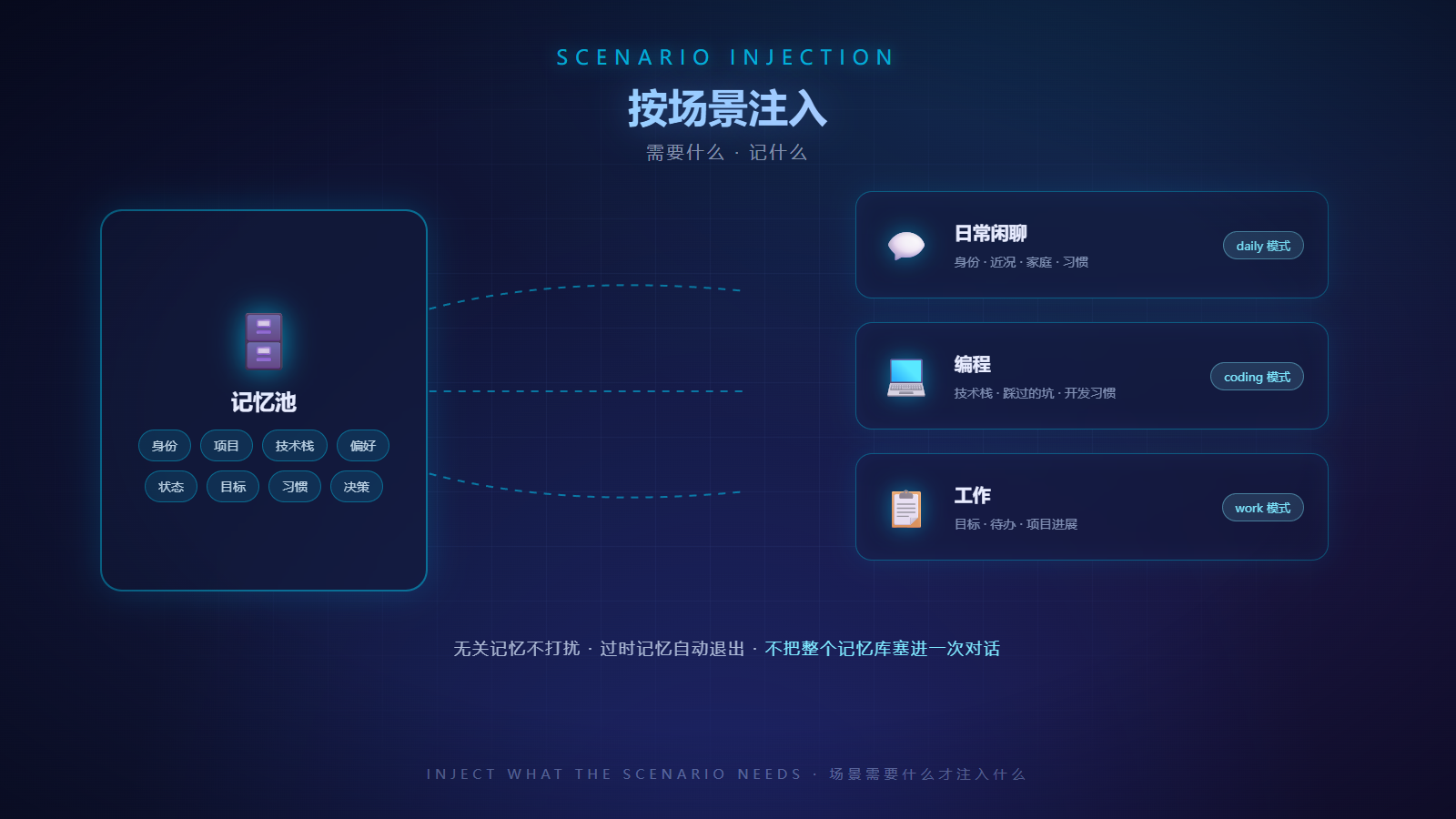
profile injection: daily / coding / work / full |
inject_max_tokens |
800 |
token budget for the injected profile block |
capture_enabled |
true |
write turns to SGME (off = read-only) |
refine_on_end |
true |
trigger refinement when a session ends |
agent_id |
hermes |
provenance tag attached to appended turns |
role_id |
(none) | communication role for this Hermes (local override; falls back to the server-wide active role when unset); “(不使用角色)” = explicit off |
custom_role_name |
— | optional name for a quick custom role |
custom_role_prompt |
— | role system prompt; from the next session on the card is created/updated and used |
Precedence for non-secret values: sgme/config.json (panel) > sgme.json (legacy) > plugin.yaml > environment > built-in default.
Communication roles (skin swap, same core)
The server keeps one active role shared by every client — set it once and every new session opens with that persona. A client may also pin a local role override in its settings panel. Memory, facts and decisions are never role-scoped: the role is a communication skin, not a separate brain.
Three ways to manage roles:
- Settings panel — pick a built-in
role_id, or fillcustom_role_name+custom_role_prompt(used from the next session on). - Ask your agent —
sgme_role_save/sgme_role_delete/sgme_role_active_setlet the agent write or switch roles for you. - SGME WebUI → Roles — full visual card editor (best for long prompts; desktop text fields are brief by nature).
Tools (44)
44 = 43 MCP-baseline tools − 2 intentional exemptions + 3 adapter-specific.
Key column: agent = SGME_AGENT_KEY; admin = SGME_ADMIN_KEY.
Admin tools state their requirement in their description.
Retrieval & injection
| Tool | What it does | Key |
|---|---|---|
sgme_memory_search |
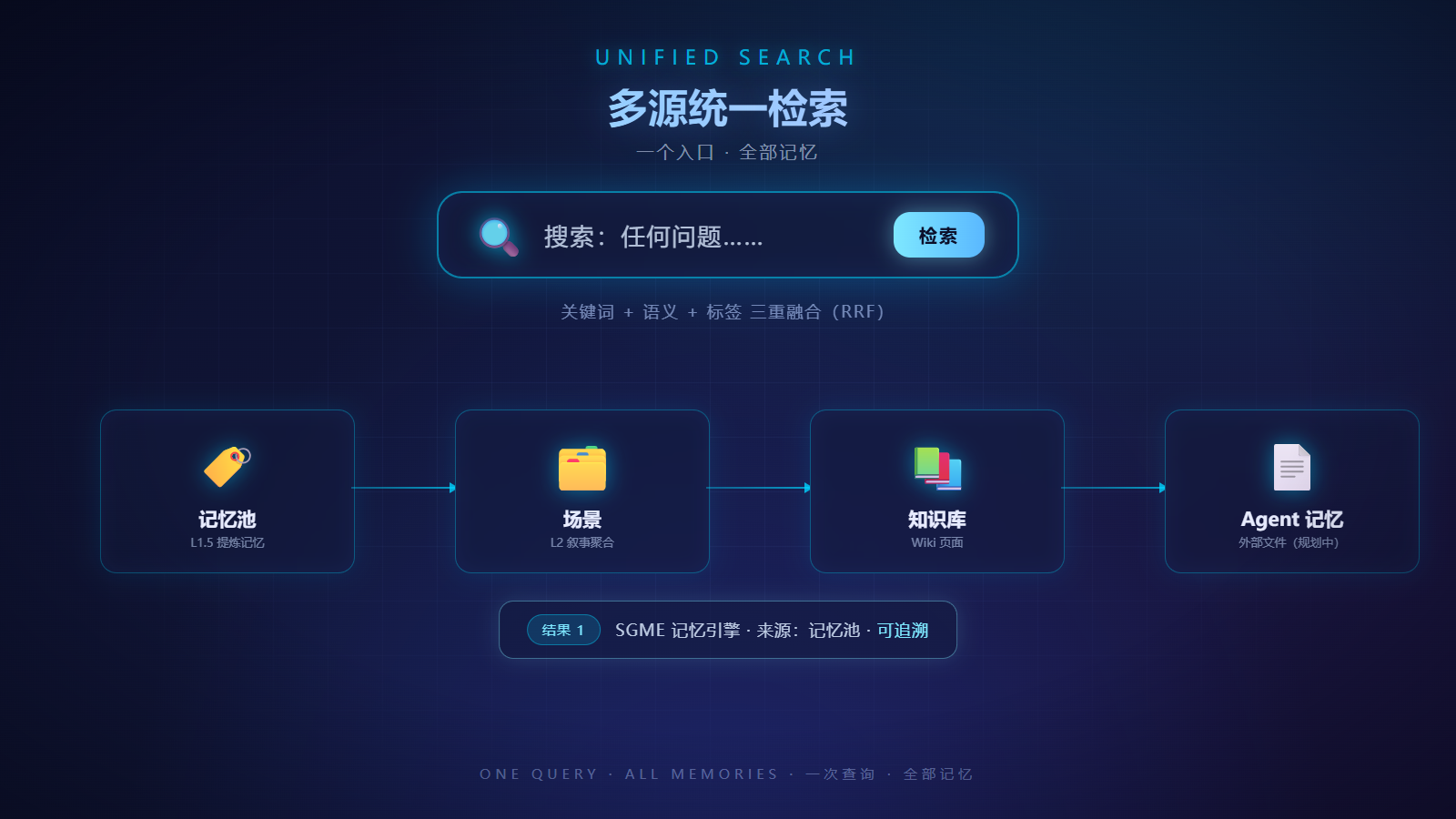
Unified search across memory + skills (scopes overridable) | agent |
sgme_conversation_search |
Search the raw session layer (“what exactly was said”) — adapter-specific | agent |
sgme_inject |
Pull the profile for a scenario mode (daily / coding / work / full) | agent |
sgme_answer |
Aggregated questions (count / list / temporal) via server-side LLM | agent |
sgme_health |
Health self-check: version, LLM, refinement & vector watermarks | — |
Memory governance
| Tool | What it does | Key |
|---|---|---|
sgme_memory_get |
One memory in full (dimensions, status, provenance, archive chain) | agent |
sgme_memory_reject |
Mark “not adopted” (reversible, idempotent — never deletes) | admin |
sgme_memory_unreject |
Undo a rejection | admin |
Wiki knowledge base
| Tool | What it does | Key |
|---|---|---|
sgme_wiki_search |
Search wiki pages (includes skill manuals) | agent |
sgme_wiki_pages |
List pages by category (progressive disclosure) | agent |
sgme_wiki_page |
Fetch a page by id | agent |
sgme_wiki_page_add |
Create / idempotent upsert (raw write, no LLM) | admin |
sgme_wiki_page_update |
Append (default) or replace a page body + metadata | admin |
sgme_wiki_evolve_trigger |
Manually trigger session→wiki evolution | agent |
Skills (progressive disclosure — nothing preloaded)
| Tool | What it does | Key |
|---|---|---|
sgme_skill_search |
Search skills (name / description / category only) | agent |
sgme_skill_digest |
L1 digest: fields + section skeleton + dependencies | agent |
sgme_skill_get |
L2 full text (optionally a single section to save tokens) | agent |
sgme_skill_list |
L0 index (paginated) | agent |
sgme_skill_coldstart |
Cold-start pack (retrieval protocol + operations manual) | agent |
sgme_skill_materialize |
L3: write the skill package to $HERMES_HOME/plugin-data/sgme/skills/ — on the SGME host (fixed root, catalog security review; dest_dir no longer accepted) |
agent |
sgme_skill_put |
Write a skill (lint gate + 3-layer dedup) | admin |
sgme_skill_delete |
Soft-delete (deprecated) or hard-delete | admin |
sgme_skill_rename |
Rename with a tombstone at the old location | admin |
Care signals
| Tool | What it does | Key |
|---|---|---|
sgme_signal_pull |
Pull unconsumed signals (pull only, no side effects) | agent |
sgme_signal_claim |
Atomic claim (409 = someone else got it — skip) | agent |
sgme_signal_ack |
Write a consumption receipt | agent |
sgme_signal_clear |
Bulk-clear signals (destructive; explicit request only) | admin |
Roles
| Tool | What it does | Key |
|---|---|---|
sgme_role_list |
List role cards (+ current one) | agent |
sgme_role_assemble |
Assemble the role prompt (+ optional profile) | agent |
sgme_role_active_get |
Read the current role | agent |
sgme_role_active_set |
Set the current role | agent |
sgme_role_save |
Create / update a role card — adapter-specific | agent |
sgme_role_delete |
Archive a role card (moved to .archive/, never erased) — adapter-specific |
agent |
Three-pool tracking
| Tool | What it does | Key |
|---|---|---|
sgme_idea_add |
Ideas pool (recorded only when the user raises one) | admin |
sgme_demand_create |
Demands pool (cross-project todos) | admin |
sgme_project_register |
Project registry (upsert) | admin |
Operations & refinement
| Tool | What it does | Key |
|---|---|---|
sgme_refine_trigger |
Synchronous refinement (blocks; spends LLM — prefer batch) | admin |
sgme_refine_batch |
Async batch refinement (queued) | admin |
sgme_refine_status |
Refinement batch records | admin |
sgme_stats |
Overview: memory counts, dimensions, watermarks | admin |
sgme_config_get |
Read server runtime config | admin |
sgme_config_update |
Update a config section (hot-applied; biggest blast radius) | admin |
Credentials (EP-11 — values must never reach the conversation)
| Tool | What it does | Key |
|---|---|---|
sgme_credential_list |
List key names + metadata (never values); requires credentials.enabled |
agent |
sgme_credential_get |
Fetch one value — ⚠️ explicit-view scenarios only; the standard path is sgme-cred run injection (value never enters the conversation) |
agent |
Not implemented, on purpose
| Baseline tool | Why |
|---|---|
agent_onboarding |
Hermes plugs in via the memory.provider slot — there is no MCP handshake, so no “connect and discover” step to guide. Tools are registered at plugin load. |
append |
Turns are appended automatically by sync_turn() (with tool-message dedup and an incremental cursor). Hand-written raw-layer appends would break the engine's dedup/idempotency semantics. |
Service discovery (install.json)
install.py also writes <HOME>/.sgme/install.json so other agents/tools can find
“where SGME lives and which env var holds which key” (path overridable via
--install-json / SGME_INSTALL_JSON):
{
  "schema_version": 1,
  "adapter": "hermes",
  "adapter_version": "1.10.6",
  "base_url": "http://127.0.0.1:9910",
  "http": { "host": "127.0.0.1", "port": 9910 },
  "mcp": { "port": 9913 },
  "keys": { "admin": "SGME_ADMIN_KEY", "agent": "SGME_AGENT_KEY", "bearer": "SGME_BEARER_TOKEN" },
  "agent_id": "hermes"
}
keys only ever holds variable names — never plaintext secrets.
Verify it works
hermes plugins list→ the sgme row saysenabledconfig.yaml→memory.provider: sgme- Ask about a past session →
sgme_memory_searchfires; ask “do we have a skill for X” →sgme_skill_search→sgme_skill_get - Adapter self-test (offline, zero network):
python -m pytest adapters/hermes/tests -q— 42 tests
Troubleshooting
plugins.enabledstored as a string —hermes config setcan write it as a string instead of a YAML list; the loader then treats it as “no plugins”. Editconfig.yamlso it is a list (- sgme).- Wrong plugin directory — a user-level provider lives at
<HERMES_HOME>/plugins/sgme/(nomemory/subdirectory).install.pyputs it in the right place; don't hand-move it. - Edited the bridge but nothing changed — that section applies to source installs only: after editing
adapters/hermes/, re-runinstall.pyto sync<HERMES_HOME>/plugins/sgme/; Hermes loads the deployed copy. For a catalog install, updates come from the reviewed pin viahermes plugins update sgmeinstead. - Skills / wiki endpoints return 404 — those server modules may be disabled (
skills.enabled, wiki extension). Memory features are unaffected. - Admin tools return 403 —
SGME_ADMIN_KEYis not set (or lacks rights). Read tools keep working; this is “can read, can't write”, by design. sgme_skill_materialize“writes the file but I can't find it” —pathis on the SGME host. When Hermes and SGME are on different machines, use the package channel instead:GET /v1/skills/{name}/package(orskill_fetch.py --name <name> --dest <dir>, which downloads → verifies againstMANIFEST.sha256→ unpacks safely, leaving no residue on failure).sgme_refine_triggerhangs and costs money — that's synchronous refinement; usesgme_refine_batch(async) and watchsgme_refine_status.- Panel says “not configured” although a key is set — for remote servers the built-in dev fallback key never counts as configured; set a real key (
settings → agent_key), and checkbase_urlisn't a loopback address.
Uninstall
hermes plugins disable sgme # or: hermes plugins remove sgme
Then set memory.provider back (or remove it) and restart Hermes. Manual installs:
delete <HERMES_HOME>/plugins/sgme/. Keys can be removed from the environment.
Your memories stay on the SGME server, untouched.
Version & compatibility
- The plugin version tracks the SGME engine version (currently
1.10.6) — keep bridge and engine on the same minor line. - Capability baseline = SGME's MCP tool surface (43 tools); this adapter implements 41 of them, declares 2 exemptions, and adds 3 of its own → 44 tools. Drift is checked by
python scripts/adapter_parity.py.
Links
- Main project: https://github.com/freehul/sgme
- Agent onboarding & install guide:
AI-INSTALL/in the main repo - License: MIT · Author: freehul