Token Lens
Token consumption analytics + reduction suggestions for Hermes Agent.
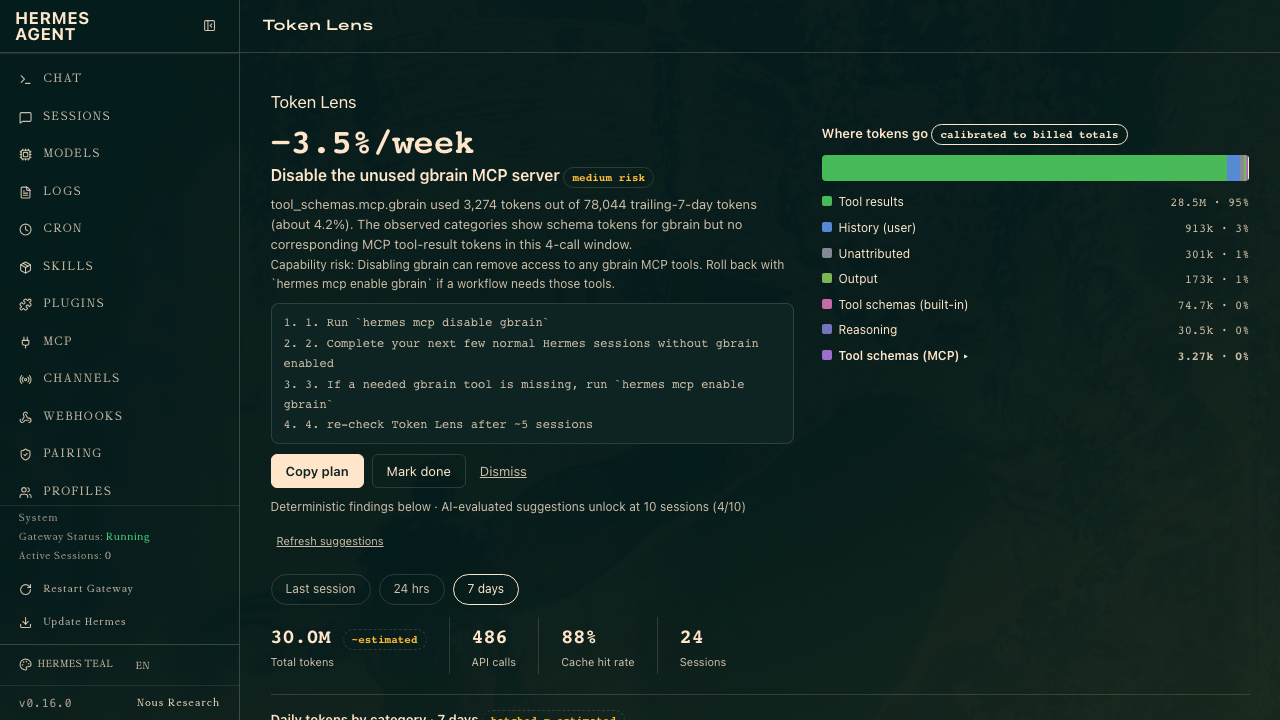
Core Analytics tells you how much you spend. Token Lens tells you where the tokens go and what to change — every category bucket calibrated so it sums exactly to your billed totals, and every suggestion shipped with evidence and a copy-paste plan executable in a Hermes chat.
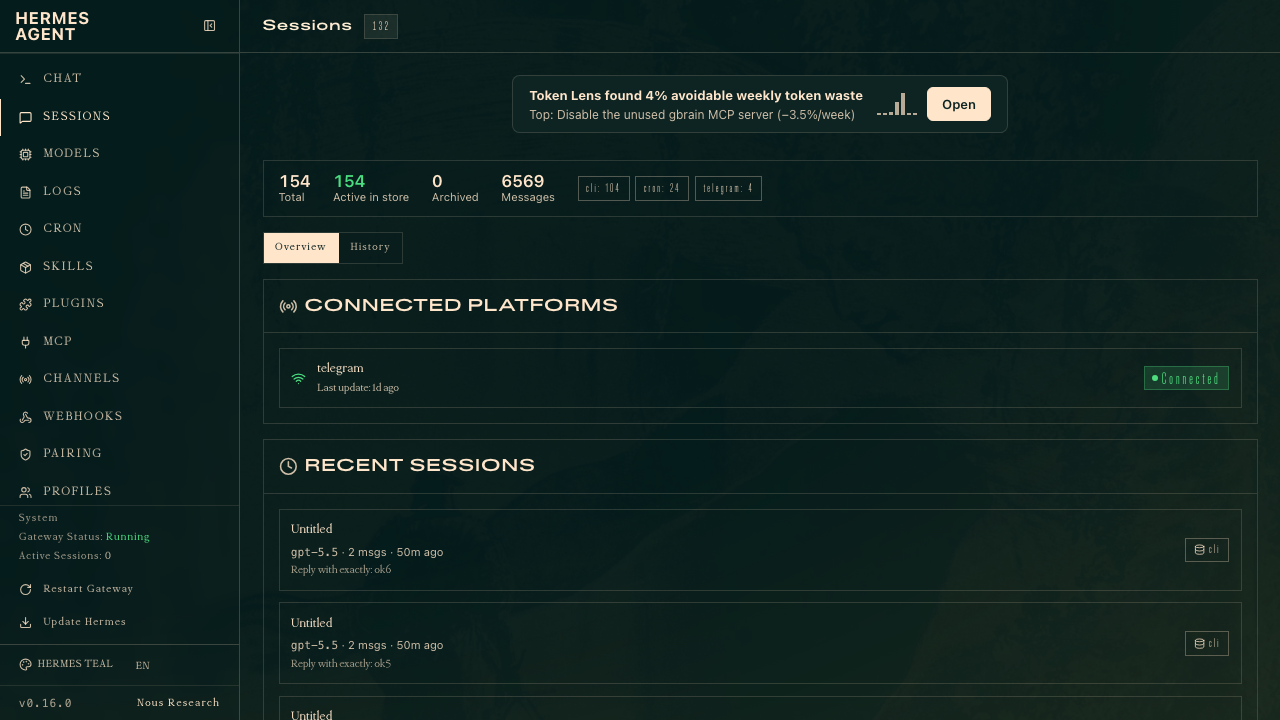
The entry card on your Sessions page leads with the findings:
Install
git clone https://github.com/patrickluvsoj/hermes-token-lens ~/.hermes/plugins/token-lens
hermes plugins enable token-lens
Then — both restarts are required:
- Restart the dashboard (
hermes dashboard): plugin API routes mount only at startup. The rescan endpoint refreshes UI discovery only. - Restart any running gateway / CLI session: recorder hooks load at process start. Until you restart, Token Lens records nothing (the dashboard will show a "Token Lens isn't recording" banner if it detects this).
Open the dashboard → Token Lens tab. With zero data you'll get a first-run screen offering to import your last 30 days of history (estimated attribution, honestly badged).
What you get
- Where tokens go — per-call capture of exact billed usage, decomposed into stable categories: system prompt, tool schemas (built-in / per-MCP-server), skill loading, memory, history, tool results, output, reasoning. Estimated buckets are rescaled per API call so they sum exactly to billed prompt tokens.
- Suggestions — deterministic detectors (unused MCP servers, low cache hit rate, oversized system prompt, runaway turns) fire after 3 recorded sessions; AI-evaluated suggestions unlock at 10. Every suggestion: evidence, expected savings, capability-risk note, copy-paste plan.
- Acted-on tracking — mark a suggestion done and Token Lens shows predicted vs observed change (per-session category average, labeled "change since acted").
- Honest data — exact vs estimated precision badged everywhere; backfilled history hatched; calibration drift monitored in
/health.
Config (~/.hermes/config.yaml → plugins.entries.token-lens.*)
| Key | Default | Meaning |
|---|---|---|
min_sessions |
10 | sessions before AI suggestions unlock |
detector_min_sessions |
3 | sessions before deterministic findings show |
refresh_every |
5 | new sessions between suggestion refreshes |
max_suggestions_shown |
5 | display cap |
score_threshold |
6 | evaluator gate (0–10) |
evolve_rules |
true | allow category mapping-rule evolution (logged to EVOLUTION.md) |
backfill_window_days |
30 | historical import window |
meta_budget_tokens |
50000 | hard cap per suggestion refresh |
recorder_enabled |
true | master switch for the hook recorder |
retention_days |
90 | per-call row retention (rollups kept forever) |
Uninstall
hermes plugins disable token-lens
rm -rf ~/.hermes/plugins/token-lens ~/.hermes/token_lens.db
No core residue beyond the plugin's own DB file.
Development
~/.hermes/hermes-agent/venv/bin/python -m pytest # run tests
Architecture: two processes share ~/.hermes/token_lens.db (WAL). The recorder (__init__.py) runs agent-side via hooks and never blocks the conversation loop (fail-open + circuit breaker). The dashboard API (dashboard/plugin_api.py) runs in the dashboard process. Shared logic lives in token_lens_core.py.