Wallpaper Theme for Hermes Desktop
A Hermes Desktop theme that follows your wallpaper. Change the wallpaper, and Hermes repaints within a few seconds.
- Works with Pywal out of the box. It reads
~/.cache/wal/colors.json, so there's nothing to configure. - Or any palette file. Point it at a flat JSON file written by matugen, wallust, your own script, or anything else.
- Always readable. Wallpaper colours are adjusted until body text reaches 7:1 contrast, accents 3:1 and text on accents 4.5:1. A half-written file never repaints the app; the last good palette stays.
- Optional glass. The app background becomes translucent so a blurred desktop shows through.
One package, two halves: the theme is desktop/plugin.js, built on @hermes/plugin-sdk only. The palette file is read by the package's own backend route (dashboard/plugin_api.py, GET /api/plugins/wallpaper-theme/palette), which the theme reaches with ctx.rest. No agent tools, hooks or environment variables; no network.
| Pywal palette (default) | Flat palette file |
|---|---|
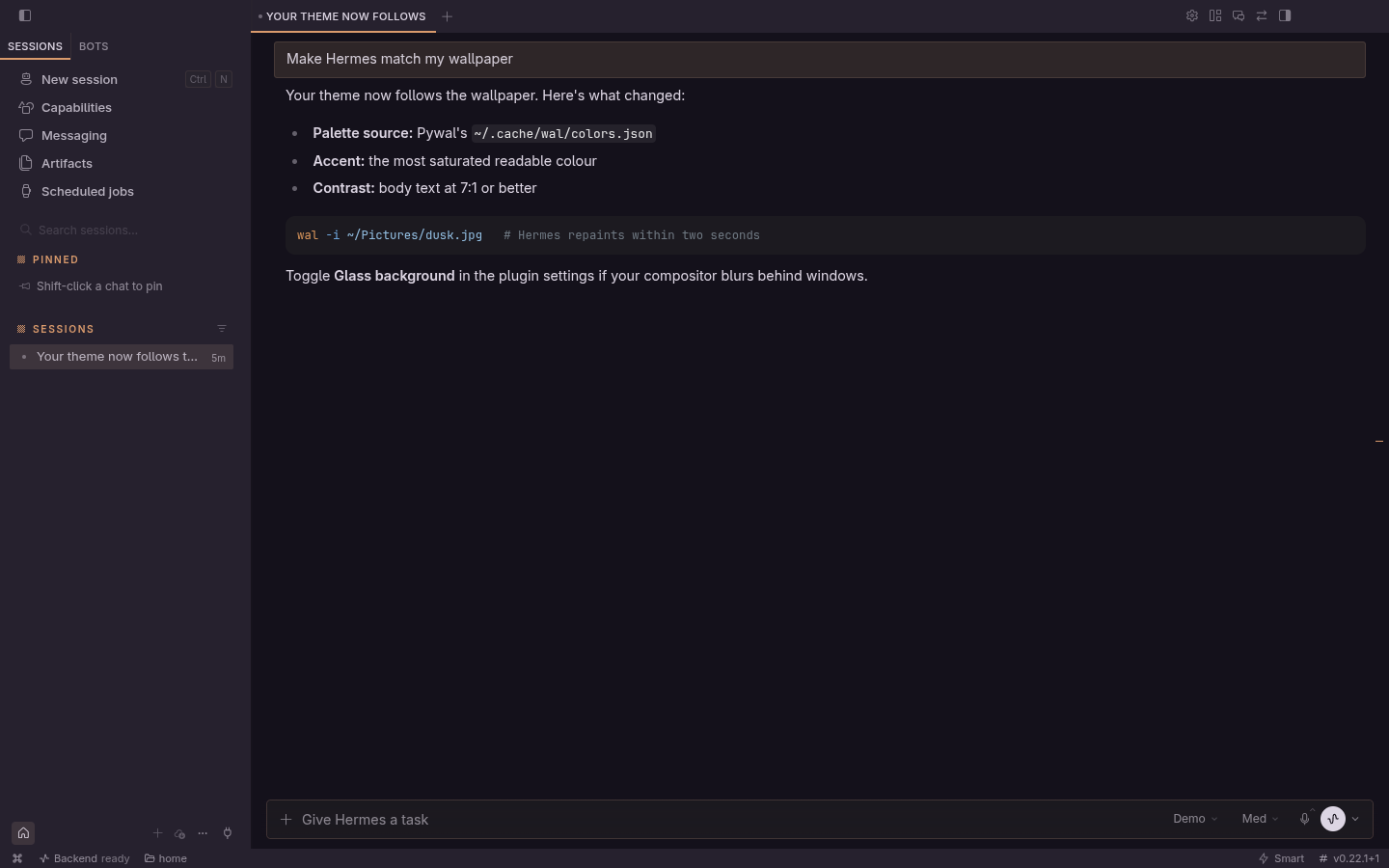 |
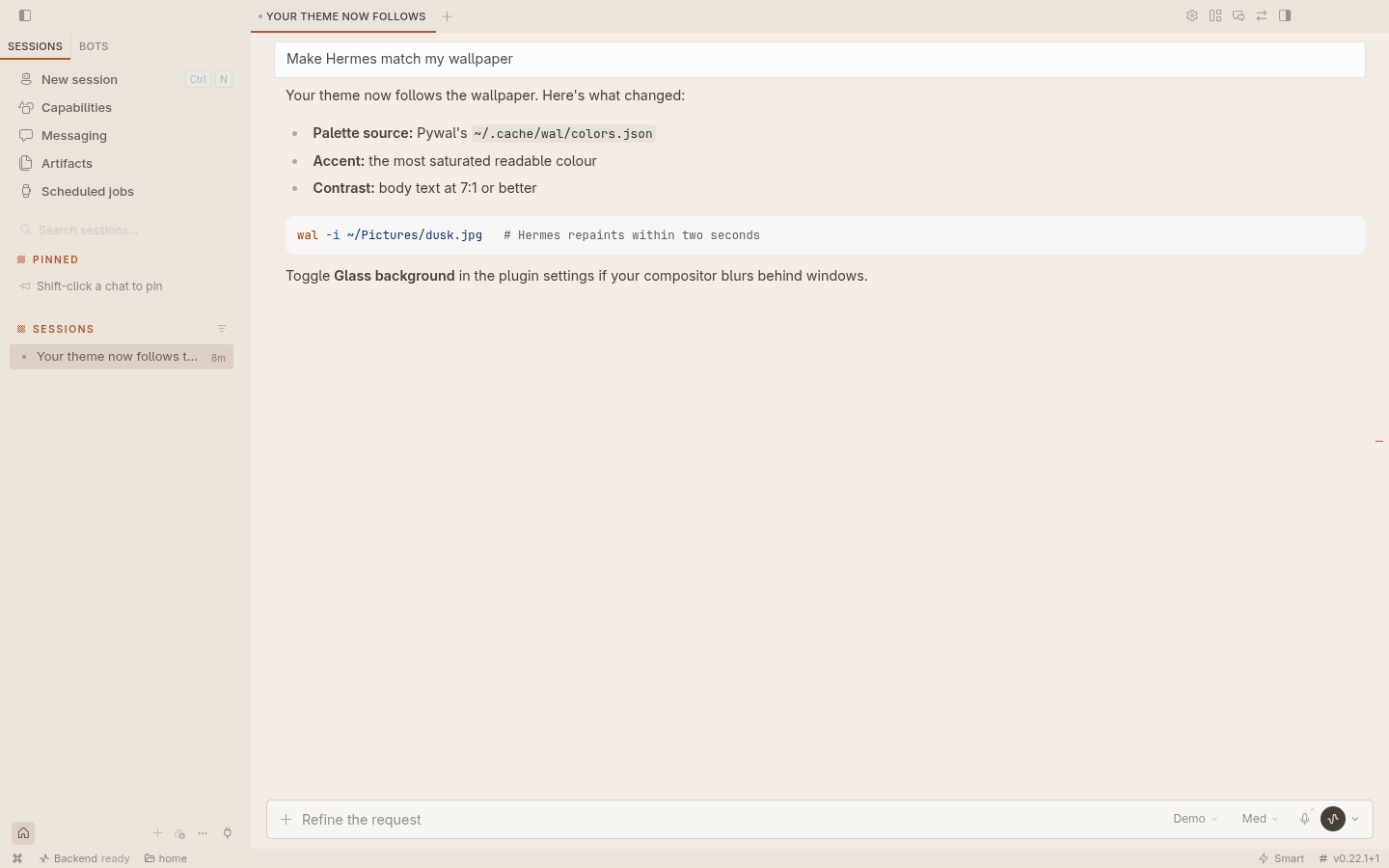 |
| Settings page | Glass at 60% |
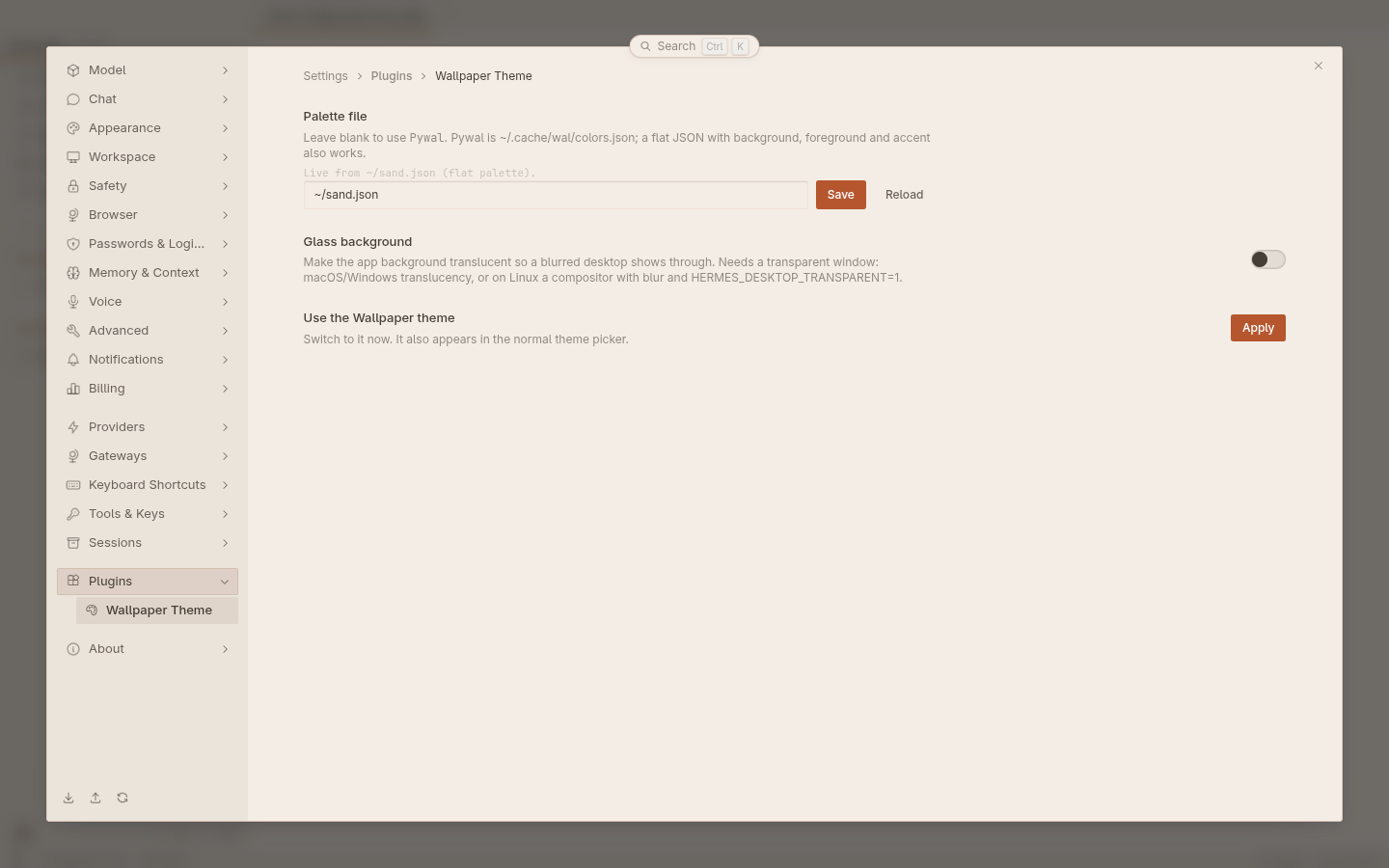 |
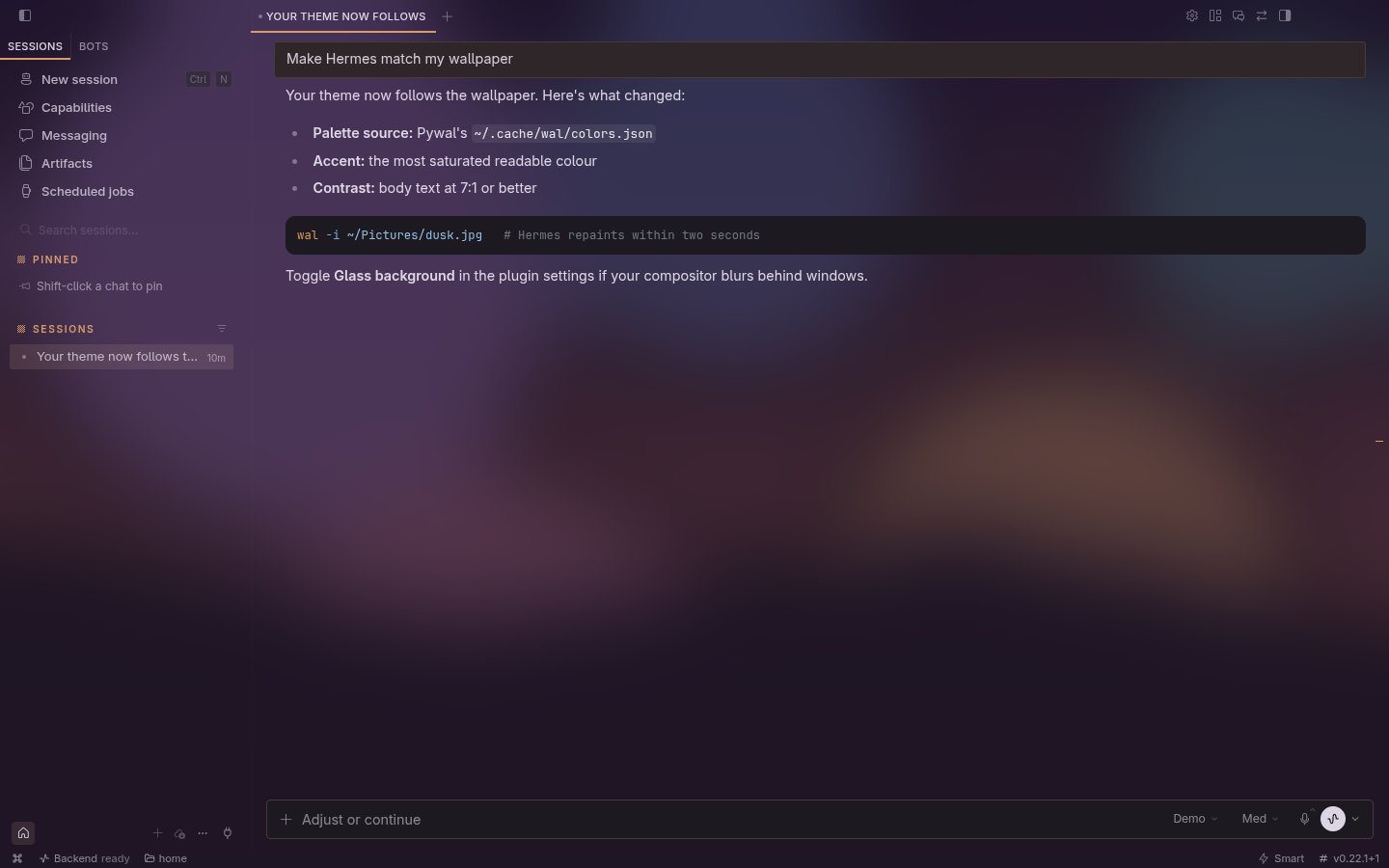 |
Screenshots come from a throwaway Desktop instance with sample palettes and a canned model reply. In the glass shot, the Desktop window was captured with its transparency and composited over a sample wallpaper with a 24 px Gaussian blur, standing in for compositor blur.
Install
From the Hermes plugin catalog (Capabilities → Plugins in Desktop, or hermes plugins install wallpaper-theme), or straight from this repository:
hermes plugins install https://github.com/strnadchristopher/hermes-wallpaper-theme
hermes plugins enable wallpaper-theme
Then restart Hermes (hermes serve, or quit and reopen Desktop) so the backend route mounts, and turn the plugin on in Capabilities → Plugins if it isn't already. Choose Wallpaper in the theme picker, or run Theme: use Wallpaper from the command palette.
Both halves are needed. The desktop half alone shows backend not enabled on its settings page until wallpaper-theme is in plugins.enabled and Hermes has restarted. Python plugins are opt-in by design; enabling this one imports only dashboard/plugin_api.py, which has no dependencies beyond FastAPI.
Choosing the palette file
The plugin uses the first of these that is set:
-
Settings → Plugins → Wallpaper Theme → Palette file. Stored per Desktop install.
-
~/.config/hermes-wallpaper-theme/config.json, for dotfiles that set up several machines the same way:{ "source": "~/.local/share/wal-glass/palette.json" } -
Pywal:
~/.cache/wal/colors.json.
~ is expanded. The file must be inside your home directory (or an XDG_*_HOME directory), be valid JSON and be under 256 KiB; only the colour fields are sent to Desktop, never the raw file. Paths resolve on the machine running the Hermes backend — the same machine for a local install. Against a remote backend the theme follows that machine's palette file.
Palette formats
Pywal colors.json (special.background, special.foreground, colors.color0–color15). The accent is the most saturated readable colour; surfaces are mixed from the background and foreground.
Flat palette, for everything else:
{
  "background": "#151817",
  "foreground": "#f5f6f8",
  "surface": "#252927",
  "accent": "#b4c3be",
  "selection_text": "#06090a"
}
background and foreground are required. surface, accent and selection_text (text on the accent) are optional and derived when missing. If you supply colours that fail the contrast floors above, they're nudged until they pass.
To use matugen or wallust, add a template that writes this shape and point the plugin at its output.
Glass
Turn on Glass background in the plugin's settings and set the opacity (30–100%, default 82%). The page background becomes translucent. Raised surfaces like menus and dialogs, the terminal, and text stay solid.
What shows through depends on the window:
-
macOS and Windows: turn on Settings → Appearance → Translucency so the native material is behind the page.
-
Linux: Desktop has to create its window transparent and your compositor has to blur behind it. Start Desktop with
HERMES_DESKTOP_TRANSPARENT=1(Hermes builds that include it) and add a blur rule. On Hyprland, for example:# hyprland.conf; class is com.nousresearch.hermes decoration { blur { enabled = true; size = 8; passes = 3 } }Without a transparent window, glass simply looks like the solid theme.
WalGlass users
If you already generate ~/.local/share/wal-glass/palette.json, point the plugin at it with the config file above. Its tuned surface, accent and selection_text are used as-is.
Development
npm test   # node --test for the theme (SDK stubbed) + unittest for the backend route (needs fastapi)
hermes plugins validate .
desktop/plugin.js is plain ESM that imports only @hermes/plugin-sdk and react; Desktop loads it as-is, with no build step. dashboard/plugin_api.py is a FastAPI router with one route, polled every 3 s with the last file stamp so an unchanged palette costs a stat and nothing on the wire. To work on it live, link the checkout into ~/.hermes/plugins/wallpaper-theme instead of installing it.
MIT licensed.