Channel3 for Hermes Agent
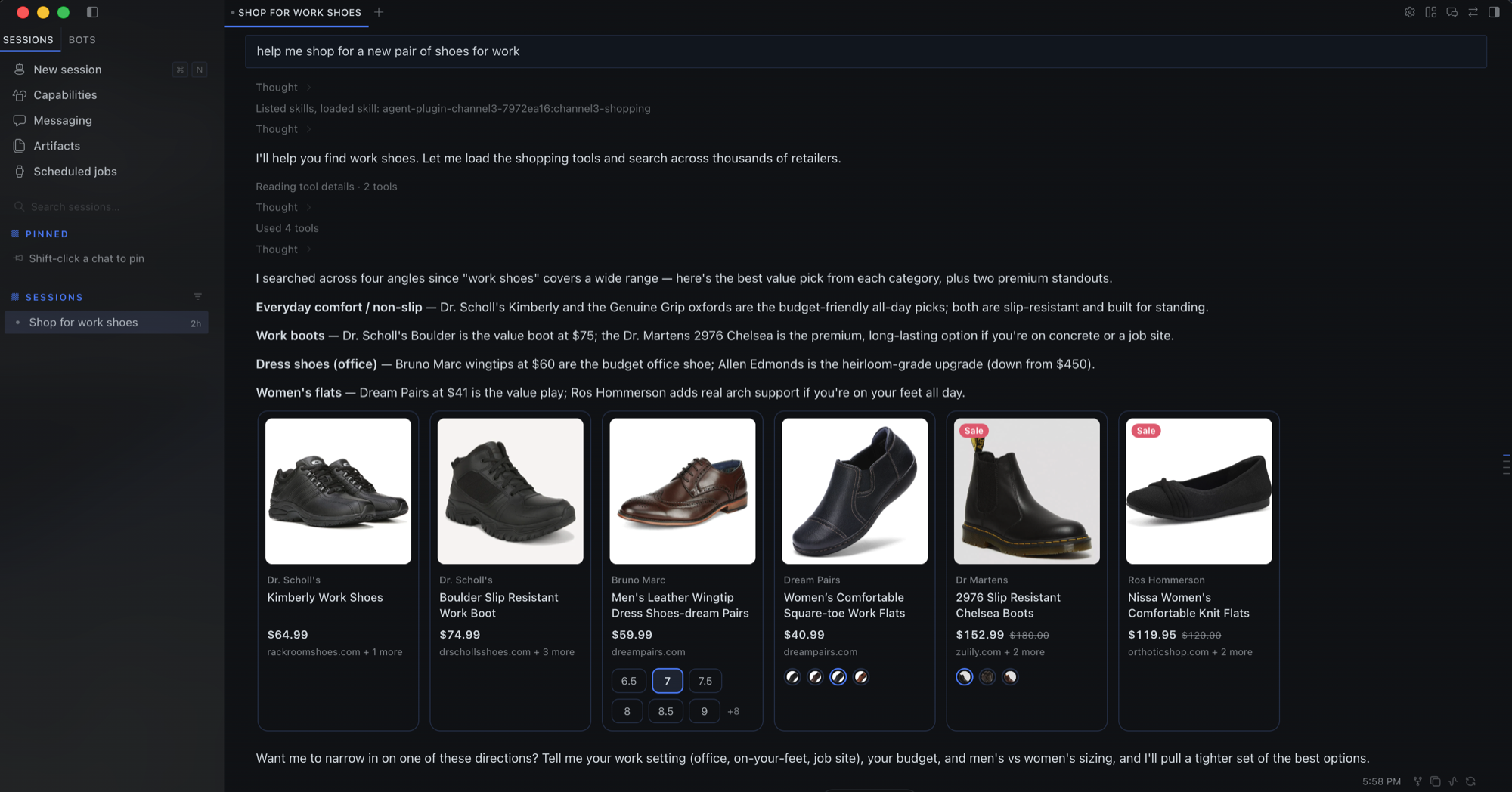
Shop from Hermes. Search 100M+ products across thousands of US retailers, compare every store's price, and switch variants (color, size) right in the chat.
This is a Portable Agent Plugins v1 package with three parts:
| Part | What it does |
|---|---|
mcp.json |
Connects Hermes to the hosted Channel3 MCP server (https://mcp.trychannel3.com/). No account or API key. |
skills/channel3-shopping/ |
Teaches the agent how to search well and how to show results as product cards. |
desktop/plugin.js |
Hermes Desktop transcript directives that render product cards inline. |
Install
hermes plugins install channel3-ai/channel3-hermes-plugin --enable
Start a new session so the MCP tools load, then ask for something: "find me a pair of Craighill scissors", "compare running shoes under $150".
Product cards (Hermes Desktop)
The agent writes a directive carrying product ids only:
::channel3-products{ids="LZeQAgT,RsMjV5x,AybWRtH"}
::channel3-product{id="LZeQAgT"}
channel3-products: a row of compact cards with image, price, store and color swatches. Hovering a swatch previews that color; clicking a card opens its detail view in place.channel3-product: one detailed card with an image gallery, every variant option, key features, the description, and a comparison of every store's price with a Buy button for each.
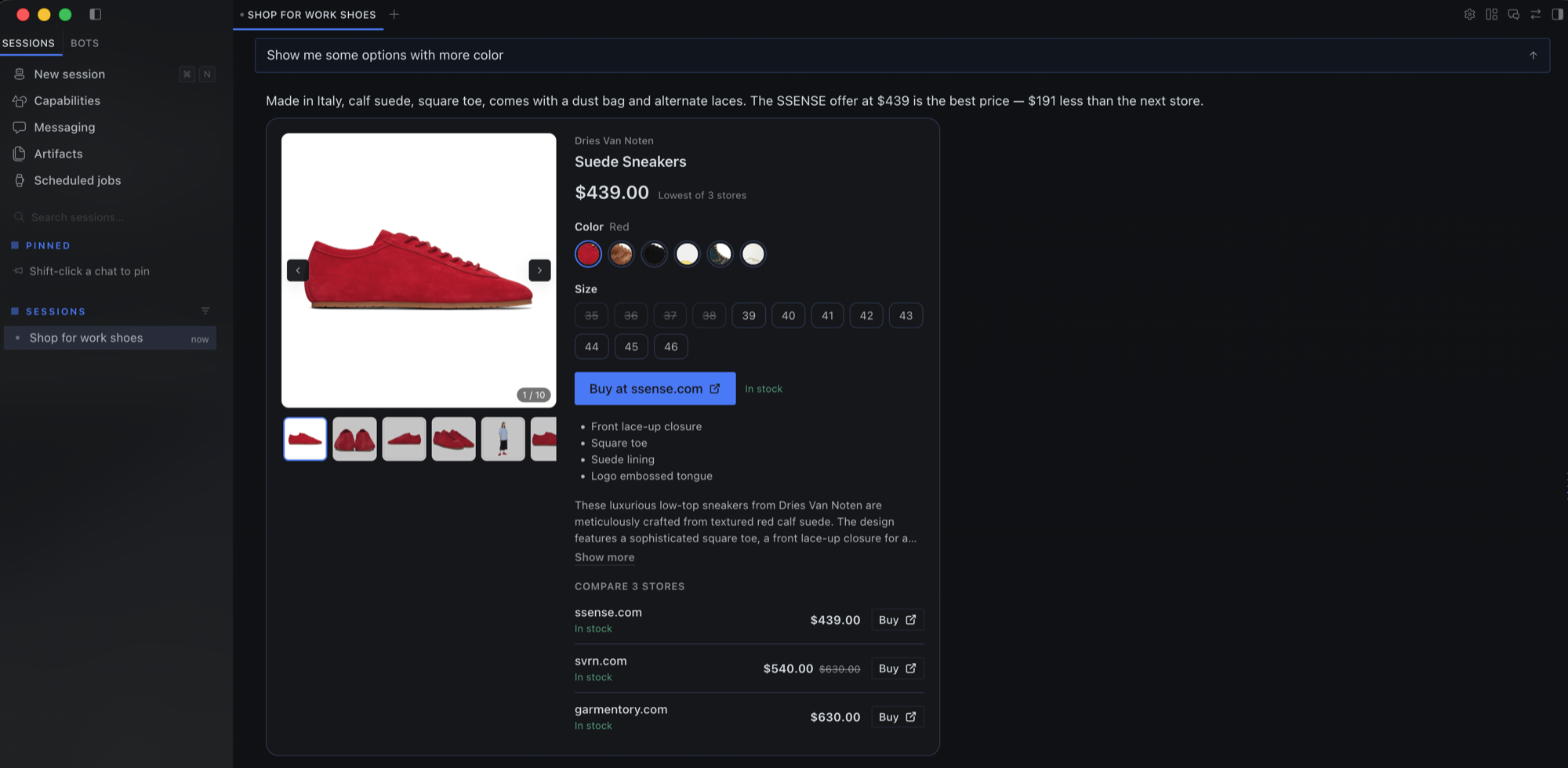
The cards load product data themselves and resolve a variant when the user picks a color or size, so variant switching never goes through the model. Outside Desktop (CLI, TUI, messaging platforms) the directive shows as plain text, and the skill has the agent add a one-line text summary.
What this plugin sends where
- Search queries (and any image URL for visual search) go to the Channel3
MCP server at
mcp.trychannel3.comwhen the agent callssearch_products. - Product ids and variant selections go to the same server when a card
loads or the user switches a variant (
get_products,get_details). - Product images load from
cdn.trychannel3.com. Buy buttons openbuy.trychannel3.comlinks in your browser, which redirect to the store. - The free tier is rate-limited per IP address. Nothing identifying you is sent by the plugin, and it stores no credentials.
The server also exposes UI-only tools (browse_products, get_details,
get_similar, get_price_history) that are marked for app use under the MCP
Apps spec. Hermes does not yet honor that marking, so the model sees them; the
skill tells it to use only search_products and get_products.
Develop
Link a checkout into a Hermes home so Desktop picks up edits:
ln -s "$PWD" "$HERMES_HOME/plugins/channel3"
hermes plugins enable channel3
Then in Desktop: Capabilities → Plugins → Rescan (or restart the app).
Admission checks for the plugin catalog:
hermes plugins validate "$PWD"
License
MIT