Claude Code Theme for Hermes Desktop
No affiliation. This is an independent, Claude Code-inspired theme. It is not affiliated with, endorsed by, or sponsored by Anthropic or Claude Code. "Claude" and "Claude Code" are trademarks of Anthropic.
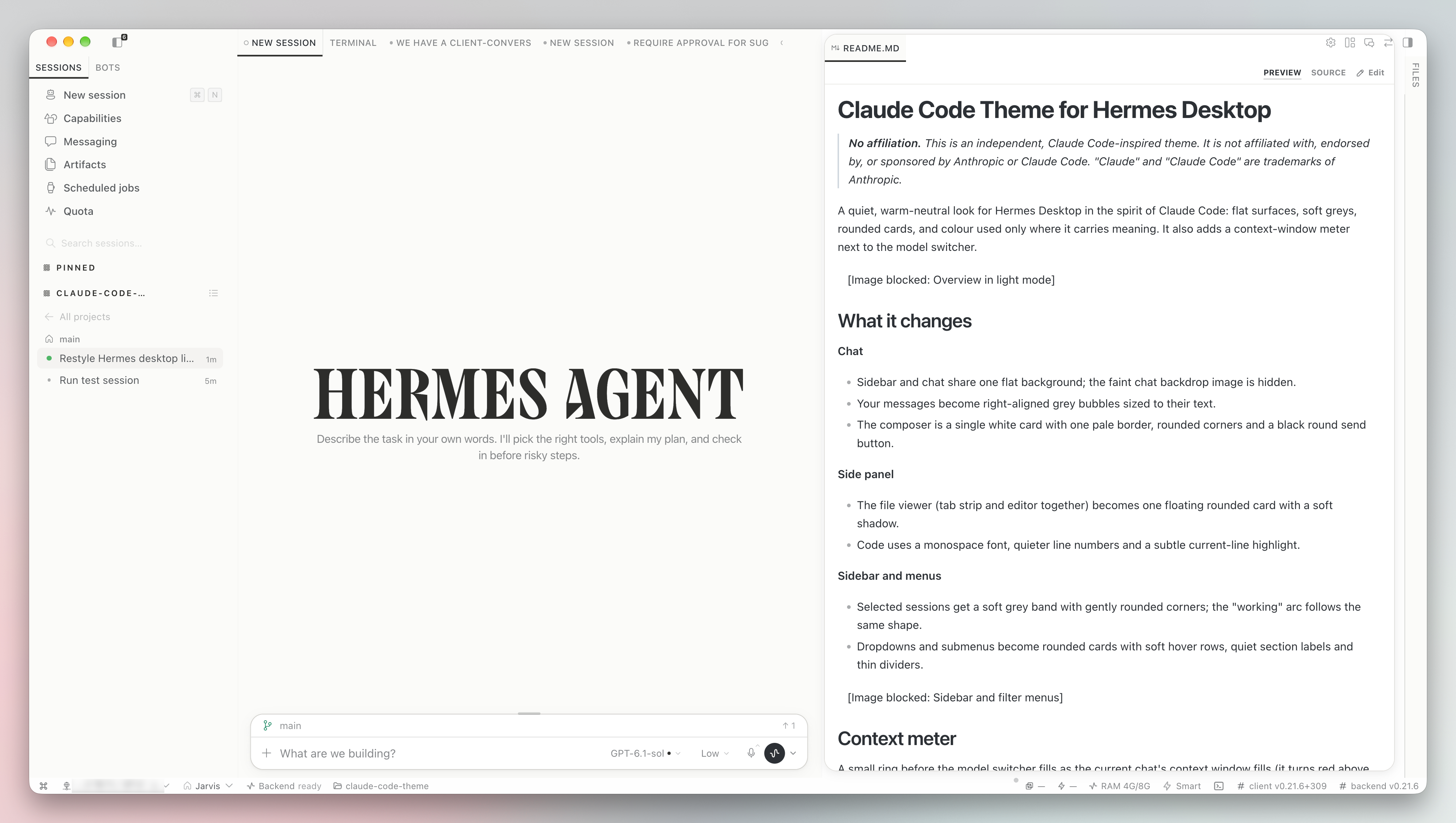
A quiet, warm-neutral look for Hermes Desktop in the spirit of Claude Code: flat surfaces, soft greys, rounded cards, and colour used only where it carries meaning. It also adds a context-window meter next to the model switcher.
What it changes
Chat
- Sidebar and chat share one flat background; the faint chat backdrop image is hidden.
- Your messages become right-aligned grey bubbles sized to their text.
- The composer is a single white card with one pale border, rounded corners and a black round send button.
Side panel
- The file viewer (tab strip and editor together) becomes one floating rounded card with a soft shadow.
- Code uses a monospace font, quieter line numbers and a subtle current-line highlight.
Sidebar and menus
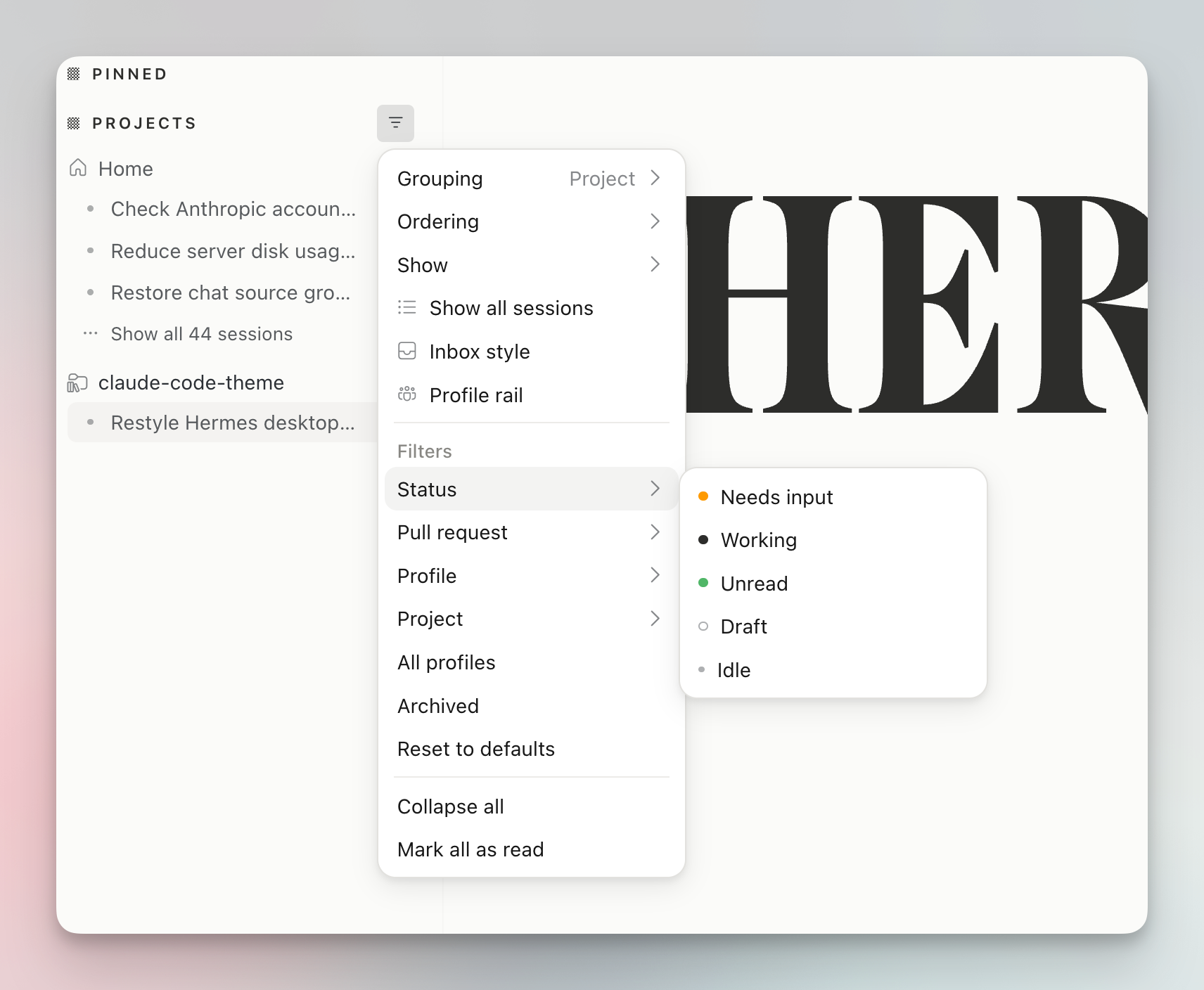
- Selected sessions get a soft grey band with gently rounded corners; the "working" arc follows the same shape.
- Dropdowns and submenus become rounded cards with soft hover rows, quiet section labels and thin dividers.
Context meter
A small ring before the model switcher fills as the current chat's context window fills (it turns red above 85%). Click it to see:
- Context window: tokens used, model maximum and percentage.
- Your usage limits: session and weekly limits with reset times, when your provider reports them through Hermes.
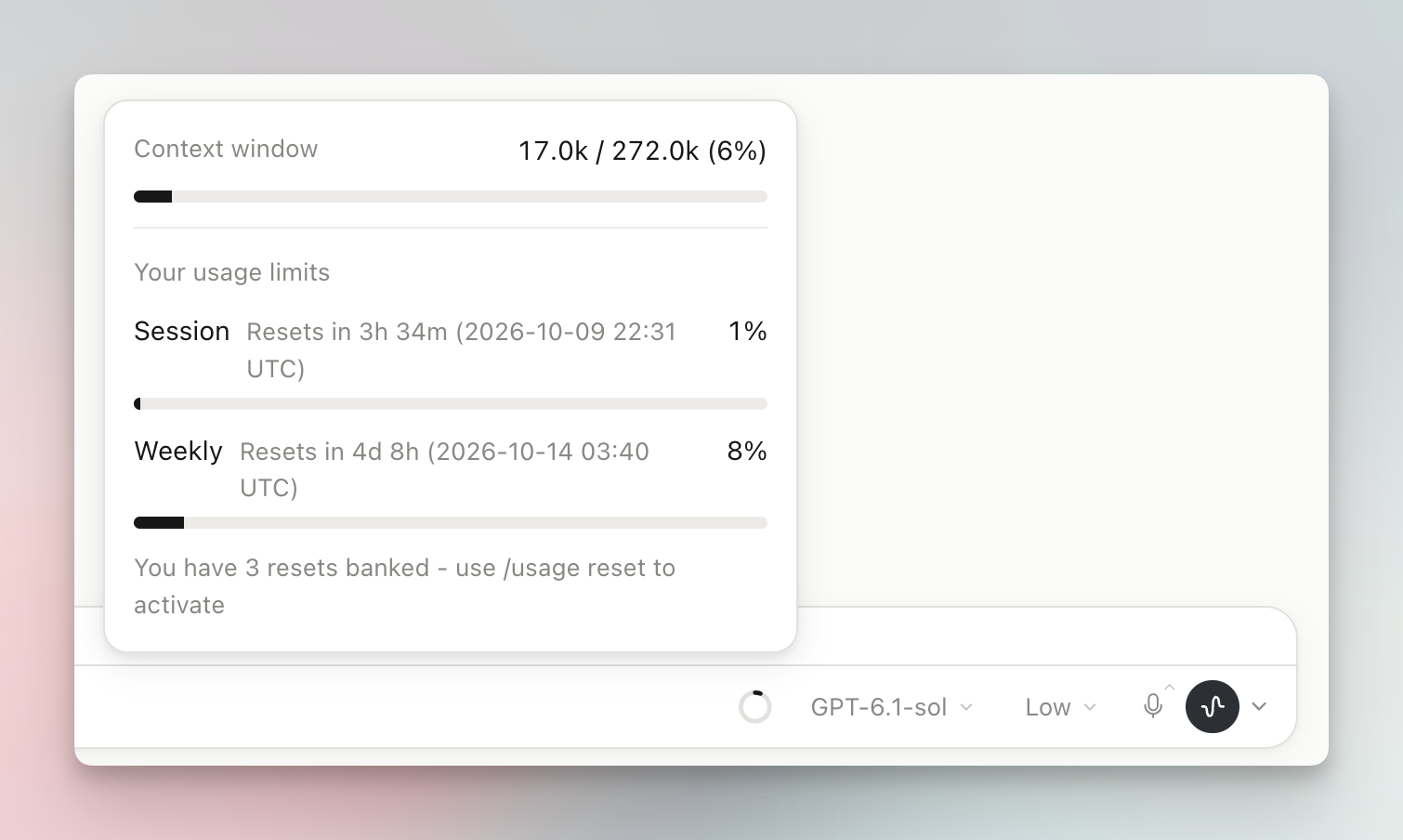
The meter only reads what Hermes already knows (session.usage). Providers without a usage API show "No limit data from this provider".
Light and dark
Every colour has a light and a dark value and follows your Appearance setting (Light, Dark or System).
Settings
Settings → Plugins → Claude Code Theme
- Custom accent colour (off by default): when on, sets the accent for light and dark mode separately. When off, your skin's accent is used.
- Reset to defaults.
Install
hermes plugins install aliilhami/hermes-claude-code-theme
Then enable Claude Code Theme in Settings → Plugins. To remove it, disable or uninstall it there; nothing else is changed.
Disclosure
- No network calls of its own, no credentials, no shell commands, no background processes.
- Stores only its own accent preference, through the plugin storage API.
- Styling targets Hermes Desktop markup with CSS, so a Desktop update may change some details. Issues and pull requests welcome.
Licence
MIT. See LICENSE.