hermes-devkit: Scratchpad for Hermes
A Hermes plugin that gives agents one managed home for drafts: a per-session scratchpad of named buffers, edited in place, shown in the Desktop code viewer, and cleaned up with the chat.
Why
Agents draft constantly: code snippets, HTML mocks, lesson code, notes. Without a place meant
for drafts they land as loose files, a new one per revision (page.html, page_v2.html,
page_final.html...), in Hermes' shared temp folder ~/.hermes/cache/scratch. That folder is
also where Hermes and its tools put throwaway machinery (browser profiles, downloads, CI logs,
tempfile output), it is shared by every chat, and anything in it is pruned 24 hours after its
last write, whether or not the chat is still using it.
devkit separates the two. Drafts get their own location, scoped to the chat, kept as long as the chat exists, and visible in one Desktop tab where you can review or clear them.
How the agent uses it alongside Hermes
The plugin adds a scratchpad tool and a short rule to every turn, so the agent picks the right
place for each kind of output:
| Output | Where it goes | Lifetime |
|---|---|---|
| Drafts you look at, discuss or iterate on: code, HTML pages, lesson pads, notes | scratchpad (this plugin), plugin-data/devkit/sessions/<chat>/ |
until the chat is deleted |
| Throwaway machinery nobody reads: screenshots for the agent's own checks, downloads, logs, one-off helper scripts | Hermes' own ~/.hermes/cache/scratch (unchanged) |
24 h after the last write |
| Project work, or a file you ask for | write_file, or scratchpad action=promote |
permanent |
Hermes' own scratch folder keeps working exactly as before; devkit only takes drafts out of it.
If the agent doesn't use it on its own: the per-turn rule makes the scratchpad the default, but the model decides which tool to call, and it doesn't always pick the scratchpad first, especially early in a chat or for a one-off snippet. If it writes a loose file or pastes the code into the chat instead, just ask it to use the scratchpad ("put that in the scratchpad"); it then keeps using it for the rest of the chat.
A typical exchange:
- You ask for a small program. The agent calls
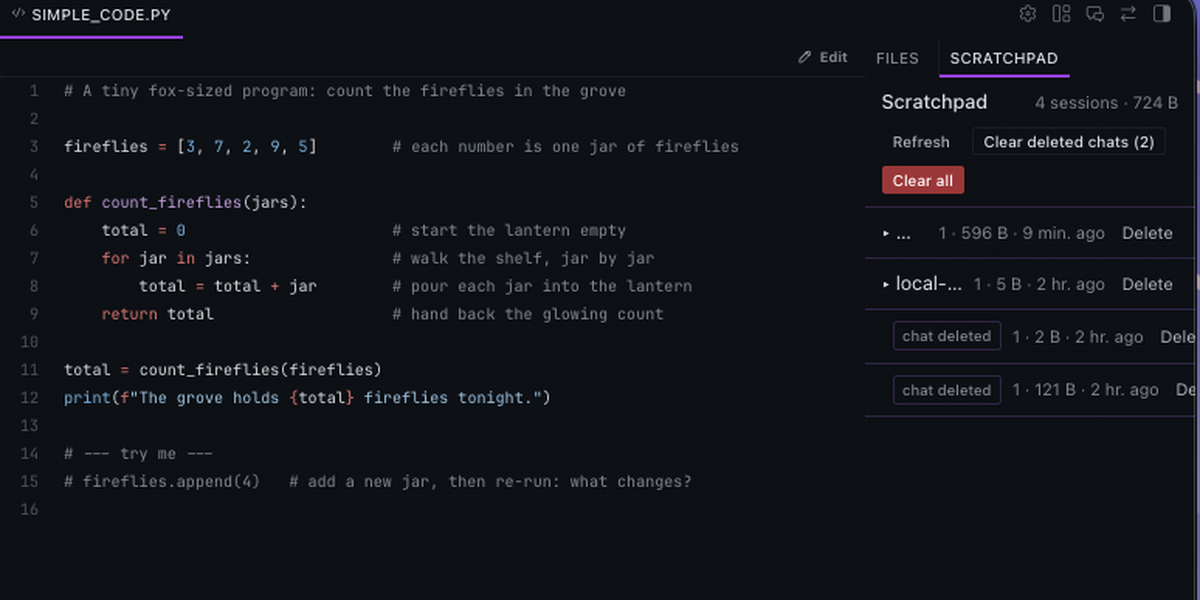
scratchpad action=write name=main.pyandaction=open; the draft opens in the Desktop code viewer. - You edit it in the viewer, or ask for a change. The agent reads the buffer and
action=patches it in place: still onemain.py, no new files. - When the work belongs in a project, you say so and the agent runs
action=promote path=~/project/main.py, which writes the file through Hermes' normalwrite_file(approvals apply). - Delete the chat and its buffers go with it.
Tool reference
| Action | What it does |
|---|---|
write |
Create or replace a buffer (name, content) |
patch |
Replace old_text with new_text in a buffer (replace_all for every match) |
read |
Return a buffer's content |
list |
List this chat's buffers |
open |
Show a buffer in the Desktop code viewer / preview (desktop_preview) |
delete |
Remove a buffer |
promote |
Write a buffer to a real file (path, absolute or ~; overwrite to replace) via write_file |
Buffer names are plain file names (main.py, page.html); the extension sets syntax
highlighting. Each buffer is capped at 2 MB.
The Scratchpad tab (Desktop)
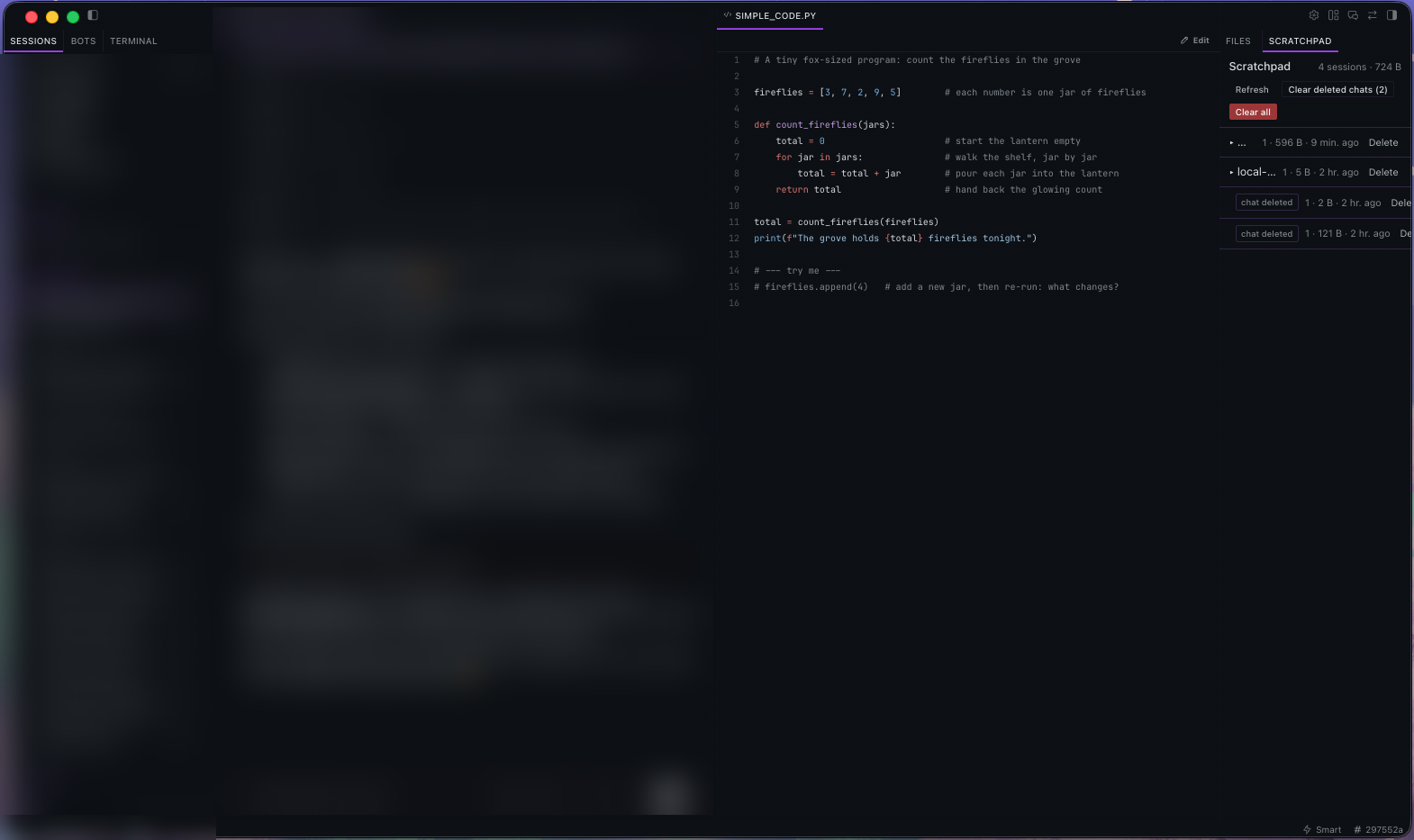
A tab beside Files in the right-hand zone, hidden with it. Chats with drafts are grouped the same way as the chat sidebar (Today, Yesterday, Earlier this week, Last week, then by month), each with its files underneath:
- Click a chat title to open that chat.
- Click a file to open it in a tab in the main workspace, with line numbers, Edit/Save (your edits go straight into the buffer the agent reads) and Open chat.
- × deletes a file or a chat's drafts. Chats that were deleted are listed under Deleted chats with a Clear action; Clear all removes every draft. Deleting drafts never touches the chat itself.
- The tab refreshes whenever the agent uses the scratchpad.
Cleanup
Automatic, hourly, in one Hermes process at a time (file lock), with a one-hour grace period for new folders:
- Deleted chats: a folder whose chat is gone from Hermes'
state.dbis removed. If the database can't be read, nothing is removed; if a read matches none of the plugin's chats while two or more would be removed, it is treated as a schema change and skipped. - Idle chats: each folder carries the plugin's own stamp (
created,last_active). A folder idle longer thanidle_days(default 90, Hermes' session auto-prune window) is removed, even if the database can't be read. - Manual: the Scratchpad tab.
Disclosures
- Adds a short placement rule (about 120 tokens) to each turn's user message.
- Reads Hermes'
state.dbread-only, once an hour, from a background thread. - Deletes only its own folders under
<HERMES_HOME>/plugin-data/devkit/. - No network calls, credentials, third-party services or telemetry.
Install
hermes plugins install devkit
hermes plugins enable devkit
hermes gateway restart
Then start a new chat (a chat's tools are fixed when it is created). For the tab, enable devkit's Desktop half under Capabilities → Plugins (Hermes ships Desktop halves off).
Settings (plugins.entries.devkit.settings in config.yaml):
| Key | Default | Meaning |
|---|---|---|
idle_days |
90 |
Remove a chat's buffers after this many idle days |
Requirements
- Hermes
>= 0.22.0. action=openneeds the Desktop window bridge on the session gateway (NousResearch/hermes-agent#138917). On v0.22.1 without it,openreports "The preview pane is only available in the Hermes desktop app"; every other action works.
Development
plugin/              the installable package (catalog subdir)
  plugin.yaml        manifest
  __init__.py        registration: tool, hook, hourly cleanup
  scratchpad/        store, tool, per-turn rule
  dashboard/         backend routes for the tab (/api/plugins/devkit/)
  desktop/plugin.js  the Scratchpad tab
tests/               pytest suite
docs/                screenshots
ln -s /path/to/hermes-devkit/plugin ~/.hermes/plugins/devkit
hermes plugins enable devkit
hermes plugins validate /path/to/hermes-devkit/plugin --install-deps
python -m pytest tests -q      # with the Hermes test interpreter
License
MIT