Hermes Gadget
Give your Hermes a place on your desk.
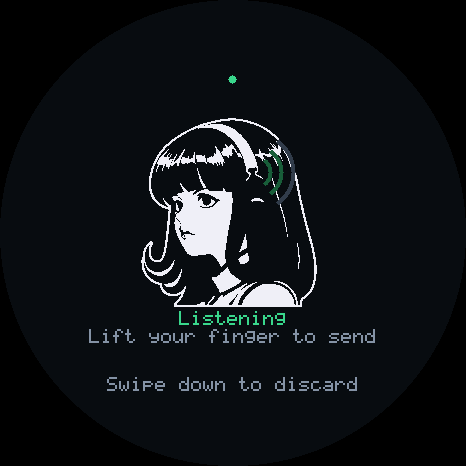
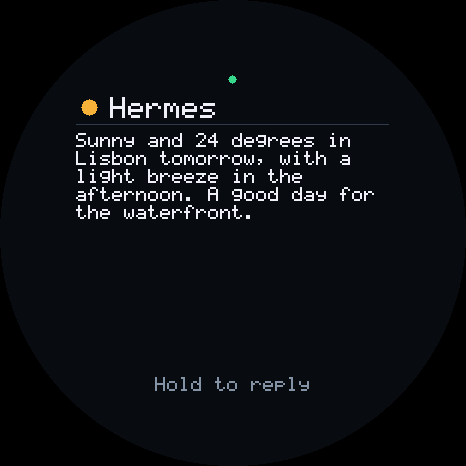
This is the Hermes gateway plugin for Hermes Gadget devices. Hold a button on a small ESP32 board, ask a question, and hear your own Hermes answer.
POWERED BY HERMES AGENT · COMMUNITY PLUGIN · VERSION 0.2.0
Install it · What it adds · What it does on your machine · Website

Powered by Hermes
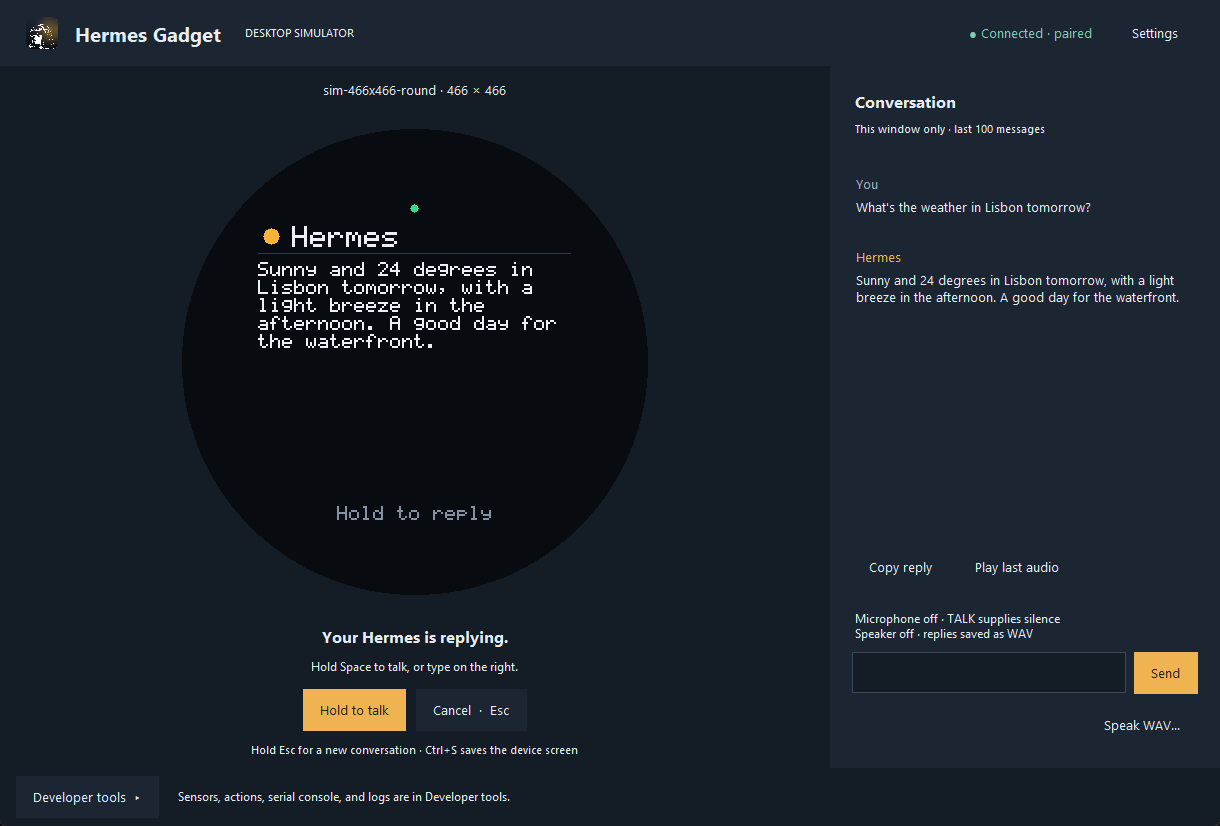
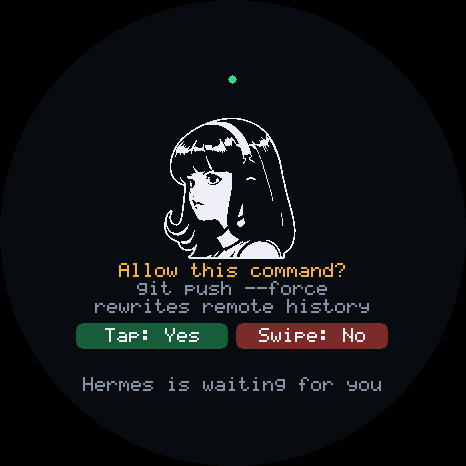
Hermes Gadget adds a messaging platform to the Hermes Agent gateway. Each gadget is a chat: you speak, Hermes's speech-to-text turns it into a message, your agent answers with its usual tools, memory and skills, and the reply is shown on the device and spoken through Hermes's text-to-speech. Unknown devices go through Hermes's own pairing codes, and command approvals appear on the device as yes/no questions.
This directory is the plugin. The rest of the repository holds the device firmware, a browser installer, a Raspberry Pi client and a desktop simulator.
Install
You need Hermes Agent 0.21.6 or newer, and a speech-to-text provider and voice set up in Hermes if you want to talk to the gadget.
hermes plugins install https://github.com/Adolanium/hermes-gadget-sdk/tree/main/plugin --enable
hermes gateway setup
Choose Hermes Gadget in setup and restart the gateway when it asks. Then set up a board from the installer or try the desktop simulator. The Connect Hermes guide covers each step.
What it adds
A gateway platformgadget, a WebSocket endpoint devices connect to. Each device is a direct-message chat, so sessions, /stop, /new and pairing work as on any platform. |
Three agent toolsgadget_devices lists connected gadgets, gadget_display shows a short card on a screen, and gadget_action runs an action a device declares, such as an LED or a relay. |
A CLIhermes gadget info, devices, pair, forget and update. |
Over-the-air updateshermes gadget update sends new firmware to a connected gadget. |
What it does on your machine
Read this before you install.
- Opens a network port. The gateway listens for gadgets on WebSocket port 8765 at
/gadget, on all interfaces (0.0.0.0) by default. Sethostin the platform's config to narrow it. Traffic is plainws://unless you settls_certandtls_key. For access outside your network, the remote access guide shows a setup that adds TLS. - Who can connect. A new device must be approved with a Hermes pairing code (
hermes gadget pair), unless you list its id inGADGET_ALLOWED_USERS.GADGET_ACCESS_TOKENadds a shared token every device must present.GADGET_ALLOW_ALL_USERSskips pairing for any device and is meant for development only. Secrets are read through Hermes's profile-scoped secret helpers. - Answers approvals from the device. When the agent asks to run a dangerous command, a paired gadget shows the command exactly as it will run, and its buttons answer it as allow once or deny. A paired device can therefore approve commands for its own chat. It never grants "always". A command that does not fit one line of the device's screen as-is can only be denied there; approve it on the host.
- Sets a home channel. By default (
auto_home: true) the first approved device becomes the gadget platform's home channel, so scheduled messages for that platform go to it. - Runs
ffmpeglocally to convert spoken replies that are not plain WAV, whenffmpegis installed. - Downloads firmware only when you ask.
hermes gadget update <device> --latestdownloads the newest release'smanifest.jsonand the board's image from this repository's GitHub releases, checks the image's size and SHA-256 against that manifest, and sends it to the device. Release files carry GitHub build provenance attestations (gh attestation verify <file> --repo Adolanium/hermes-gadget-sdk). Without--latest, it sends a file you name. - Writes only its own data, under
<hermes home>/plugin-data/gadget/: the device list (devices.json), staged firmware updates while they install, and, only withbattery_log: true, a CSV of each device's battery readings. - Uses Hermes's services, which may be cloud services depending on your Hermes setup: speech-to-text for what you say, text-to-speech for replies, and Hermes's image cache when the agent shows an image on a gadget. The plugin itself sends nothing else off your machine. There is no telemetry.
- Runs inside the gateway. No separate background process. It stops when the gateway stops.
Limit who can reach the port
On a home network, bind the platform to the interface your gadgets use, and serve wss:// if anything else shares that network. In ~/.hermes/config.yaml:
platforms:
  gadget:
    enabled: true
    extra:
      host: 192.168.1.20          # this machine's LAN address; 127.0.0.1 for a local tunnel or simulator only
      tls_cert: /path/cert.pem    # with tls_key, the gateway serves wss://
      tls_key: /path/key.pem
Point each gadget at wss://<host>:8765/gadget; the device must trust the certificate's issuer. Restart the gateway after the change. The remote access guide sets up TLS through Tailscale instead.
Compatibility
The plugin uses public plugin APIs plus a few gateway internals that a platform adapter needs: the pairing store, the approval resolver, the TTS tool and session context. compat.py lists each one. It checks them before the adapter starts, so a Hermes that has changed them fails with a message instead of a traceback. CI runs the plugin against a pinned Hermes commit and against Hermes main on a schedule. Hermes integration explains each seam.
Remove it
hermes plugins disable gadget
hermes plugins remove gadget
Delete <hermes home>/plugin-data/gadget/ to forget paired devices and staged updates.