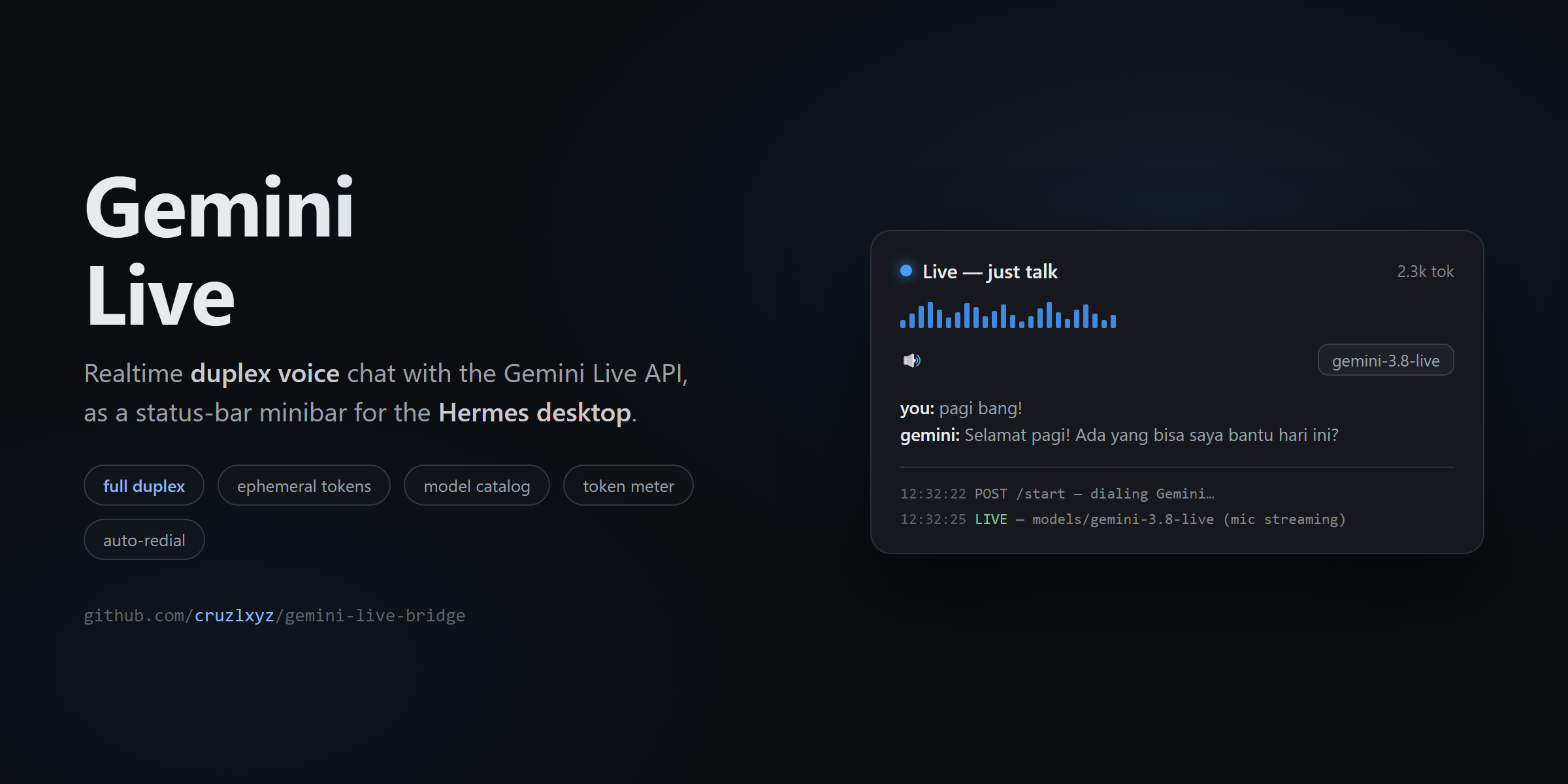
Gemini Live Bridge
Realtime duplex voice chat with the Gemini Live API — as a status-bar minibar for the Hermes desktop app.
Talk to Gemini in real time (full duplex, barge-in supported), with a live transcript, a model catalog, thinking-level control, a session token meter, and transparent auto-resume — all from one small popover in your status bar.
The renderer never talks to Google. A local Python backend owns the upstream WebSocket and your API key; the desktop UI only exchanges data with
localhost.
Features
- Realtime duplex voice — stream mic audio in, stream spoken answers out. Interrupt Gemini mid-sentence; it listens like a phone call.
- Live transcript — both sides rendered as flowing sentences (streaming fragments merged per speaker).
- Model catalog — every Live-capable model on your key, listed automatically via
ListModels, in a fixed order (gemini-3.8-livefirst). Switch models from a dropdown. - Thinking level — dedicated low/high picker for
gemini-3.8-live-extended-thinking(the only config that model needs). - Session token meter — real
usageMetadatafrom Google, displayed as12.3k tok, reset per session. Handy on the free tier. - Session resumption + auto-redial — if the connection drops (Wi-Fi hiccup), the backend reconnects itself using Google's session-resumption handle, keeping context. Manual stop never reconnects.
- Secure by design — the API key lives in
~/.hermes/.envand never leaves the backend process. The UI gets short-lived single-use ephemeral tokens (the officially recommended browser flow).
Requirements
- Hermes desktop app (plugin SDK surface) with desktop-plugin support enabled
- A Google AI Studio API key with Live API access — get one here
- The key must be present as
GOOGLE_API_KEY(orGEMINI_API_KEY) in~/.hermes/.env websocketsPython package inside Hermes' environment (installed by default)
Install (manual)
1. Desktop UI — copy desktop/plugin.js from this repo into your desktop-plugins folder:
~/.hermes/desktop-plugins/gemini-live-bridge/plugin.js # Windows: C:\Users\<you>\AppData\Local\hermes\desktop-plugins\...
2. Backend — copy the backend into your plugins folder:
~/.hermes/plugins/gemini-live-bridge/manifest.json
~/.hermes/plugins/gemini-live-bridge/dashboard/plugin_api.py
3. Enable it in ~/.hermes/config.yaml (append, don't replace, the list!):
plugins:
  enabled:
    - disk-cleanup
    - gemini-live-bridge        # <- add this line
or via CLI:
hermes config set plugins.enabled '["disk-cleanup","gemini-live-bridge"]'
4. API key — put your key in ~/.hermes/.env:
GOOGLE_API_KEY=AIza...
5. Restart the Hermes desktop app (backend changes need a restart; UI changes hot-reload via ⌘K → Reload desktop plugins).
Install from the Hermes plugin catalog (planned)
Once admitted to the official catalog, this becomes:
hermes plugins install gemini-live-bridge
See Hermes Plugin Catalog terms below for the admission policy this plugin follows.
Usage
- Click Gemini Live in the desktop status bar (right side).
- Press ▶ — the backend dials Google (token + Connect) and shows
LIVEwhen the mic is streaming. - Just talk. Gemini's answer plays through your speakers; the transcript flows in the panel.
- Press ⏸ to stop.
Panel controls:
| Control | What it does |
|---|---|
▶ / ⏸ |
Start / stop the voice session |
| Model dropdown | Pick any Live-capable model on your key; fallback order preserved on failure |
Thinking: low / high |
Only shown for gemini-3.8-live-extended-thinking — reasoning depth |
| Token counter | Session token usage from Google's usageMetadata |
| Diagnostics log | Timestamped backend events (dialing…, LIVE, errors) |
Tips
- Use headphones — without them the mic can re-capture Gemini's voice (echo barge-in), which is the #1 cause of chaotic replies in every voice app.
- If a model goes silent (setup OK but no answer), that's a known Google-side "bursty" behavior — press Stop → Start, or pick the next model. The backend already tries candidates in order.
gemini-3.8-live-extended-thinking+ voice input can hit Google-side generation errors ("mohon maaf…") more often than plaingemini-3.8-live. Text-style patience recommended.- Audio sessions are capped at 15 minutes by Google — the token meter and log make that visible.
Local backend endpoints
All routes are mounted by the Hermes plugin loader under
/api/plugins/gemini-live-bridge/ on the desktop's local backend — no key material in any response.
| Method | Route | Purpose |
|---|---|---|
GET |
/config |
{ model, candidates[], resumable } — Live-capable models from ListModels, filtered (no STT/translate), fixed order |
POST |
/start |
Dial Google: mint ephemeral token → connect → setupComplete. Body: { model?, thinkingLevel?, resume? }. Returns { ok, model, resumed } |
POST |
/audio |
Forward one mic chunk upstream. Body: { data: <base64 PCM16 mono 16kHz> } |
GET |
/poll |
Incremental session state: { session, model, error, interaction, usage, input[], output[], audio[], in_total, out_total, a_total, resumed } — pass ?in_offset=&out_offset=&a_offset= to get only new items |
POST |
/close |
Tear down the session (blocks auto-redial) |
GET |
/status |
{ session, model, api_key_configured } — health check |
Example:
curl http://127.0.0.1:<desktop-port>/api/plugins/gemini-live-bridge/status
# {"session":"idle","model":"","api_key_configured":true}
Architecture
┌─ Hermes desktop (Electron renderer) ────────────┐
│  status-bar minibar + popover (plugin.js)       │
│  mic capture (WebAudio PCM16/16k)               │
│  playback queue (WebAudio PCM16/24k)            │
└──────────────┬──────────────────────────────────┘
               │ ctx.rest() → localhost only
┌──────────────▼──────────────────────────────────┐
│  Backend (plugin_api.py, FastAPI router)        │
│  • mints 1-use ephemeral tokens (30 min TTL)    │
│  • owns the upstream Live WebSocket             │
│  • auto-redial via session-resumption handle    │
│  • API key stays in this process                │
└──────────────┬──────────────────────────────────┘
               │ wss://…BidiGenerateContentConstrained?access_token=…
        Gemini Live API (v1alpha)
Why the proxy? The Live API's plain ?key= endpoint is documented as server-to-server only; browser contexts (like the Electron renderer) must use ephemeral tokens, and direct renderer→Google sockets proved flaky (Chromium headers/proxies). The backend owns the upstream connection and has been the reliably verified path end-to-end.
Hermes Plugin Catalog terms & compliance
This plugin targets the official Hermes Plugin Catalog (category: voice, tier: community). The catalog's admission policy — and how this plugin complies:
| # | Catalog rule | This plugin |
|---|---|---|
| 1 | Entries enter only via a reviewed PR to NousResearch/hermes-agent (no self-serve registry) |
Will be submitted as a PR by the repo owner |
| 2 | Exact 40-hex SHA pin — installs check out the reviewed commit | Tagged release provides the pin |
| 3 | No self-updating code (updates happen via SHA-bump PRs + hermes plugins update) |
No updater, no remote loaders |
| 4 | Version bumps = new reviewed PRs | Accepted |
| 5 | Submission by the repo owner | Submitted by @cruzlxyz |
| 6 | Declared capabilities must match reality — verified by hermes plugins validate |
capabilities: requires_env: [GOOGLE_API_KEY]; registers no tools/hooks/middleware |
| 7 | Security scan at admission (dangerous fails) |
No eval, no subprocess, no credential store access; key stays in the host process env |
| 8 | Desktop plugins stay inside the SDK surface — only @hermes/plugin-sdk + react imports; no eval/new Function, no prototype patching, no dynamic import(), no script-tag injection, no app-store reach-ins |
Compliant: imports are @hermes/plugin-sdk and react/jsx-runtime only |
For users, in plain words: installing this plugin from the catalog gives you exactly the reviewed code; the plugin can only do what the Hermes plugin SDK allows; your Google API key is your own, stored in your own .env, and is never shipped, synced, or displayed by the plugin.
Privacy: transcripts and audio exist only in memory while a session runs; nothing is written to disk. (On Google's side, the free-tier data-use policy applies to the API key owner.)
Troubleshooting
| Symptom | Cause | Fix |
|---|---|---|
GOOGLE_API_KEY not set |
Key missing in ~/.hermes/.env |
Add it, restart Hermes |
setup timeout / all candidates failed |
Google-side burstiness or key without Live access | Retry; check model availability in AI Studio |
| Gemini answers then apologizes repeatedly | Server-side audio-generation error, common on extended-thinking + voice input | Switch to gemini-3.8-live, or lower thinking level |
| Answers choppy | Audio chunks overlapped (fixed in ≥1.0.1) / no headphones | Update; use headphones to avoid echo barge-in |
| Session dies at 15:00 | Google's audio-session limit | Start again (resumption keeps context when the drop is network-side) |
License
MIT — see LICENSE.