hermes-activity
A read-only activity dashboard for Hermes Desktop. It adds a GitHub-style daily contribution grid, token totals and breakdowns, model and platform usage, tools, skills, activity hours, and notable sessions.
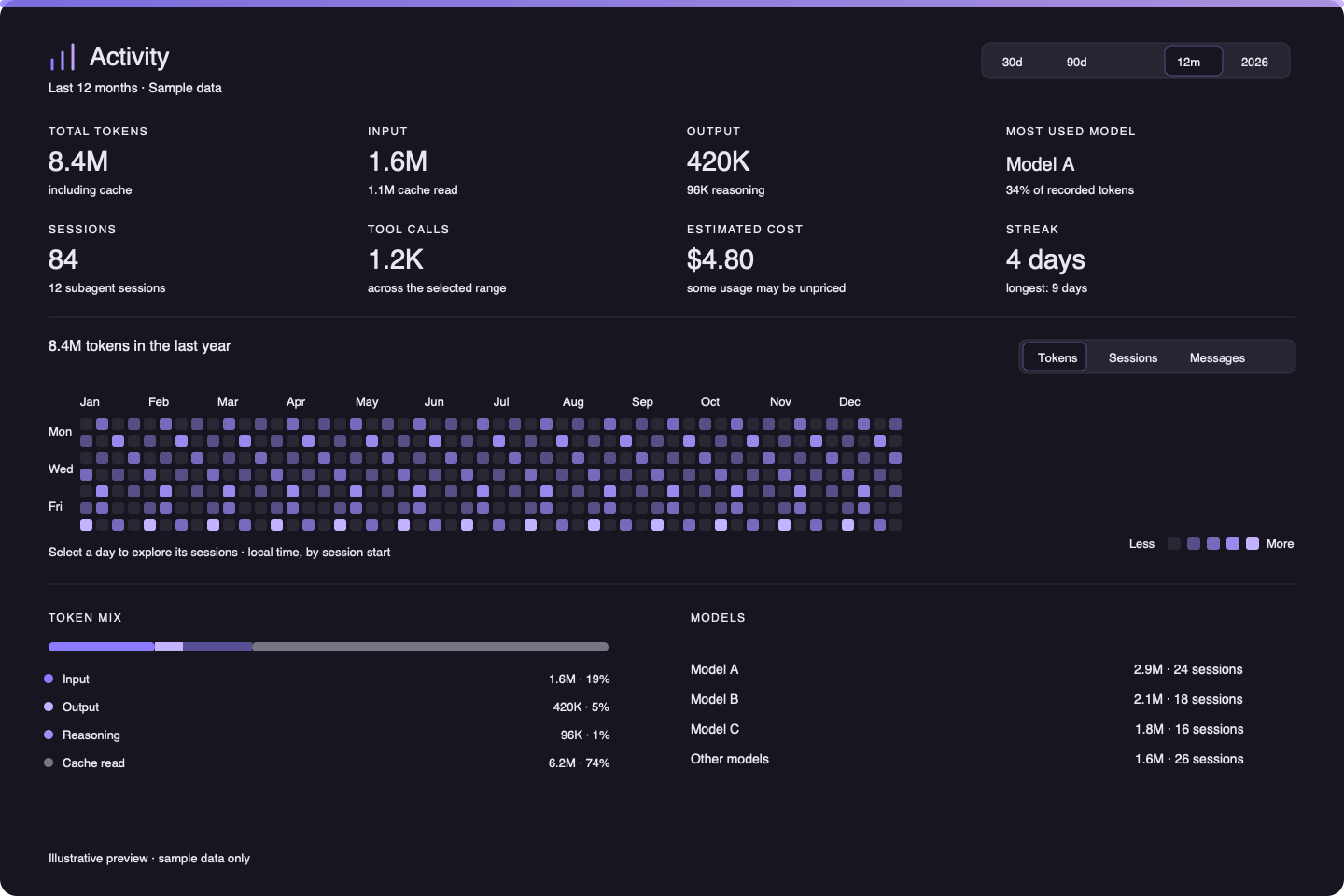
Requirements
- Hermes Agent
>=0.21.5 - Node.js
>=20and npm to build the TypeScript desktop UI - Python is provided by Hermes for the native plugin backend; no additional Python dependencies are installed
Install from Git
hermes plugins install https://github.com/hassan-kamel/hermes-activity
hermes plugins enable hermes-activity
Enable the Activity desktop surface in Capabilities → Plugins. On a local Hermes Desktop install, the page appears in the sidebar and in the ⌘K palette as Open Activity. The desktop surface is opt-in when installed as part of a plugin package.
Development
npm install
npm run build
npm run install:local
install:local copies the compiled desktop/plugin.js into $HERMES_HOME/desktop-plugins/hermes-activity/. Hermes Desktop watches this folder and hot-reloads the entry. Set HERMES_HOME when testing a non-default profile/home.
The UI source is src/plugin.tsx; it is TypeScript compiled to plain ESM by tsc, with no bundler and no runtime dependency beyond the Hermes Desktop SDK. Styling uses Hermes theme tokens and components so the page follows the active theme.
Data and privacy
The agent-side command reads the selected Hermes profile’s state.db in SQLite read-only mode. Aggregates are computed locally on that profile. The desktop page uses Hermes’ profile-routed cli.exec RPC to call the plugin’s fixed, read-only command; if the selected profile is remote, the request travels over that configured Hermes gateway connection. It makes no third-party API requests, uploads no analytics, and reads no credentials.
hermes activity summary --days 30 --jsonhermes activity summary --year 2026 --jsonhermes activity summary --days 365 --desktop --jsonfor the desktop page's compact breakdown payloadhermes activity day 2026-01-15 --json/activity 30in a Hermes session
Daily buckets use the machine’s local time and assign a session to the date it started. Counts include subagent tokens; top-level and subagent session counts are shown separately. Cost is based on stored Hermes billing estimates/actuals and is not a provider-wide billing statement.
Validation
npm run typecheck
npm run build
hermes plugins validate .
License
MIT. See LICENSE.