Blogwatcher for Hermes
Read and manage your Blogwatcher subscriptions in Hermes Desktop and the web dashboard.
Features
- Browse unread articles or your full inbox, filter by source, and mark articles read or unread. Results are paginated.
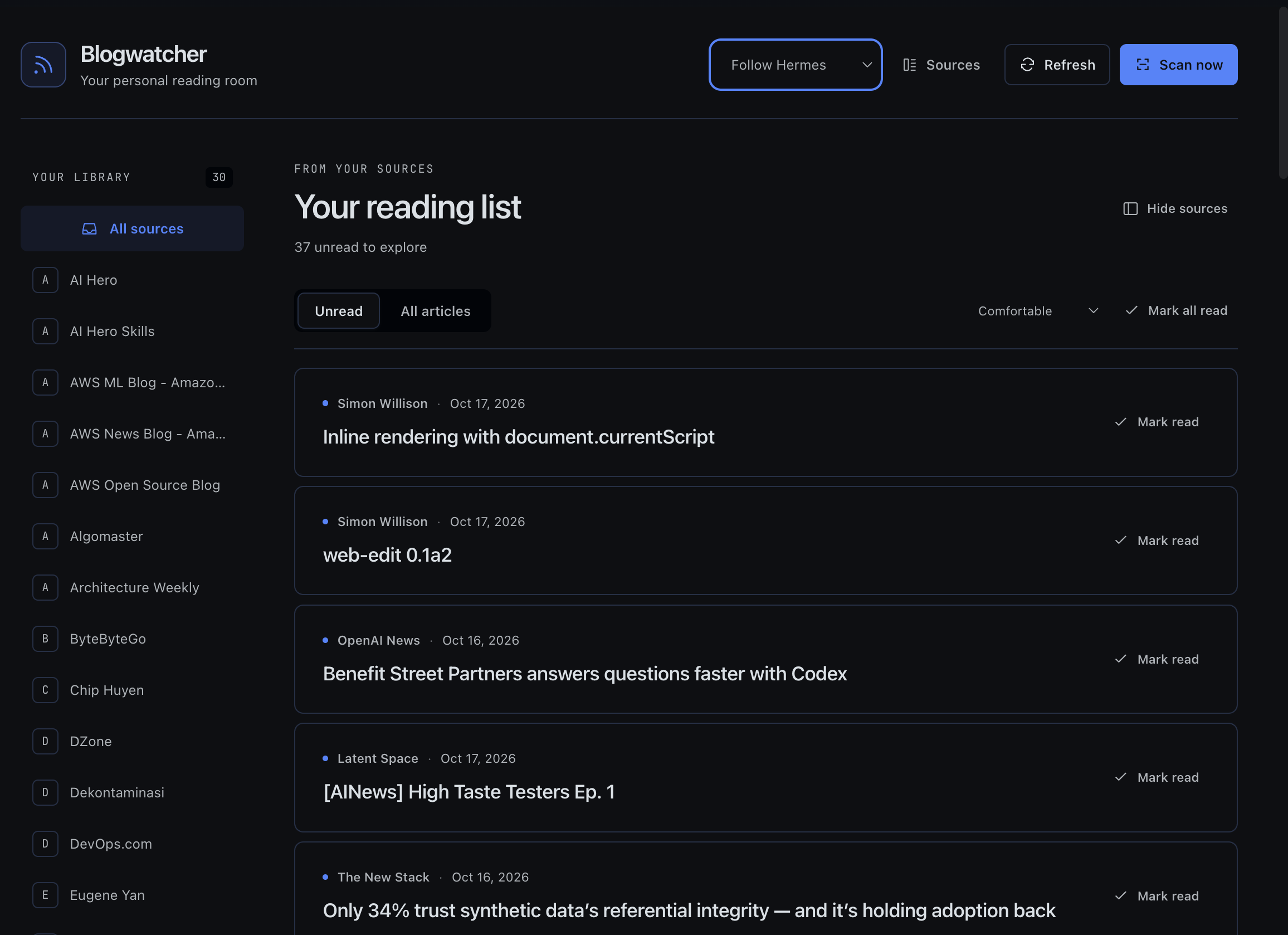
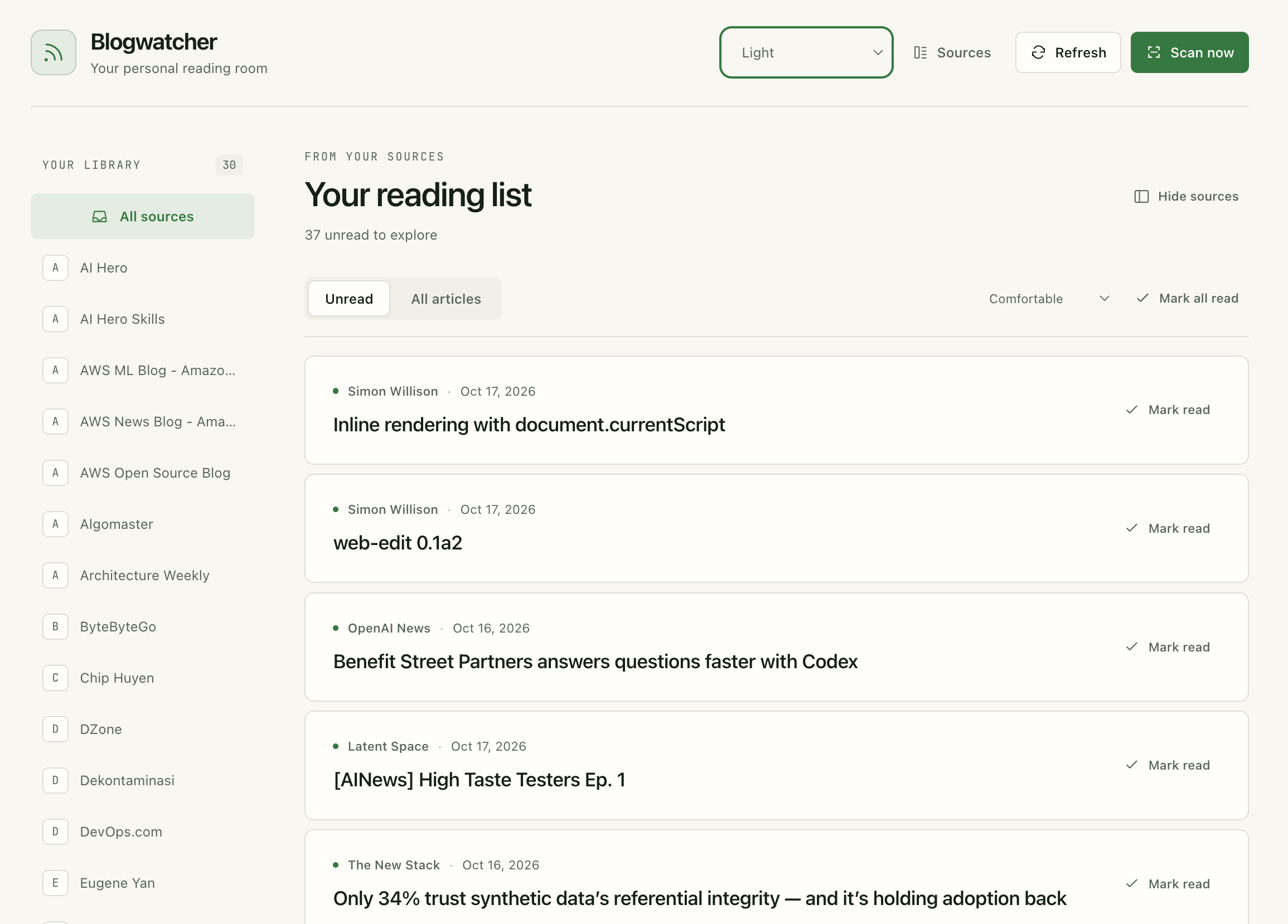
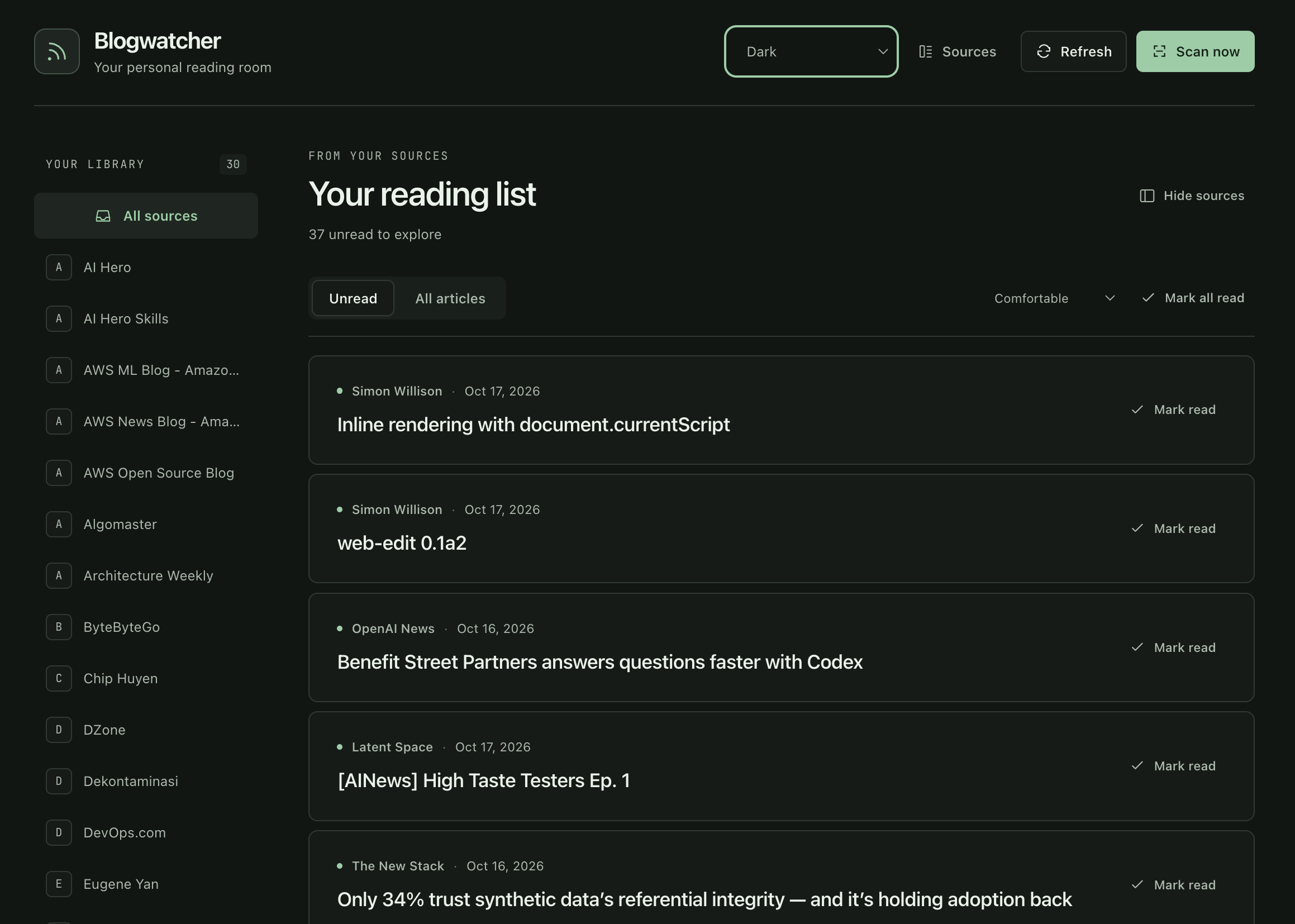
- Choose Follow Hermes, light or dark, and switch between comfortable and compact layouts.
- Open saved summaries inline and keep several articles expanded at once. Use Summarize or Regenerate when you want a new summary.
- Add sources and scan for new articles. Removing a source also deletes its articles.
- Let agents look up articles and subscriptions through read-only tools.
The plugin asks for confirmation before generating a summary from article text with your configured Hermes model. Your provider may charge for this, and Hermes may use retries or fallback models. Opening a saved summary doesn't fetch publisher content, call a model or mark the article read.
Screenshots
Follow Hermes
Light
Dark
Install
Install the original Blogwatcher CLI on the Hermes backend host, with blogwatcher available on the service's PATH. This plugin doesn't support the blogwatcher-cli fork.
Install the plugin:
hermes plugins install https://github.com/irfansofyana/hermes-blogwatcher --enable
Restart the dashboard/API server, then open Blogwatcher in the web sidebar. If Desktop runs on that same machine, go to Capabilities → Plugins → Rescan and enable Blogwatcher.
Remote Desktop clients
If Desktop runs elsewhere, copy desktop/plugin.js to this location on the client:
~/.hermes/desktop-plugins/hermes-blogwatcher/plugin.js
Rescan and enable the local plugin. Keep the backend and Desktop copies in sync; the client needs neither Python nor Blogwatcher.
On the backend, you can set BLOGWATCHER_BIN to the CLI's absolute path and BLOGWATCHER_DB to override its database. The plugin uses your configured Hermes model, so you don't need a separate API key in the UI. Keep Hermes authentication enabled for remote access.
Data and permissions
- The backend runs
blogwatcherunder the Hermes service account, using argument lists rather than a shell. The CLI inherits the service environment and accesses its existing database. Source and read-state actions modify that data; adding or scanning sources may contact their configured sites. - Requested summaries use short-lived Python retrieval and DNS workers, which also inherit the service environment. They fetch public HTTP(S) pages; after confirmation, the retrieved text and source URL go to your configured Hermes model. Provider charges, retries and fallbacks may apply.
- Saved summaries, source URLs, coverage labels, timestamps and model metadata are stored in
cache/blogwatcher-summariesunder the active Hermes home. Results become stale after seven days. Eviction runs after cache writes and targets a 50 MiB limit; stale entries can remain until then. The plugin reads Hermes's model configuration for cache keys. Appearance and density preferences stay in browser-local storage. - The plugin does not read credential stores directly or persist credentials. It collects no telemetry and starts no scheduler, persistent background service or self-updater.
Development
Edit ui/reader.js and ui/reader.css, then rebuild and test:
node scripts/build-ui.cjs
node scripts/build-ui.cjs --check
hermes plugins validate .
python -m unittest discover -s tests -v
node --experimental-vm-modules --test tests/test_ui.cjs tests/test_desktop.cjs tests/test_reader_ui.cjs
Use an environment with Hermes/FastAPI for Python tests. CLI tests run against a temporary database. Live inference tests are opt-in and can incur costs.
See browser previews and verification details for additional checks.