hermes-iroh-interconnect
See CHANGELOG.md for the v0.3.1 point-release changes.
Connect your Hermes agents directly over the internet or across private networks. This plugin gives one Hermes agent a secure, authenticated way to send another agent a task, receive the result, and optionally exchange files through send_hermes — without relying on a central message broker or cloud service. You gain persistent agent identities, explicit operator-approved pairing, encrypted QUIC transport with NAT traversal and relay fallback, inbound peer authorization, replay/rate/concurrency protection, and a native Hermes platform adapter. In practical terms: your agents can collaborate as peers, delegate work across machines, and pass artifact-transfer tickets while retaining control over who is trusted and what leaves each host.
[!WARNING] Do not connect the plugin to untrusted agents. Review
docs/security.mdbefore enabling inbound use and pair only machines you control.
Agent interconnect for Hermes Agent over Iroh: dial-by-key QUIC with NAT traversal and relay fallback. Implements the interconnection model proven in Codux on Hermes' native plugin surface.
[!NOTE] Unaffiliated community project. This plugin is an independent, third-party extension — not an official Nous Research product, and not endorsed by or affiliated with Nous Research, n0-computer (Iroh), or duxweb (Codux). Hermes, Iroh, and Codux are the properties of their respective owners.
Visual guide
The average-user diagram guide explains pairing, two-way calls, file transfers, inbound handoffs, relay behavior, and three-or-more-client topologies. It includes six Archify diagrams with editable JSON sources, interactive HTML versions, and a GitHub-renderable architecture SVG.
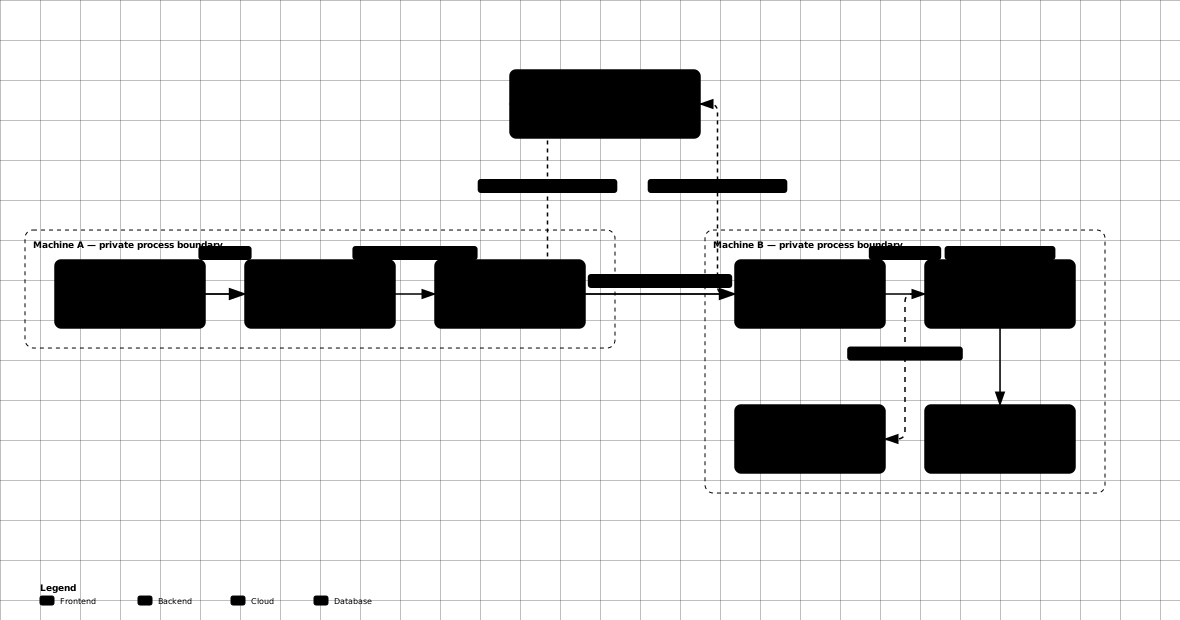
At a technical level, each Hermes host contains a Python plugin and a Rust sidecar. The plugin handles tools, trust, redaction, and adapter policy. The sidecar owns the persistent Iroh identity, QUIC, ALPN, and bounded frames.
Status: v0.3.1 — hardened bidirectional transport plus optional artifacts. Real QUIC peer dialing, persistent endpoint identity, serve-mode control plane, inbound authorization, admission hardening, relay configuration, and optional send_hermes-backed file transfer are implemented and covered end-to-end: a real QUIC peer → sidecar file handoff → adapter → reply back over QUIC runs green in CI-style tests. File transfer is delegated to send_hermes when installed; without it, the task interconnect remains fully functional. Ring-based authorization remains staged (see "Roadmap").
Optional file transfer
The plugin exposes iroh_send_file, iroh_fetch_file, and
iroh_transfer_status through the iroh toolset. They use the installed
send_hermes CLI (the maintained Hermes fork of the SendMe project) and are optional: if
send_hermes is unavailable, the tools return an actionable install message
and do not affect peer/task exchange. Install and verify it with:
git clone https://github.com/rahlquist/sendme.git send_hermes
cd send_hermes && git checkout c700cbcaedb8f626716b8769dcbc5571ec64d088
cargo install --path .
send_hermes --version
A send_hermes sender must remain running until the receiver completes. Treat its ticket as a bearer capability and share it only with the intended peer.
How the connection works
You do not connect to a ticket. A ticket is used once to pair two agents and approve trust. After pairing, the receiving agent remembers the peer's stable EndpointId. When a task is sent, Iroh uses that EndpointId to discover a current network path, tries a direct encrypted QUIC connection, and can use a relay when the two machines cannot connect directly. The relay helps locate or forward traffic; it does not become the agent's identity and cannot read the encrypted task contents.
The connection has two layers of protection:
- Iroh authentication proves that the remote machine owns the private key belonging to the expected EndpointId.
- Hermes authorization checks that EndpointId against the locally paired peer store, then applies replay, rate, and concurrency limits before the task reaches the agent.
If the network briefly disappears, the current task can fail or time out. The sidecar stays available and a later task makes a fresh dial attempt; pairing does not need to be repeated. Automatic retries are intentionally limited so a non-idempotent task is not silently run twice.
Connection diagram
The diagram shows the full flow: pair once with a ticket, remember the stable EndpointId, find a network path, prove identity plus authorize the peer, and exchange work. A bottom note explains network-drop behavior.
What's verified (v0.3.1)
- Two live sidecar processes dial each other over real QUIC and exchange
tasks (Rust
serve_processtests; PythonSidecarSessiontests). - A full inbound chain: remote QUIC peer → file handoff → adapter reply →
back over the wire (
full_chain_e2e.rs). - Persistent endpoint identity across sidecar restarts (0600 key file).
- Inbound tasks from unknown peers are rejected (fail closed).
- Outbound calls to unreachable peers fail bounded (no hang, structured error, no partial state).
- Optional send_hermes-backed file transfer tools are registered without making
send_hermes a plugin dependency. If
send_hermesis absent, they return an actionable install/verify message; all task interconnect functionality continues to work normally.
Install
The plugin is optional with respect to send_hermes. The three artifact tools remain
registered even when send_hermes is absent; they return an actionable install
message instead of preventing the Iroh task tools from loading.
# Verify the optional dependency
command -v send_hermes && send_hermes --version

# Optional transfer operations
# iroh_send_file: path -> ticket + transfer id
# iroh_fetch_file: ticket + existing destination directory -> verified path
# iroh_transfer_status: list or stop a tracked sender by transfer id
For a sender, keep the send_hermes send provider running until the receiver
finishes. Tickets are bearer capabilities. Do not put them in public channels.
Relay configuration
HERMES_IROH_RELAY applies to both the Iroh sidecar and send_hermes transfers.
The send_hermes transfer tools are available only when the send_hermes executable is
installed; otherwise they return the install/verify instructions without
affecting task exchange.
- unset,
default, orn0: use the default n0 relay set; off,none, ordisabled: disable relays (direct/LAN addresses required);- a relay URL: use that self-hosted relay.
The sidecar also accepts --relay <default|off|URL> and operator-run peers
can use --keep-alive when stdin is not owned by the plugin.
Self-hosted relay
Use the default n0 relays first. They work across unrelated networks without
requiring inbound firewall rules on either endpoint. A self-hosted relay is an
optional fallback, but it must use a real DNS name and a publicly trusted TLS
certificate. A self-signed HTTPS relay is not accepted by the Rust relay client
by default; do not deploy one and expect http:// to be an insecure alias.
For a self-hosted deployment, follow the version-matched
iroh-relay configuration reference,
then set the same HTTPS URL on every endpoint:
export HERMES_IROH_RELAY=https://relay.example.com
The relay URL must point to the relay's HTTPS/WebSocket endpoint. Depending on its deployment configuration this is commonly TCP 443 or TCP 3443; TCP 3340 is the relay HTTP/API port and is not the client WebSocket endpoint. The relay also needs UDP 7842 for QUIC. Keep metrics bound to a private interface or firewall it. Verify the configured HTTPS/WebSocket endpoint and UDP/QUIC reachability from every client before pairing.
File-transfer provider
send_hermes send is an interactive long-lived provider. The plugin requires the
Unix script utility so it can keep send_hermes's pseudo-terminal alive after the
Hermes tool returns. On relay-disabled/LAN-only setups, the plugin requests an
addresses-only ticket automatically. Relay startup is allowed up to 90 seconds by
iroh_send_file; override with HERMES_IROH_SEND_TIMEOUT when operating over
slow or filtered networks.
For a paired Hermes peer, pass peer and dest to iroh_send_file:
{"path":"/path/to/file.md","peer":"<peer-endpoint-id>","dest":"/home/rahlquist"}
This is the open-pipeline path: the sender starts the provider, sends the
bearer ticket over the authenticated Iroh task channel, and the receiving
The receiving adapter can fetch it automatically only when the receiver has explicitly enabled
auto_fetch; it otherwise surfaces the ticket for operator review. The receiver must provide a
safe, existing destination directory. The provider remains tracked until the fetch request completes.
Without peer, iroh_send_file retains the ticket-only behavior for manual
or non-Hermes send_hermes receivers.
Hermes systemd drop-in for relay env
mkdir -p ~/.config/systemd/user/hermes-gateway.service.d
cat > ~/.config/systemd/user/hermes-gateway.service.d/relay.conf << EOF
[Service]
Environment="HERMES_IROH_RELAY=default"
EOF
systemctl --user daemon-reload
systemctl --user restart hermes-gateway
Known issues and troubleshooting
"No addressing information available" on iroh_peer_call
The dial address must include a relay URL. The sidecar reads
HERMES_IROH_RELAY from its environment. Ensure:
- The env var is set in the gateway's environment (via systemd drop-in).
- The sidecar process inherits the env var —
sidecar_client.pypassesos.environ.copy()to the subprocess. Verify:cat /proc/<sidecar_pid>/environ | tr '\0' '\n' | grep HERMES_IROH.
Timeout on first call
The first call may time out while the sidecar binds to the relay and performs address discovery. Subsequent calls succeed once the endpoint is online.
DNS resolution failures for relay.iroh.network
Some networks cannot resolve or reach the n0 public relays. Self-host a relay as documented above.
Plugin tools silently not registering
The plugin uses relative imports. It must be loaded as a package — do not
copy files into ~/.hermes/plugins/ individually. Use a symlink:
ln -s "$(pwd)" ~/.hermes/plugins/hermes-iroh-interconnect
Sidecar dies on stdin EOF
When running the sidecar outside the plugin (for testing), pass --keep-alive
so it does not exit when stdin closes.
Operator pairing flow
- Run
iroh_peer_make_ticketon the receiving agent. It returns both the ticket and a restrictive SVG QR file containing the completehermes-iroh://pair?...URI. - Show or send the QR only to the intended peer. A scanner can hand the URI to the pairing flow automatically; a text-only client can use the returned ticket.
- Run
iroh_peer_paironce withoutconfirmto review the proposed trust. - Re-run it with
confirm=trueto authorize the peer. The QR never bypasses this approval gate. - Tickets expire after 15 minutes and are single-use.
QR generation uses the optional qrencode system utility. If it is absent, the ticket is still issued and the tool returns an actionable QR-generation warning.
# Debian/Ubuntu example
sudo apt install qrencode
CI and local verification
GitHub Actions runs cargo fmt --check, cargo clippy --all-targets -- -D warnings,
cargo test, and the Python suite on every push and pull request. The Python
CI job does not require Hermes source or send_hermes; those are optional runtime
integrations and have dedicated local/integration tests.
Prerequisites: Rust/Cargo 1.89 or newer, Python 3.11+, and Hermes Agent. Verify the toolchain before building:
rustc --version
cargo --version
python --version
# 1. Build the sidecar from the repository root
cd sidecar && cargo build --release

# 2. Install the plugin root (not sidecar/) into Hermes
cd ..
mkdir -p ~/.hermes/plugins
ln -s "$(pwd)" ~/.hermes/plugins/hermes-iroh-interconnect

# 3. Enable it
hermes plugins enable hermes-iroh-interconnect
The gateway must be restarted after changing the plugin symlink or sidecar binary.
Supported environment variables
| Variable | Default | Purpose |
|---|---|---|
HERMES_IROH_RELAY |
default | Relay policy or URL; set in the gateway environment |
HERMES_IROH_STATE_DIR |
profile state dir | Override persistent plugin state |
HERMES_IROH_SIDECAR |
bundled release binary | Override sidecar path |
HERMES_IROH_TIMEOUT |
120 seconds |
Outbound task timeout |
HERMES_IROH_HANDOFF_TIMEOUT |
300 seconds |
Sidecar-to-adapter handoff timeout |
HERMES_IROH_SEND_TIMEOUT |
90 seconds |
Provider startup timeout |
HERMES_IROH_FETCH_TIMEOUT |
600 seconds |
File receive timeout |
HERMES_IROH_DEFAULT_AUTO_FETCH |
false |
Initial auto-fetch setting; explicit true/false values only |
HERMES_IROH_AUTO_FETCH_DIR |
unset | Required receiver-owned root when auto-fetch is enabled |
HERMES_IROH_INSECURE_TLS |
unset | Test-only certificate-verification bypass; never use in production |
Upgrade, backup, and rollback
Before upgrading, stop the Hermes gateway and back up the profile-scoped
iroh-interconnect directory. Preserve endpoint.key, peers.json,
pairing.secret, nonces.json, and settings.json; replacing endpoint.key
creates a new EndpointId and requires re-pairing every peer.
After updating the plugin:
- Rebuild the sidecar with the documented Rust toolchain.
- Restart the Hermes gateway.
- Run
iroh_peer_statusandiroh_peer_list. - Make a bounded call to one known peer before resuming normal traffic.
- Keep the previous plugin commit and state backup available for rollback.
The optional send_hermes provider is pinned to a tested commit in the install
instructions. Update it only through a deliberate compatibility review.
Tools
| Tool | Purpose | Side effects |
|---|---|---|
iroh_peer_status |
Sidecar availability, state dir, peer count | Read-only |
iroh_peer_list |
Paired peers (id, endpoint, timestamps — no secrets) | Read-only |
iroh_peer_pair |
Record a peer from a hermes-iroh://pair?... ticket |
Durable peer record |
iroh_peer_call |
One bounded task to one paired peer | Network request, audited |
iroh_peer_settings |
View/update local settings such as auto_fetch |
Local settings write |
auto_fetch is disabled by default. Enabling it permits an authenticated paired peer to
request a local file receive. Before enabling it, set the receiver-owned root directory:
export HERMES_IROH_AUTO_FETCH_DIR="$HOME/received-from-iroh"
mkdir -p "$HERMES_IROH_AUTO_FETCH_DIR"
Destinations outside this root are rejected. Enable the setting explicitly through the
iroh_peer_settings tool:
{"key":"auto_fetch","value":true}
To inspect or disable it:
{"key":"auto_fetch"}
{"key":"auto_fetch","value":false}
Testing
# Rust: framing, envelope, and real loopback QUIC round trip
cd sidecar && cargo test

# Python: security, tools, real Hermes PluginManager load, live sidecar
python -m pytest tests/
The Hermes integration tests load the plugin through the real
PluginManager against a temp HERMES_HOME (they are skipped when no
Hermes checkout exists at ~/.hermes/hermes-agent).
Security
See docs/security.md for the trust model. Summary:
- Peer identity is the Iroh endpoint public key, authenticated by the QUIC TLS 1.3 handshake — never a peer-claimed name.
- Pairing tickets are validated offline; peer state is stored 0600 in the profile-scoped plugin data dir.
- Inbound text is framed as untrusted external input with provenance; slash commands embedded in peer text are neutralized.
- Outbound text is scrubbed of credential-shaped strings (defense in depth).
- Every frame is size-bounded before allocation; malformed envelopes produce
structured
task.errorreplies and invalid streams are closed without dispatch.
License
MIT. The Iroh dependency is dual MIT/Apache-2.0.