Kanban Graph for Hermes
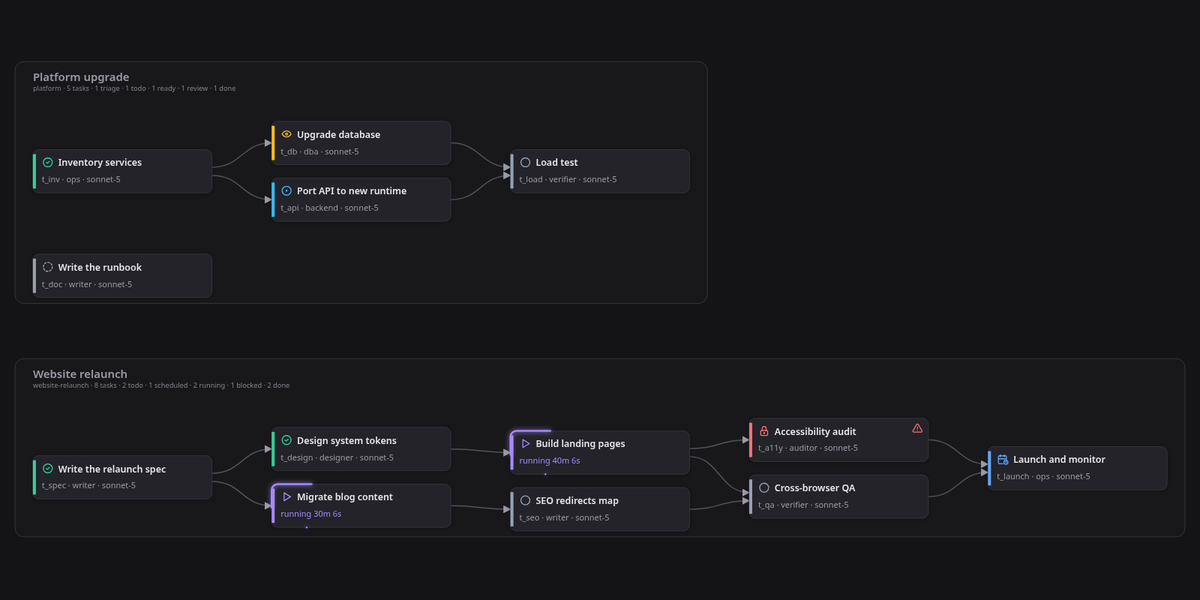
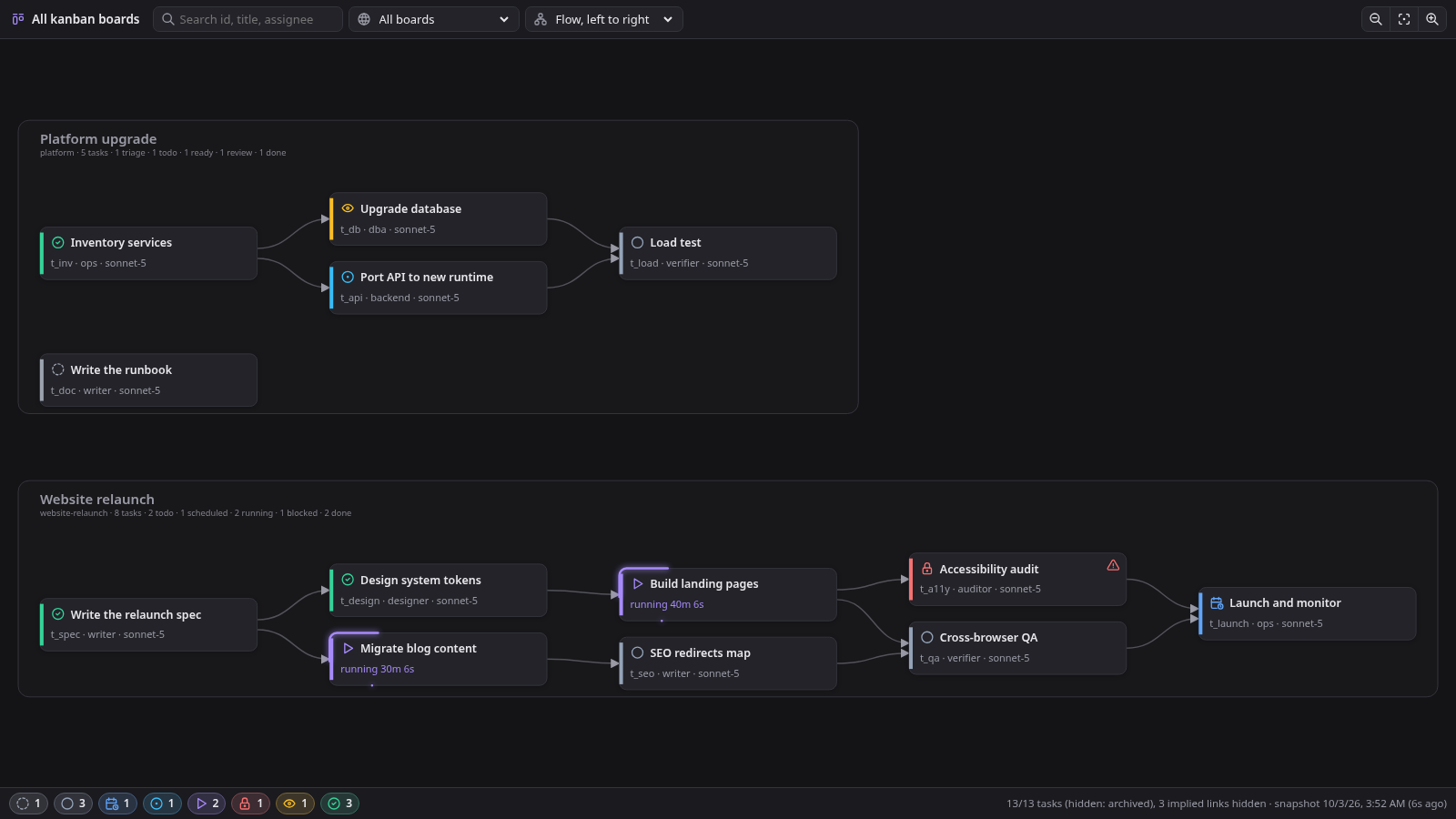
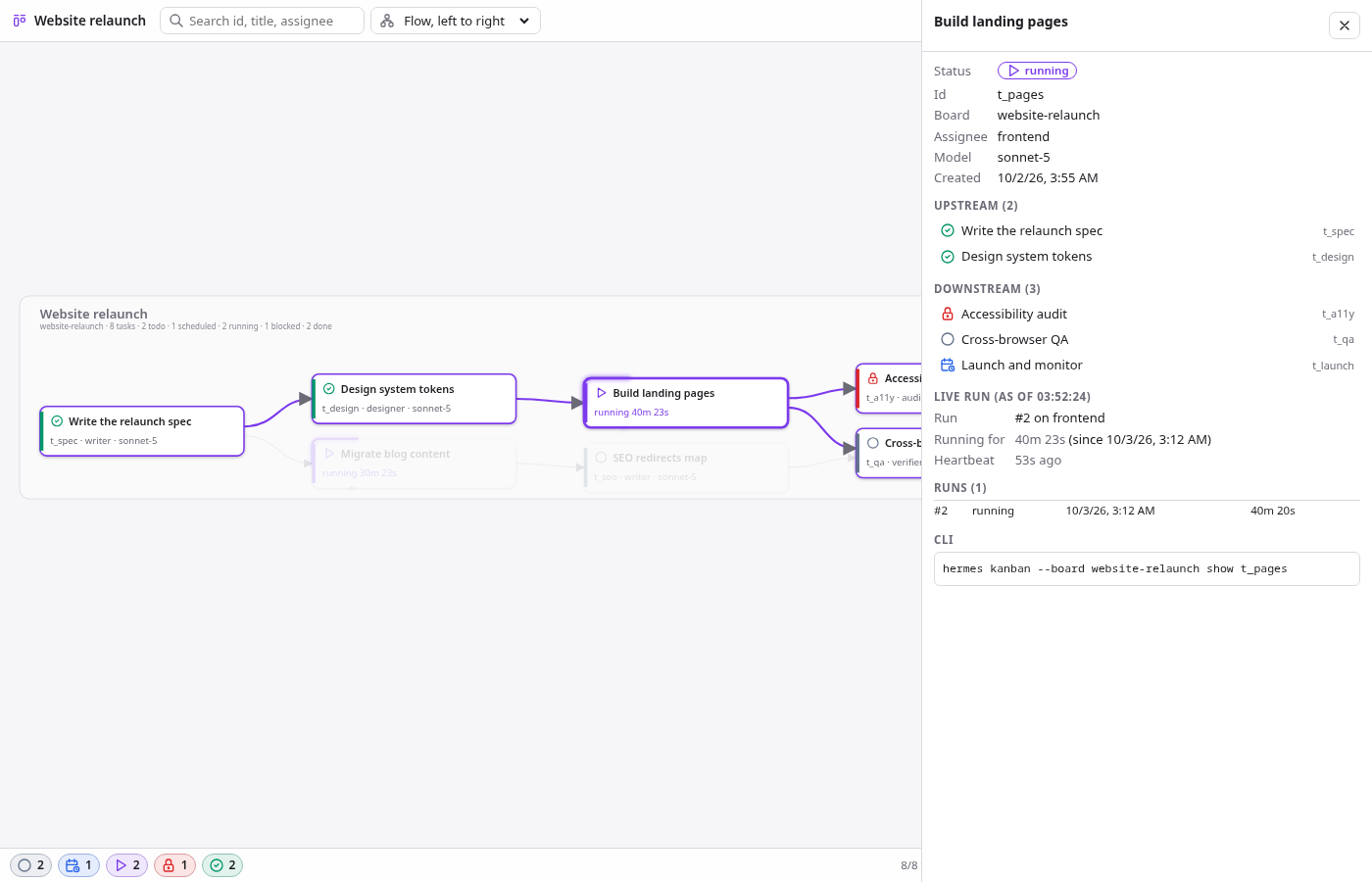
A live, read-only dependency graph of your Hermes kanban boards, inside Hermes Desktop. Every board is a band, every task a card, every dependency an arrow. Click a task to light up everything it waits on and everything waiting on it, with its runs, last failure and the running worker's latest tool calls in a side panel.
Features
- All boards in one view. One band per board. Pan, zoom with the wheel,
0fits. - Lineage selection. Clicking a task selects its upstream and downstream; the rest fades.
- Only the arrows you need. An arrow A to C is not drawn when A already reaches C through B. The footer counts these as "implied hidden"; selecting a task still follows them.
- Live. One WebSocket tails every board's
task_events; the graph re-lays out as work moves. A 15 s poll takes over when the socket is unavailable. - Running work stands out. Running tasks show their duration and a highlight that travels their border, amber once the heartbeat goes quiet.
- Deep links.
hermes://open/kanban-graph?task=<board>/<id>opens the page with that task selected. - Static snapshot.
snapshot/kanban_graph.pywrites the same graph as one HTML file for CI or sharing, using only the Python standard library. - Read-only. Board databases are opened with
mode=ro. The plugin never writes a board.
Requirements
- Hermes Agent 0.21.5 or newer, with Hermes Desktop for the live page.
- Nothing else: no API keys, no model calls, no Python or npm dependencies.
Install
hermes plugins install Senci/hermes-kanban-graph --enable
Then, in Hermes Desktop, open Capabilities > Plugins and switch on Kanban Graph. The desktop half of a plugin package is opt-in and starts switched off; until you switch it on, the page does not exist.
Open the graph from the sidebar row Kanban graph, the command palette ("Open kanban graph"), or a deep link. Step by step: docs/tutorial/getting-started.md.
Documentation
| Kind | Read this when you want to |
|---|---|
| Tutorial | install it and find your way around the page |
| How-to guides | open a task from a script, render a snapshot, update or remove it |
| Reference | look up deep-link parameters, REST routes, keys, snapshot flags |
| Explanation | understand how it is built and why |
Development
git clone https://github.com/Senci/hermes-kanban-graph
cd hermes-kanban-graph
python3 -m unittest discover -s tests -v   # backend model and snapshot
node tests/layout.test.mjs                 # layout and transitive reduction
hermes plugins validate .                  # the plugin catalog's admission check
See CONTRIBUTING.md for the dev loop against a running Hermes Desktop.
License
MIT, Senad Ličina. Icons in snapshot/tabler-icons.json are
Tabler Icons, MIT.