Lightkeeper
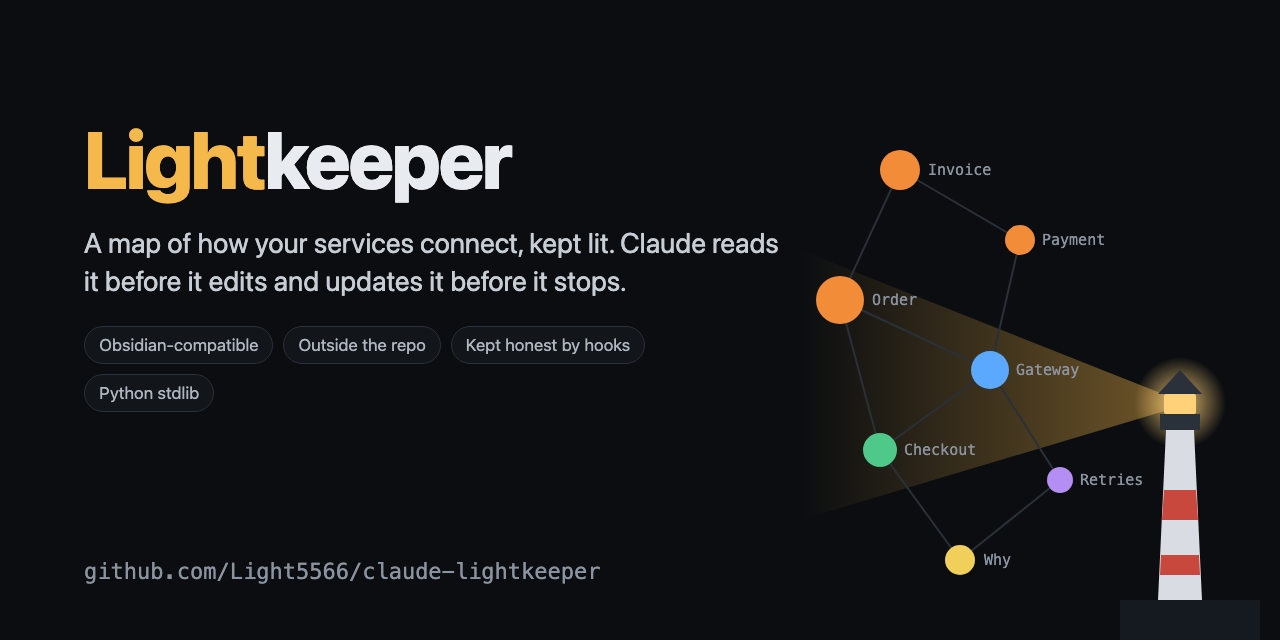
A knowledge map of your codebase that Claude reads before it edits and updates before it stops.
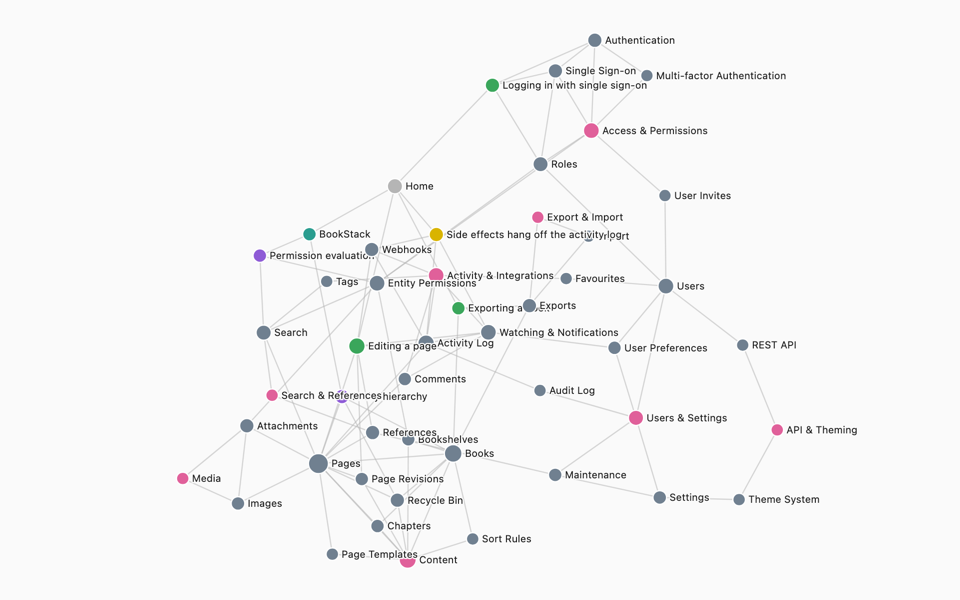
English · 中文 · Live gallery (interactive maps of Excalidraw, Mastodon, Gitea, Paperless-ngx and BookStack) · Changelog
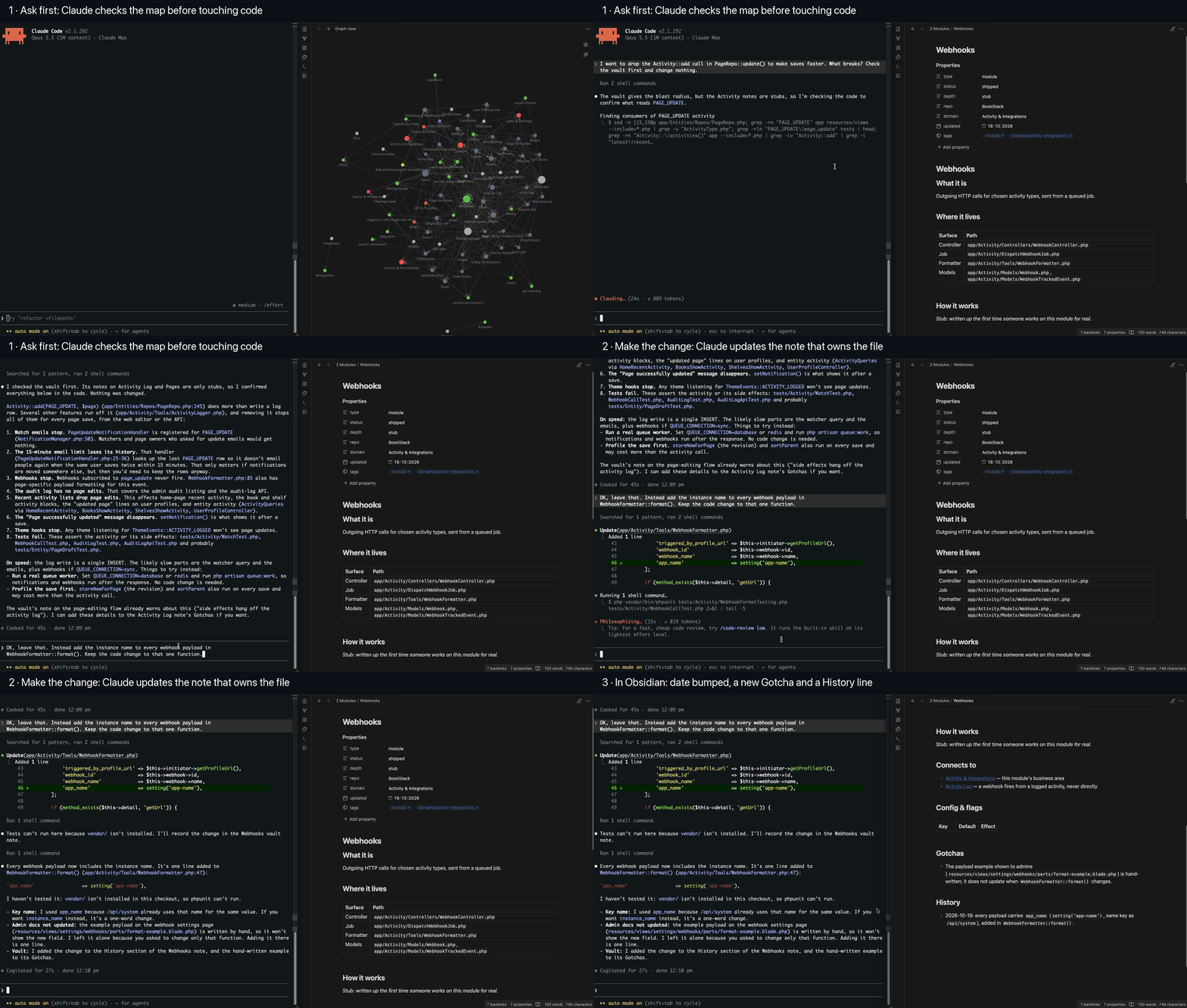
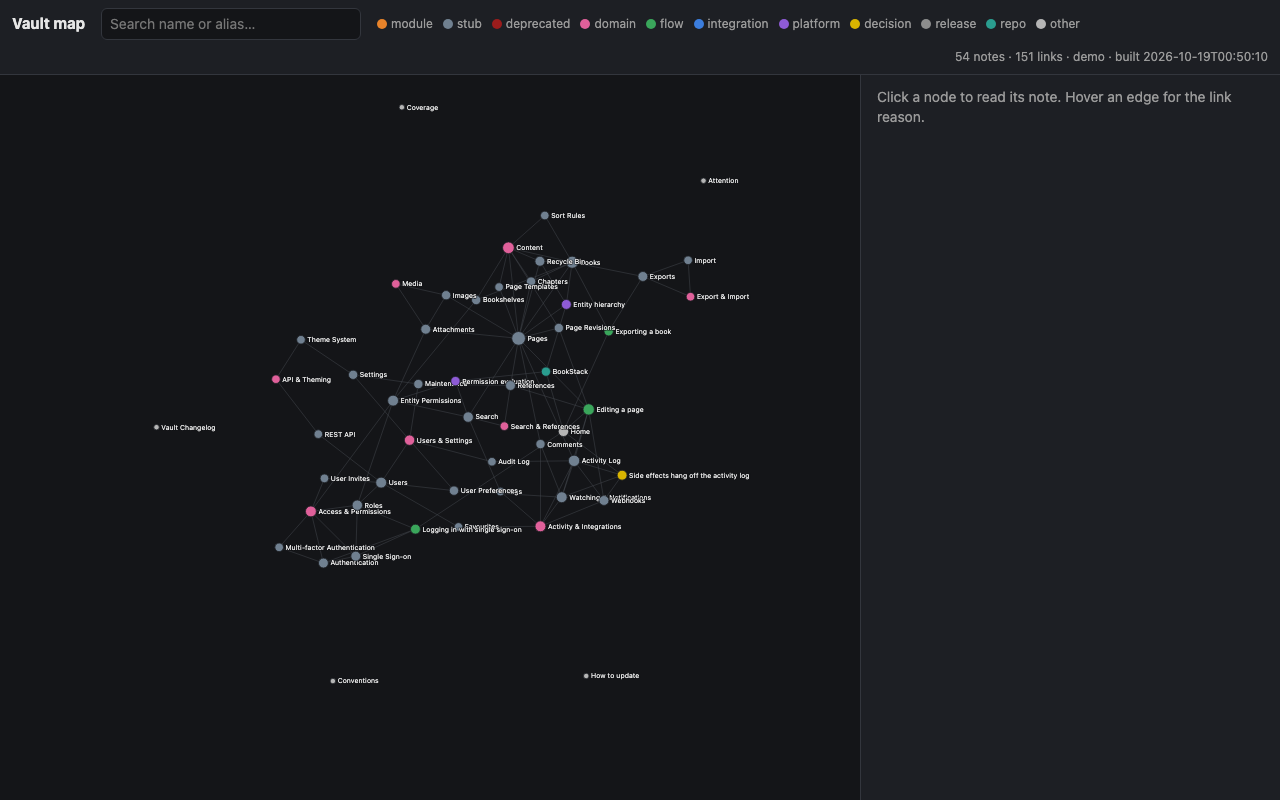
Lightkeeper is a Claude Code plugin, and runs as a Hermes Agent plugin too. It keeps an Obsidian-compatible markdown map of how your system works (modules, flows, integrations, platform traps, decisions, releases) outside the code repo, and wires five behaviours into the agent so the map stays true:
- a session primer that tells the agent the map exists and how to query it,
- prompt hints that surface the notes relevant to what you just asked,
- a pre-edit pointer at the note that owns the file about to change,
- a Stop reminder that names the exact notes the session's changed files belong to when the map didn't move,
- maintenance signals that say which notes have grown too long, gone stale while their code moved, or claim files that no longer exist.
It is the LLM-wiki pattern applied to a codebase, kept honest by hooks. Ten months of daily use across three production codebases: 464 notes, 4,500 reasoned links.
$ vault find payment timeout
Payment  (module/shipped/full, updated 2026-10-02)
  Takes the money for an order.
  → 2 Modules/Payment.md
  connects:
    → Order — a paid order moves to fulfilment
    ← Refund — a refund reverses the gateway charge through Payment::reverse()
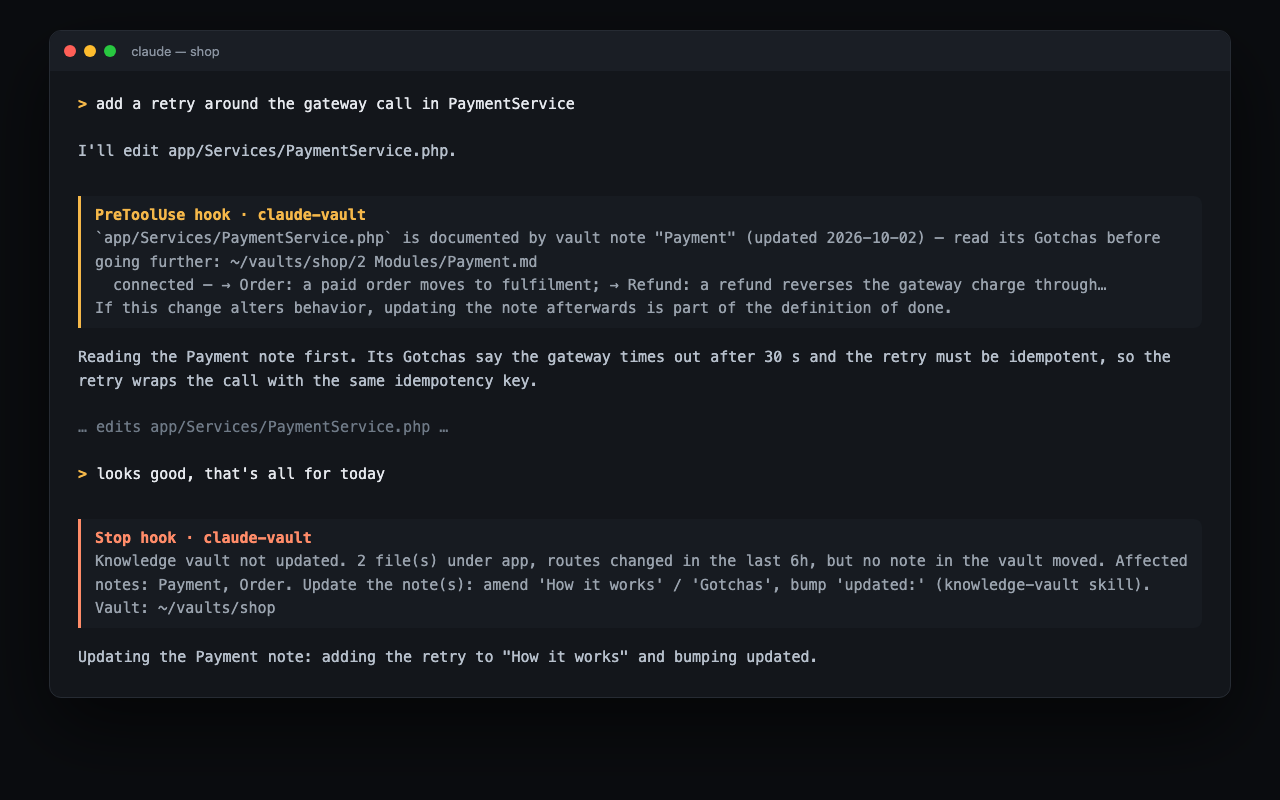
When the agent then edits app/Services/PaymentService.php, the pre-edit hook says:
app/Services/PaymentService.phpis documented by vault note "Payment" (updated 2026-10-02) — read its Gotchas before going further. If this change alters behavior, updating the note afterwards is part of the definition of done.
And when it tries to stop without touching the map:
Knowledge vault not updated. 3 file(s) under app, routes changed in the last 6h, but no note in the vault moved. Affected notes: Payment, Order. Update the note(s): amend 'How it works' / 'Gotchas', bump 'updated:'.
How this is different
| What it keeps | How it stays current | |
|---|---|---|
| claude-mem and other memory tools | what happened in past sessions | automatic capture of transcripts |
| Understand-Anything and code-graph tools | every file, function and class | regenerated from the AST |
| Lightkeeper | how the system works and why: curated notes with reasons on every link, Gotchas no AST contains, decisions and client rulings | hooks make the agent read the map before editing and update it before stopping; signals say when a note is lying |
Use a memory tool and this. They answer different questions.
Why the map lives outside the repo
- Worktrees. A busy repo has many checkouts at once. An in-repo map would exist in every one of them, your editor opens one, and a stale copy looks exactly like the current one.
- Branches. Notes written on a branch would be invisible until merged, so the map would lag the work by the life of every branch.
- Several repos. A backend and a web app are one system. A map inside one repo makes the other second-class.
The cost: a map update is a separate commit in a separate repo, so git cannot couple them. That is exactly what the hooks and the vault check ritual are for.
Install, from zero
You need: Claude Code, git, and Python 3.9 or newer on your PATH (macOS and most Linux distributions ship it). Obsidian is optional but recommended: get it at obsidian.md/download or brew install --cask obsidian.
-
Install the plugin inside Claude Code:
/plugin marketplace add Light5566/claude-lightkeeper
/plugin install lightkeeper@claude-lightkeeper
or from a shell:
claude plugin marketplace add Light5566/claude-lightkeeper && claude plugin install lightkeeper@claude-lightkeeper. -
Create a vault for one or more checkouts. Run this in any Claude Code session:
/lightkeeper:init ~/vaults/myapp --name "My App" --repo ~/code/myapp --install-cli --git-hookThis scaffolds the vault (folders, conventions, templates, Obsidian config, Bases views), writes
_meta/vault.jsondescribing the repos it covers, registers it in~/.claude/vaults, installs thevaultcommand into~/.local/bin, and adds report-onlypost-mergeandpre-pushhooks to the checkout. -
Seed the first notes from the code:
/lightkeeper:seedClaude proposes domains and up to 60 module stubs with real file paths, asks, then writes them. From that moment the pre-edit pointer fires on the first edit.
-
Open it in Obsidian: Open folder as vault → pick
~/vaults/myapp. The graph colours, the Properties pane and the Bases views are preconfigured. -
Restart Claude Code inside the checkout. The session primer appears. You are done.
Working on a project that already has a vault? Clone and register it in one step:
/lightkeeper:init --clone git@github.com:your-team/myapp-vault.git --repo ~/code/myapp --install-cli --git-hook
Have an existing Obsidian vault you want to grow into this? vault init --adopt ~/my-vault --name "My App" --repo ~/code/myapp writes the config and registers it without touching your notes; only notes that carry a type: are linted, so you can adopt gradually.
The hooks
All advisory. None can block an edit, and all of them are silent no-ops in a repo no vault covers and on a machine without the vault.
| Event | What it says | When it stays quiet |
|---|---|---|
| SessionStart | where the vault is, how to query it, that updating it is part of done; once a day, what needs attention | on resume |
| SessionStart (after compaction) | re-query the vault instead of re-exploring code you already read | |
| UserPromptSubmit | up to three notes whose names, aliases or flags appear in your prompt, with their one-liners and nearest neighbours; once per session, a nudge when the prompt sounds like a decision or a ruling | nothing new matches |
| PreToolUse (Write/Edit) | the note that owns the file about to change, with its neighbours; for a stub, "nothing recorded yet, write what you learn" | the file is unowned, or you were already pointed at that note |
| Stop | watched files changed in the last 6 hours but no note moved; names the owning notes and counts files that match no note | the vault is dirty or was committed within the window |
Writing notes
Every note is plain markdown with flat one-line frontmatter. The engine reads three things from your writing:
- The one rule: every
[[link]]carries a reason.- [[Invoice]] — a paid order raises an invoice through InvoiceService::create(). Reasons become the "blast radius" shown beside every search hit; a bare link makes the graph a hairball. - The Where it lives table of a module note is machine-read: real files, first path in a cell fully qualified, never a container directory. It is the file→note index the pre-edit hook runs on.
- The honesty fields.
status: shippedmeans the code is on the production branch;depth: stubmeans the note is thin;updated:is bumped every time you touch a note. A note can be wrong; when the code disagrees, the code wins and fixing the note is part of the change.
The scaffold's _meta/Conventions.md and _meta/How to update.md hold the full conventions, the trigger table (which note to touch for which kind of change) and the sixty-second version. The knowledge-vault skill teaches them to Claude.
The command line
vault find <terms>              topic search, tiered: names → aliases/flags → tags → full text
vault find --paths <files>      which notes own these files
vault check [--write]           lint; --write also rebuilds the index and regenerates
                                Coverage.md, Vault Changelog.md, Attention.md and World.canvas
vault status                    coverage, stale notes, attention, sync drift on one screen
vault sync [target] [--advance] what landed on the repos since the vault last caught up
vault log <note>                that note's git history
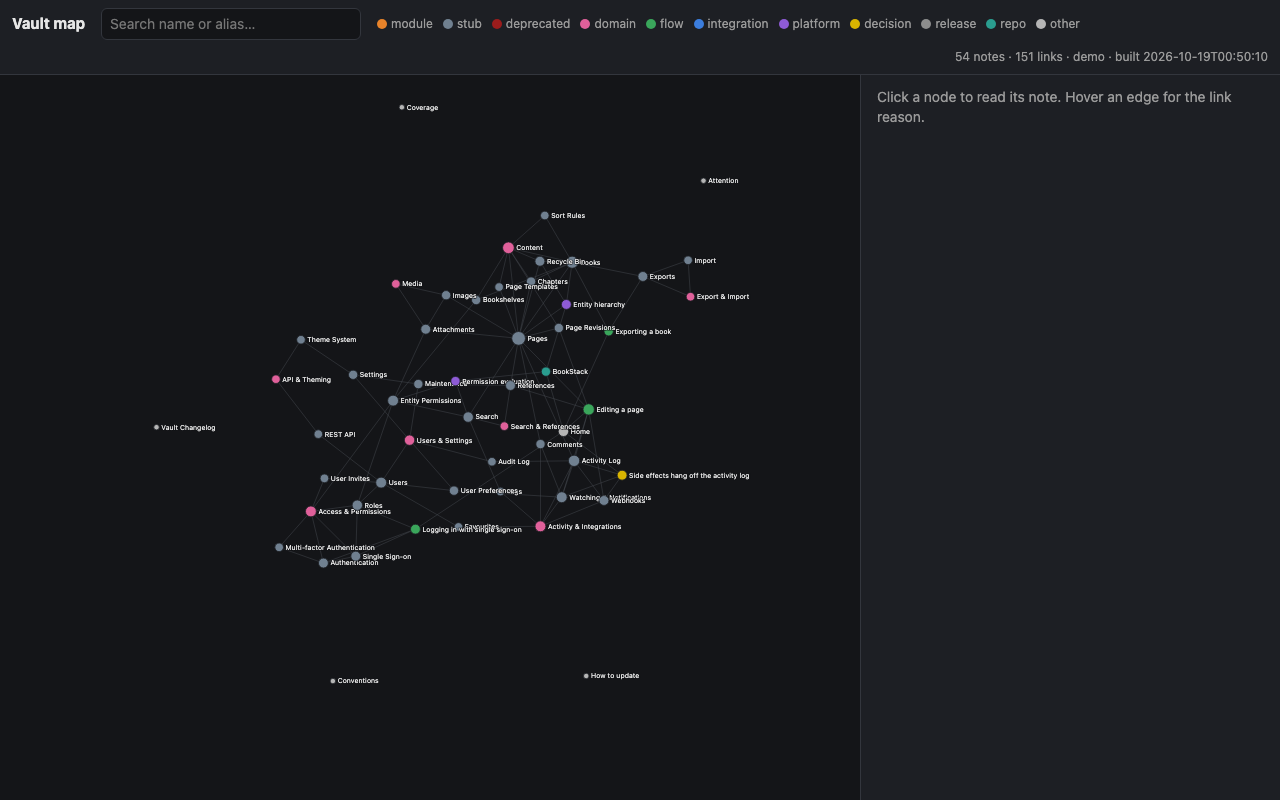
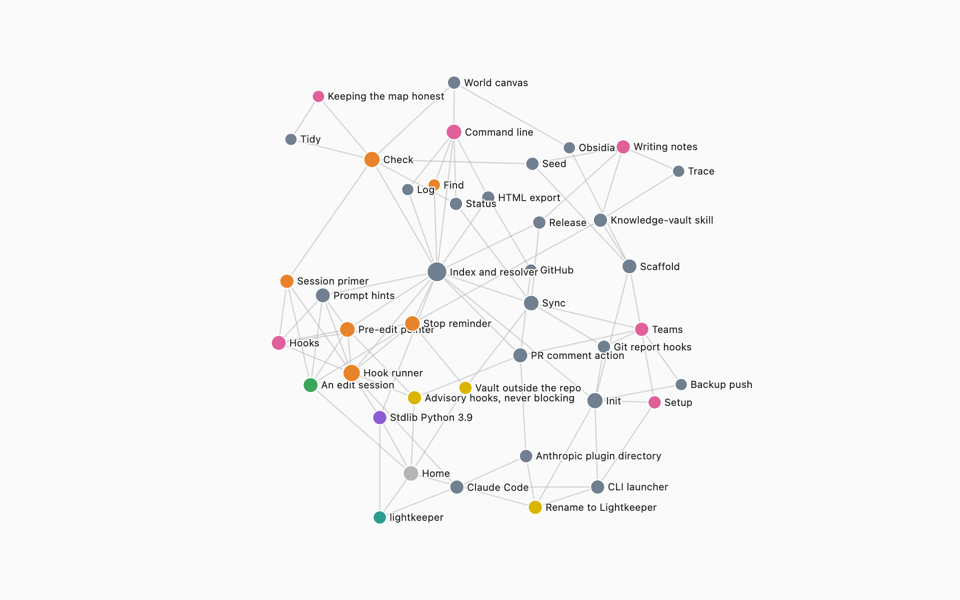
vault export --html <file>      a self-contained interactive map
vault init ...                  scaffold, clone or adopt a vault
Every command takes --vault <path>; without it, the vault covering the current directory is used.
vault check catches unresolved links, duplicate note names, bare links, container-directory claims, off-schema frontmatter, orphans, stale notes, and anything that looks like a secret or personal data (email addresses, long digit runs, API-key shapes, private keys). Run it with --write before every vault commit.
Configuration
_meta/vault.json in the vault:
{
  "name": "My App",
  "repos": {
    "myapp":     {"remote": "github.com/acme/myapp", "watched": ["app", "routes", "database/migrations"],
                  "production_ref": "origin/main", "version_log": "CHANGELOG.md"},
    "myapp-web": {"remote": "github.com/acme/myapp-web", "watched": ["app", "components", "src"],
                  "production_ref": "origin/main"},
    "local-only": {"path": "~/code/experiment", "watched": ["src"]},
    "ops":        {"remote": "github.com/acme/monorepo", "root": "apps/ops", "watched": ["src"]}
  },
  "generic_dirs": ["app/Services"],
  "noise_files": ["TODO.md"],
  "stop_window_hours": 6,
  "tidy": {"max_words": 4000, "max_gotchas": 20, "stale_days": 60, "churn_commits": 5}
}
reposis what the hooks route on: a checkout matches byremotesubstring (any URL form) or bypath;rootscopes a monorepo sub-app. Longest match wins. The key is the value of therepo:frontmatter field.watchedare the directories the Stop reminder watches.vault initdetects them from the layout.generic_dirsextends the built-in list of container directories a note may never own wholesale.tidysets the attention thresholds._meta/local.md, if present, holds this vault's own rules (branch names, changelog format, data-privacy wording). Every skill reads it.
Environment overrides: VAULT_ROOT (use this vault), VAULT_WATCHED, VAULT_WINDOW_HOURS, VAULT_STOP_NUDGE=quiet (keep the Stop reminder out of the agent's context, show it only to you).
Teams
The vault is its own git repo. Share it the way you share code:
- Each person installs the plugin and runs
/lightkeeper:init --clone <url> --repo <checkout>. Their hooks now point at the same map. - Colleagues' pushes arrive with no hook attached, so the map drifts.
vault syncreports everything that landed on each repo since the vault last caught up, grouped by the notes that own the changed files, and thevault-syncskill walks the catch-up. Advance the cursor only after the notes are updated. - The
post-mergeandpre-pushgit hooks thatvault init --git-hookinstalls print how far the vault is behind the branch. They never block, and they work for teammates who do not use Claude. vault init --backup-remote <url>makes every vault commit push itself, so a one-machine vault is never more than a commit behind its backup.- The PR comment bot.
uses: Light5566/claude-lightkeeper/action@mainin a code repo's workflow comments on every pull request with the notes that own its changed files, and lists files that match no note. Advisory, never blocks. Setup in action/README.md.
Keeping the map honest
vault check --write computes maintenance signals into _meta/Attention.md:
| Signal | Rule |
|---|---|
| consolidate | more than max_words words or max_gotchas Gotcha bullets |
| re-verify | updated older than stale_days and at least churn_commits commits touched the note's files since |
| promote | a stub whose files keep changing |
| path rot | a Where it lives path that exists in no worktree or committed tree |
| link rot | a link reason names a Class::method that no file defines |
The session primer mentions the count once a day. /lightkeeper:tidy works the list: it regroups and dedupes Gotchas without dropping a single trap, re-reads the diff behind a stale note before confirming or fixing it, and promotes stubs from the code.
_meta/Vault Changelog.md is derived from the vault's git history on every --write, so the history of what the map learned, and when, is never hand-kept. World.canvas is regenerated the same way: one group per domain, modules inside, cross-domain links with their reasons.
Compatibility
| Claude Code (CLI, desktop, IDE extensions) | hooks, skills, commands and the CLI |
| Hermes Agent | hooks, skills, procedures and the CLI, through the adapter at the repo root; see below |
| Other agents (Cursor, Codex, Gemini CLI, …) | the vault CLI and the SKILL.md files |
| macOS, Linux | tested |
| Windows | untested; hooks call Python directly, so WSL or Git Bash should work |
| Obsidian | optional: the graph colours, Bases views and canvas are extras; the notes are plain markdown with wikilinks that Foam, Logseq or any editor can read |
| Python | 3.9 or newer, standard library only, nothing to pip install |
| Languages and frameworks | any; vault init detects the layout, and vault.json covers the rest |
Hermes Agent
The repo root is also a Hermes Agent plugin (plugin.yaml, __init__.py). Install it, enable it, then create a vault the same way:
hermes plugins install Light5566/claude-lightkeeper
hermes plugins enable lightkeeper
python3 ~/.hermes/plugins/lightkeeper/bin/vault init ~/vaults/myapp --name "My App" --repo ~/code/myapp --install-cli --git-hook
The registry file keeps its historical name, ~/.claude/vaults; Claude Code is not needed. What you get, in three tiers:
- CLI compatible.
vaultworks from any shell.--install-cliputs it on your PATH, and the launcher finds the Hermes install. - Workflow integration. The three skills and the five procedures are Hermes skills:
lightkeeper:knowledge-vault,lightkeeper:vault-sync,lightkeeper:vault-tidy,lightkeeper:init,lightkeeper:seed,lightkeeper:tidy,lightkeeper:traceandlightkeeper:release. The first-turn primer names them, and the agent loads one withskill_view. - Automatic lifecycle. The adapter runs the same hook scripts Claude Code runs, through Hermes's plugin hooks. Exactly what is wired, and where it differs:
| Behaviour | In Hermes |
|---|---|
| Session primer | appended to your first message in a new session (pre_llm_call); not on a continued session, and not again after a context compaction |
| Prompt hints | appended to the message that triggered them |
| Edit pointer | after the edit, not before: it arrives as a lightkeeper field inside the JSON result of write_file or patch (transform_tool_result). The agent learns which note owns the file it just changed and reads its Gotchas before going further. What names notes before any edit is the prompt hint and the primer |
| Stop reminder | Hermes's verify gate (pre_verify): on a turn in which Hermes saw file edits, the reminder comes back as a synthetic user turn, once per answer, and the agent keeps working; a turn without file edits does not trigger it |
| Notice to you | the reminder is shown once more when the session ends (/new, quit), never to the model |
It needs a session whose working directory is a covered checkout, and the local terminal backend. Nothing blocks, as in Claude Code. Lightkeeper is not a memory provider, so it sits beside Hermes's own memory and any memory plugin. Hermes 0.22 or newer: tested with a real model on stable 0.22.2 in hermes chat -q mode; not yet verified are the messaging gateways, interactive multi-turn sessions, turns after a context compaction, and host-unified main builds. For development, bash check.sh drives the adapter with a fake plugin context; on a machine with Hermes, run hermes plugins validate . and hermes plugins doctor . --ci.
Not included, on purpose
- An MCP server. The map is a discipline the hooks enforce and a CLI any agent can run, not a database an agent queries when it remembers to.
- Transcript mining. The Stop hook asks the agent to write what it learned; it does not try to guess it from the transcript.
- Auto-commit. A human, or the agent on your instruction, reviews the vault diff and commits it.
Development
bash check.sh # scaffolds a throwaway vault and runs every hook and command against it
MIT. Issues and pull requests welcome.