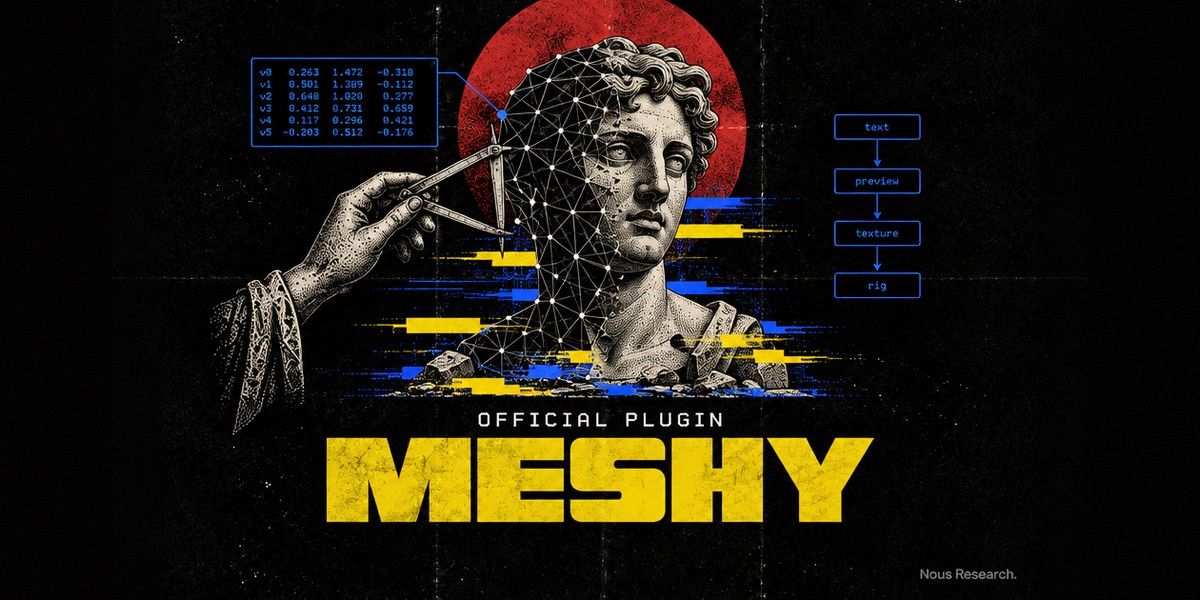
Meshy
Part of Hermes Official Plugins, Nous Research's official plugins for Hermes Agent.
Make 3D models from Hermes with Meshy: text or image to 3D, texturing, remeshing, rigging, animation, format conversion, real-world resizing, UV unwrapping, 2D concept images, and 3D-print preparation (printability analysis and repair, multicolor 3MF, splitting into printable parts, slicer handoff, Creative Lab products).
This is a portable Agent Plugins v1 package. One install ships:
mcp.json: Meshy's first-party MCP server (meshy-dev/meshy-mcp-server, MIT), launched asnpx -y @meshy-ai/meshy-mcp-server@0.6.4over stdio for every new session while the plugin is enabled. Nomcp_serversedit in config.yaml.skills/meshy-3d/: a workflow skill. It carries the server's own routing rules (cost confirmation, never re-creating an uncertain task, choosing the output format first, the scenario playbooks), because Hermes does not pass MCP server instructions to the model, plus a tool table generated from a livetools/list.
Install
hermes plugins install meshy        # from the Nous plugin catalog
hermes plugins enable meshy
Then add your Meshy API key. In Hermes Desktop: Settings → Plugins → Meshy (or the gear on the plugin's row in Capabilities → Plugins), paste it into Meshy API key, Save. The running Meshy server restarts with the new key on its own. Without Desktop, either of these does the same:
hermes config set MESHY_API_KEY msy_...        # writes the profile's .env
# or put MESHY_API_KEY=msy_... in ~/.hermes/.env (~/.hermes/profiles/<name>/.env)
Create the key at meshy.ai → Settings → API. API keys need a Pro plan or above. Then ask, for example, "Make a low-poly treasure chest for Godot" or "Turn ~/photos/mug.jpg into a 3D model and get it ready to print at 10 cm".
Requirements: Node.js 18+ with npx on PATH. The first start downloads the pinned package
into npm's cache.
Spending credits: approval
Most Meshy tools spend credits (5–62 per call; the skill's references/tools.md lists the
prices). The plugin marks the server trust: untrusted, so Hermes asks before every
write-capable call (creates, downloads, cancels) with Allow once / Allow for this session /
Deny. Read-only tools (balance, usage, task status and lists, the animation library, slicer
detection) run without a prompt. The skill also tells the agent to state the cost and get your
yes before any paid call. Unattended runs (cron, hermes chat -q, a gateway with no approver)
cannot approve, so paid calls are refused there.
To skip the prompts, override the server in config.yaml with the same name. A config entry
replaces the plugin's, trust included, so keep the pinned command:
mcp_servers:
  meshy:
    command: npx
    args: ["-y", "@meshy-ai/meshy-mcp-server@0.6.4"]
    env:
      MESHY_API_KEY: ${MESHY_API_KEY}
On Hermes builds with MCP tool costs, the plugin also declares what each Meshy tool costs (Meshy's
API price list; ranges where the model or texture size changes the price) and a 200-credit spend
limit per chat. The approval prompt then reads "Costs about 5–25 credits" plus what the chat has
spent, and once a chat would pass the limit Hermes asks again even with the prompts skipped as above
(your override keeps the plugin's costs unless it sets tool_costs / spend_limit itself;
spend_limit: 0 turns the limit off). Older Hermes builds ignore the declaration.
Where files go
meshy_download_model saves to the absolute save_to path the agent passes (the skill asks
it to always pass one). Without it, the server writes under meshy_output/ in its working
directory, which this plugin sets to its own data directory
(~/.hermes/plugin-data/agent-plugin-meshy-<hash>/meshy_output/), not your project.
Settings
One page in Desktop: Settings → Plugins → Meshy (⌘K → "Meshy: settings", or the gear in the gallery). Every option is a plain config key too, so the CLI and other surfaces reach the same values:
| Setting | Default | CLI |
|---|---|---|
| Meshy API key | — | hermes config set MESHY_API_KEY msy_... (stored in .env, never config.yaml) |
| Credit balance in the status bar | on | hermes config set plugins.entries.meshy.settings.show_credits false |
| Inline 3D cards in chat | on | … .settings.inline_viewer false (directive lines then show as text) |
| Auto-rotate in the gallery | on | … .settings.auto_rotate false |
| Recent generations shown | 24 | … .settings.gallery_limit 10 (1–60) |
Desktop applies a saved change immediately; nothing needs a restart.
Hermes Desktop
Turn on the plugin's Desktop switch in Capabilities → Plugins (Desktop halves are opt-in) and you get, rendered with stock three.js:
- Inline 3D cards. After a download the agent ends its reply with
::meshy-model{path="/abs/model.glb" task="<task_id>"}; Desktop shows it as a card you click to orbit, zoom, toggle wireframe and grid, or open in a tab. Other clients show the line as text. Right after starting a job the agent can post just::meshy-model{task="<task_id>"}and reply at once: the card shows Meshy's progress ("Meshy 38% · previewing"), then the thumbnail with Next and Download, and fetches the GLB into the plugin's folder (free) when you click View in 3D. - Download menu on every card. It lists each file type Meshy produced for that task (a refined model: GLB, FBX, OBJ with its .mtl and texture, STL, USDZ; a preview: GLB only) and saves the one you pick next to the .glb, then opens its folder. No credits: Meshy made them all at generation time. A tick marks formats already on disk.
- Meshy 3D gallery (status-bar chip or ⌘K → "Meshy: open 3D gallery"): your recent
generations and the models on this machine next to a full viewer, with the same Download menu
for any model whose Meshy task is known. "Meshy: view a .glb file…" opens any model on disk.
"On this machine" lists the plugin's
meshy_output/plus every model the viewer has opened or saved elsewhere (a project folder): a small per-profile index,asset-index.jsonin the plugin's data folder, holds path, size, sha256 and task id only (no URLs, no keys; 500 entries, vanished files drop out). Nothing scans your home folder. Every row is labelled with the prompt that made it, and the search box filters by prompt. Selecting a model shows Made from: the prompt (copy it, or put it back in the chat box), the texture or style prompt, the source image for image models, settings, seed, credits, the chain of steps it came from and what was made from it (each clickable), and Open chat for the conversation that made it. Meshy keeps text prompts itself; for image models and later steps (remesh, retexture, rig, animate, resize) the plugin records the creating tool call inprovenance.jsonin its data folder (prompt, settings, parent task, the image path or the image URL without its query string; 2,000 entries). Models made before this or from another machine show what Meshy and the download folder still know. - Credit chip in the status bar, refreshed after every Meshy tool call.
Images and saved assets
Use All / Images / Models to filter the gallery. Image previews support switching between views, Download image / Download all N images, and Next actions for 3D generation, image edits, and additional views through chat. Copy ID copies the task ID for follow-up requests.
API assets normally expire after three days. Viewing does not save them: use Download to
keep a local copy. Expired entries without local copies are hidden. Image sets are saved under
saved-assets/<task-id>/ in the plugin's data directory; interrupted sets offer Retry image download.
The gallery footer shows known local storage usage and a folder link; it does not scan arbitrary
files elsewhere on disk.
Model downloads list available exports for free. Missing formats have separate Convert actions that request a paid conversion through chat.
The renderer never reads files or holds the key. dashboard/plugin_api.py (mounted at
/api/plugins/meshy/ once the plugin is enabled) answers the viewer: the balance and recent tasks
from Meshy's API, .glb/.gltf/image bytes from your home directory or the plugin's output folder
(nothing else, symlinks resolved first), and signed assets.meshy.ai downloads. Cards load on
click, render only while on screen, and free their WebGL context when unmounted, so a long chat
of models stays light.
Development
From meshy/, run the backend regression tests against a sibling Hermes checkout:
PYTHONPATH=../../hermes-agent python -m pytest tests/test_plugin_api.py -q
Use the latest patched Node.js 24 LTS release, supported by Hermes Desktop.
Run npm ci, npm run test:gallery, and npm run typecheck.
After renderer changes, run npm run build and commit the generated desktop/plugin.js.
Tools
28 tools (about 19K tokens of schemas), loaded on demand through Hermes' tool search, so they
cost nothing in the prompt until used. Hermes exposes them as mcp__meshy__<tool>:
Generation: meshy_text_to_3d, meshy_text_to_3d_refine, meshy_image_to_3d,
meshy_multi_image_to_3d, meshy_text_to_image, meshy_image_to_image.
Post-processing: meshy_remesh, meshy_retexture, meshy_convert, meshy_resize,
meshy_uv_unwrap.
Characters: meshy_rig, meshy_animate, meshy_text_to_motion, meshy_list_animations.
Printing: meshy_analyze_printability, meshy_repair_printability,
meshy_process_multicolor, meshy_auto_split, meshy_send_to_slicer, meshy_creative_lab.
Tasks and account: meshy_get_task_status, meshy_list_tasks, meshy_list_models,
meshy_download_model, meshy_cancel_task, meshy_check_balance, meshy_list_usage.
Privacy
- The server sends prompts, images you reference by path or URL, and models to Meshy's API
(
api.meshy.ai) under your key. It sends no analytics of its own; requests carry ameshy-mcp-server/<version>user agent. - Hermes passes MCP servers a filtered environment; this server gets only
MESHY_API_KEYfrom your profile, filled in when the server starts.
Why local and not a hosted URL
Meshy publishes this server only as a local stdio package and offers no hosted MCP endpoint.
A local server is also what makes local file inputs (file_path), downloads to disk, and
slicer detection work.
Version pinning
mcp.json pins @meshy-ai/meshy-mcp-server@0.6.4 (published 2026-10-13). Bumping it is a
commit here followed by a reviewed SHA bump in the
hermes-agent plugin catalog.
@latest is deliberately not used.
Attribution
The MCP server and the workflow rules the skill carries are by Meshy AI (meshy-dev/meshy-mcp-server, MIT, Copyright (c) 2026 Meshy AI). Meshy is a product of Meshy AI. Packaging and skill: Nous Research, MIT.