Nord for Hermes Desktop
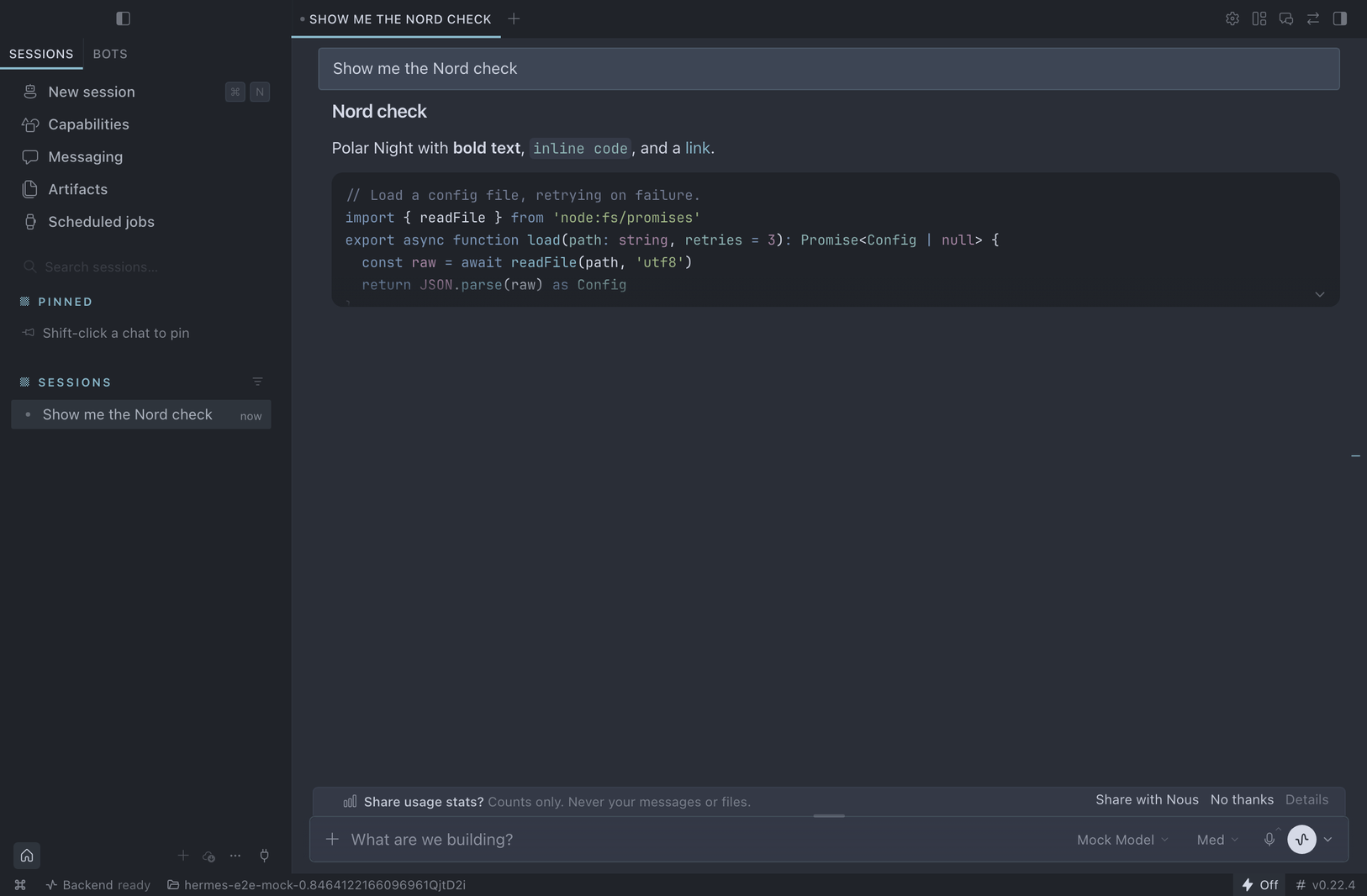
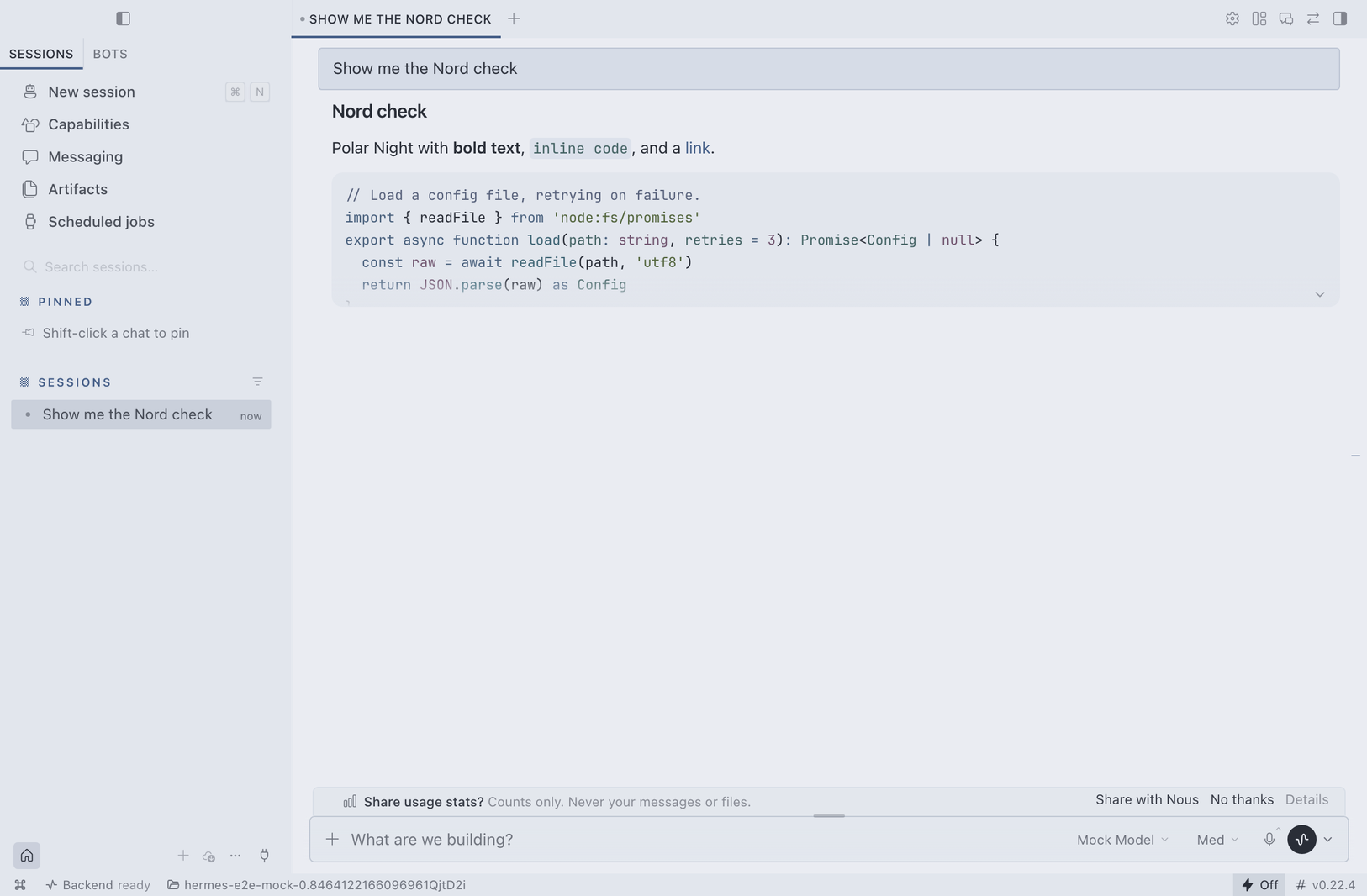
An unofficial Nord theme for Hermes Desktop. It ships two hand-tuned palettes: Polar Night in dark mode and Snow Storm in light mode. It is not affiliated with the Nord project or with Nous Research.
Install
hermes plugins install nord-theme
Run this on the computer where Hermes Desktop runs. Then open Hermes Desktop, go to Capabilities > Plugins, and turn on Nord Theme.
Turning the plugin on selects Nord once. To go back, pick another theme in Settings > Appearance > Theme. The plugin never switches the theme again after that first time. Shift+X toggles between the dark and light palettes.
Update with hermes plugins update nord-theme.
Remove with hermes plugins remove nord-theme.
What changes
- Surfaces. Every surface uses the real Nord colors. Hermes normally blends theme surfaces toward a neutral grey; Nord turns that off while it is active.
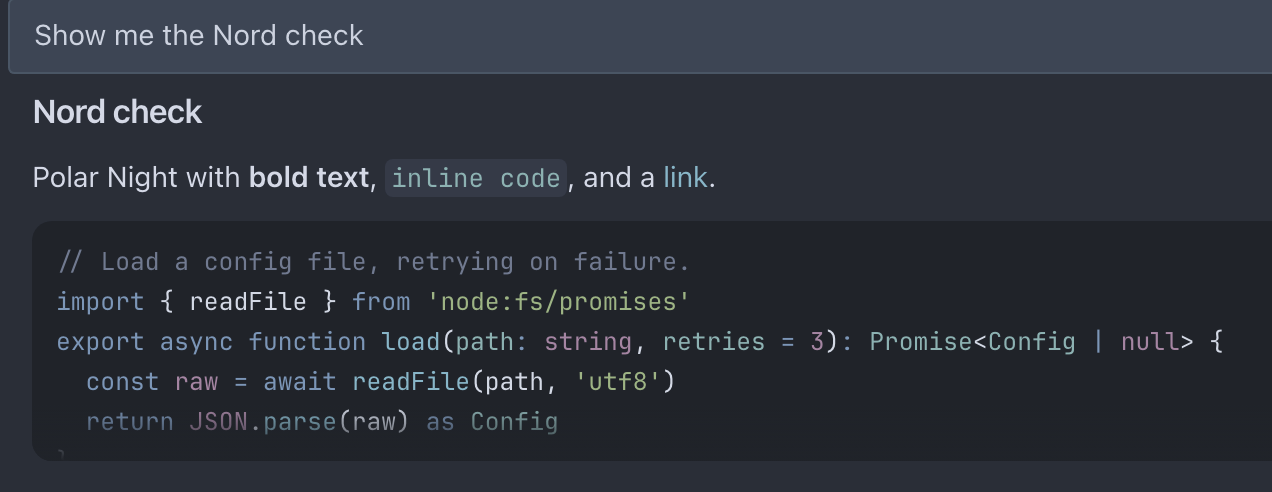
- Dark mode. A recessed sidebar and code well (
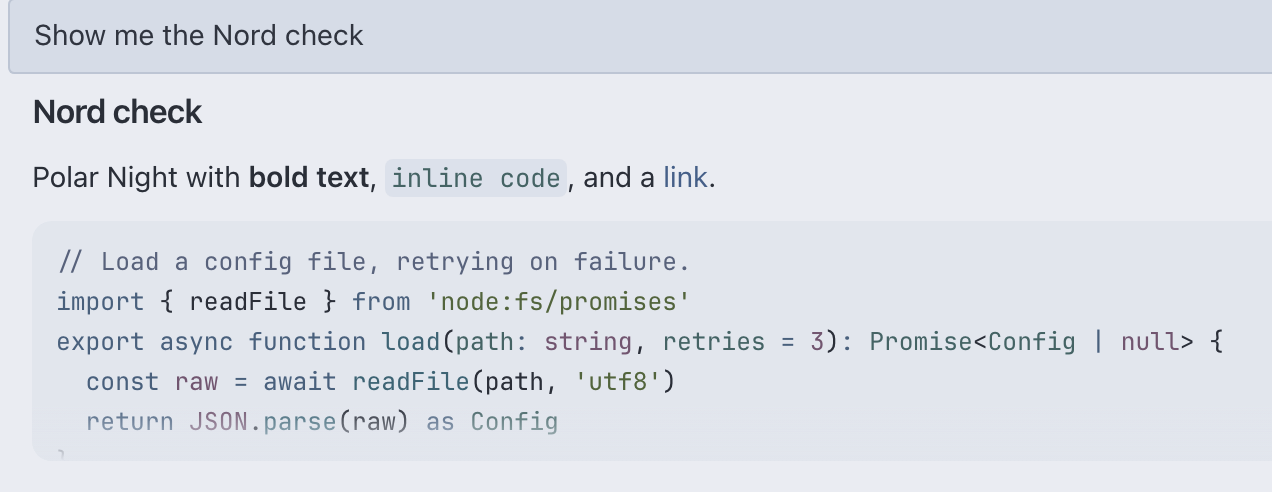
#22272F, one step below nord0), the chat on nord0, and the composer, cards and popovers on nord1. - Light mode. The chat on nord6, the sidebar and code wells on nord5, and popovers one step above nord6.
- Accent. nord8 in dark mode. In light mode the accent is nord10 with its lightness lowered until it reaches 4.5:1 contrast on the sidebar; plain nord10 measures 3.3:1.
- Text. Primary text lands exactly on nord4 (dark) and nord0 (light).
- Code blocks. Syntax colors follow Nord, mapped role by role from its official VS Code theme. In dark mode, comments are brightened slightly so they stay readable at small sizes.
- Status colors. Success, warning, error and the other status colors use Aurora and Frost.
- Selection and inline code. Frost selection, nord7 inline code.
- Terminal. Nord's ANSI colors in dark mode, with bright black raised to nord3 bright so dim output stays visible. Nord has no light terminal palette, so light mode uses the Nord hues darkened to 4.5:1 on nord6.
How it works
The plugin uses only the Hermes Desktop plugin SDK.
It registers one theme, named nord, through THEMES_AREA.
The theme carries both palettes, both terminal palettes, and a stylesheet.
Hermes applies the stylesheet only while Nord is the selected theme.
Under any other theme, the plugin draws nothing.
Disclosure
- The plugin selects Nord once, on the first load after install, and stores a flag in plugin storage so it never does it again.
- Its stylesheet recolors Hermes Desktop surfaces, code-block syntax colors, status colors, text selection and inline code, only while Nord is selected.
- It makes no network calls, reads no files, runs no shell commands and stores no credentials.
Known limits
- A short flash at startup. When Hermes Desktop starts, it shows its default theme for about 0.1 s before Nord appears. Hermes loads plugins after its first paint, so a plugin theme does not exist yet when the window first draws. Built-in and imported themes are cached and do not have this delay.
- Markup changes. The stylesheet targets Hermes Desktop's markup and color variables.
If an update changes them, the affected part falls back to Hermes' own look instead of breaking.
Please open an issue with a screenshot and your
hermes --version. - Window translucency. With translucency on, the desktop shows through the sidebar and tints it. Turn translucency off in Settings > Appearance to see the exact Nord colors.
- Name. Do not create a CLI skin named
nord. An active skin with the same name replaces this theme in Hermes Desktop.
Last verified with Hermes Agent v0.22.4.
Credits and license
MIT. See LICENSE.
The Nord palette is Copyright (c) 2016-present Sven Greb (Arctic Ice Studio), MIT. See nordtheme/nord.