Profile Picker for Hermes Desktop
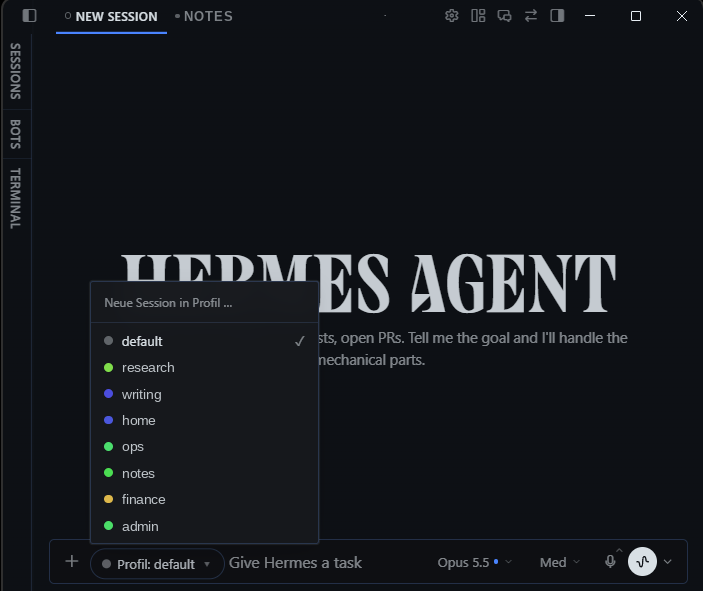
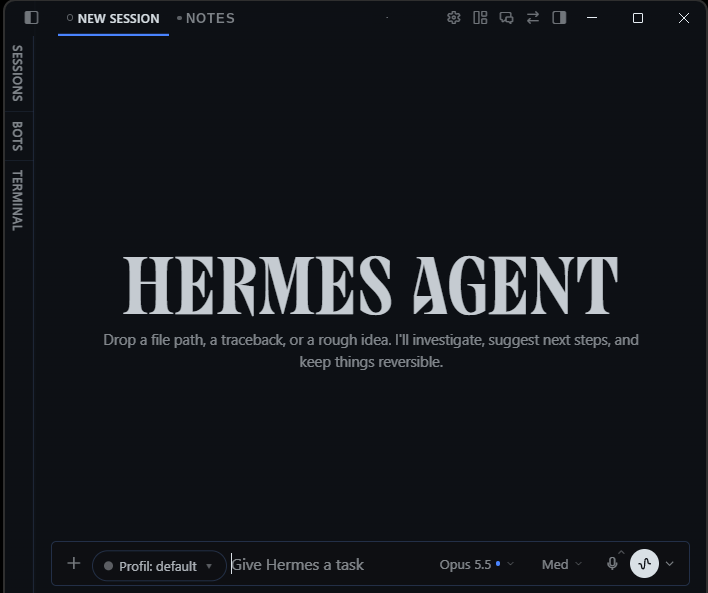
Choose which profile a new chat runs in right where you start it — in the composer, next to the model pill — instead of hunting for the small profile squares at the foot of the sidebar.
Screenshots
New chat, picker open:
New chat, picker closed:
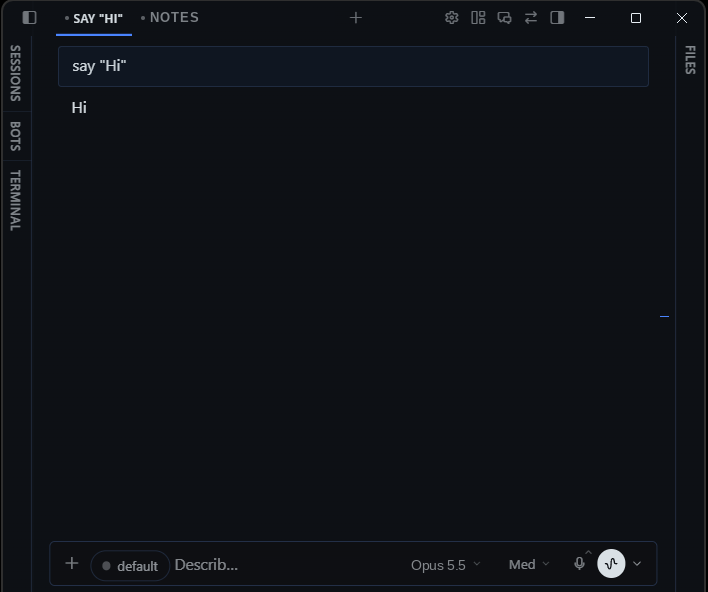
Running chat with the read-only profile chip:
Profile names, tab titles and the model label in these screenshots were anonymised; the status bar was cropped.
What it does
- New, unsent chat: a
Profile: <name> ▾dropdown sits at the start of the composer. Pick a profile and a fresh draft opens in that profile. Text you already typed is carried over. - Running chat: the same spot shows a read-only chip with the chat's profile, so you always see which agent you are talking to. (A running session cannot be moved to another profile, so the chip is not a picker.)
- Command palette (Ctrl/Cmd+K): one entry per profile,
New chat in profile: <name>. - With only one profile, nothing is shown.
- English and German UI; other app languages fall back to English.
Works with local and remote backends: the new chat is routed through the profile's route on the current gateway connection.
Install
Requires Hermes Agent 0.21.5 or newer with the Desktop app.
hermes plugins install https://github.com/weltmaister/hermes-profile-picker
Then enable Profile Picker under Capabilities → Plugins in the Desktop app.
Manual install: copy desktop/plugin.js to <HERMES_HOME>/desktop-plugins/profile-picker/plugin.js on the machine that runs the Desktop app (%LOCALAPPDATA%\hermes on Windows, ~/.hermes elsewhere) and run Reload desktop plugins from the command palette.
How it works
Desktop-only; the Python half is an empty stub. The UI uses only public Desktop plugin SDK surfaces:
COMPOSER_AREAS.leadingslot for the picker / chiphost.profiles.list()for the profile listhost.profileRoutes()+host.newChat(route)to open the draft in the chosen profilehost.composer.getDraft/setDraft('new', …)to carry typed text overhost.state.focusedStoredSessionId/focusedSessionProfilefor the chipPALETTE_AREAfor the palette entries,ctx.i18nfor the strings
If the running Desktop build lacks one of these, the plugin registers nothing and shows a one-time notice.
Privacy and behaviour
No network calls, no telemetry, no file access, no stored data, no background processes, no credentials. It does not patch or query the app's internal markup.
Limitations
- Carrying over typed text relies on
host.composer; on Desktop builds without it the new draft starts empty. - Existing sessions cannot be re-assigned to another profile; that is a Hermes limitation, not something a plugin can change.
License
MIT