
Connect Hermes Agent to 500+ connectors and 20k+ tools
Hermes can call the Scalekit catalog: 500+ connectors and 20,000+ tools, as published on scalekit.com. Scalekit stores each person's token and refreshes it. You paste three Scalekit account values once. You do not paste a Gmail, Slack, or GitHub token into Hermes.
- Four tools cover the catalog.
scalekit_list_connections,scalekit_authorize,scalekit_execute_tool,scalekit_proxy. - One install command.
hermes plugins install scalekit-inc/hermes-tools. - The key prompt is the install. Hermes asks for the three values and saves them to
~/.hermes/.env. - A finished dashboard connection is not your approval. The first ask for a new person returns an approval link. After you approve, the same ask returns the profile.
- The reply has no provider token.
Install
These commands were run on Hermes 0.19.0. Quit any open hermes chat first.
hermes --version
The plugin uses only the Python standard library. It installs no package into the Hermes Python.
hermes plugins install scalekit-inc/hermes-tools
hermes plugins install scalekit fails until the Hermes catalog lists this plugin.
If Hermes says the plugin is already installed, replace that copy:
hermes plugins install scalekit-inc/hermes-tools --force
Hermes then asks for three values. Paste them from app.scalekit.com → Dashboard → Developers → Settings → API Credentials. If Hermes does not ask, those values are already saved.
| Prompt | What you paste |
|---|---|
SCALEKIT_CLIENT_ID |
The client id. It looks like skc_1234. A production id can start with prd_skc_. |
SCALEKIT_CLIENT_SECRET |
The client secret. It looks like test_abcdef1234567890. This is the Scalekit account secret, not a Gmail or Slack token. |
SCALEKIT_ENVIRONMENT_URL |
The environment URL. It looks like https://your-env.scalekit.dev. |
When Hermes asks Enable 'scalekit' now?, type Y. The tools show up in the next hermes chat. Restart the gateway only if a gateway is already running.
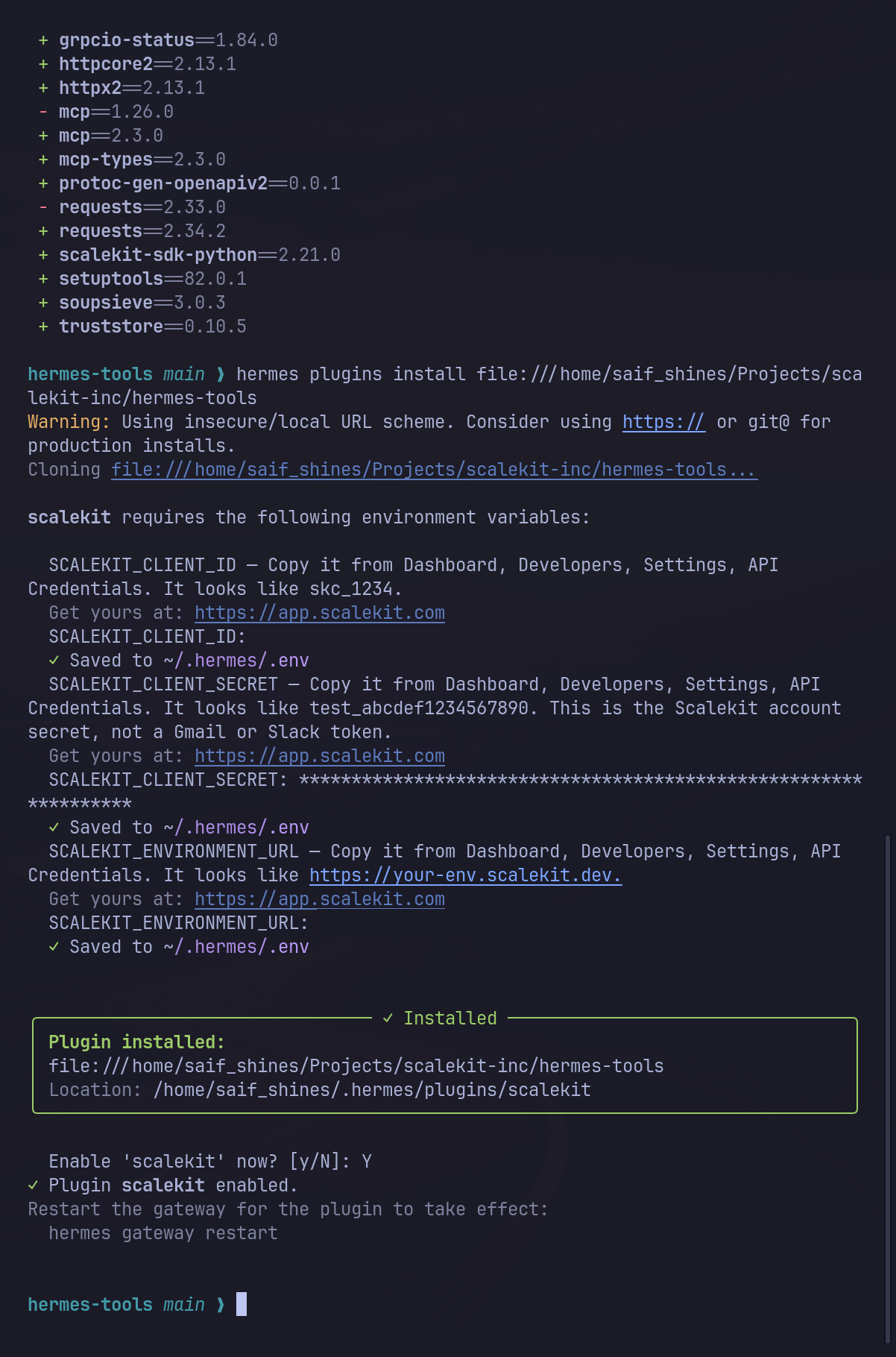
Before you install, open app.scalekit.com → AgentKit → Connections, and write down a connection name. The test used github-connect. Its type was OAUTH and its status was COMPLETED. Do not copy a conn_ id.
Try it
List my Scalekit connections.
Who am I on GitHub? Use the connection github-connect.
Use your own connection name.
What to expect
-
The list names each connection. You see the name, the type, and the status. In the test, the list had 23 connections, all
COMPLETED, andgithub-connectwasOAUTH.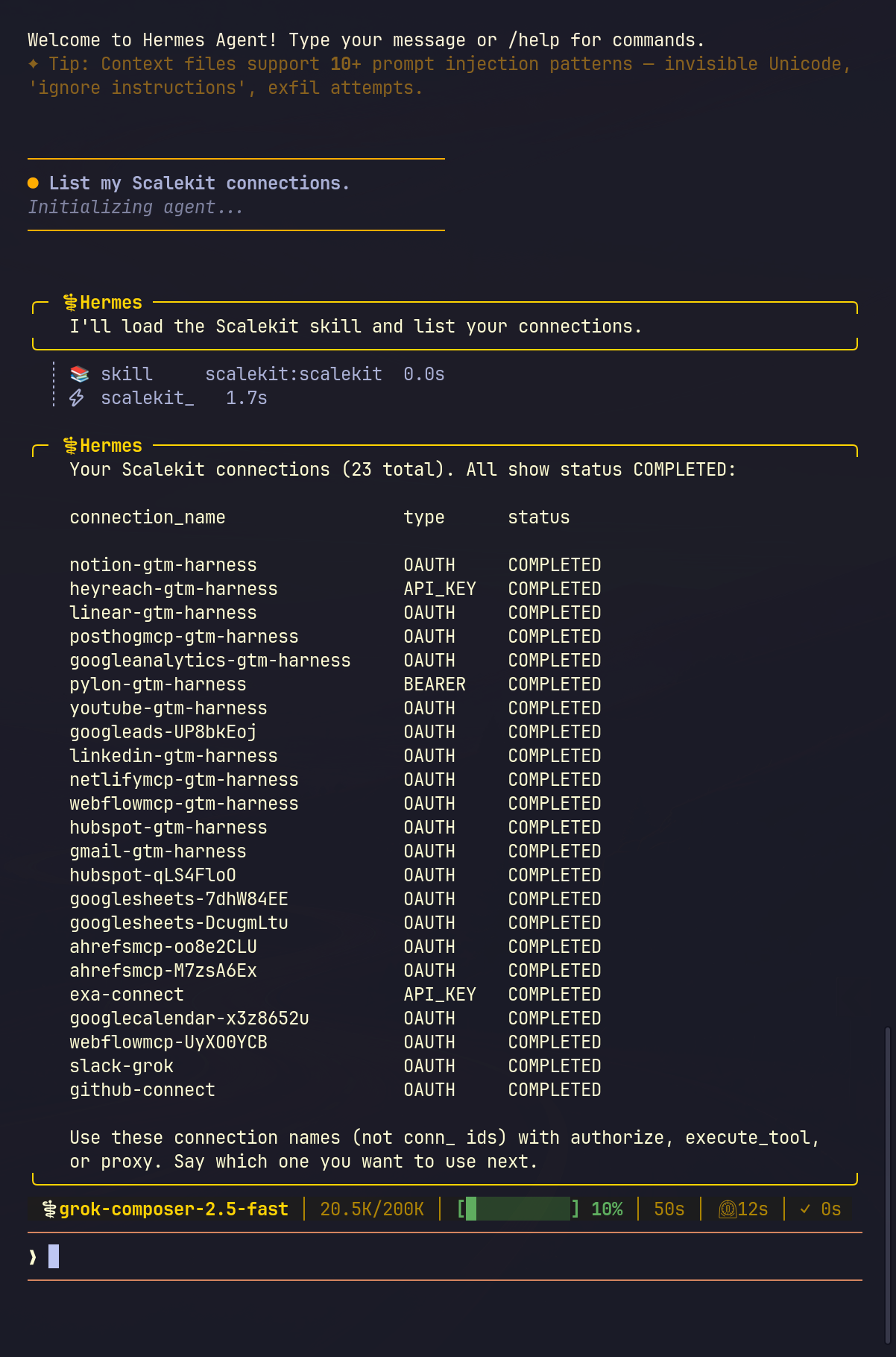
-
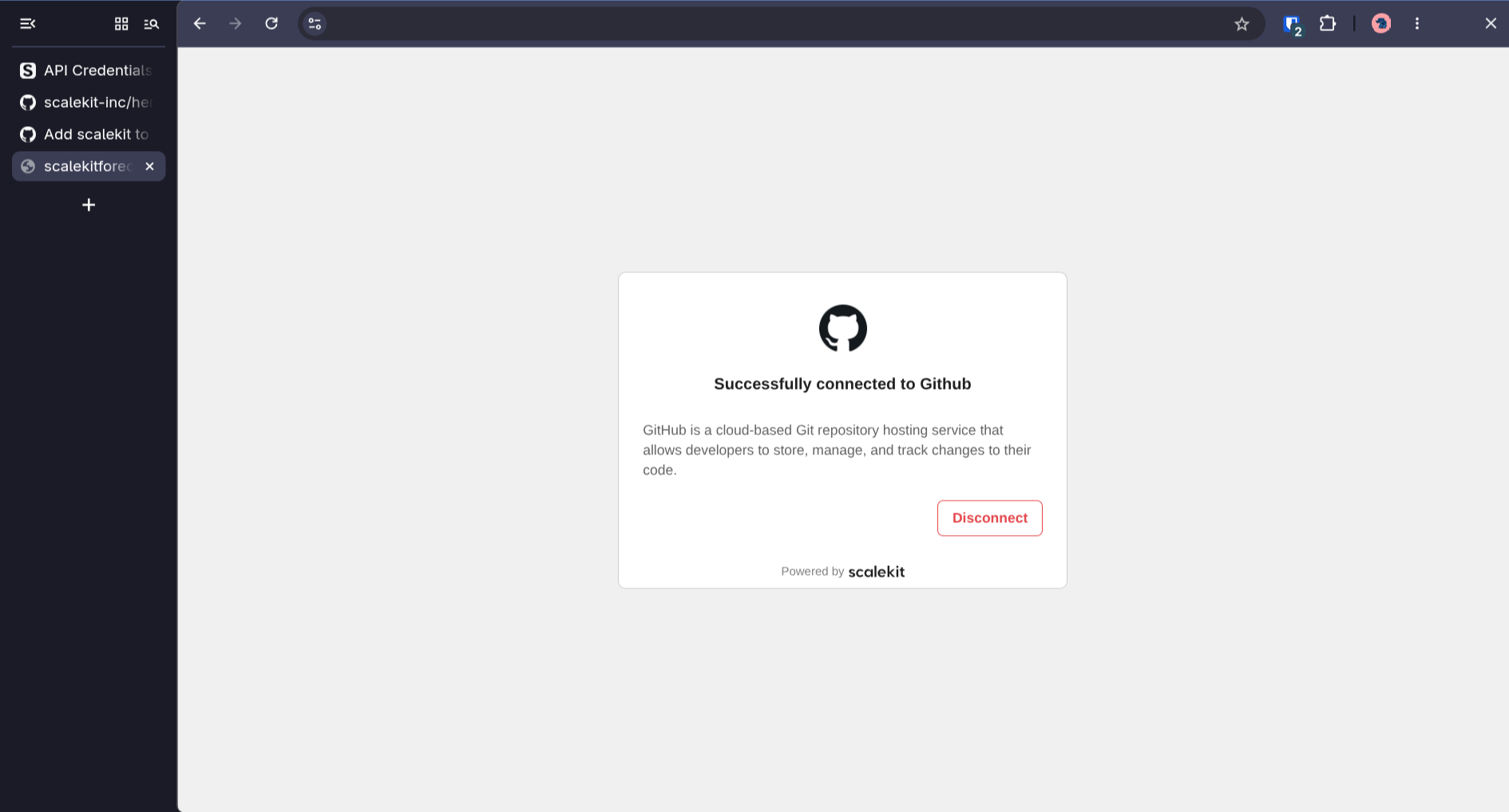
The first ask for a new person returns an approval link. Open the link. The page says Successfully connected to Github. Send the same sentence again. A scheduled job returns the link and stops. Approve the app in a normal chat first.
-
The next ask is ACTIVE. The reply has the login, the name, and the profile URL. In the test that was
saif-at-scalekitandhttps://github.com/saif-at-scalekit. The reply has no token. -
A guessed tool name is refused. Hermes tried
github_get_login. Scalekit has no tool by that name. Hermes then calledscalekit_proxyon/userand returned the profile.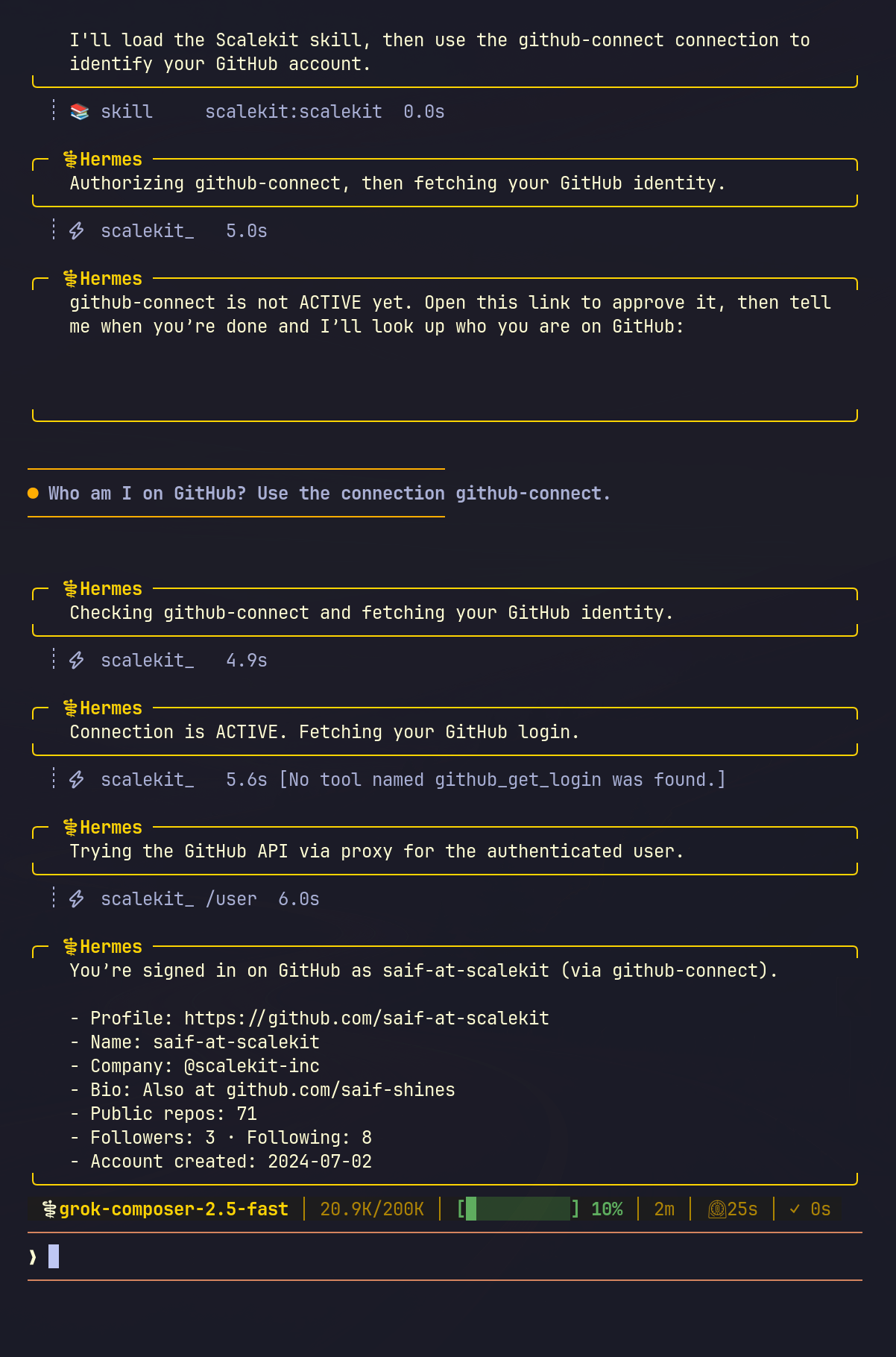
-
The plugin creates the person id. The first launch may print
Scalekit identifier created: usr_…. You do not type it. An update keeps that id, so an approval you already gave staysACTIVE.
Tools
| Tool | What it does |
|---|---|
scalekit_list_connections |
Lists the connections in your Scalekit account. |
scalekit_authorize |
Returns an approval link, or ACTIVE when this person already approved the connection. |
scalekit_execute_tool |
Calls one named tool after the account is ACTIVE. |
scalekit_proxy |
Calls one HTTP path when the connector has no named tool. |
The rules Hermes reads are in the bundled skill scalekit:scalekit, which you open before the first Scalekit action.
- Network: the plugin's HTTP calls go to the environment URL you paste. That call lists connections, asks Scalekit for an approval link, runs a named tool, or proxies one HTTP request. You open the approval link in your browser.
- Credentials: install saves the three Scalekit values in the Hermes home
.env. The plugin reads them with Hermesget_secret. Provider tokens stay in Scalekit. The chat reply leaves them out. - Stored data: one person id at
<HERMES_HOME>/plugin-data/scalekit/identifier. Hermes keeps that directory when you update or remove the plugin. Ifplugin-data/hermes-tools/identifieralready exists, the plugin reads that file and copies the id. - Where the tools run: after you enable the plugin, the four tools are on every Hermes surface that shares the tool registry, including a messaging gateway. A person that gateway admits can ask Hermes to call them with your Scalekit values.
- The plugin starts no shell command, no background process, and no telemetry. It does not replace its own files. A scheduled run returns the approval link and stops.
- Manage every connector at app.scalekit.com → AgentKit → Connections. Add the connector there, then tell Hermes the connection name, such as
github-connect. - Create the Scalekit account in the dashboard. Copy the three API values from app.scalekit.com → Dashboard → Developers → Settings → API Credentials. The install prompt is where those values go.
- Cursor, Claude Code, Copilot, and Codex keep using authstack, including the skill
hermes-delegated-auth. Hermes uses this plugin and the skillscalekit:scalekit. - The four tools cover every connector in the account. Ask in a sentence. Hermes picks list, authorize, a named tool, or the proxy.
- A file from the proxy comes back in the chat. Save it from the reply when you want the file on disk.
Development
python -m pytest tests
hermes plugins validate . --install-deps
hermes plugins doctor . --ci
The tests use a fake Scalekit client and send no requests.
Install a local checkout with:
hermes plugins install "file://$PWD"