Hermes Unraid
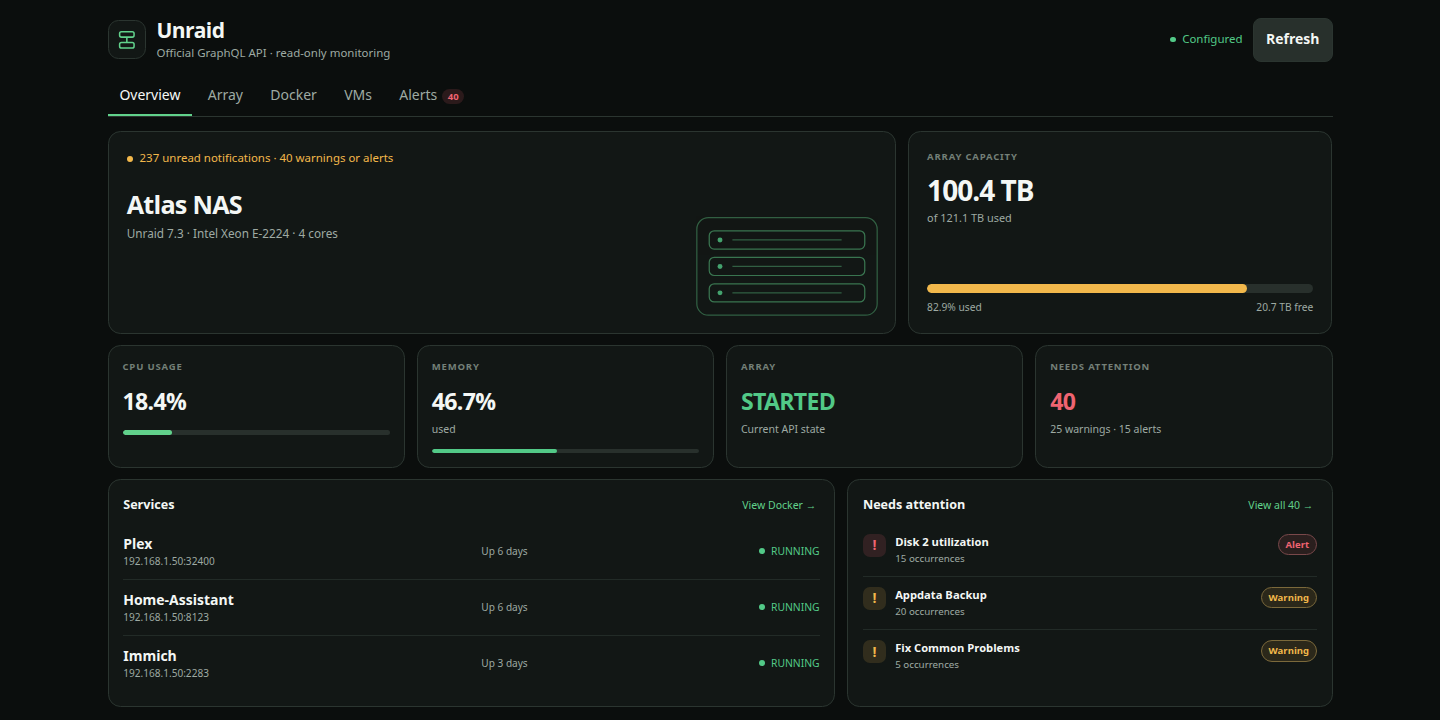
A read-only Unraid monitor for Hermes Desktop. It puts array capacity, Docker containers, virtual machines, and important notifications in one place without giving Hermes control of the server.
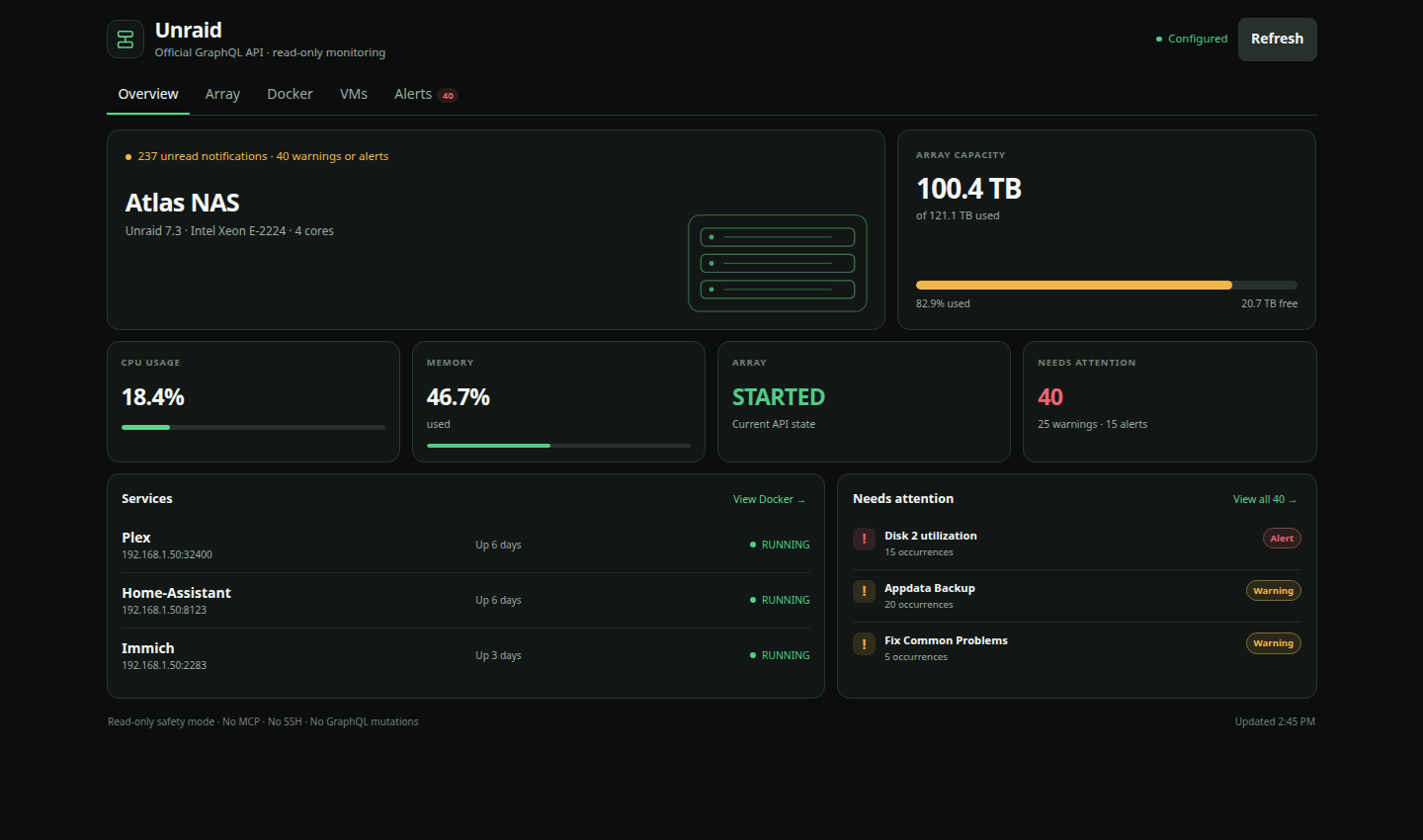
What it shows
- Server and Unraid version
- CPU and memory use
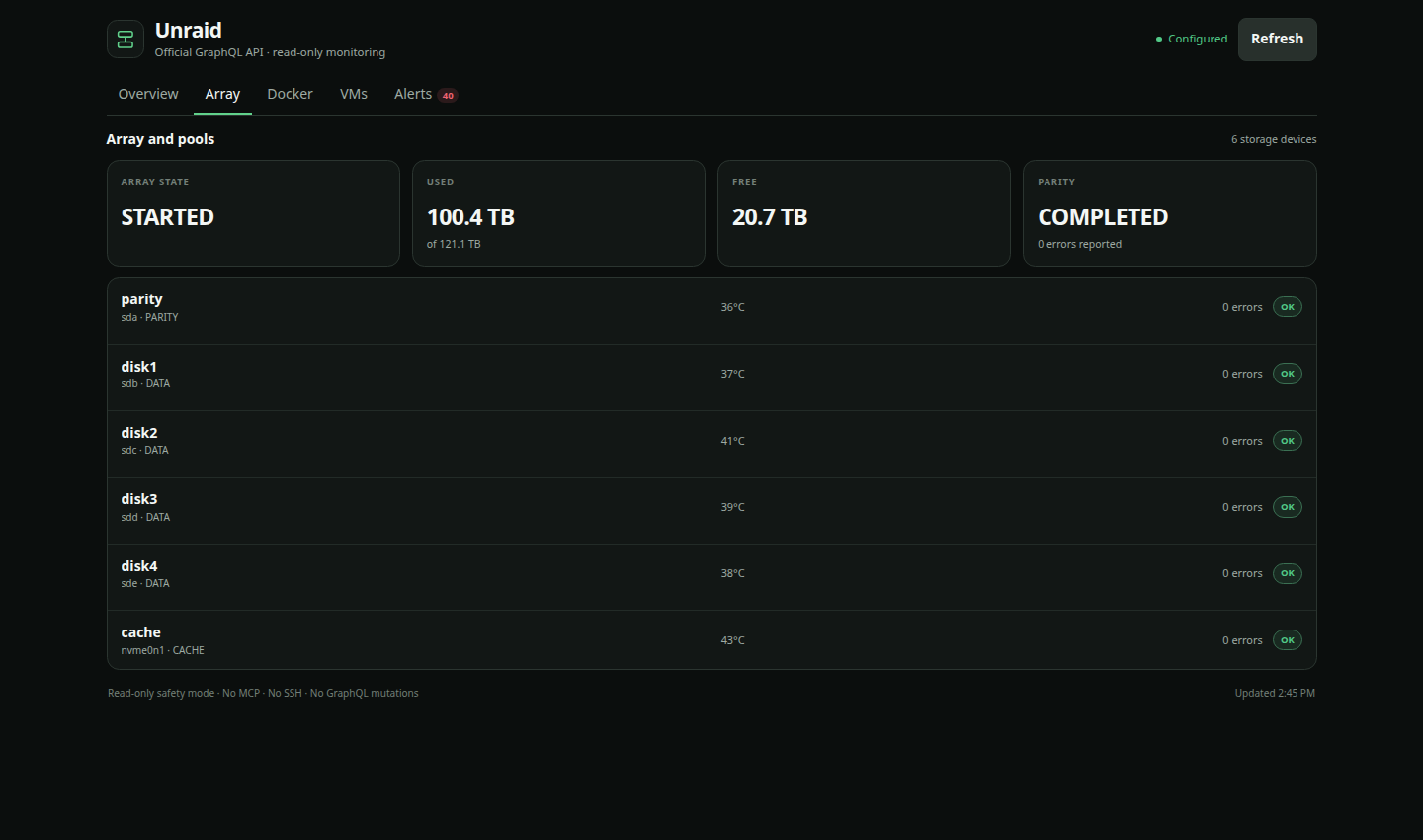
- Array capacity, parity-check state, storage temperatures, and reported errors
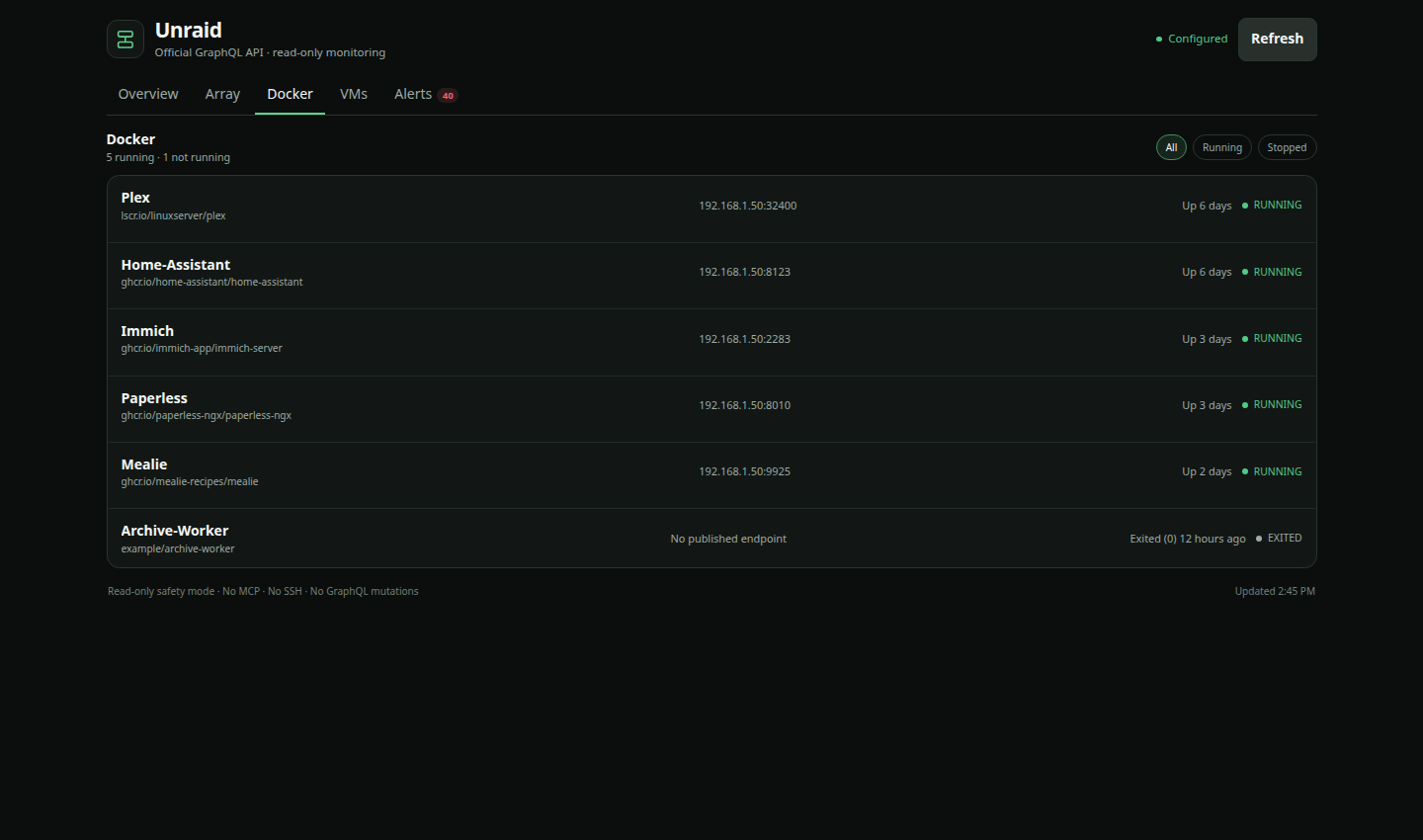
- Running and stopped Docker containers
- Running and shut-down virtual machines
- Grouped warning and alert notifications
The plugin is monitoring-only. It does not use SSH, MCP, shell commands, Unraid Connect, or GraphQL mutations.
Screenshots
All screenshots use made-up data. They do not show a real server.
| Array and pools | Docker |
|---|---|
 |
 |
| Virtual machines | Alerts |
|---|---|
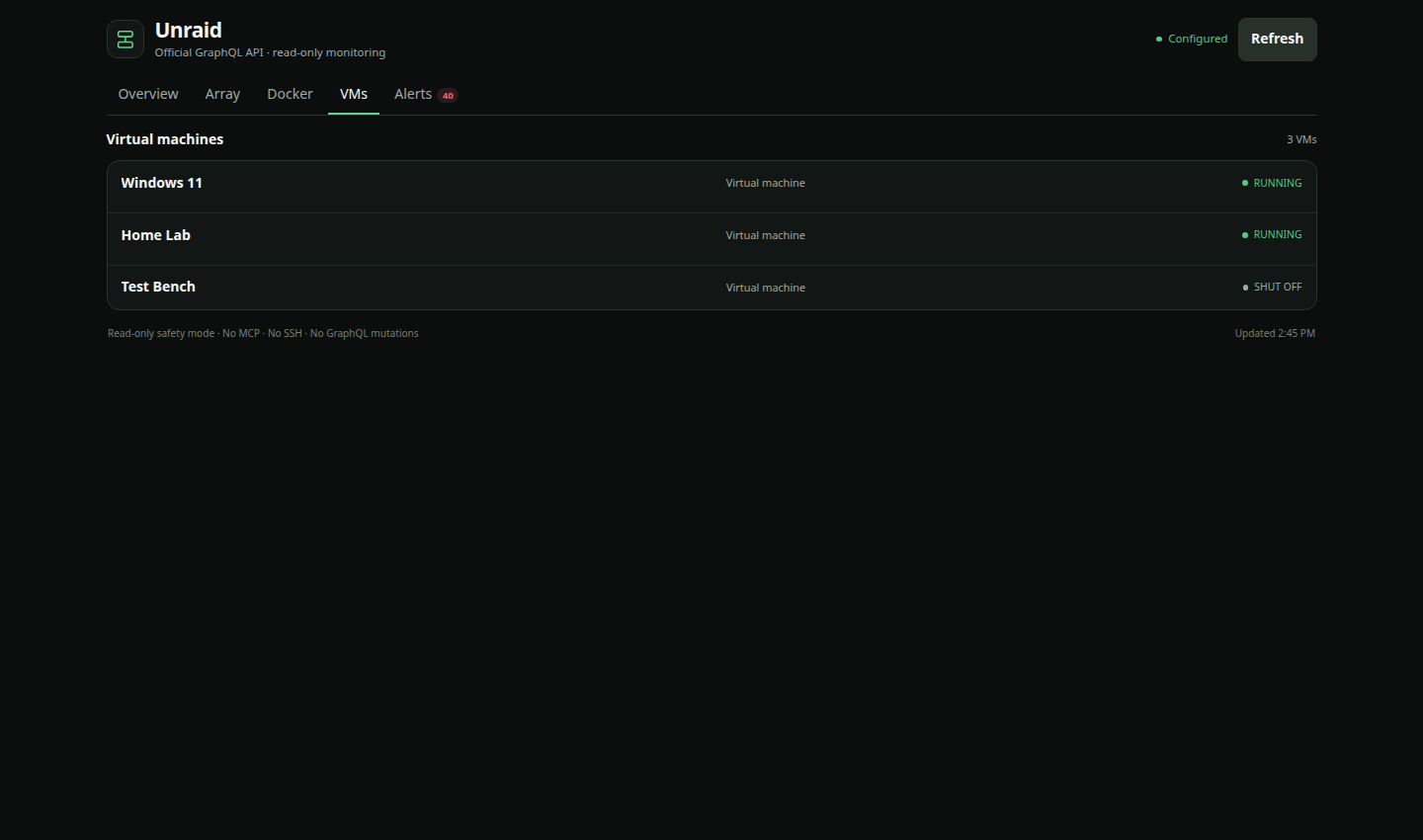 |
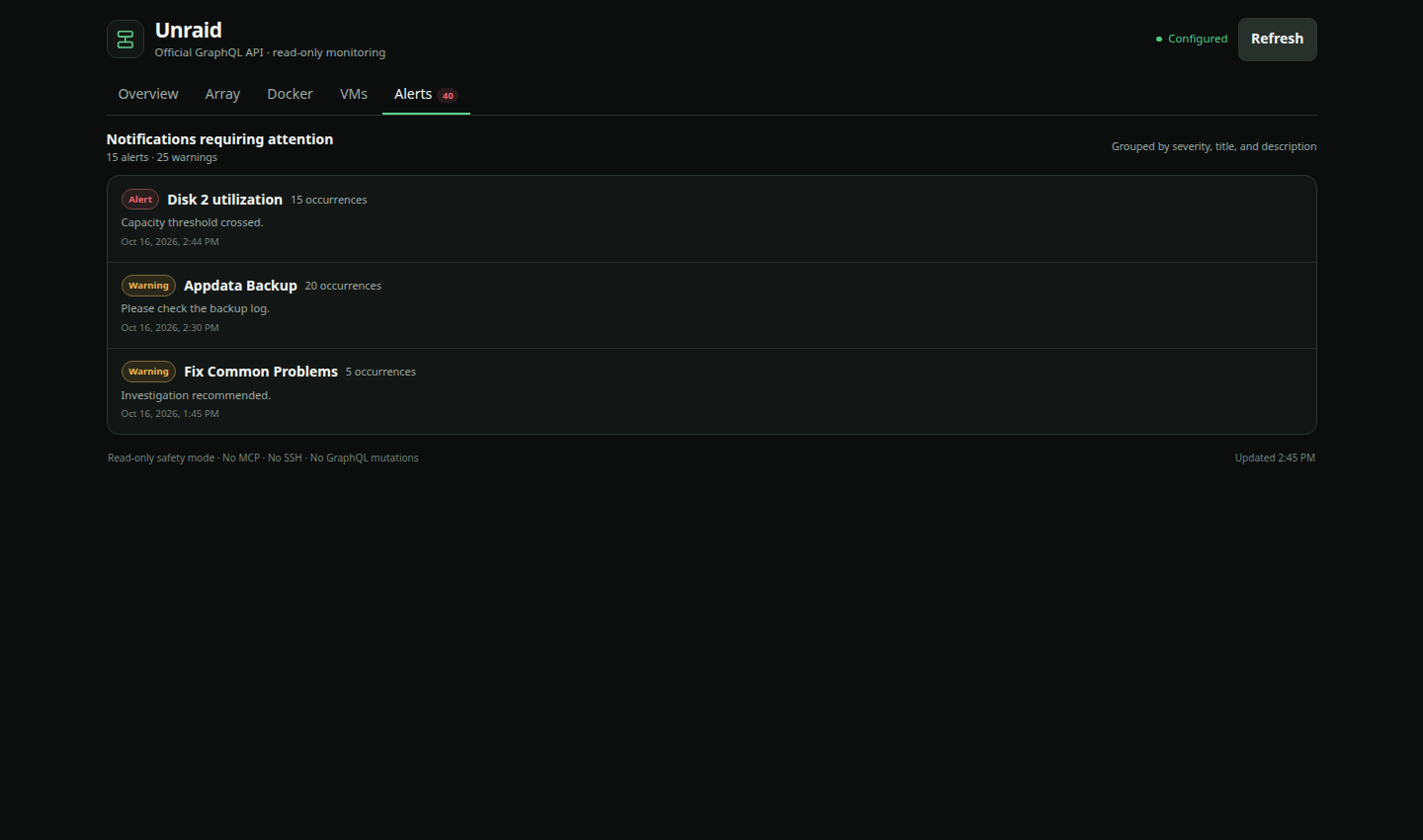 |
Requirements
- Hermes Agent and Hermes Desktop 0.22.2 or newer
- An Unraid release with the official GraphQL API and Settings → Management Access → API Keys page
- Network access from the Hermes backend to the Unraid WebGUI
- A dedicated Unraid API key with the
VIEWERrole
The current release was manually tested with Unraid 7.3. Older releases may expose a different GraphQL schema.
Install
Option 1: install from Hermes Desktop
-
Click Install in Hermes above. If the link does not open, go to Capabilities → Plugins → Install from Git.
-
Enter:
Anunnaki-Astronaut/hermes-unraid -
Review the source and select both the Desktop and Agent/backend parts.
-
Confirm the install, then enable Unraid in Capabilities → Plugins.
If Hermes Desktop connects to a backend on another machine, the two parts live on different machines:
- Install the Desktop part on the computer running Hermes Desktop.
- Install and enable the Agent/backend part on the computer running the Hermes backend.
Hermes shows the available targets in the install dialog. Installing only the Desktop part will show Plugin not found because the protected backend routes are missing.
Option 2: install from the command line
Run this on the machine that hosts the Hermes backend:
hermes plugins install Anunnaki-Astronaut/hermes-unraid --enable
For a remote-backend setup, return to Hermes Desktop and use Capabilities → Plugins → Install from Git to install the Desktop part locally.
Set up Unraid
1. Create a read-only API key
In the Unraid WebGUI:
- Open Settings → Management Access → API Keys.
- Choose Create API Key.
- Give it a clear name such as
Hermes Unraid. - Select the
VIEWERrole. - Copy the key when Unraid displays it.
Use a separate key for this plugin. Do not reuse an administrative key or an Unraid Connect key. Do not paste the key into chat, a URL, plugin.js, or a Git repository.
2. Find the GraphQL URL
Take the address you normally use for the Unraid WebGUI and add /graphql.
Examples:
https://tower.example.net/graphql
http://192.168.1.50/graphql
http://192.168.1.50:88/graphql
Keep the port if the WebGUI uses a custom one. For example, a WebGUI at http://192.168.1.50:88/ uses http://192.168.1.50:88/graphql.
3. Configure the plugin
- In Hermes Desktop, open Settings → Plugins → Unraid.
- Enter the full GraphQL URL.
- Paste the
VIEWERAPI key into the masked API-key field. - Leave Allow plain HTTP on a trusted LAN off when using HTTPS.
- If Unraid is available only over plain HTTP, enable that switch only when both systems communicate over a private network you trust.
- Save the settings and open Unraid from the Hermes sidebar.
HTTPS certificate verification is always enabled and cannot be bypassed. Fix the certificate or hostname if HTTPS verification fails.
Troubleshooting
Not configured
The selected Hermes backend profile is missing the GraphQL URL or API key. Open Settings → Plugins → Unraid while that backend/profile is selected and save both values.
Plugin not found
The Desktop part is installed, but the backend part is not installed or enabled on the Hermes host that Desktop is connected to. Install the repository on that host and enable unraid.
Unraid returns 403
Check that the key came from Management Access → API Keys, has the VIEWER role, and belongs to the Unraid server in the configured URL.
Plain HTTP is refused
Plain HTTP is blocked by default. Use HTTPS when possible. Otherwise, confirm that the address is private and trusted, then enable Allow plain HTTP on a trusted LAN in the plugin settings.
The page still shows an older design
Open Capabilities → Plugins and choose Rescan, or restart Hermes Desktop. Unified plugins keep a local Desktop copy and refresh it during a rescan, install/update, or restart.
Some fields are missing
Unraid API fields can vary by release. The plugin leaves unavailable values blank rather than guessing. Open a GitHub issue with the Unraid version and the visible error message, but remove addresses, hostnames, notification text, and keys first.
Updating and removing
Update the backend package with:
hermes plugins update unraid
Then use Capabilities → Plugins → Rescan in Hermes Desktop so its local copy is refreshed.
Remove the backend package with:
hermes plugins remove unraid
You can also disable or remove the Desktop part from Capabilities → Plugins.
Security and privacy
- The API key is stored in Hermes' protected profile credential store and is never sent to Desktop JavaScript.
- The backend sends the key only to the configured Unraid origin in the
x-api-keyheader. - The URL parser rejects embedded credentials, query strings, fragments, non-HTTP schemes, and endpoints that do not end in
/graphql. - Desktop callers can use only fixed read-only queries; they cannot send arbitrary GraphQL.
- Upstream error bodies are not passed through to the Desktop page.
- The plugin has no telemetry.
The plugin does display server metadata and notification text returned by Unraid. Treat screenshots and copied error reports as private until you have reviewed them.
See SECURITY.md for vulnerability reporting.
Development
Tests use mocked Unraid responses and do not need a server or API key.
python -m pip install -r requirements-dev.txt
python -m pytest -q
node --check desktop/plugin.js
The checked-in screenshots are rendered from the real Desktop component with deterministic sample data:
node --experimental-vm-modules scripts/render_screenshot.cjs overview .screenshots-preview/overview.html
Project status
Version 0.2.0 is the first public release. Monitoring is intentionally read-only. Any future repair or control feature should be a separate, clearly approved capability rather than an extension of the current API key permissions.
License
MIT. See LICENSE.
Unraid is a trademark of Lime Technology, Inc. This project is an independent community integration and is not affiliated with or endorsed by Lime Technology.