🔥 Usage Flame
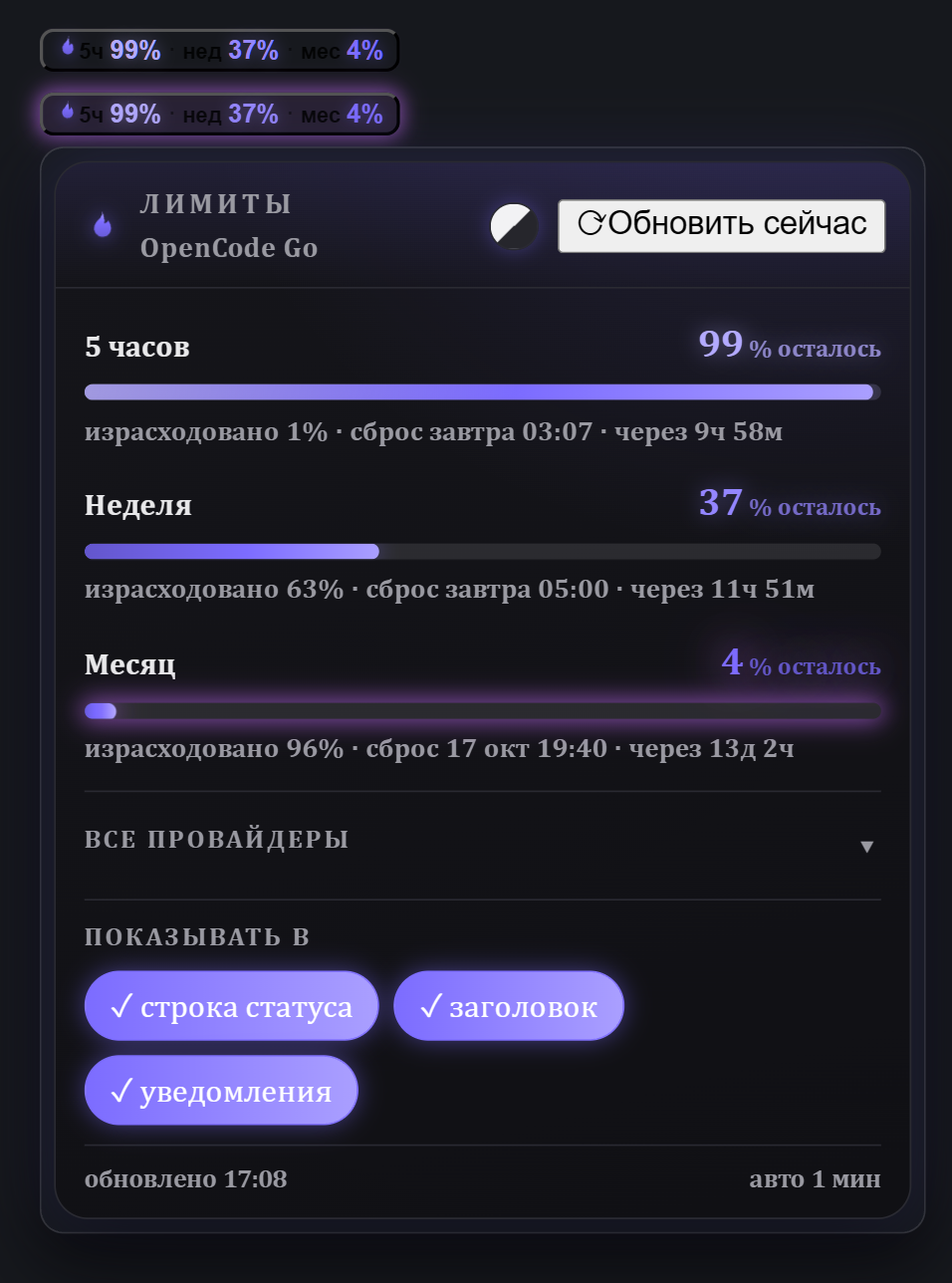
Live subscription-limit windows for Hermes Desktop — as a pinned, glowing chip and a fire-themed panel.



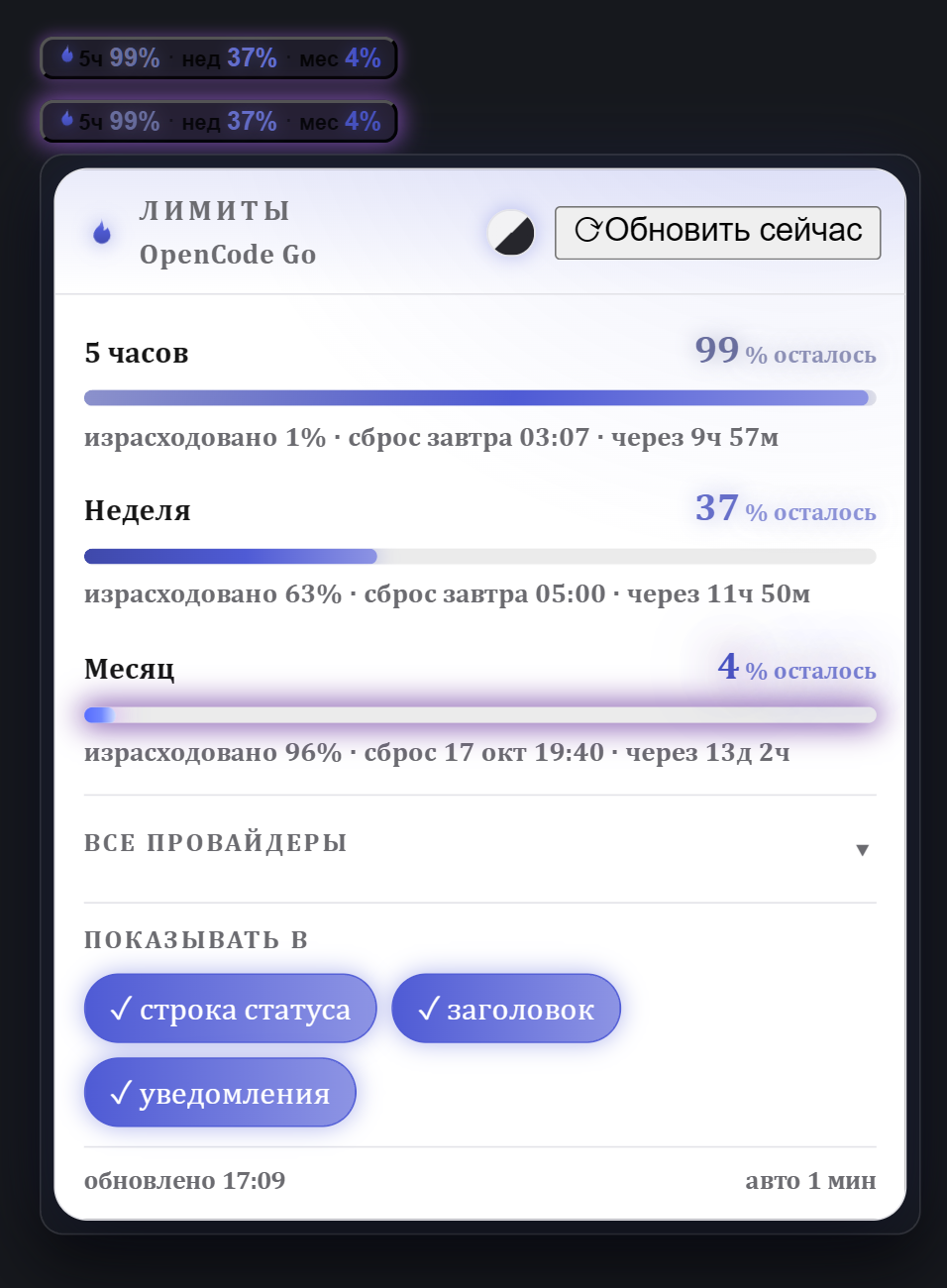
You pay for AI subscriptions with quota windows — 5 hours, a week, a month. Hermes already knows the numbers (hermes usage); Usage Flame keeps them always in sight: a compact chip that never leaves your status bar, one click away from the full picture.
Features
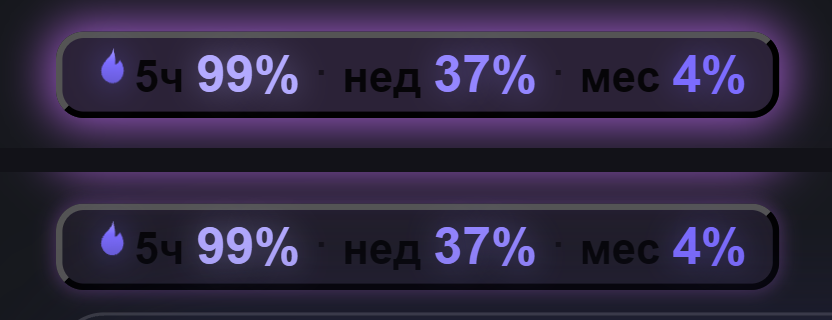
- 🧩 Pinned chip — status bar and/or title bar, both toggleable; at least one chip always stays. Collapsed it fits in a single line; when any window drops to ≤10% it turns fiery — animated glow plus countdown.
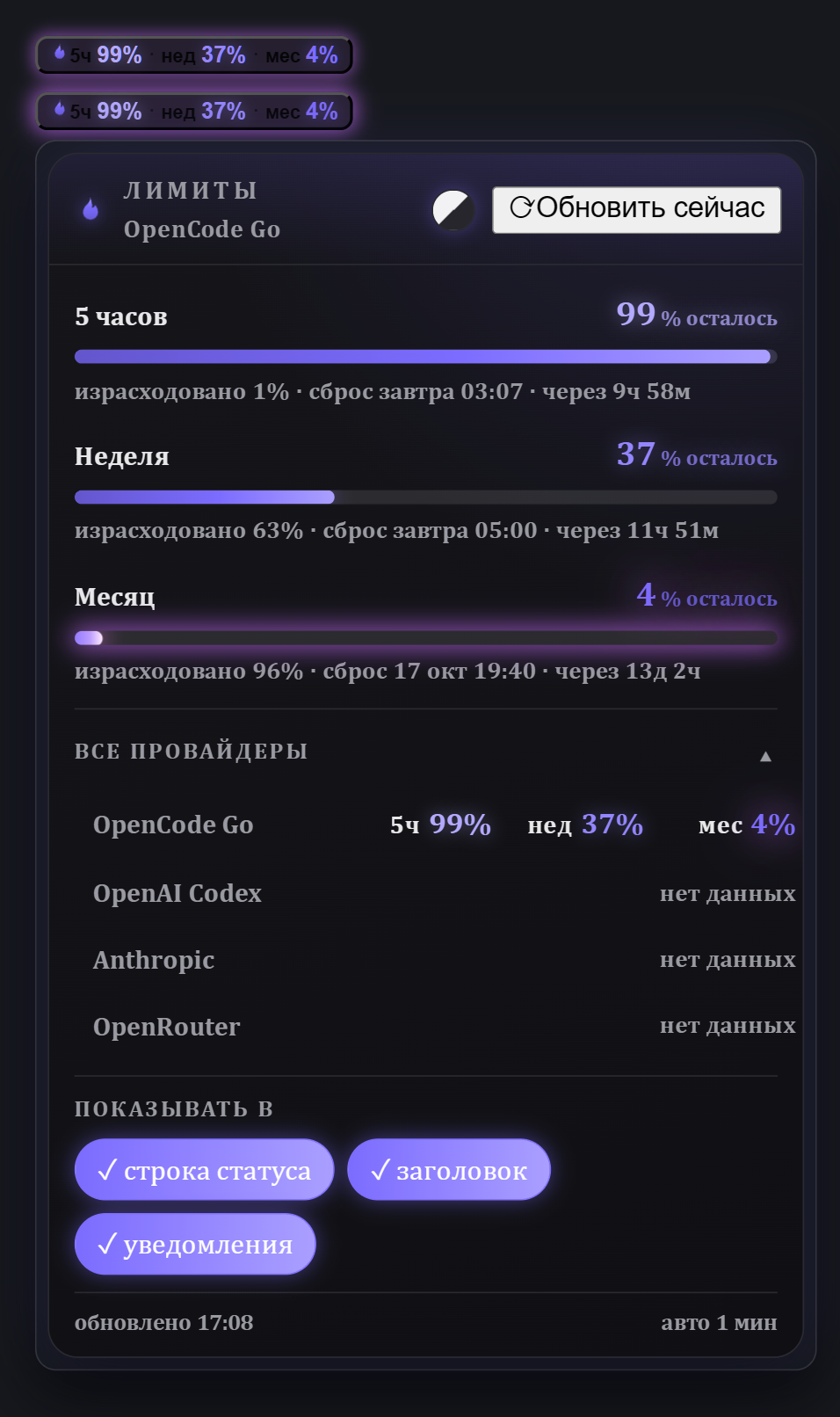
- 🔥 Panel — click the chip for per-window detail. Windows are rendered exactly as the provider reports them — no assumptions about 5h/week/month; whatever set exists is shown as-is.
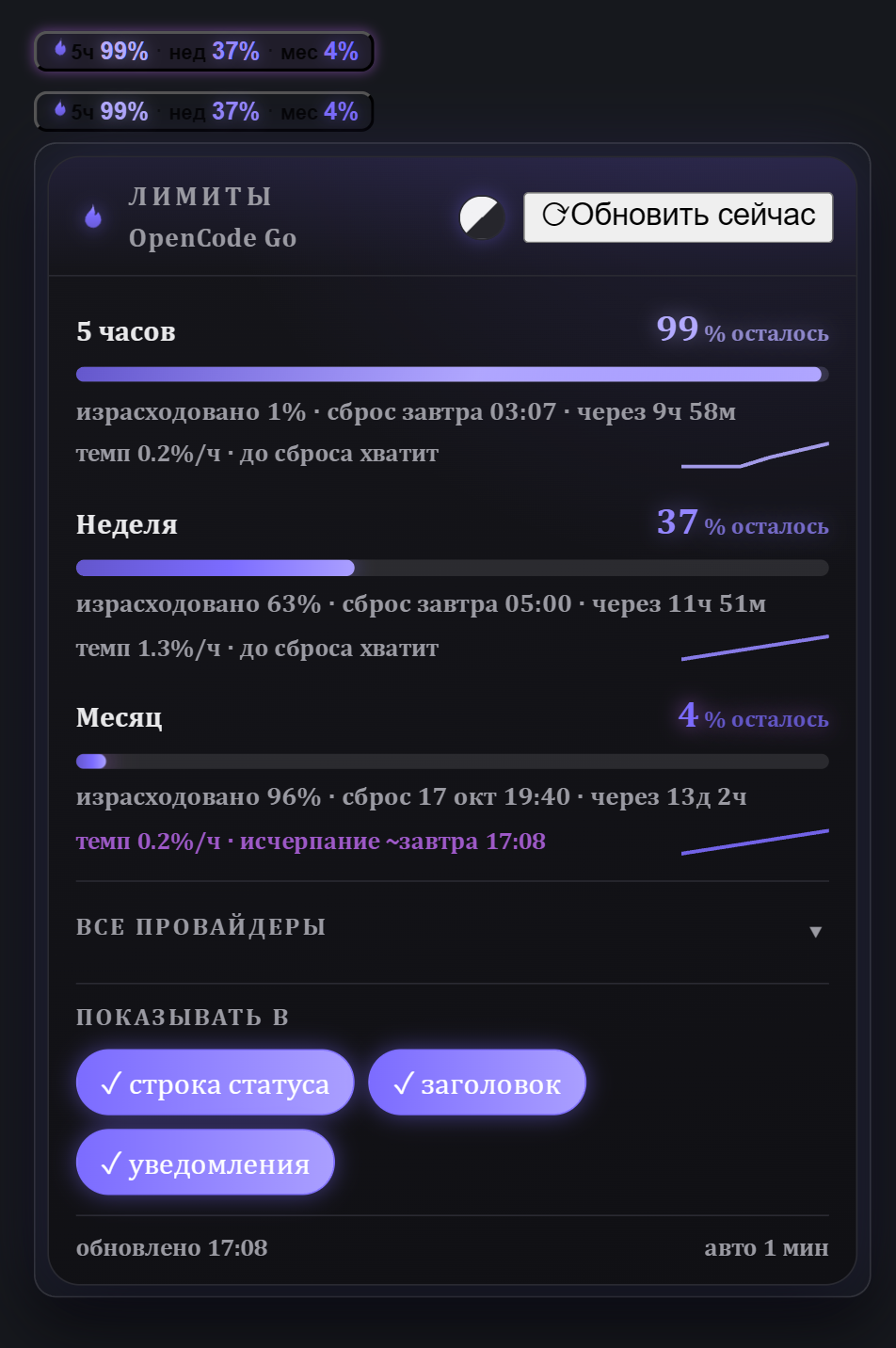
- 📈 Pace & forecast — burn rate (%/h) computed from local usage history: «темп 0.3%/ч · до сброса хватит», «исчерпание ~18:40», or «без изменений» when flat — with a sparkline of the window's history.
- 🌐 All providers — expandable list with remaining numbers per provider; providers without data are honestly marked «нет данных».
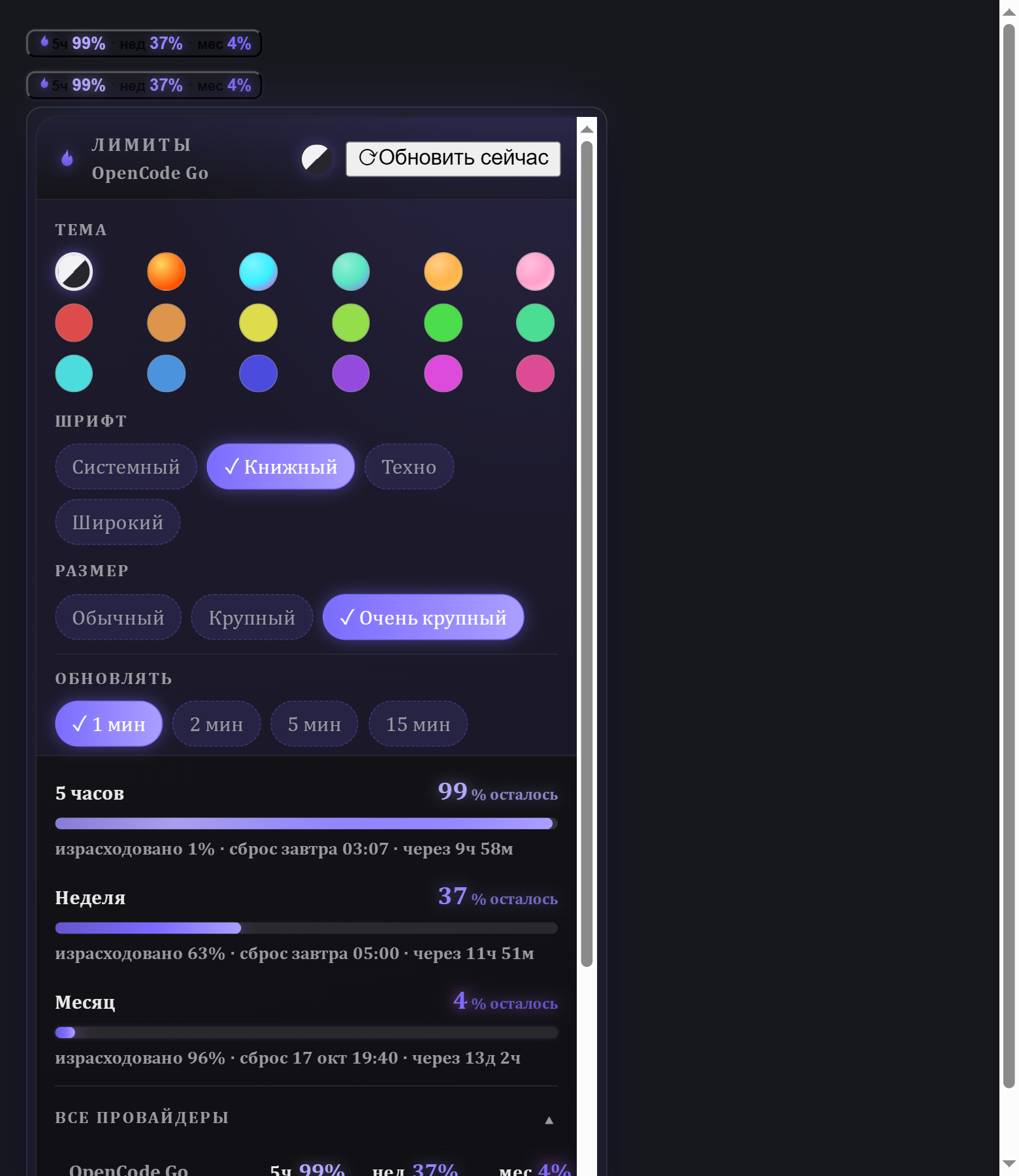
- 🎨 Themes — inherit the Hermes theme, or pick one of 12 color themes (Fire, Neon, Aurora, Gold, Sakura, Ocean…) across 12 accent swatches; plus independent font family and size pickers. Every color is theme-aware and glows.
- 🔔 Notifications — optional threshold alerts (≤10% remaining, once per window period).
- 🌍 RU / EN — follows the app locale.
- 🛡 Honest states — stale data flagged («≈» «Нет свежих данных»), friendly error/empty states, retry + dedup, 10-minute caching so CLI spawns stay cheap.
- 📦 Zero dependencies — a single ESM file, no build step, no network calls of its own.
Install
From the Hermes plugin catalog:
hermes plugins install usage-flame
Manual install (from source):
git clone https://github.com/maxshafransky-a11y/hermes-usage-flame
mkdir -p "$HOME/.hermes/desktop-plugins/usage-flame"
cp hermes-usage-flame/desktop/plugin.js "$HOME/.hermes/desktop-plugins/usage-flame/plugin.js"
Windows: copy
desktop\plugin.jsinto%USERPROFILE%\.hermes\desktop-plugins\usage-flame\plugin.js.
The desktop app hot-loads it within seconds (if not: ⌘K → Reload desktop plugins).
Requirements
- Hermes Agent ≥ 0.21.4 with the desktop app — the plugin reads
hermes usage --json, which shipped in 0.21.4. - Any provider Hermes reports usage for — OpenCode Go/Zen, OpenAI Codex, Anthropic, OpenRouter, … If a provider exposes no usage data, the plugin says so instead of inventing a bar.
- Developed and fully tested on Windows 10; macOS/Linux expected to work — issues welcome.
How it works
hermes usage --json  ──►  gateway RPC (cli.exec)  ──►  chip + panel
model.options        ──►  provider list / labels
Same data source as the /usage slash command. Read-only: no credentials are read or stored by the plugin, and nothing ever leaves your machine — the only traffic is what Hermes itself makes to your providers.
Settings (in the panel)
- Show in status bar / title bar (both can be on; one always remains).
- Threshold notifications on/off.
- Theme: «Как в Hermes» (follow app) or a fixed color theme + accent swatch.
- Font: family + size (Book / L / XL).
Development
The repo ships the full QA stand used to build this plugin:
cd test && python3 -m http.server 8792     # open http://127.0.0.1:8792
node test/colors-qa-check.cjs              # theme/contrast audit (0 failures required)
node --check desktop/plugin.js             # syntax gate
The stand runs a scripted end-to-end pass (fixtures for normal/low/stale/error states, all 12 themes, light/dark) — the same suite that gated every release. test/index.html mocks the plugin SDK and drives the real desktop/plugin.js.
License
MIT © 2026 Maksim Shafransky
По-русски
Usage Flame — живые лимиты подписок для Hermes Desktop: закреплённый светящийся чип (строка статуса и/или заголовок) и огненная панель по клику. Остатки по окнам как их отдаёт провайдер, «израсходовано / сброс», темп расхода и прогноз исчерпания со спарклайном, список всех провайдеров, 12 цветовых тем и шрифты, уведомления при ≤10%, RU/EN. Один файл, ноль зависимостей, ноль исходящих запросов — работает на Windows (проверено) и, ожидаемо, на macOS/Linux.
hermes plugins install usage-flame