Web Crawler Spider



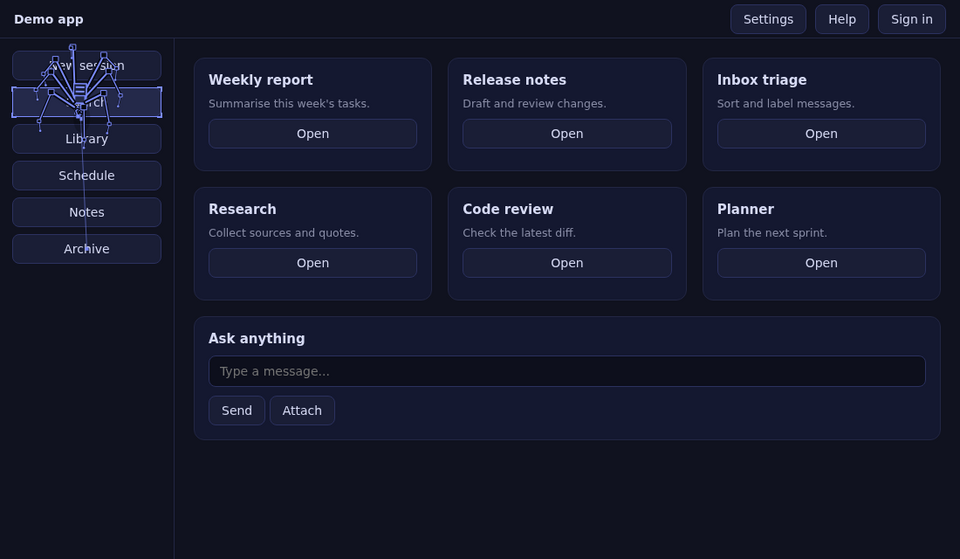
A Hermes Desktop plugin: an eight-legged spider that literally crawls the Hermes window. It walks between the real buttons, links and inputs, outlines the one it is standing on, and reacts to what the agent is doing.
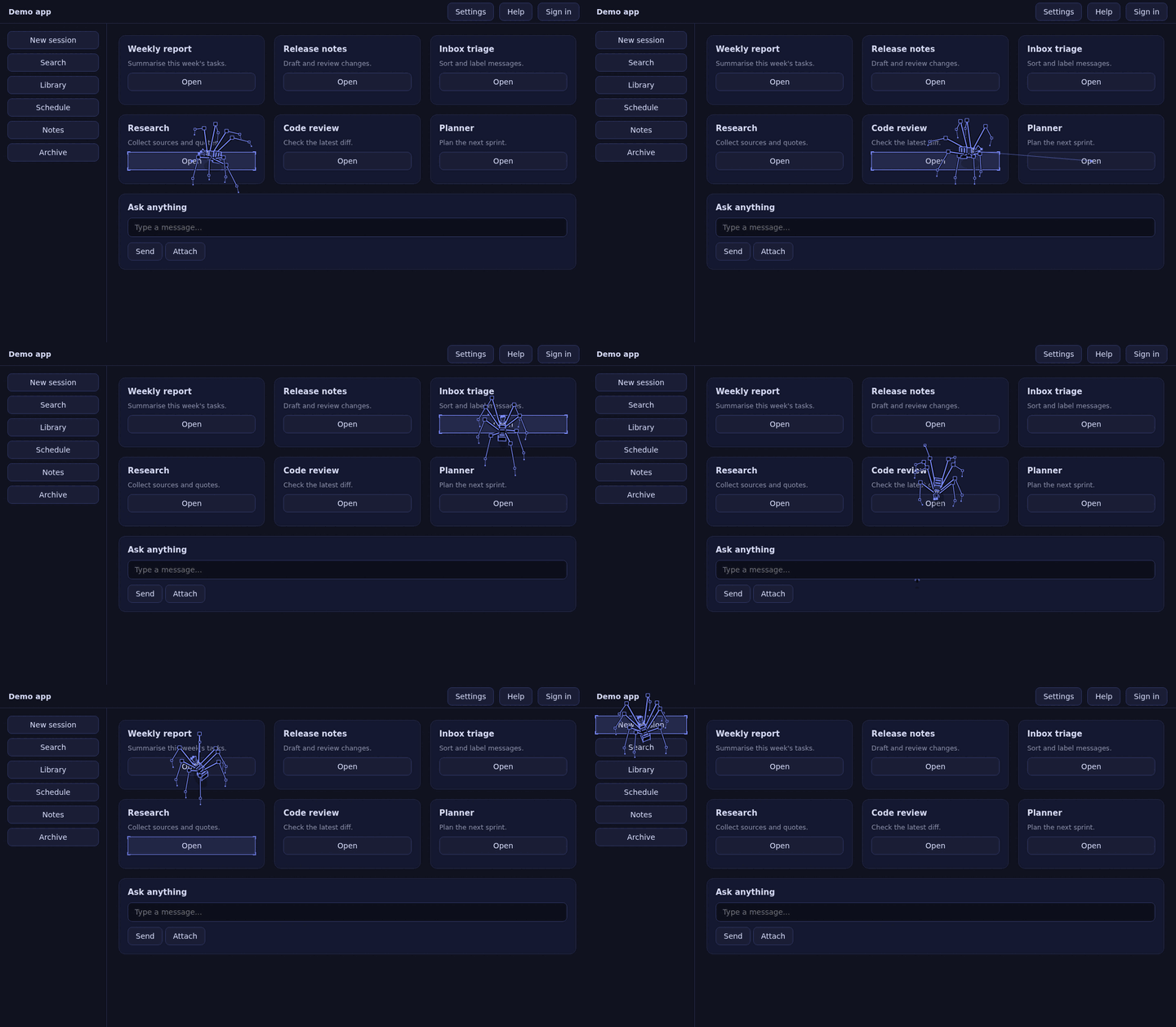
It only reads the page. It never clicks, edits, hides or restyles anything, and the overlay it draws ignores the mouse, so you can always click straight through it.
Install
From the Hermes plugin catalog (once listed):
hermes plugins install web-crawler-spider
hermes plugins enable web-crawler-spider
Or by hand: copy desktop/plugin.js to ~/.hermes/desktop-plugins/web-crawler-spider/plugin.js. Hermes Desktop
loads it within a few seconds. The first time, a small bubble points you to the 🕷 chip in the status bar: click it
for the settings panel (sliders for size, speed and body, a switch for every feature, pause, nap, reset).
What it does
-
Roams its own overlay. Long arched legs, a small box body, a real tetrapod gait, and a thin silk line to the spot it is heading for. Colours follow your theme. By default it reads nothing from the app.
-
Explore mode (opt-in, off by default). Turn on Explore the app in the settings panel and it walks to the app's real buttons, links and inputs instead, boxing the one it stands on. This is the only mode that reads the page (see the disclosure below).
-
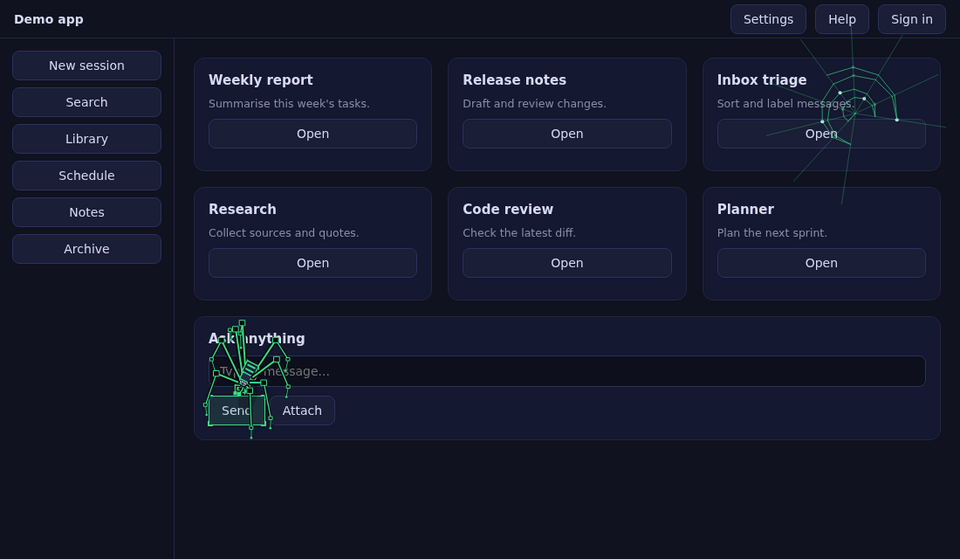
Work web. While the agent works, a web grows in the corner, one strand per tool call. A finished run leaves dew on it, a failed run a torn web.
-
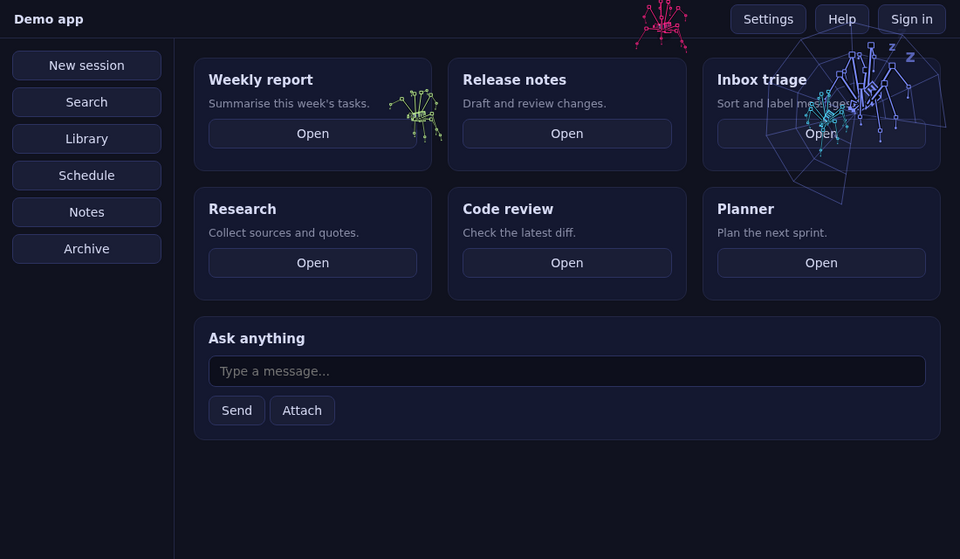
Helper spiders. Every running subagent gets a small helper spider that works around the big one, turns green when its subagent succeeds (red when it fails) and walks off the edge.
-
Attention. When Hermes waits for approval the spider turns amber and fidgets. With Explore on it also walks to the Run button and taps beside it, and on an error it goes to the error banner.
-
Spider-sense. A risky command (
rm,sudo,git reset --hard,curl | sh, …) in an approval request or tool call makes it freeze, stand tall with its front legs up and flash red with a "!".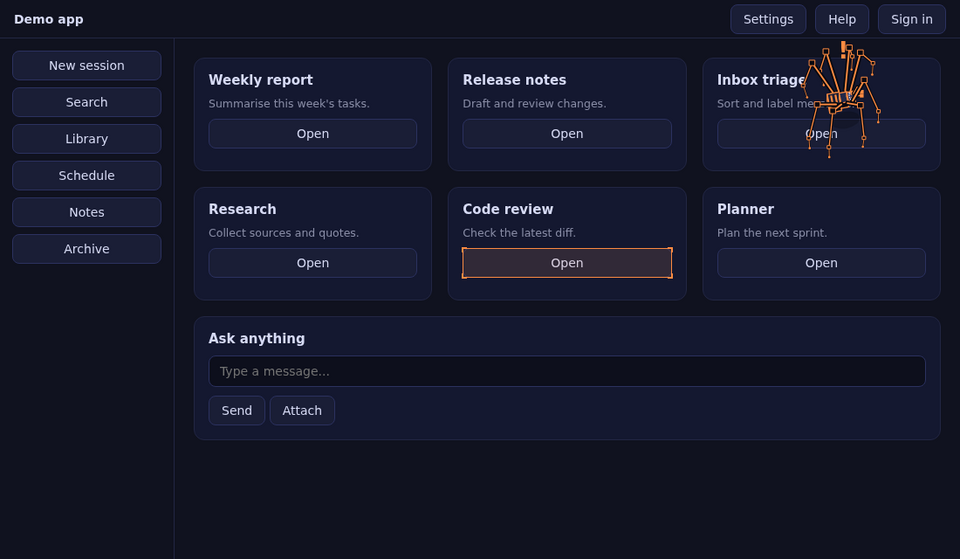
-
Mood colours. Amber while waiting for you, red on errors, green when a run completes.
-
Alive. Flies show up now and then and get hunted, wrapped and eaten. It grooms, stretches, naps in a corner web when nothing happens, hops away when you click near it, and now and then dashes after the mouse cursor for a few seconds.
-
Wind. Scrolling or moving the window sways the silk; moving the window makes the spider hug the ground.
-
Visitors. With two Hermes windows open, their spiders visit each other and wave.
-
Light on the CPU. When the window is hidden or minimised the spider freezes at once; if it just loses focus it freezes after a few seconds. No animation frames, no DOM scanning, no timers doing work, until you come back. Switch it off in the settings panel if you want it to keep going.
-
It always stays fully inside the window.
Commands (Ctrl+K → "Spider: …")
Pause / resume, Bigger, Smaller, Faster, Slower, Bigger body, Smaller body, Silk guide line on/off, Flies on/off, Release a fly, Helper spiders on/off, Work web on/off, Attention + spider-sense on/off, Wind on/off, Explore the app on/off, Visiting between windows on/off, Cursor chase on/off, Freeze in the background on/off, Take a nap, Wake up, Reset size, speed and extras.
Demos (no real work needed): Show a helper spider, Show the work web, Test spider-sense, Show a visiting spider, Send my spider to visit another window, Chase my cursor now.
Everything in the settings panel is also available from the palette. Settings are saved in the plugin's own storage and survive restarts.
What it touches (disclosure)
- By default it does not read the app's elements. It reads only the theme: CSS variables and background colour
of the root and
<body>viagetComputedStyle. NoquerySelectorAll, noelementFromPoint, no button text. - Only if you turn on Explore the app (off by default) it reads the page with
document.querySelectorAll,elementFromPointandgetComputedStyleto find buttons, links, inputs and alert banners, and to find the approval button by its label. Nothing is modified, clicked or hidden. - Listens (capture, passive) to pointer, keyboard, wheel and scroll events, and to window focus / visibility changes, only to react to them. Nothing is recorded or sent anywhere.
- Subscribes to Hermes gateway events through
ctx.onEvent(message, tool, approval, error and subagent events) to pick moods and helpers. It reads event types and, to spot risky commands, the text of tool and approval payloads. That text is matched in memory and thrown away. - Talks to its own other windows over a same-origin
BroadcastChannel(web-crawler-spider/peers) with tiny position-free messages ("hello", "visit", "back", "gone"). - No network calls, no shell commands, no background processes, no credentials, no telemetry. It never
updates itself. Only
@hermes/plugin-sdkandreactare imported. - It draws on one full-window canvas (
pointer-events: none,data-wcsattribute) plus one outlinediv, and removes both when it is disabled.
Develop
desktop/plugin.js is a single ES module with no build step. The logic test runs the plugin in jsdom with a
simulated clock (about 150 checks, a few minutes):
npm install
npm test
hermes plugins validate .
Licence
MIT, see LICENSE.