All plugins

ld-workbench

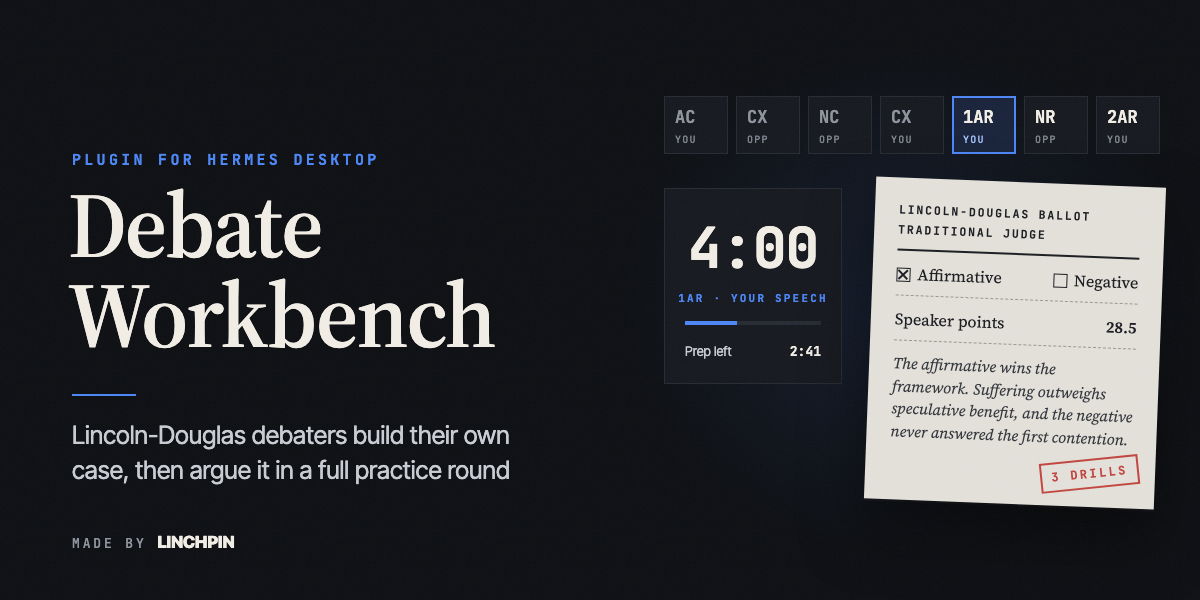
Practice Lincoln-Douglas debate. A case workbench helps a student build their own case section by section (resolution analysis, value and criterion, contentions, evidence, blocks) with a coach that gives real help and asks hard questions but never writes the case. A topic briefing maps a new resolution for both sides. A full NSDA practice round (AC, cross-examination, NC, 1AR, NR, 2AR, with prep time) runs against an AI opponent at three levels, followed by a ballot from a lay, traditional or flow judge. A fallacies guide, drill and spotter work on the student's own case and on other people's arguments. Cases are kept in a library with Word, text and backup-file export. Every model call goes to the user's own Hermes model through the plugin LLM helper. Debate Workbench is an independent community plugin. It is not made or endorsed by Nous Research or the National Speech & Debate Association. Disclosure — one network call of its own: when the user adds a topic source link, it fetches that one public web page (http or https, public addresses only, checked on every redirect, 20-second timeout, first 30,000 characters of text kept); no credentials, telemetry, shell commands, background processes or self-updates; registers no tools, hooks or middleware, only a Desktop page and a dashboard API; stores cases, rounds, ballots and briefings in $HERMES_HOME/plugin-data/ld-workbench/; reads a .docx or .txt case file or a backup file only when the user picks one; writes an export only to a path the user picks in the save dialog, inside their home folder; the optional dictation button uses the speech recognition built into the desktop app's browser engine when that engine provides it, which may send the audio to that engine's speech service; no private Hermes imports.

DgardenhireDesktopv0.1.0Updated 19 days ago

About

Practice Lincoln-Douglas debate. A case workbench helps a student build their own case section by section (resolution analysis, value and criterion, contentions, evidence, blocks) with a coach that gives real help and asks hard questions but never writes the case. A topic briefing maps a new resolution for both sides. A full NSDA practice round (AC, cross-examination, NC, 1AR, NR, 2AR, with prep time) runs against an AI opponent at three levels, followed by a ballot from a lay, traditional or flow judge. A fallacies guide, drill and spotter work on the student's own case and on other people's arguments. Cases are kept in a library with Word, text and backup-file export. Every model call goes to the user's own Hermes model through the plugin LLM helper. Debate Workbench is an independent community plugin. It is not made or endorsed by Nous Research or the National Speech & Debate Association. Disclosure — one network call of its own: when the user adds a topic source link, it fetches that one public web page (http or https, public addresses only, checked on every redirect, 20-second timeout, first 30,000 characters of text kept); no credentials, telemetry, shell commands, background processes or self-updates; registers no tools, hooks or middleware, only a Desktop page and a dashboard API; stores cases, rounds, ballots and briefings in $HERMES_HOME/plugin-data/ld-workbench/; reads a .docx or .txt case file or a backup file only when the user picks one; writes an export only to a path the user picks in the save dialog, inside their home folder; the optional dictation button uses the speech recognition built into the desktop app's browser engine when that engine provides it, which may send the audio to that engine's speech service; no private Hermes imports.

Debate Workbench for Hermes

Practice Lincoln-Douglas debate inside the Hermes desktop app.

You write your own case. A coach reads it, finds the weak spot, and asks the question that makes it stronger. Then you debate a full practice round against an AI opponent, with real NSDA speech times, and a judge writes you a ballot with the lines that decided the round and three drills to practice.

It uses the AI model you already set up in Hermes. It never writes your case for you.
The Tournament Room

What you can do

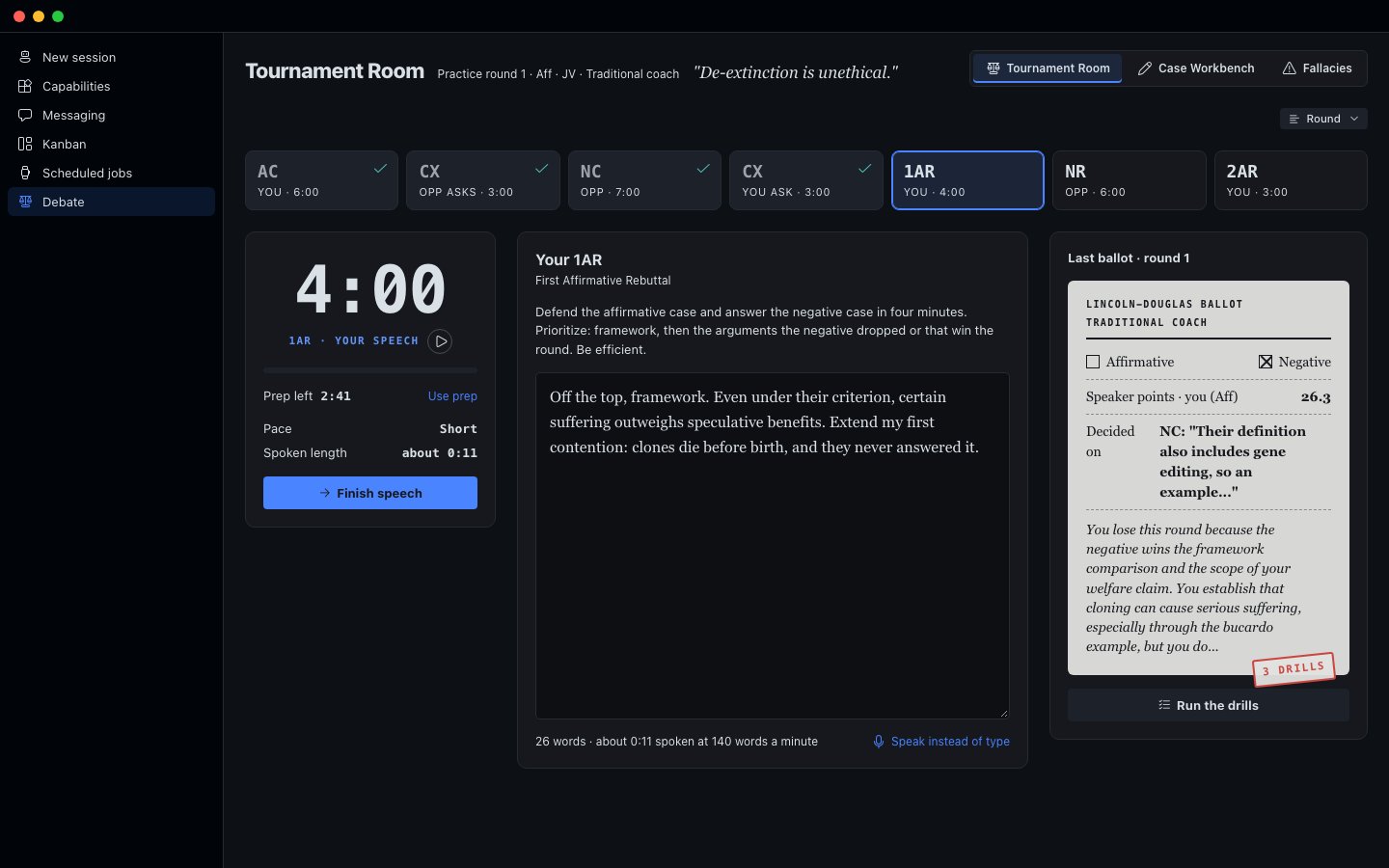
Tournament Room. A full practice round in NSDA order: your constructive, cross-examination, the opponent's case, rebuttals, and the last speeches. Speech times are 6, 3, 7, 3, 4, 6 and 3 minutes, with 4 minutes of prep. A clock runs each speech and your prep. The opponent comes in three levels: Novice, JV and Varsity. You question the opponent, and the opponent questions you. A flow sheet fills in as you go. At the end, a judge you pick (a parent judge, a traditional coach, or a flow judge) writes the ballot. You can ask another judge to rule on the same round, or redo one of your speeches and have the same judge rule again.

Case Workbench. Your case in sections: resolution analysis, definitions, value, criterion, contentions, and blocks. A six-step writing path walks you from a blank page to a finished case. Every section has helpers that lay out your options and ask hard questions, and a coach panel you can talk to.

Fallacies. A guide to 15 common mistakes in reasoning, each with a plain definition, an example, and what to do about it in a round. A practice drill gives you a short argument; you pick the fallacy it commits (or "No fallacy"), see whether you were right and why, and keep a score for the session. You can also paste any argument and have it checked. In the Tournament Room, a "Spot fallacies" button sits under every speech the opponent gives.

Topic briefing. When you start on a new resolution, a briefing maps the topic for both sides: the background, the words that matter, what each side has to prove, the arguments you'll hear most, common values and criteria, what judges look for, and where to start reading. Facts it is not sure of are marked "check this". It is saved, so it opens instantly the next time.

My cases. Keep as many cases as you want. Each one has its own name, resolution, side, sections and coach notes. Make a new one, copy one, or delete one. Save any case as a Word document or a text file, or print it. Save a backup file of every case, and load it on another computer.

Bring in your case. Paste a case you already wrote, or upload it as a Word document or text file. The workbench sorts your words into the sections without changing a single word, then the coach reviews it.

How to install it

You need the Hermes desktop app, version 0.22 or newer, with a model already set up. Debate Workbench uses that model.

  1. In Hermes Desktop, click Capabilities, then Plugins, then Install from Git.
  2. Paste https://github.com/Dgardenhire/hermes-ld-workbench and confirm. Keep both parts selected: the agent plugin and the desktop plugin.
  3. In Capabilities, then Plugins, find Debate Workbench and switch it on.
  4. Click Debate in the left sidebar.

Prefer the terminal? Run hermes plugins install Dgardenhire/hermes-ld-workbench --enable, then do steps 3 and 4.

To check that everything is in place, run hermes plugins doctor ld-workbench. It should say OK.

The full manual, with pictures: https://linchpin.studio/hermes/ld-workbench/manual/

Where your work is saved

Your cases, coach notes, rounds, ballots and topic briefings are saved by Hermes on your own computer, in a folder named plugin-data/ld-workbench inside your Hermes folder. There are no accounts and no tracking.

What leaves your computer

  • Your AI model. When you use the coach, a helper, the briefing, a round or a ballot, the text it needs (your case, your speeches, the resolution) goes to the AI model you chose in Hermes, through Hermes. Debate Workbench has no keys of its own.
  • A topic source link. If you add a link to the topic source, Debate Workbench opens that one public web page to read its text. It only opens public addresses, and it keeps the first 30,000 characters.
  • Dictation. The Speak instead of type button uses the speech recognition built into the Hermes app, where the app provides it. Depending on your computer, that service may send your audio to its maker (for example Google) to turn it into text. If you never press it, nothing is recorded.

Nothing else is sent anywhere.

The coaching rule

The coach helps and pushes. It explains ideas, lays out choices, and points to where evidence lives. It does not write your case, and it never makes up quotes, numbers or sources. If you ask it to write your case, it says the words have to be yours and gives you the next step instead.

For developers

  • The method (every prompt, the round format, the judges) is in ld_method.py, copied from the web app at linchpin.studio/debate. Keep the two in sync.
  • The backend is dashboard/plugin_api.py. All model calls go through Hermes's plugin model access (PluginLlm), so they use the user's own model and keys.
  • The page is built from desktop/src/plugin.js with the shared Hermes UI kit: node <path-to>/hermes-ui-kit/scripts/build.mjs .
  • Tests: /usr/bin/python3 -m unittest discover -s tests
  • Screenshots: serve the folder (/usr/bin/python3 -m http.server 8793 --directory .) and run harness/shoot.sh.

License: MIT. By Damon Gardenhire.

README from the reviewed commit e502204; it updates when the author re-pins.
More by Dgardenhire

4 plugins by Dgardenhire in the catalog.

Dgardenhirebot-cabinet-v2Tell Cabinet the job you need done and it answers with the smallest setup that does it (one chat, a skill, a routine, a Bot or a crew), shows which answers led there, then helps you act: add one of botcabinet.com's 20 Bots (each with its test record shown) as a Hermes profile, plan a new Bot line by line, or set up a crew of Bots in a handoff order with blocked Kanban cards. Everything Cabinet makes can be removed again from My Bots, and a Bot that Hermes's own Bots catalog carries is handed over to it, never duplicated. Disclosure — fetches its Bot catalog from https://botcabinet.com/catalog.json on open and Refresh (data only, 2 MB cap) and, after you confirm, creates Hermes profiles whose instructions (SOUL.md) come from that catalog; can create and archive Kanban cards for a crew; deletes only profiles it created that you have not changed; reads ~/.hermes/profiles and hashes profile files to track what it made; calls private Hermes modules (hermes_cli.profiles, kanban_db), so a Hermes update can break it; no shell, credentials, telemetry or self-updates.CommunityDesktop appDgardenhireclearingThe Clearing is a writing editor inside Hermes with 159 editing methods you can run by name: 11 editor passes, 9 composition checks drawn from Strunk's rules, 33 editorial methods, 56 craft techniques and 44 figures of speech it can find in your draft or suggest where one would help. Press Read my piece and it marks your own words with what to change, most important first. Nothing changes until you press Use this. Three reviewers, a newcomer, a skeptic and a line editor, can each read the piece and then argue it out. When a suggestion adds a fact you never wrote, it says so before you keep it, and the page shows how much of the piece is still your own words. A built-in quick check and dictionary work without a model. An independent community plugin, not made or endorsed by Nous Research. Disclosure: no network calls of its own. Editor passes go to the model you set in Hermes, only when you start one, with secrets removed by Hermes first; Bring in a link hands a public address to Hermes's web_extract after refusing non-public hosts; dictation goes to Hermes speech-to-text and, for a cloud service, waits until you press Send. Reads only files you pick, plus Hermes's speech-to-text setting and the Hugging Face model cache, both read-only. No shell commands, background processes, stored credentials or telemetry; one observe-only post_auxiliary_call hook reads the finish reason, model name and token counts of its own calls. When it falls back to a local faster-whisper model it sets KMP_DUPLICATE_LIB_OK=TRUE in the Hermes process. Your writing, its versions and a quote-stripped debug.log stay in <HERMES_HOME>/plugin-data/clearing/; Delete forever in the Trash erases a piece.CommunityDesktop appDgardenhirefield-academyThe School of Hermes. Hermes will sometimes tell you it saved something when it didn't, and Field Academy teaches you to catch that. In Foundations you work through 11 missions in a throwaway copy of Hermes with one thing quietly broken: you do a real job, say how you think it went, then look at what Hermes actually wrote to its files. After that come 34 missions on five trails in your own Hermes, each trail ending with a Field Record of your work. New in 0.9: Foundations and the trail map. Independent community plugin, not made or endorsed by Nous Research. Disclosure — no network calls of its own and no telemetry; registers six tools, two hooks, the /academy command and one skill. It creates and deletes practice profiles (named academy-practice) through Hermes, which copies your provider sign-in into each; Field Academy never reads .env, auth.json or other sign-in files. Before a practice profile's first chat it writes allowlisted settings, memory, a sample skill and sample files into that profile only, and may turn on its memory or skill write-approval setting; it never changes approvals.* or the command allowlist, and never writes your own profiles. Some missions add a filesystem connector (@modelcontextprotocol/server-filesystem, pinned) that Hermes downloads with npx, and scheduled practice jobs that, once repaired, run hourly on your model provider until you pause them. AI help (on by default) sends mission text, your answers and key-scrubbed practice excerpts to your own model; the in-chat practice offer (pre_llm_call, interactive sessions only) is off until you turn it on. It reads a file you name (UTF-8, max 5 MiB); on the Guide path it reads Hermes's run-history database read-only, jobs.json and up to 25 log files; progress, practice labs and Field Records stay in $HERMES_HOME/plugin-data/field-academy/.CommunityDesktop app

Developer Mode

Explore built-in Hermes toolsets and actions.

HermesAgent

Developer?

Create a Hermes extension for Desktop or agent workflows.

Developer Section