 KyaniteLabs
UNBL0CK
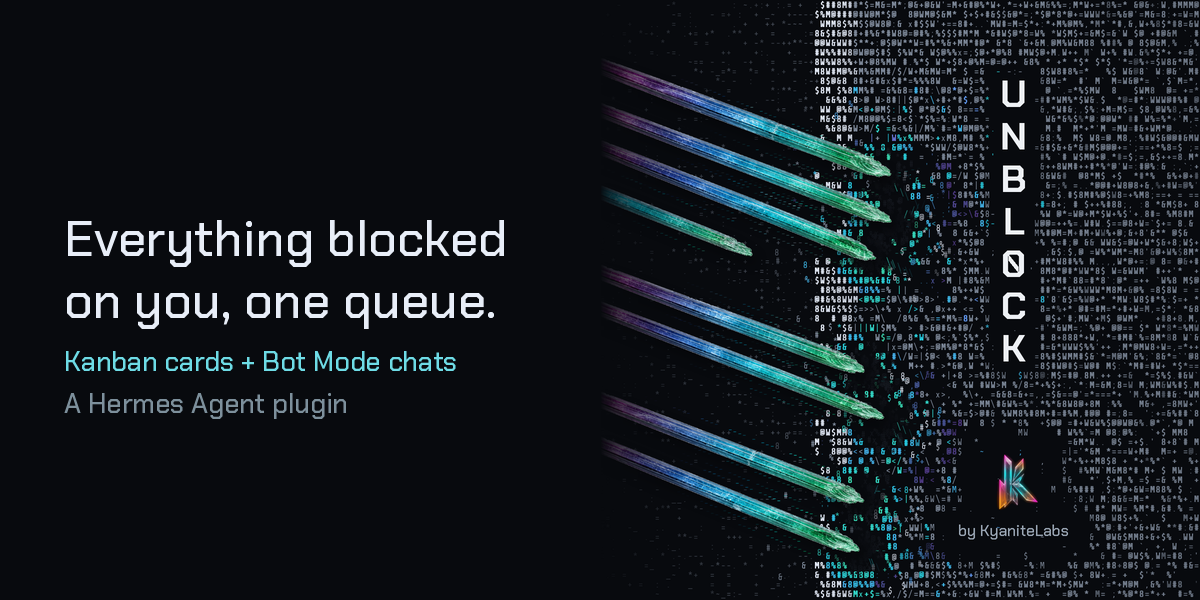
Agents get stuck waiting on you, and those questions end up scattered across Kanban boards and chats. UNBL0CK gathers them into one queue: every blocked Kanban card waiting on your answer, every chat on any platform (Desktop, CLI, TUI, Telegram, Discord and the rest) whose last turn is the bot asking you something, every agent paused right now on a clarify question, a command approval or an admin password prompt, and every new person waiting for you to approve their pairing request.
To answer a card, type into the queue. UNBL0CK posts your answer as a comment through native Kanban and, if you choose, unblocks the card. A chat opens straight from the queue. Each card leads with a one-line summary of what you must decide, and the original text is one click away. Nothing is decided for you and silence never counts as a yes. UNBL0CK adds no ranking of its own: cards keep their board priority, newest first within it.
What you get
- Desktop: an
/unblockpage showing the live queue, plus a "Needs you" count. Each card leads with a plain-English bottom line (BLUF) written by your configured model, with the raw block reason under + Full text. Each Kanban card has Answer + unblock, Answer, keep blocked, Open board and Not for me, plus a lazy Context panel with the description, comments, parent/child cards, workspace and branch, recent events, last run outcome and attachments. Ask about this card opens a small read-only side chat that explains the card and recommends an option; Use as answer copies its last reply into the answer box, and Discuss in chat opens a normal Hermes chat with the card pre-seeded. The model never acts: you still click Answer. Not for me can be undone for 12 seconds; after that, hidden items come back when the source changes: a new block, or a new chat turn. If your answer reads like "keep it blocked", the card warns you before Answer + unblock. Esc closes Ask, then Context, then Full text. - Slash command:
/unbl0cklists what is waiting on you in the CLI, TUI and Desktop. On a messaging platform (Telegram, Discord and the rest) anyone the bot admits can type it, so there it only says how many things are waiting, never what they are. - CLI:
hermes unbl0ck(and/unbl0ckon a local surface) prints the queue, naming who each gateway chat is with and giving the approve command for each pairing request. Add--jsonfor the raw queue, or--packto write a small card-format JSON pack for other displays to read.
Install
hermes plugins install unbl0ck
Then set your name, so UNBL0CK knows which asks are aimed at you. Use the plugin's settings in Desktop (Settings → Plugins → UNBL0CK), or:
hermes config set plugins.entries.unbl0ck.settings.principal_name "Ada, Ada Lovelace"
principal_name is comma-separated: list the names your agents use for you. "CEO", "principal" and "human" always count. Your answers are posted under the first name, unless you set comment_author. If no name is set, only those generic words are detected.
Summaries are on by default. Turn them off with bluf_enabled: false; cards then show the raw block reason.
Ask about this card is on by default. Turn it off with ask_enabled: false in the same settings block (or hermes config set plugins.entries.unbl0ck.settings.ask_enabled false). The Context panel and Discuss in chat keep working when Ask is off.
Requires Hermes >= 0.23.0.
How detection works
- Kanban: a card counts when its latest block is clearly waiting on you. Either the block reason names a decision for you ("Awaiting Ada's approval", "human gate: credentials"), or it is a
needs_inputblock that names you. Blocks that only report an order ("Ada said stop") are skipped. So are cards you have already answered since the block. - Chats: any chat a person uses, on any platform, from the last 14 days counts when the bot's final visible turn asks you something and you have not replied after it. Agent-to-agent sessions (Kanban workers, cron, subagents, one-shot runs) are skipped. A long chat that Hermes compressed into a continuation is checked only at its newest link. In a group, channel or thread the ask must name you, because there the bot may be talking to someone else. On Telegram, Discord and other gateway platforms other people can DM the bot too, so the card says who the chat is with; set
owner_user_idsto your own platform user ids (comma-separated) and chats with anyone else are left out. Desktop, CLI and TUI chats open in place; for Telegram, Discord and other platforms the card tells you where to reply. - Pairing requests: when someone new messages a bot and gets a pairing code, they wait under ACCESS.REQUESTS until you approve them or the request expires after an hour. The card shows the exact command,
hermes pairing approve <platform> <request-id>(the admin-side id the dashboard's Pairing page also uses), or you can approve on that page. UNBL0CK asks the gateway's own pairing store (PairingStore.list_pending()), which never returns the code they were sent, and never shows the person's platform user id. Likehermes pairing list, that call clears expired requests as it reads. - Live prompts: when any agent pauses on a clarify question, a dangerous-command approval or an admin password prompt, Hermes fires its stock
on_human_input_requesthook and UNBL0CK lists it under LIVE.PROMPTS untilon_human_input_resolvedfires. Answer it where it was asked; UNBL0CK shows the prompt (already redacted by Hermes) and the platform it is waiting in. A prompt whose process has exited, or that has been open for over a day, is dropped on the next poll, so a crash or a missed hook never leaves a ghost behind. Hooks load when the gateway starts, so a newly installed UNBL0CK picks up live prompts after the next gateway restart.
The queue is ordered the way it is urgent: live prompts first (a run is paused), then pairing requests (they expire), then Kanban cards by board priority, then chats. The slash command, CLI and Pocket pack use the same order.
What it cannot see: a card that is waiting on you without saying so in its block reason, and a chat question so indirect that it does not read as a question for you.
Disclosure
The things you would want to know before installing:
- No telemetry. UNBL0CK sends no usage data anywhere. The Desktop page talks only to this plugin's own backend, through the plugin SDK.
- Summaries send item text to your model provider, once per change. With
bluf_enabledon (the default), each new or changed Kanban card's or chat's title and text (live prompts and pairing requests are never sent), plus a Kanban card's last six comments (each cut to 600 characters, so the summary skips what is already settled), go once to the model provider configured in Hermes, through Hermes's own plugin LLM API (logged in its plugin audit log), in a background thread. The result is cached inbluf.json; nothing is resent until the item changes. Setbluf_enabled: falseto send nothing automatically. - Ask sends card content to your model provider when you ask. Sending a question in Ask about this card sends that card's context and your question to the model provider configured in Hermes, through Hermes's own plugin LLM API, and logs the call in Hermes's plugin audit log. Discuss in chat only types a draft into a normal Hermes chat; the chat you then start makes its own model calls. Turn Ask off with
ask_enabled: false. - No credentials. It neither reads nor stores secrets.
- Reads outside its own data:
- Kanban boards, through Hermes's Kanban modules (
hermes_cli.kanban_db). - The
state.dbchat history of the root Hermes home and of every profile under it, opened read-only, so it can find chats that end with a question for you. - Pending pairing requests for the Hermes home and each profile, through the gateway's
PairingStore.list_pending()(never the codes): only the display name, platform, request age and the admin-side request id (for the approve command) are used. - Hermes's
on_human_input_request/on_human_input_resolvedhook payloads (kind, redacted prompt, session id, platform).
- Kanban boards, through Hermes's Kanban modules (
- Writes:
- Only when you click Answer: one comment on the card, under your configured author name, and an unblock if you chose Answer + unblock. Nothing else is ever written to Kanban. The Context panel and Ask never write to the card.
- Its own files under
<HERMES_HOME>/plugin-data/unbl0ck/:hidden.json("Not for me" items, capped at 1000),waits/<id>.json(one small owner-only file per live prompt, deleted when it is answered),bluf.json(cached summaries, capped at 300) andpocket-pack.json(only when you ask for the pack). - In Desktop, two display toggles (effects and sound) in
localStorage.
- No shell commands, no subprocesses and no self-updating. Summaries and Ask replies run in small in-process thread pools inside the Hermes backend.
- Sound: the Desktop page plays short synthesized UI sounds through Web Audio. Turn them off with SFX.
- Hermes internals: Kanban access uses Hermes's internal
hermes_cli.kanban_db*modules, because no public plugin API for Kanban comments and unblocks exists yet. To keep each poll fast, the queue also reads the newest block event and your latest comment per card with one indexed SQL query each, falling back to the publiclist_events/list_commentsif the schema differs. A Hermes release that changes those modules can break the queue until UNBL0CK is updated.hermes plugins validatereports this as a warning. Settings are read withhermes_cli.config.load_config_readonly()and the Hermes home withhermes_constants.get_hermes_home(). - Optional environment fallbacks:
UNBL0CK_PRINCIPAL,UNBL0CK_AUTHORandUNBL0CK_OWNER_IDSstand in forprincipal_name,comment_authorandowner_user_idswhen those settings are empty. None is required and none holds a secret.
Develop
python -m unittest discover -s tests -v
hermes plugins validate .
The Desktop UI source is desktop/src/plugin.src.js. Run python desktop/build.py to regenerate desktop/plugin.js with the fonts inlined. The design tokens and visual canon are in design/.
Credits
The ASCII mascot is converted from Hermes Agent's Nous girl art (MIT, © Nous Research), and the fonts are under the SIL Open Font License. See NOTICE. UNBL0CK is an independent project by KyaniteLabs and is not endorsed by Nous Research.
License
MIT. See LICENSE.
README from the reviewed commit cea6947; it updates when the author re-pins.