 xBuildyTeam
Wave | Bots for Hermes
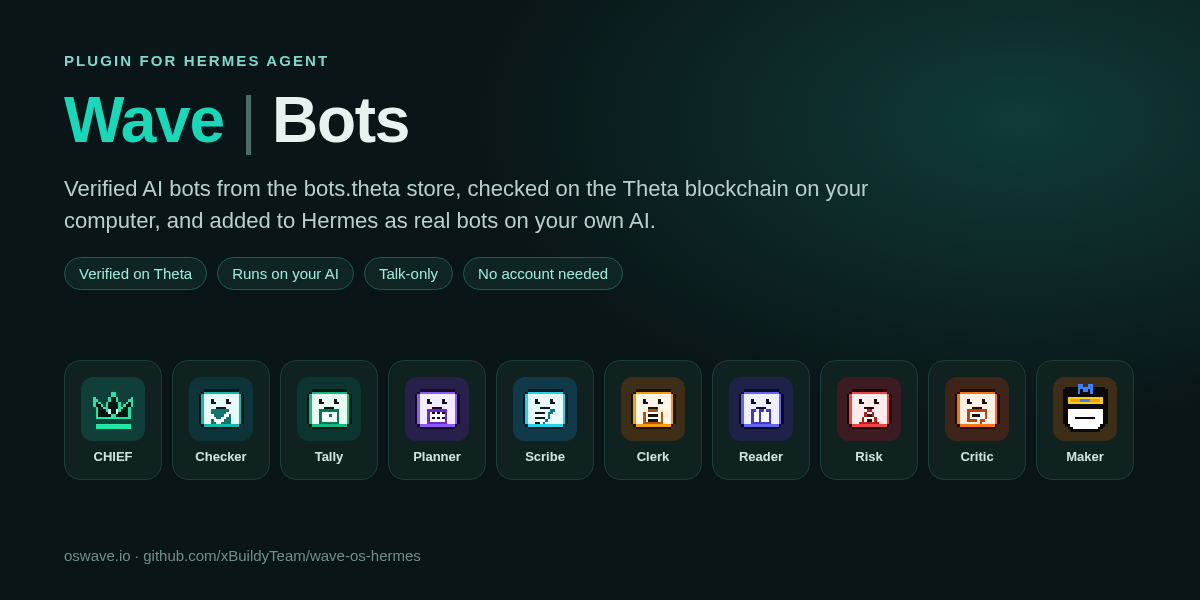
Verified AI bots from the bots.theta store, checked on the Theta blockchain on your computer, and added to Hermes as real Hermes bots.
- Store tab (Hermes Desktop, Webapp and
hermes dashboard): the 10 official Wave bots with their mascots, each one marked "Verified on Theta" only after this plugin re-checks it: name → listing → rules → mascot → every knowledge card fingerprint. - Add to Hermes: the bot becomes its own bot in your sidebar's Bots list (a Hermes profile
wave-<name>), with its mascot as the avatar. It runs on your own AI model and login, answers from its verified cards and cites them. Its terminal, files, browser, code, web, memory, delegation and scheduled-job tools are off, and MCP servers are off. - Stays honest: re-checked on Theta once a day. A newer listing shows "Update available"; a failed check pauses the bot until it passes again; local edits to its SOUL.md are flagged.
- No account, key or token needed for any of this. Nothing is signed, paid or sent to Wave.
- Optional: Connect to Wave OS (Connection tab,
/bots connectorhermes wavebots connect). Get a limited key on app.oswave.io/hermes/connect: you pick the spending limit (default 0 = free and public bots only) and how long it lasts (30/90/365 days), and Wave OS shows the key once. Paste it in Hermes Settings › Plugins › wavebots › Wave OS bot key, or runhermes config set WAVE_OS_TOKEN <key>. Hermes keeps it with its other secrets (WAVE_OS_TOKEN, declared as aconfig_schemasecret); the plugin only reads it throughagent.secret_scope.get_secretand never stores it. It can only ask Wave bots, nothing else. Disconnect on the Connection tab (or/bots disconnect) stops using it on this computer right away; Reconnect turns it back on. To remove it completely, clear it in Settings and revoke it in Wave OS Settings › MCP Setup. - Ask the real bot on Wave: on a bot's page,
/bots ask checker <question>, or theask_wavetool action (Hermes asks you to approve each one, and shows the TFUEL if a price is allowed). The answer comes back with the listing, cited cards, price and a receipt, and is treated as data, never instructions.
Install
git clone https://github.com/xBuildyTeam/wave-os-hermes
cp -r wave-os-hermes/wavebots ~/.hermes/plugins/wavebots
hermes plugins enable wavebots
On Windows, copy the folder's contents: Copy-Item -Recurse -Force "$env:USERPROFILE\wave-os-hermes\wavebots\*" "$env:LOCALAPPDATA\hermes\plugins\wavebots\" (create the wavebots folder first), then hermes plugins enable wavebots. Restart Hermes and open Wave | Bots in the sidebar.
Use it
| Where | How |
|---|---|
| Tab | Wave | Bots in the sidebar (Store / Added / Connection / About / Build bots on Wave) |
| Chat | /bots, /bots find check my numbers, /bots info tally, /bots add tally, /bots check, /bots update tally, /bots remove tally yes |
| CLI | hermes wavebots list, hermes wavebots add tally, hermes wavebots check, hermes wavebots remove tally --yes |
| Agent | the wave_bots tool (find, info, list_added, add, check, update, remove, connection, ask_wave). Add, update, remove and ask_wave go through Hermes's approval prompt and never run from scheduled jobs. |
| CLI (Wave OS) | hermes wavebots connect (where to get a key), hermes config set WAVE_OS_TOKEN <key>, hermes wavebots status, hermes wavebots ask checker "…" |
| Links | hermes://open/wavebots?bot=checker opens a bot's page; hermes://open/wavebots?connected=1 opens Connection |
How a bot is checked
name.bots.theta→ the TNS registry (0xffc4…e787) → its resolver → thewave.bottext record = the listing ref.- The listing card (
wave.bot-listing/1) is read from BrainVault v3 (0xdb82…dc90):keccak256(content)must equal both the logged and the stored content hash, and the listing must name itself. - The rules card's sha256 must equal the listing's
rulesHash, signed by the same creator. The mascot and every knowledge card are hash-checked the same way. - "Official" = signed by Wave's official signer
0x4e96…86db; anything else shows "Community".
A network failure shows "Couldn't reach Theta" and never counts as a failed check.
What it touches (disclosure)
- Network. Only two services, both over HTTPS:
- Theta mainnet RPC (
eth-rpc-api.thetatoken.org): reads TNS name records and BrainVault v3 cards (eth_call,eth_getLogs) to check bots. Read-only; the plugin never sends a transaction. - Wave OS (
app.oswave.io), only if you've set a Wave OS bot key:mcpRouter→bots_callwith your question when you ask the real bot, and a freebots_discovercheck (at most every 10 minutes, or when you click Check again) when the Connection tab shows whether Wave OS accepts the key. The key goes as a Bearer token. Without a key, nothing goes to Wave. - No telemetry or usage reporting.
- Theta mainnet RPC (
- Browser. "Get a key on Wave OS" opens app.oswave.io in your default browser; the Build and About links open web.oswave.io.
- What it creates. Adding a bot creates a Hermes profile
wave-<name>(SOUL.md from the checked cards, the mascot as its avatar, code, terminal, file and web tools turned off). Remove deletes only profiles this plugin made. - Stored data and credentials.
$HERMES_HOME/wavebots/holds the added-bot index and check results, no credentials. The optional Wave OS key is a Hermes secret (WAVE_OS_TOKEN), entered in Hermes's plugin settings or withhermes config set, and stored by Hermes like its provider keys. The plugin reads it withget_secretonly when you ask the real bot, never writes, caches or logs it, and remembers in memory only that Wave OS refused it. Disconnect saves only the key's 16-hex SHA-256 fingerprint in$HERMES_HOME/wavebots/disconnected.json(never the key) so it stays off after a restart. It's a limited, safe-scope MCP token (bots only, your spending limit, default 0 TFUEL); clear it in Settings to disconnect and revoke it in Wave OS › Settings › MCP Setup. - Reads outside its own data. Hermes's profile list and plugin list (names, versions, enabled or not), read-only, for the Added and About tabs.
- Background work. One thread re-checks added bots on Theta once a day; a network failure just waits for the next try.
- No shell commands, no self-updating, no signing or spending on its own. Asking a priced bot needs your approval for each answer and stays within your Connect limit.
Tests
python -m pytest wavebots/tests -q: 27 offline tests on recorded mainnet responses (tampered listing, tampered knowledge card, an older listing, offline, add / re-add / foreign profile / failed add rollback, check / edited / update / pause and recover, remove, approvals, cron refusal, the dashboard API, Connect: the key comes only from Hermes's secret scope and is never stored, the manifest declares it, ask, revoke, a refused key isn't resent).
Edit the UI in ui/app.js + ui/style.css, then python3 ui/build.py.
README from the reviewed commit fb61a50; it updates when the author re-pins.