Hermes Teammates
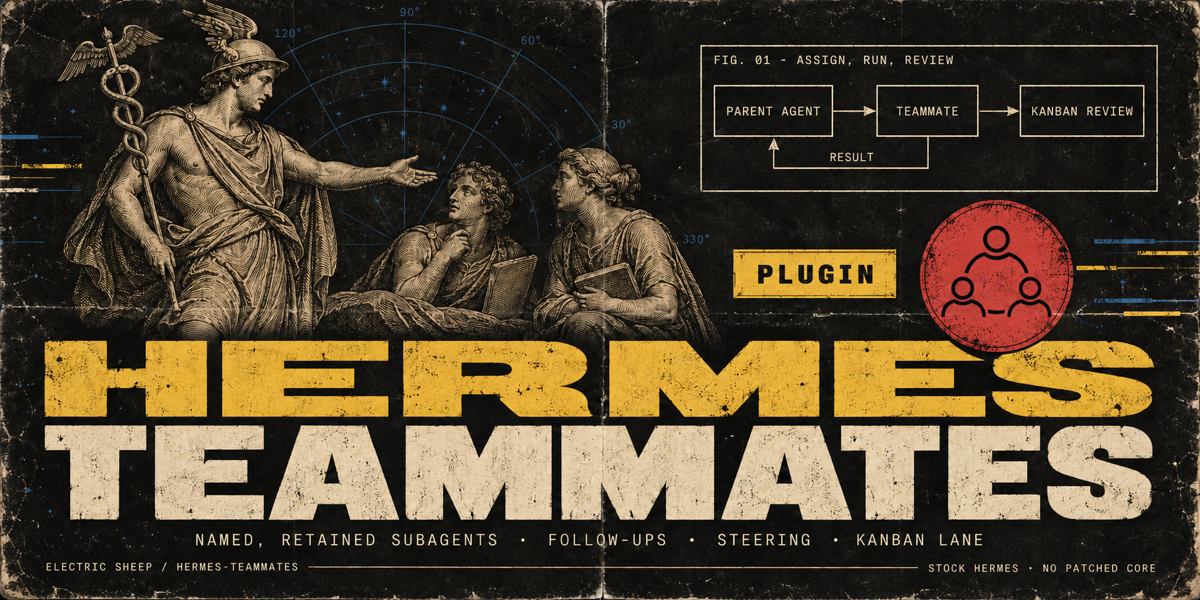
Named subagent teammates for Hermes Agent. You define a small roster of teammates (a reviewer, a scout, a test-writer), each with its own instructions, toolsets and model. Your agent hands them work, checks on them, steers them mid-run, follows up with the context of earlier assignments, and can work a Kanban lane with a review handoff.
Stock Hermes; no patched core. It uses the public plugin subagent lifecycle API (ctx.subagent_lifecycle).
- For: people who already delegate with Hermes and want the same specialists every time, without rewriting the brief, and with a durable record of what each teammate did.
- Not for: DAG workflows with gates and fan-out. Use hermes-workflows for those. Teammates is about who does the work; workflows is about the shape of a long job.
Screenshots
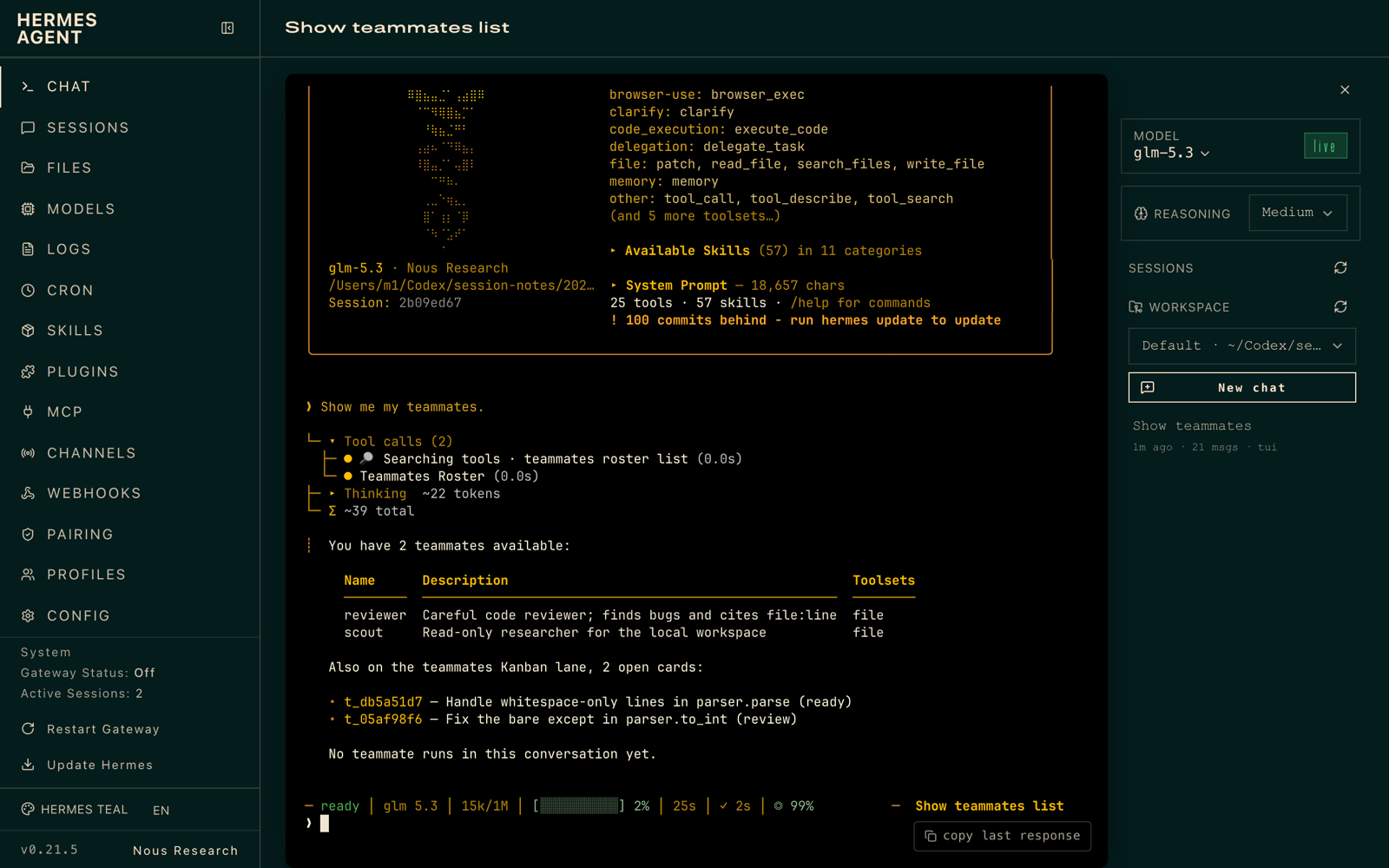
| Roster | Two teammates in parallel, one working a Kanban card |
|---|---|
 |
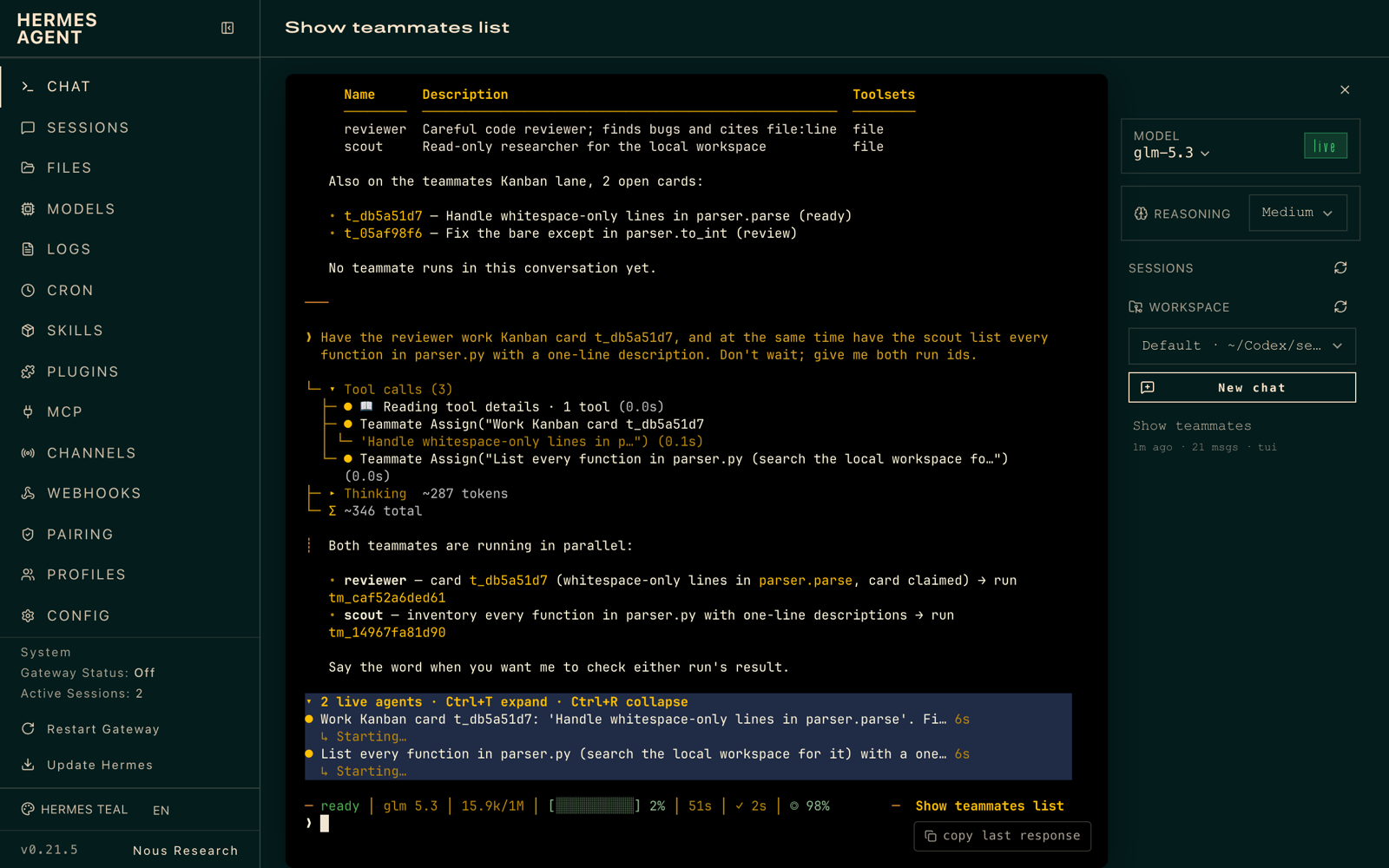 |
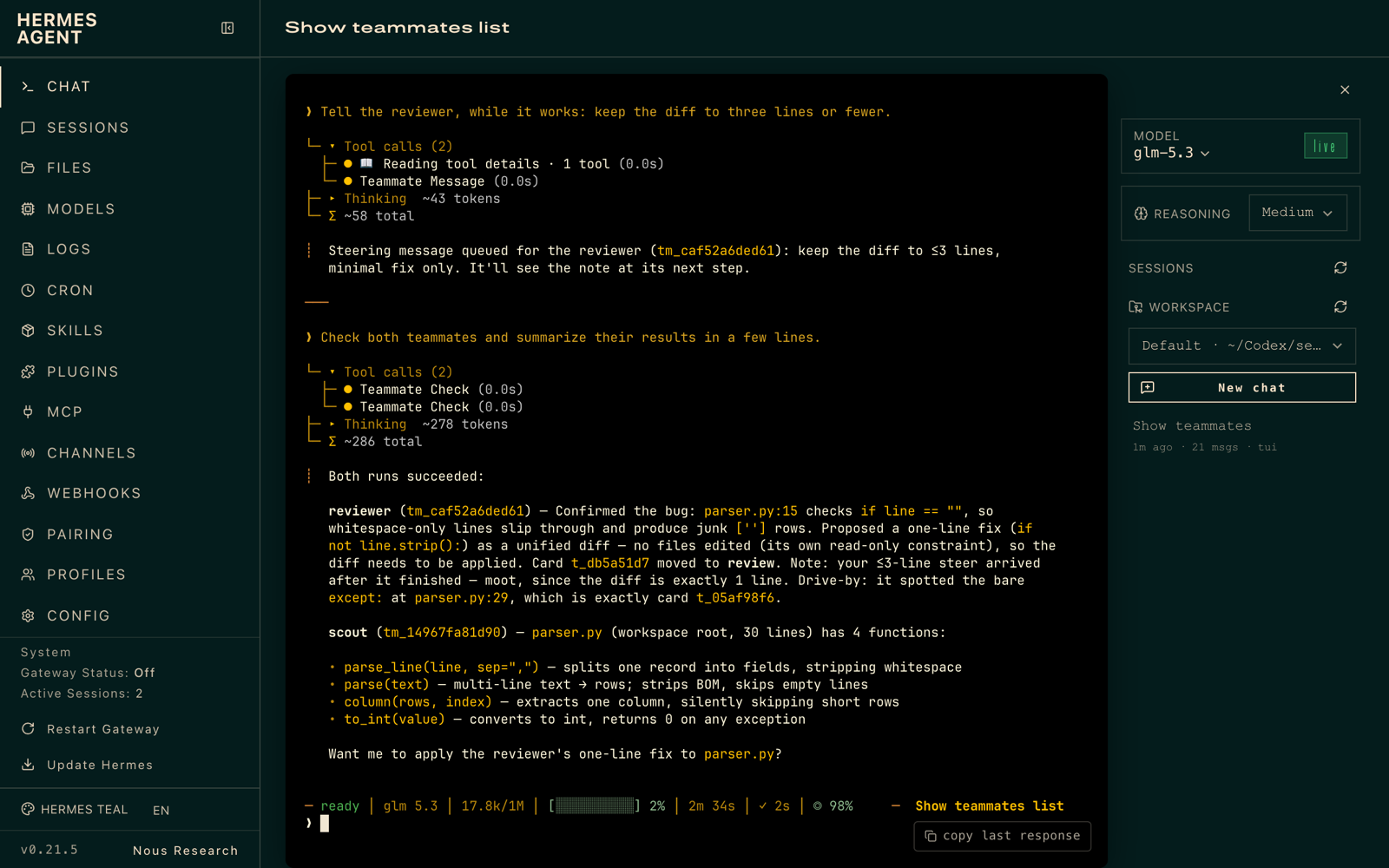
| Results; the card moved to review | /teammates in any chat |
 |
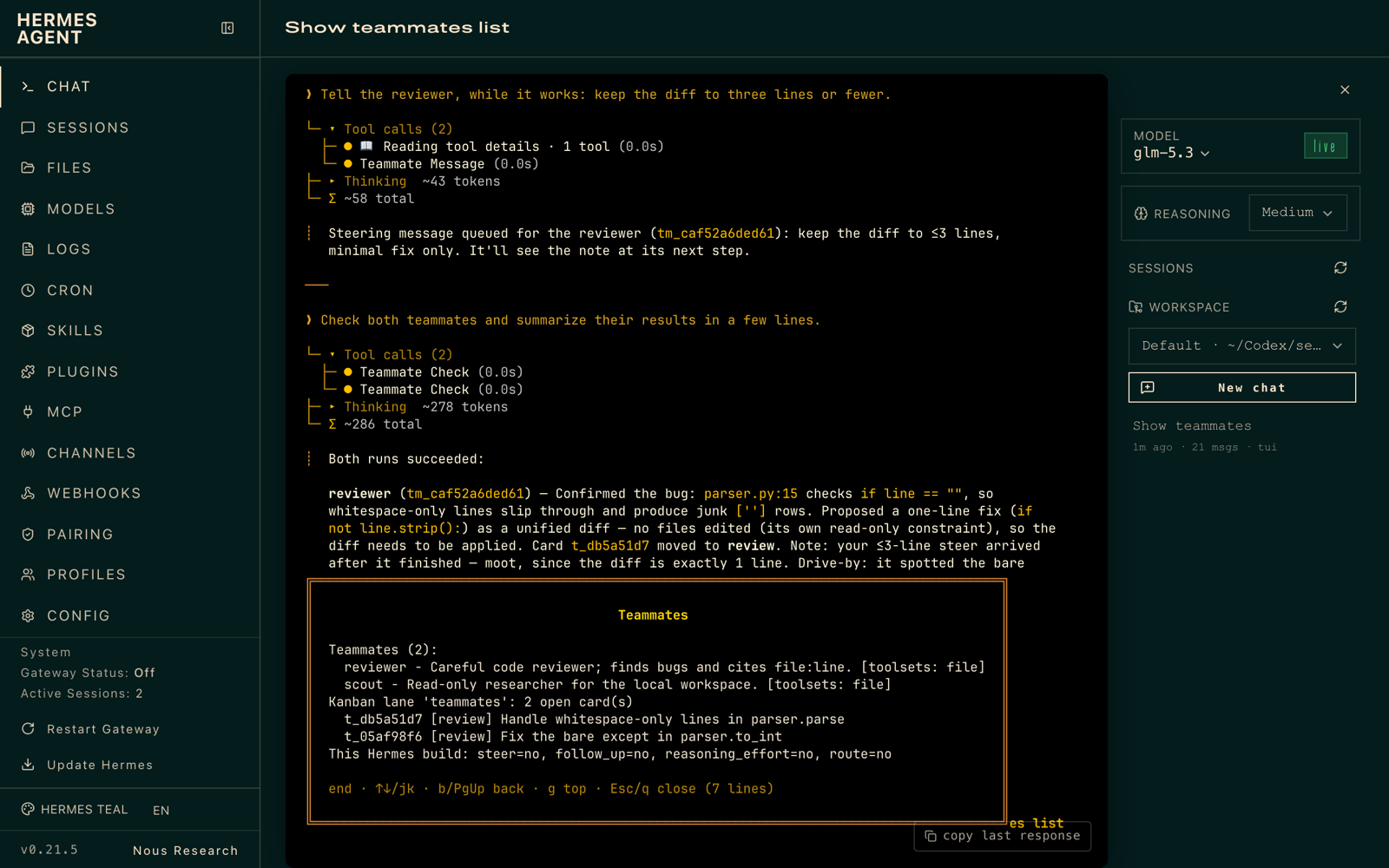 |
How it works
 you ──► parent agent ──teammate_assign──► teammate (Hermes subagent, your toolsets/model)
              ▲                                  │
              └──────────teammate_check◄─────────┘  result, provider/model, duration
              │
              └─teammate_assign(kanban_task)──► claim lane task ─► run ─► task moves to REVIEW
- You define teammates in config. The model only ever picks a teammate name; you decide what that name means.
teammate_assignlaunches a subagent throughctx.subagent_lifecycleand returns arun_idat once. The teammate's instructions travel in its context. Its toolsets can only narrow the parent's, never widen them.teammate_checkreports status, or waits up to 60 s and returns the result. Every run is recorded in a per-profile SQLite ledger (<HERMES_HOME>/plugin-data/hermes-teammates/data.db).follow_up: truegives the teammate a bounded digest of its earlier assignments in this conversation, so it picks up where it left off.teammate_messagesteers a running teammate. The text lands at its next step, without stopping it.teammate_stopcancels it.- Kanban teammates lane. Assign cards to the
teammateslane, which is not a Hermes profile, so the dispatcher leaves them alone.teammate_assign(kanban_task=…)claims the card and keeps the claim alive while the teammate works. On success the card moves to review with the teammate's summary; on failure it is blocked with the reason. You, or your agent, accept or request changes with the usual Kanban tools.
Install
hermes plugins install 100yenadmin/hermes-teammates --enable
Then restart the gateway (or the CLI session) so the tools register.
Configure
In Hermes Desktop (0.21.5 or newer), open the plugin's settings. On current builds they are under Settings ▸ Plugins; on 0.21.5 they open inline from the plugin's row under Capabilities ▸ Plugins.
| Setting | What it does | Valid values (anything else falls back to the default) |
|---|---|---|
| Teammates | Your roster, as a JSON object (example below) | Names: lowercase letters, digits, - or _, up to 32 characters |
| Kanban lane | Kanban assignee for teammate cards | Any name that is not a Hermes profile; default teammates |
| Kanban claim TTL (seconds) | How long a claim on a lane card lasts between heartbeats | 60–86400; default 900 |
| Max live runs per conversation | Teammate runs one conversation may have in flight | 1–16; default 4 |
| Follow-up context budget (characters) | How much of earlier results a follow-up carries | 0–24000; default 8000 |
The Teammates field takes JSON like this:
{
  "reviewer": {
    "description": "Careful code reviewer; finds regressions and cites file:line.",
    "instructions": "Review the change you are given. Report findings with file:line and a fix.",
    "toolsets": ["file", "terminal"]
  },
  "scout": {
    "description": "Fast read-only researcher.",
    "instructions": "Find the facts asked for. Quote sources. Do not edit files.",
    "toolsets": ["web", "file"]
  }
}
Each teammate takes description, instructions and toolsets, plus optional model, route and
reasoning_effort (see Compatibility). The form checks types, not ranges. A value it accepts but
the plugin can't use (an unknown key, a bad name, an out-of-range number) falls back to the default and is
listed under Config problems in /teammates.
With the CLI, headless, or on Hermes 0.21.4, put the same settings in config.yaml:
plugins:
  entries:
    hermes-teammates:
      settings:
        teammates:
          reviewer:
            description: "Careful code reviewer; finds regressions and cites file:line."
            instructions: "Review the change you are given. Report findings with file:line and a fix."
            toolsets: [file, terminal]
          scout:
            description: "Fast read-only researcher."
            instructions: "Find the facts asked for. Quote sources. Do not edit files."
            toolsets: [web, file]
            model: null            # same provider as the parent; see Compatibility
        lane: teammates            # Kanban assignee for the teammates lane (must not be a profile name)
        max_live_runs: 4           # per conversation
        followup_context_chars: 8000
        claim_ttl_seconds: 900
Settings are read on every call, so edits apply without a restart. The one exception is the list of teammate
names in the teammate_assign tool description, which is fixed at startup. A teammate you add later works by
name right away, and teammates_roster always shows the current list; restart to refresh the description.
Use
Ask in plain language:
Have the reviewer check the diff in
src/parser.py, and the scout find how other projects handle BOM-prefixed CSV. Report back when both are done.
| Tool | What it does |
|---|---|
teammates_roster |
Lists teammates, this conversation's recent runs, open lane cards, and what this Hermes build supports |
teammate_assign |
Starts a run: teammate, goal, optional context, follow_up, kanban_task |
teammate_check |
Shows status, or waits (wait_seconds ≤ 60) for the result |
teammate_message |
Steers a running teammate |
teammate_stop |
Cancels a run |
/teammates prints the roster in any chat surface.
Compatibility
- Requires Hermes 0.21.4 or newer. CI runs against a pinned upstream commit and against
main. - Runs with
plugins.isolation: in_process(the default). Underplugins.isolation: host, current Hermes builds cannot carry a subagent launch across the plugin-host boundary, so every tool except the roster answersunsupported_isolationinstead of failing in an odd way. - Some features depend on the Hermes build. The plugin detects each one at call time and never quietly substitutes something else:
| Teammate setting / feature | Needs in Hermes | When missing |
|---|---|---|
model |
any supported version | Must be served by the parent's provider |
route (another provider) |
a lifecycle route field (proposed upstream) | Listed in the run's unsupported field; the run uses the parent's provider |
reasoning_effort |
SubagentLaunchRequest.reasoning_effort (upstream PR #89936) |
Listed in the run's unsupported field |
| steering | a lifecycle steer; today it goes through delegate_task steer with the live parent (in-process) |
teammate_message returns unsupported |
| follow-up on the same child | a lifecycle follow_up (proposed upstream) |
Follow-ups carry earlier results as context |
The upstream proposal is tracked in NousResearch/hermes-agent#133212.
Limits (honest list)
- Follow-ups carry context, not the transcript. A follow-up starts a fresh subagent with a digest of earlier results until Hermes exposes transcript-level follow-up to plugins.
- Runs do not survive a restart. Hermes keeps subagents in-process. After a restart the ledger marks
unfinished runs
interruptedand never re-runs them. A lane card's claim then expires through Kanban's normal TTL. - Runs belong to the conversation that started them. Another chat on the same profile cannot see, steer or stop them.
- A context compression starts a new conversation segment. Hermes gives the conversation a new session id when
it compresses, and runs belong to the segment that started them. Earlier runs then answer
unknown_run. A lane card a run had claimed is released by the claim TTL. - Toolsets narrow, but they are Hermes toolsets.
fileincludes write tools, so a teammate withfilecan edit files even if its instructions say not to. Pick toolsets for what the teammate may do, not what it should do. - Admission (spawn pause, depth limit) is Hermes's call. The plugin adds only a per-conversation cap on live runs.
How to test
hermes plugins validate --install-deps ./hermes-teammates
cd hermes-teammates && python -m pytest -q   # inside a Hermes venv
Manual walkthrough (5 minutes):
- Add the
reviewerteammate above, in the plugin settings orconfig.yaml. - Ask: "Show me my teammates." You should see the roster with
reviewerand a features table. - Ask: "Have the reviewer summarize README.md in three bullets." You get a
run_id, then the result viateammate_check. - Ask: "Follow up with the reviewer: which bullet is weakest?" The run starts with
follow_up: true. - Create a Kanban card assigned to
teammates, then ask: "Have the reviewer work Kanban task ." The card goes running → review with the summary.
Security
See SECURITY.md. In short:
- Teammates run with the parent's credentials and can only narrow toolsets.
- The model picks names, never providers or models.
- The ledger stays local and per profile.
- The plugin makes no network calls of its own.
- It only claims Kanban cards assigned to its lane.
License
MIT. Maintained by @100yenadmin (Electric Sheep).