All plugins

letterpress

Drop in your PDFs, Word files and text, and Letterpress turns them into a finished deck, one-pager, graphic or audio brief in your own brand. Pick from three deck designs (Editorial, Data board, Statement), mix slides between them, and revise any slide by asking in plain words. Ask questions of your sources and get answers that cite the paragraph. Numbers and quotes are checked against your sources before export, and a Source notes PDF sets each one beside the sentence it came from. The check covers numbers and quotes, not claims or framing, so read the headlines yourself. Five built-in brands, or make your own. Independent community plugin, not made or endorsed by Nous Research. Disclosure — Sends source text (secrets redacted by Hermes), questions, briefs and pictures of draft slides to the user's own Hermes model (auxiliary task "Letterpress writing") and audio scripts to the user's Hermes text-to-speech provider; fetches only web addresses the user enters, through Hermes's SSRF-safe client or the user's web_extract tool; starts a headless Chrome/Chromium/Edge/Brave child process (path from LETTERPRESS_BROWSER or IMPRINT_BROWSER, install folders or PATH) with only a minimal environment to render exports with network blocked and, on macOS/Linux, to view up to four pages of a user-named website through a public-address-only proxy on 127.0.0.1; runs sips on macOS; on first start copies its own earlier data from $HERMES_HOME/plugin-data/imprint/ when that folder holds this plugin's database, without changing it; writes only under $HERMES_HOME/plugin-data/letterpress/ (or LETTERPRESS_DATA_DIR / IMPRINT_DATA_DIR) and to paths picked in the save dialog.

DgardenhireDesktopv0.1.1Updated 7 days ago

About

Drop in your PDFs, Word files and text, and Letterpress turns them into a finished deck, one-pager, graphic or audio brief in your own brand. Pick from three deck designs (Editorial, Data board, Statement), mix slides between them, and revise any slide by asking in plain words. Ask questions of your sources and get answers that cite the paragraph. Numbers and quotes are checked against your sources before export, and a Source notes PDF sets each one beside the sentence it came from. The check covers numbers and quotes, not claims or framing, so read the headlines yourself. Five built-in brands, or make your own. Independent community plugin, not made or endorsed by Nous Research. Disclosure — Sends source text (secrets redacted by Hermes), questions, briefs and pictures of draft slides to the user's own Hermes model (auxiliary task "Letterpress writing") and audio scripts to the user's Hermes text-to-speech provider; fetches only web addresses the user enters, through Hermes's SSRF-safe client or the user's web_extract tool; starts a headless Chrome/Chromium/Edge/Brave child process (path from LETTERPRESS_BROWSER or IMPRINT_BROWSER, install folders or PATH) with only a minimal environment to render exports with network blocked and, on macOS/Linux, to view up to four pages of a user-named website through a public-address-only proxy on 127.0.0.1; runs sips on macOS; on first start copies its own earlier data from $HERMES_HOME/plugin-data/imprint/ when that folder holds this plugin's database, without changing it; writes only under $HERMES_HOME/plugin-data/letterpress/ (or LETTERPRESS_DATA_DIR / IMPRINT_DATA_DIR) and to paths picked in the save dialog.

Letterpress

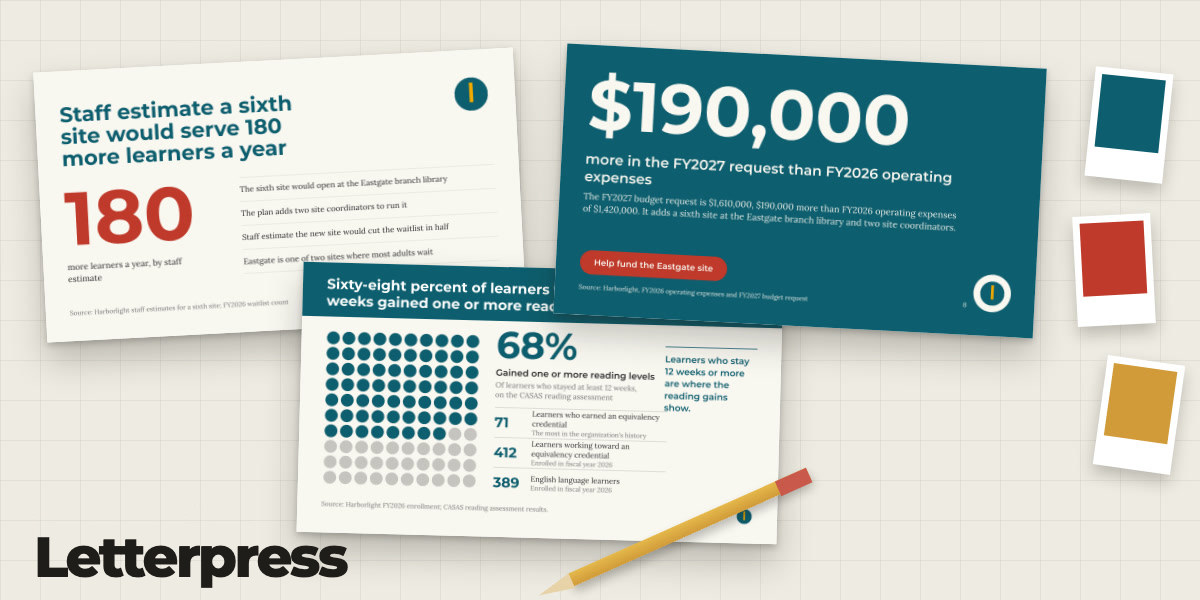
Letterpress card: three slides in three designs with brand color swatches

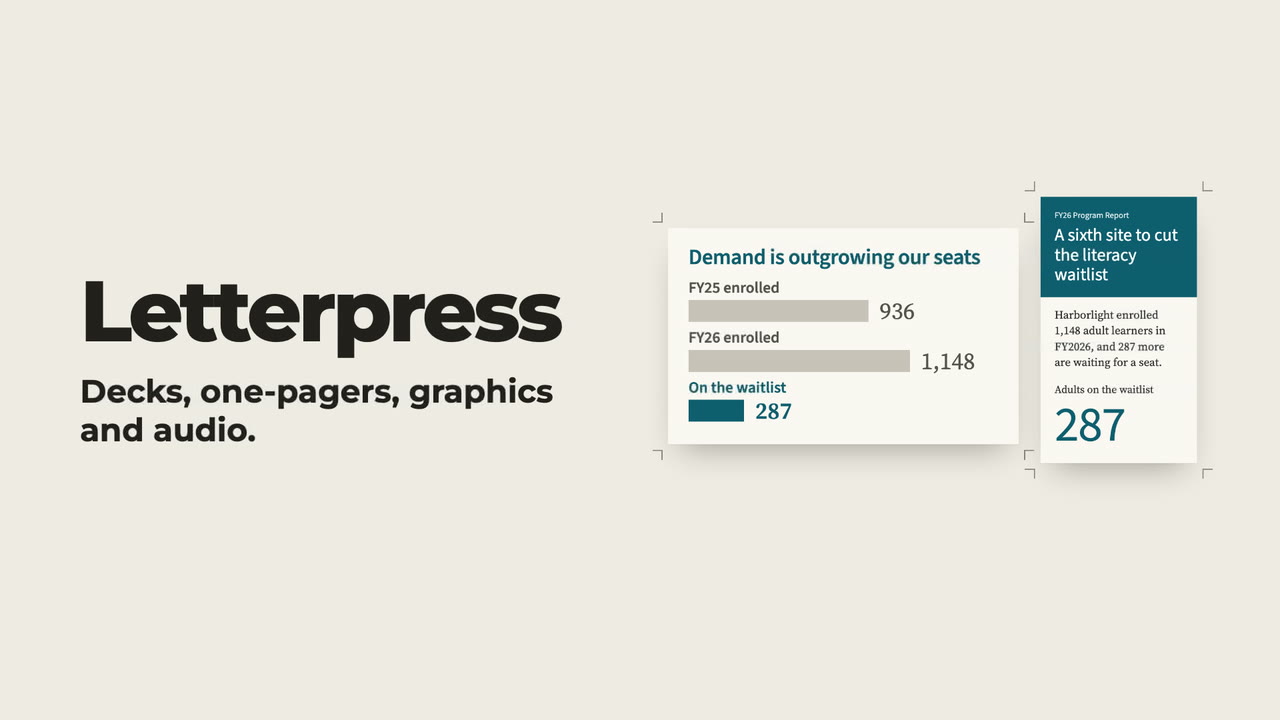
Letterpress: watch the 30-second demo

Watch the 30-second demo · Manual · All plugins

Letterpress turns your documents into a finished deck, one-pager, graphic or audio brief in your own brand, inside Hermes
Desktop. Drop in PDFs, Word files or text. Ask questions of your sources and get answers that cite the paragraph.
Pick from three deck designs, mix slides between them, and revise any slide in plain words. Before export, numbers and
quotes are checked against the sources, and the Source notes PDF shows each one beside the sentence it came from.

The writing and the checking use the model you already set up in Hermes. There is nothing else to sign up for.
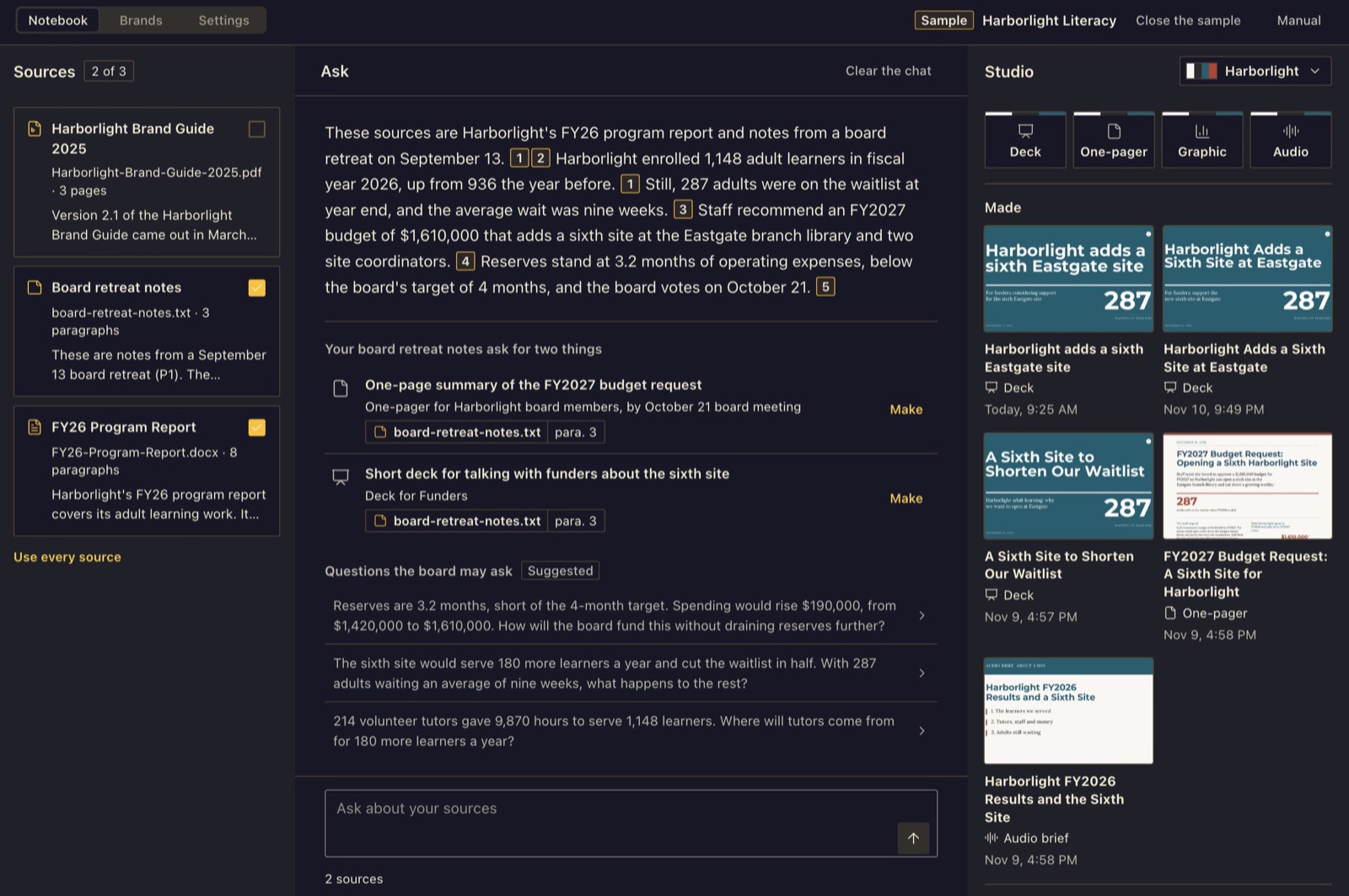
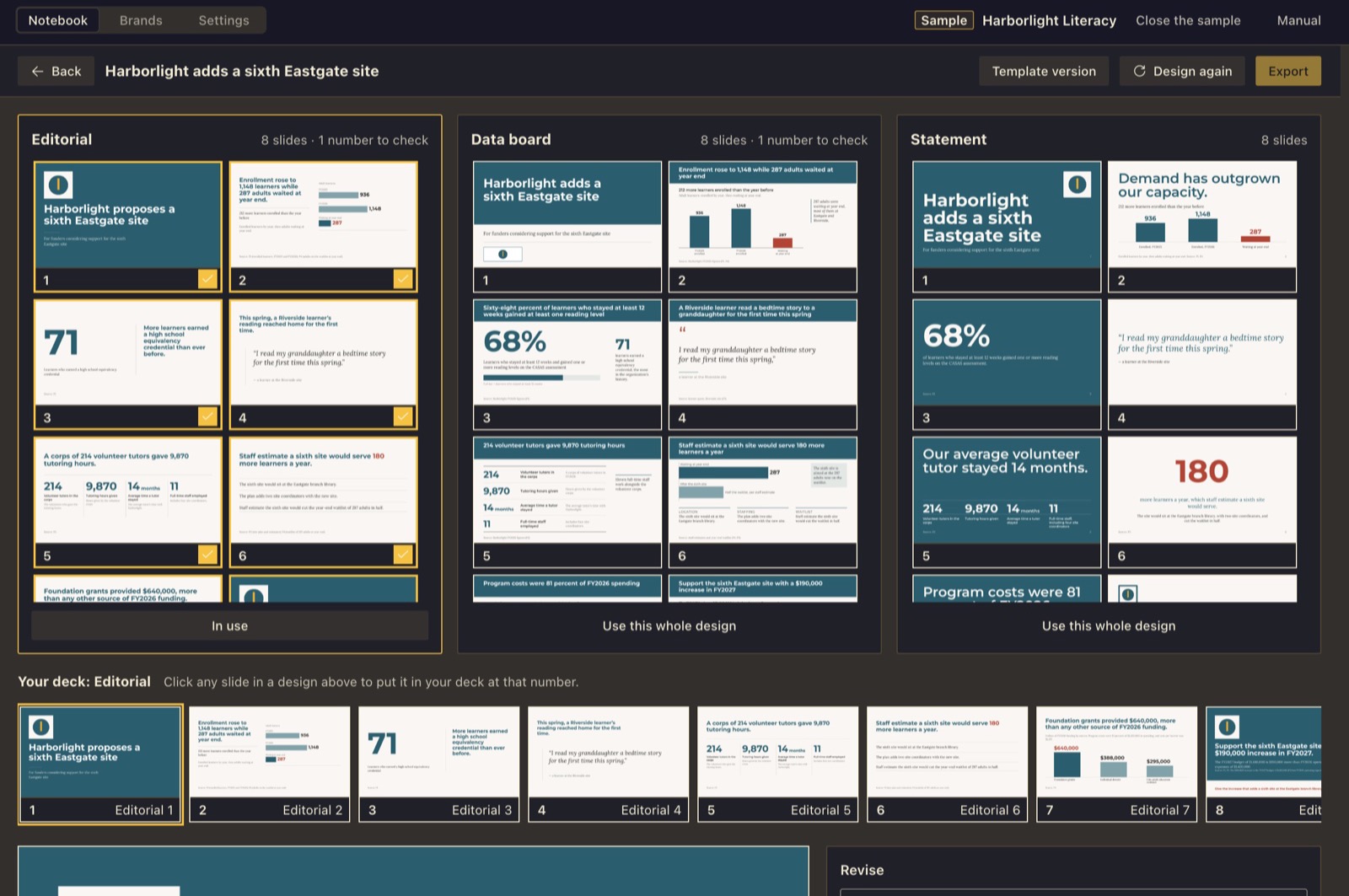
The Letterpress notebook on first open: Sources, Ask and Studio, with the Harborlight sample open: a cited answer, suggested pieces and finished designs

The screenshots use the sample that ships with Letterpress: Harborlight Literacy, a made-up adult literacy group.

What it does

  • Sources. Add a PDF, a Word file, a text or Markdown file, a transcript (.vtt, .srt, .txt), a web page or pasted
    text. Each becomes a card with a short summary. Tick the ones that count; everything else in Letterpress uses only the
    ticked sources. Click a card to read every passage with its page, heading or timestamp. For audio or video, add the
    transcript.
  • Ask. A chat that answers only from the ticked sources. Each claim carries a numbered mark that opens the passage
    it came from. Pin an answer as a note, copy it, or use Make from this to start a deck, one-pager or graphic from it.
  • Studio. Four things to make: Deck, One-pager, Graphic and Audio brief. Fill in who it is for,
    what they should decide or do, and a length. A deck stops at an outline you can edit (retitle, reorder, delete, add,
    ask for three new titles) before anything is drawn.
  • Three designs. When a deck, one-pager or graphic is finished, Letterpress draws it three ways: Editorial, Data board
    and Statement. Your model lays out each one, looks at a picture of the result and fixes what is wrong. For a deck you
    can use one design whole, or pick slides from any of the three and mix them into one deck, then revise in words, edit
    a line, or go back to an earlier version. A Template version of every piece, set in the brand's own fixed
    layouts, is one click away.
  • Numbers are checked. Every number and quoted phrase is matched against the passages it cites. A number that is
    not in your sources is flagged, and Export waits until you fix it, have your model fix it, or keep it on purpose.
    Hover a number to see the source sentence with the number marked. The check shows that a number appears in your
    sources, not that the source is right, and it checks numbers and quotes, not how a headline frames them. Read the
    headlines yourself.
  • Brands. A brand is a saved set of colors (checked for contrast), fonts, a logo, voice rules, a page layout and
    rules for every page. Five studio brands ship with Letterpress (Counsel, Chart Room, Stage, Folio and Meridian), plus 16
    earlier starters. Make your own by importing one (brand guide PDF, pasted color codes, CSS, an Open Design package, a
    Claude Design system, a PowerPoint or Canva file, a design tokens file, a logo or brand sheet, a Keynote theme on a
    Mac), by Build from a website, by Help me build a brand (your model proposes three that differ), or by hand.
    Every draft is shown as a proof before you save it.
  • Exports. Deck: PDF and PowerPoint. The Template version exports a PowerPoint you can edit, with the brand on its
    slide master. A deck made from the three designs exports to PowerPoint as one picture per slide, with the slide's
    notes: you can present it but not edit its text. One-pager: PDF and PNG from the designs; PDF, a print proof with crop
    marks and a self-contained web page from the Template version. Graphic: PDF and PNG from the designs; PNG, SVG and
    PDF from the Template version. Audio brief: an MP3 recording, the script as text and a script PDF. Decks and
    one-pagers also export Source notes: a PDF that sets every number and quote beside the sentence in your sources
    it came from, grouped by slide, in your brand.
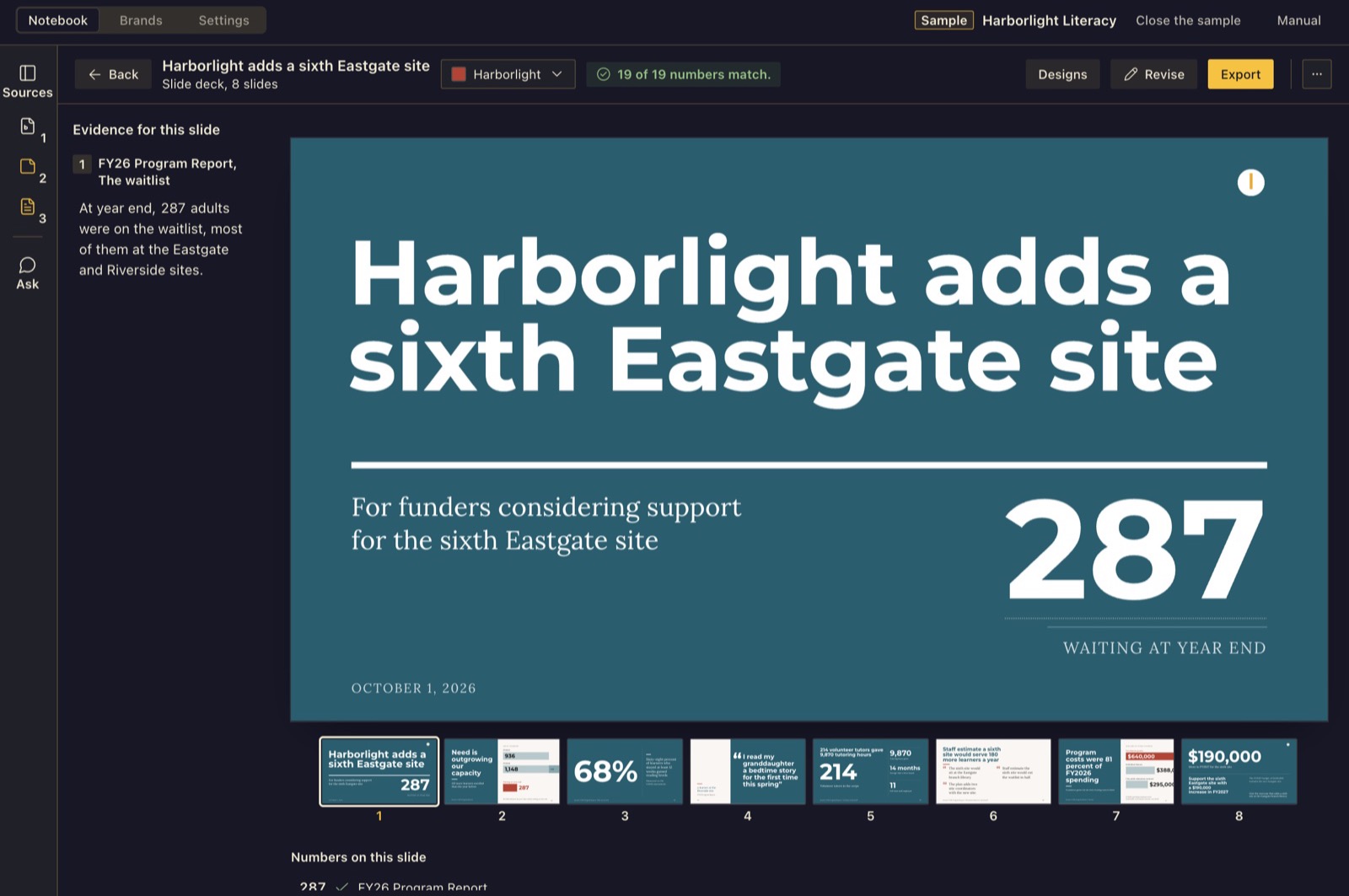
A Harborlight sample deck slide with the number check: 19 of 19 numbers match, the evidence on the left, each number's source below

Three designs of one deck, from the same sources and checked numbers, with a count of numbers to check and layout problems under each

The full guide, with every screen, is the manual: https://linchpin.studio/hermes/letterpress/manual/

Requirements

  • Hermes Desktop 0.22.6 or newer.
  • A model set up in Hermes. If you've chatted with Hermes, you already have one; if not, open Hermes Settings, Model.
    Letterpress uses your main model unless you set Letterpress writing under Settings, Models, Auxiliary. Reading a logo or
    brand sheet needs a model that can see images.
  • Google Chrome, Chromium, Microsoft Edge or Brave, for the three designs, for exporting a designed piece to PDF or
    PNG, and for reading how a website looks. Everything else works without one. Letterpress finds an installed browser on
    its own; to use a different one, set the LETTERPRESS_BROWSER environment variable to its full path. Tested on a Mac.
    On Windows, Build from a website reads a site's colors and fonts but cannot yet look at the page in a browser.
  • A voice set up in Hermes (text-to-speech), only if you want the audio brief recorded. The script is made either way.
  • A few Python libraries (pypdf, python-docx, python-pptx, reportlab and Pillow), installed with the plugin.
    Hermes asks before it installs them.

Install

Letterpress was called Imprint before Nov 12, 2026. If you used it under that name, your sources, brands and made
pieces are copied in the first time Letterpress opens; the earlier folder is left as it was.

From the Hermes plugin catalog:

hermes plugins install letterpress

Or, in Hermes Desktop, open Capabilities, then Plugins, then Install from Git, and paste
https://github.com/Dgardenhire/hermes-letterpress. Switch Letterpress on under Capabilities, Plugins, then click Letterpress
in the sidebar. It has three tabs: Notebook, Brands and Settings.

Uninstall

  1. If you want your Letterpress data gone too, first open Letterpress's Settings tab and use Forget everything (type the
    words it asks for). That deletes <HERMES_HOME>/plugin-data/letterpress/: sources, brands, made pieces, recordings and
    settings. Files you exported are yours and stay where you saved them.
  2. Remove the plugin. In Hermes Desktop: Capabilities, then Plugins, then the trash button beside Letterpress, and confirm.
    From a terminal: hermes plugins remove letterpress. Restart the gateway to unload its code.
  3. Removing the plugin keeps its data folder. If you skipped step 1, delete <HERMES_HOME>/plugin-data/letterpress/
    yourself. The Python libraries installed with it stay, since other plugins may use them.

How long things take

How long a step takes depends on the model you use. Three designs take longer than one, because the model lays the
piece out three times and fixes each. They run side by side, and each shows its current step. You can leave the
screen while they draw. If a run is cut off (Hermes restarted, or you pressed Stop), it comes back as interrupted, and
Design three options or Retry starts it again.

What leaves your computer

  • Your ticked sources (with keys and passwords removed by Hermes), your questions, your brief and your notes go to the
    model you set in Hermes. If that model is a cloud service, the text goes to it.
  • While drawing the three designs, Letterpress shows your model a picture of each draft so it can fix it. A logo or brand
    sheet you ask Letterpress to read also goes to your model as a picture.
  • The audio script goes to your Hermes text-to-speech voice. If that is an online service (the Hermes default, Edge,
    is Microsoft's online voice), the script goes to it.
  • A web address you add as a source is fetched by your Hermes web tool, or by Letterpress itself if that tool is not set
    up. Only public web addresses are fetched.
  • Build from a website fetches the page and its style sheets, and opens the home page and up to three pages it
    links to in a hidden browser with a fresh profile, read only. It respects the site's robots.txt and never types, clicks or signs
    in. Pictures of those pages and their style measurements go to your model.

Nothing else leaves: no usage data and no other servers.

What Letterpress touches on your computer

  • Files. It saves only into <HERMES_HOME>/plugin-data/letterpress/ (or the folder in the LETTERPRESS_DATA_DIR
    environment variable, if you set one), into scratch folders it deletes afterward, and where you pick in the save
    dialog. A debug.log there keeps the last 200 lines of error kinds, never what you wrote. It reads only the files
    and folders you pick.
  • Other programs. A browser runs in the background, with a throwaway profile, to draw the designs and their
    exports and to look at a website when you build a brand from one. On a Mac it also uses the built-in sips command
    to make a small preview of a one-pager. Each starts only when you press a button and ends with its job.
  • Keys and updates. Letterpress stores no keys or passwords and never updates itself.
  • Hermes tools it uses. Your Hermes text-to-speech (text_to_speech), web tool (web_extract) and image tool
    (image_generate). The image tool has no button in the page; only a direct request to the plugin's own API can
    reach it.

Brands, fonts and credits

  • Use brands only for organizations you own or have permission to use.
  • Letterpress ships no third-party logos. Four of the earlier starter brands adapt color and type values from Open Design
    packages (Apache-2.0, with MIT upstreams; see NOTICE); they carry neutral names and no company's logo or mark. The
    US Web Design System starter follows a public domain design system (GSA's work is CC0, its fonts are OFL) and carries
    no logo, seal or government banner.
  • Letterpress never downloads a font. It uses the fonts it ships and the fonts you add to a brand, and refuses fonts whose
    license forbids embedding.
  • Bundled fonts are under the SIL Open Font License 1.1 (fonts/OFL.txt): Anton, Barlow and Barlow Condensed, Courier
    Prime, Crimson Pro, DM Serif Display, Instrument Serif, Inter, Libre Caslon Display, Lora (The Lora Project
    Authors), Merriweather, Montserrat (The Montserrat Project Authors, Julieta Ulanovsky), Public Sans, Source Sans 3
    and Source Serif 4. fonts/SOURCES.txt records where each came from.
  • Letterpress is an independent plugin by Damon Gardenhire, not an official Nous Research plugin.

For developers

cd tests && /usr/bin/python3 -m unittest discover -s .
node --test tests/js/*.test.mjs

Build the page file

node vendor/hermes-ui-kit/scripts/build.mjs .
node scripts/verify-bundle.mjs

Use Node 24, and run npm ci --ignore-scripts --prefix vendor/hermes-ui-kit once first to install the pinned esbuild.
The first command writes desktop/plugin.js; the second rebuilds it in a temporary folder and exits 0 only if it is
byte-identical to the committed file. The shared interface code in desktop/plugin.js lives in vendor/hermes-ui-kit.

Changes: CHANGELOG.md.

License

MIT License, Copyright (c) 2026 Damon Gardenhire. See LICENSE. Bundled fonts and adapted brand values keep
their own licenses, listed in NOTICE.

README from the reviewed commit f67cc00; it updates when the author re-pins.
More by Dgardenhire

5 plugins by Dgardenhire in the catalog.

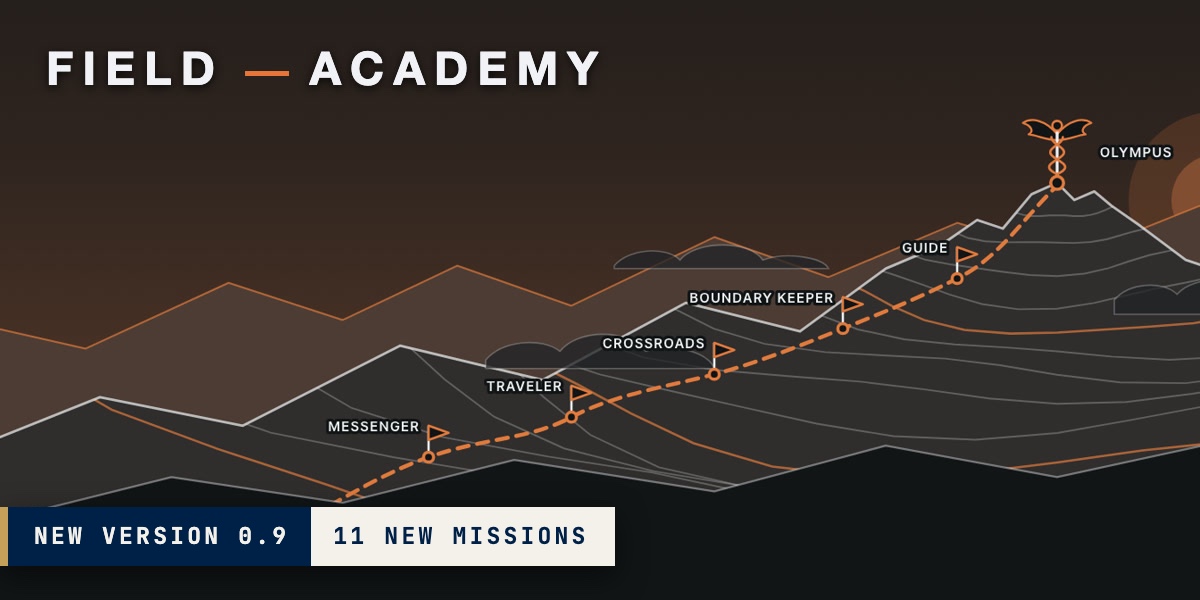
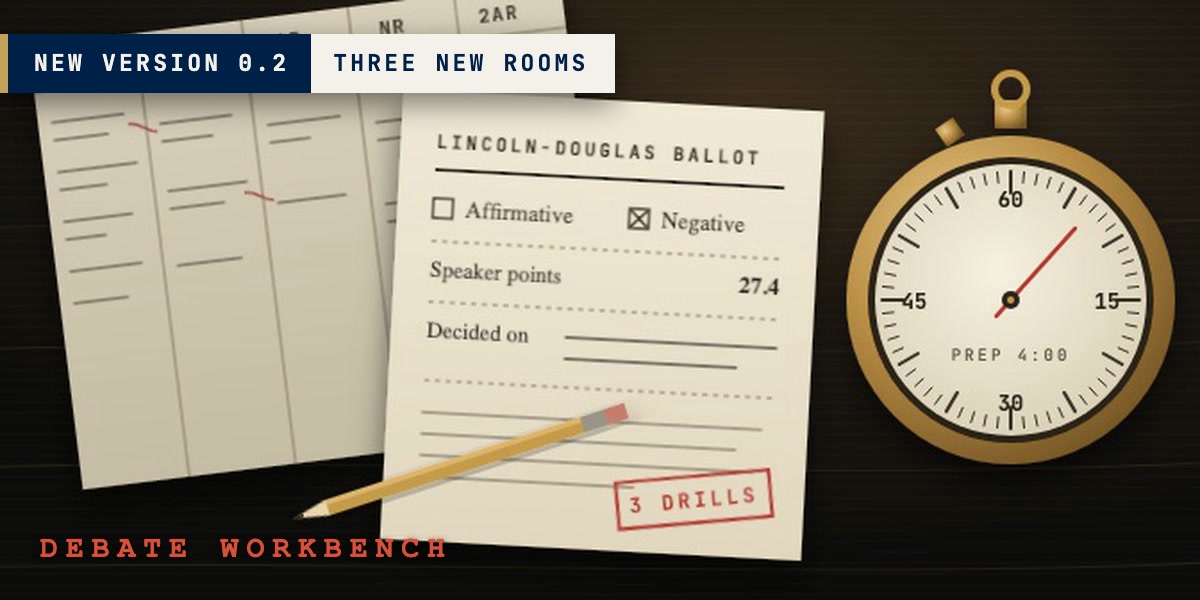
Dgardenhirebot-cabinet-v2Tell Cabinet the job you need done and it answers with the smallest setup that does it (one chat, a skill, a routine, a Bot or a crew), shows which answers led there, then helps you act: add one of botcabinet.com's 20 Bots (each with its test record shown) as a Hermes profile, plan a new Bot line by line, or set up a crew of Bots in a handoff order with blocked Kanban cards. Everything Cabinet makes can be removed again from My Bots, and a Bot that Hermes's own Bots catalog carries is handed over to it, never duplicated. Disclosure — fetches its Bot catalog from https://botcabinet.com/catalog.json on open and Refresh (data only, 2 MB cap) and, after you confirm, creates Hermes profiles whose instructions (SOUL.md) come from that catalog; can create and archive Kanban cards for a crew; deletes only profiles it created that you have not changed; reads ~/.hermes/profiles and hashes profile files to track what it made; calls private Hermes modules (hermes_cli.profiles, kanban_db), so a Hermes update can break it; no shell, credentials, telemetry or self-updates.CommunityDesktop appDgardenhireclearingThe Clearing is a writing editor inside Hermes with 159 editing methods you can run by name: 11 editor passes, 9 composition checks drawn from Strunk's rules, 33 editorial methods, 56 craft techniques and 44 figures of speech it can find in your draft or suggest where one would help. Press Read my piece and it marks your own words with what to change, most important first. Nothing changes until you press Use this. Three reviewers, a newcomer, a skeptic and a line editor, can each read the piece and then argue it out. When a suggestion adds a fact you never wrote, it says so before you keep it, and the page shows how much of the piece is still your own words. A built-in quick check and dictionary work without a model. An independent community plugin, not made or endorsed by Nous Research. Disclosure: no network calls of its own. Editor passes go to the model you set in Hermes, only when you start one, with secrets removed by Hermes first; Bring in a link hands a public address to Hermes's web_extract after refusing non-public hosts; dictation goes to Hermes speech-to-text and, for a cloud service, waits until you press Send. Reads only files you pick, plus Hermes's speech-to-text setting and the Hugging Face model cache, both read-only. No shell commands, background processes, stored credentials or telemetry; one observe-only post_auxiliary_call hook reads the finish reason, model name and token counts of its own calls. When it falls back to a local faster-whisper model it sets KMP_DUPLICATE_LIB_OK=TRUE in the Hermes process. Your writing, its versions and a quote-stripped debug.log stay in <HERMES_HOME>/plugin-data/clearing/; Delete forever in the Trash erases a piece.CommunityDesktop appDgardenhirefield-academyThe School of Hermes. Hermes will sometimes tell you it saved something when it didn't, and Field Academy teaches you to catch that. In Foundations you work through 11 missions in a throwaway copy of Hermes with one thing quietly broken: you do a real job, say how you think it went, then look at what Hermes actually wrote to its files. After that come 34 missions on five trails in your own Hermes, each trail ending with a Field Record of your work. New in 0.9: Foundations and the trail map. Independent community plugin, not made or endorsed by Nous Research. Disclosure — no network calls of its own and no telemetry; registers six tools, two hooks, the /academy command and one skill. It creates and deletes practice profiles (named academy-practice) through Hermes, which copies your provider sign-in into each; Field Academy never reads .env, auth.json or other sign-in files. Before a practice profile's first chat it writes allowlisted settings, memory, a sample skill and sample files into that profile only, and may turn on its memory or skill write-approval setting; it never changes approvals.* or the command allowlist, and never writes your own profiles. Some missions add a filesystem connector (@modelcontextprotocol/server-filesystem, pinned) that Hermes downloads with npx, and scheduled practice jobs that, once repaired, run hourly on your model provider until you pause them. AI help (on by default) sends mission text, your answers and key-scrubbed practice excerpts to your own model; the in-chat practice offer (pre_llm_call, interactive sessions only) is off until you turn it on. It reads a file you name (UTF-8, max 5 MiB); on the Guide path it reads Hermes's run-history database read-only, jobs.json and up to 25 log files; progress, practice labs and Field Records stay in $HERMES_HOME/plugin-data/field-academy/.CommunityDesktop appDgardenhireld-workbenchA new tool for high school debate students. Build a Lincoln-Douglas case with a coach, run a full timed round against an AI opponent, answer Extemp questions out loud, and study great speeches. You speak on a real clock that starts when you do. A practice judge writes a full ballot after every round and quotes your own lines back to you, and you can play each one back from your own recording. Try an answer twice and see what got better. Ballots are kept, and the habits that keep costing you are counted across them. Rhetoric lessons mark the figures in famous speeches. The coach asks questions first and writes nothing into your case until you press Add. In any Hermes chat, /debate gives you today's question. New in 0.2: Extemp answers spoken on a real clock, a Rhetoric room, a Ballots page that counts your habits across rounds and shows which way each is heading, and a Start here guide to the four rooms. Disclosure — an independent community plugin, not made or endorsed by Nous Research, the National Speech & Debate Association, AllSides or any news outlet. Registers a Desktop page, a dashboard API, the /debate command, two read-only agent tools (debate_record, debate_today; both refuse in scheduled jobs), three model rows and a debate-coach skill; no hooks, middleware or env vars. The microphone opens only while you press Start speaking. Recordings, transcripts, cases, ballots and your extemp file stay in $HERMES_HOME/plugin-data/ld-workbench/, with delete buttons in Settings. Takes go to Hermes's speech-to-text (a cloud provider gets a take only when you press Transcribe now on it) or to the plugin's own speech model, downloaded from huggingface.co (about 145 MB) only on a press. Pressing Hear it sends the AI opponent's or coach's speech text to the text-to-speech voice set up in Hermes. Its own network calls start on a button (Pull headlines: Google News RSS and outlet feeds, https only; Get up to speed: up to 4 public pages from your Hermes web search; a link you save, http or https), public addresses only, with time and size caps. Model calls go to your own Hermes model; with coach examples on, one runs in the background after each 60-second answer. Uses one private Hermes import (tools.voice_mode.transcribe_recording), guarded with a local fallback. No credentials, telemetry, background jobs or self-updates.CommunityDesktop app

Developer Mode

Explore built-in Hermes toolsets and actions.

HermesAgent

Developer?

Create a Hermes extension for Desktop or agent workflows.

Developer Section