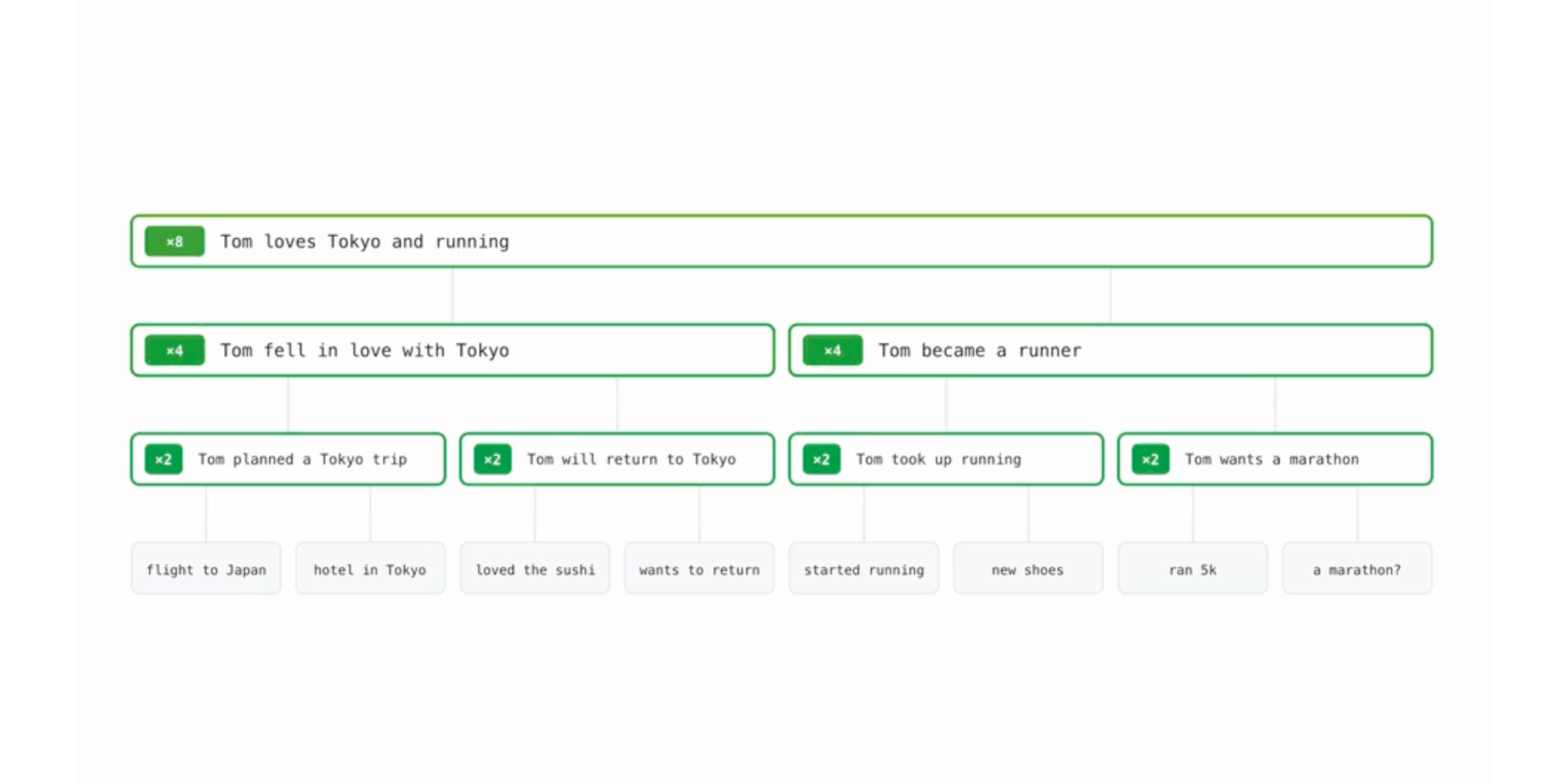
OptMem for Hermes

Original design animation by Victor Taelin. This is an independent Hermes integration, not the upstream project.
Local memory that keeps the history and limits what enters your context. Store durable facts, search them with regex/BM25, and zoom from summaries back to original records. No API key or LLM call is needed by the memory engine.
Install
If optmem-hermes is listed in your Hermes catalog, install it with:
hermes plugins install optmem-hermes
If it is not listed in your catalog, install a published release into the Python environment used by Hermes:
pip install "git+https://github.com/rarf/optmem-hermes-plugin@v0.3.3"
Select the provider in your profile's config.yaml, then restart that profile's Hermes process:
memory:
  provider: optmem-hermes
hermes optmem-hermes status --json
Choose your mode
- Hybrid (default): OptMem runs alongside native
MEMORY.md/USER.md. - OptMem-only: replaces native memory injection after verified migration and backup.
To switch safely, inspect the migration plan first:
hermes optmem-hermes migrate --dry-run --json
hermes optmem-hermes migrate --split --json
hermes optmem-hermes check --json
hermes optmem-hermes mode optmem-only --yes --json
Native files are preserved. check is read-only and exits 1 until replacement readiness is satisfied. Use --hermes-home PATH to target one profile explicitly.
To undo the last mode switch without deleting OptMem data:
hermes optmem-hermes rollback --json
Good to know
- Raw records are append-only. Summaries are lossy, but original details remain recoverable.
- Later notes do not automatically supersede earlier ones: no semantic conflict resolution.
- The wake digest is bounded but consumes model context.
forgetremoves summaries, not raw records.- Manual merges by default. Compaction happens only when the agent runs the
requested
optmem_nap("nothing runs in the background"), matching upstream.auto_napenables automatic compaction every ~10 turns; it is off by default. - Upgrading an older installation: change
memory.provider: optmemtooptmem-hermesonly in the selected profile. Data paths stay unchanged; the CLI becomeshermes optmem-hermes.
Optional LLM summaries
Enable both auto_nap and llm_summary in
<HERMES_HOME>/optmem/config.json to summarize through the host's
optmem_summary auxiliary task. Both default to false; with either off there
is no summary egress or token cost. Enabling both sends memory blocks to the
selected provider and may incur costs. Failures fall back to the local
extractor; raw records remain. See
configuration and LLM routing.
More
Configuration, tools and technical reference · Catalog submission checklist · MIT license
The upstream animation is linked, not copied or rehosted. Upstream ships no LICENSE file; this repository's MIT license does not cover its media. No affiliation or endorsement is implied.